

July 15, 2026
Boost Focus: 10 Ways to Increase Productivity
Discover 10 evidence-backed ways to increase productivity. Learn actionable strategies like time-blocking, habit stacking, & visualization for quick results.
More Than Just Busy: Reclaiming Your Focus
You close the laptop, look back at the day, and realize you were active the whole time but still didn’t move the work that mattered. Messages got answered. Tabs multiplied. Small tasks felt urgent. The important thing stayed abstract, and abstract goals are easy to postpone.
That’s the trap. Modern work rewards responsiveness, but real output usually comes from focus, sequencing, and visible progress. If you can’t see what you’re moving toward, your brain keeps drifting to whatever is loudest. That’s why some of the best ways to increase productivity aren’t about squeezing more effort out of yourself. They’re about making the next step obvious and the finish line impossible to ignore.
Visual systems help because they reduce decision fatigue. A countdown on your lock screen, a progress bar for a project milestone, or a timer that shows a work block shrinking in real time gives your attention something concrete to hold. You stop renegotiating with yourself every hour.
If your focus has felt scattered lately, start there. Make work visible. Make time visible. Make progress visible. That single shift often does more than another complicated app stack. If you also want to optimise your mental performance, pair the methods below with better sleep, fewer notifications, and a work environment built for concentration.
Table of Contents
- 1. The Pomodoro Technique
- 2. Deadline Visualization
- 3. Habit Stacking
- 4. Temporal Blocking
- 5. Progress Visualization
- 6. Goal Prioritization
- 7. Environment Design
- 8. Milestone-Based Goal Setting
- 9. ADHD-Friendly Productivity
- 10. Fasting Windows and Event Anticipation
- 10 Productivity Strategies Comparison
- Your Visual Path to Productivity
1. The Pomodoro Technique
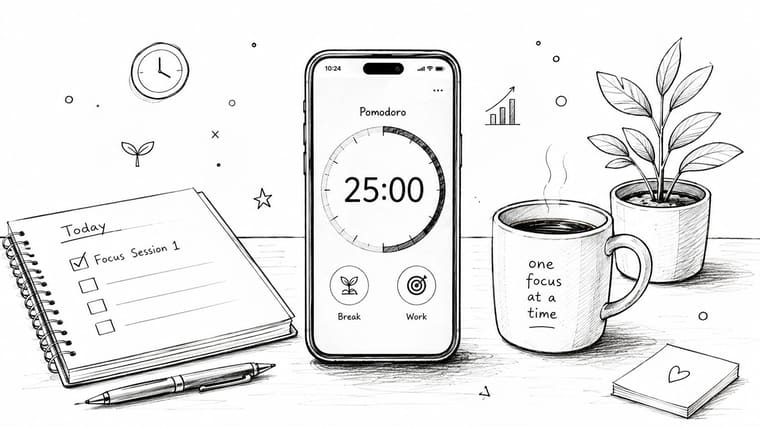
Many don’t need more motivation to start. They need a smaller container for effort. The Pomodoro Technique works because it narrows the ask: focus for 25 minutes, then take a 5-minute break. After four rounds, take a longer break of 20 to 30 minutes, following the structure described in this overview of the Pomodoro Technique.
That rhythm is simple enough to repeat even on low-energy days. It also pairs well with visual tools because a countdown makes the session feel finite. Instead of “work on the report,” the brain sees “17 minutes left.”
Why the timer works
A law student studying for exams can run one widget for the current 25-minute block and another for total Pomodoros completed today. A writer can use one session to draft badly, one to revise, and one to cut. A software developer can use a timer to keep code review from bleeding across the afternoon.
Practical rule: Use the timer for work that has a clear output, not for reactive inbox time.
A glanceable widget makes this easier to stick with because the timer stays visible without asking you to open another app. If you want a cleaner setup, this interval timer app guide shows how to make the countdown itself part of your workspace.
- Separate work and break visually: Use one color for focus and another for recovery.
- Keep the theme quiet: Swiss Style or Minimal works well when you’re easily distracted.
- Track volume, not perfection: Count completed sessions across the week so you can see momentum even if one day goes sideways.
2. Deadline Visualization
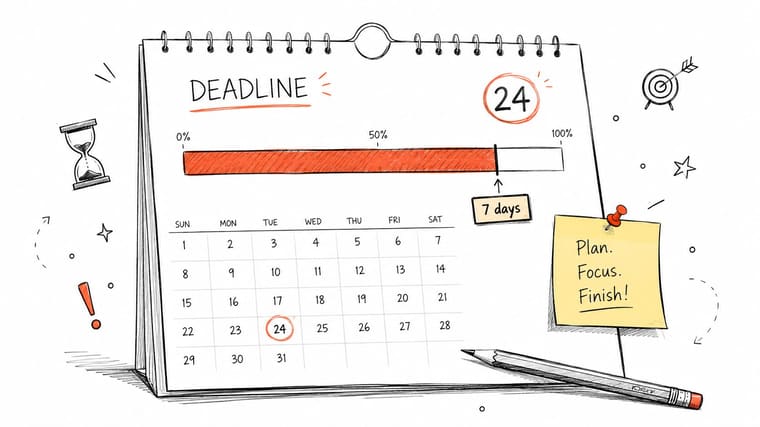
Deadlines often fail because they live in a calendar you only check when you’re already behind. The date exists, but it doesn’t press on your attention. That’s why visual countdowns are one of the more reliable ways to increase productivity. They turn a distant obligation into something your eyes keep encountering.
A project manager handling client deliverables can place the next submission date on the lock screen. A freelancer juggling several jobs can assign one widget per client. A student can track an exam date months ahead, then watch the bar tighten as revision needs to shift from casual to deliberate.
How to make deadlines feel real
The trick is to stop treating every deadline as equal. One should dominate your visual field. The rest should support planning, not compete with it.
- Build in a buffer: Set your personal deadline earlier than the official one.
- Split contexts: Keep work deadlines separate from personal deadlines so urgency stays clear.
- Review weekly: If the countdown suddenly looks short, your plan should change that same day.
One caution. Deadlines alone don’t create output. They create pressure. Pressure helps only when the next action is defined. If the widget says a launch is getting close, your task list still needs to answer what happens today.
A visible deadline works best when it points to a visible next step.
3. Habit Stacking
Some productivity problems aren’t scheduling problems. They’re repeatability problems. You know what would help, but the habit never gets stable enough to matter.
Habit stacking fixes that by attaching a new behavior to something you already do without thinking. After coffee, review the day’s top task. After brushing your teeth, open your language app. After lunch, take a ten-minute admin sweep. The old habit becomes the trigger.
Build around something you already do
This works especially well when progress stays in view. A writer trying to keep a daily streak can use a widget that shows the current run of writing days. A meditator can track a long commitment on the lock screen. A fitness enthusiast can tie a short mobility session to the morning coffee routine and let the widget reinforce consistency.
What doesn’t work is stacking a demanding habit onto a chaotic anchor. If your mornings are unpredictable, don’t attach deep reading to “when I wake up.” Attach it to “after I sit at my desk” or “after I make tea.”
- Start embarrassingly small: Make the new habit easy to complete even on rushed days.
- Choose the right anchor: The existing routine should happen at roughly the same time and place.
- Make the streak visible: A visual reminder helps on the exact day motivation drops.
The reason this matters is psychological. Generic productivity advice assumes people fail because they lack discipline. In reality, evidence for broad workplace interventions is mixed, and a meta-analysis found that although some effects were significant, the broader analysis couldn’t confirm overall effectiveness for increasing employee productivity across the board, which is why personalized systems matter more than blanket hacks in this review of workplace productivity interventions.
4. Temporal Blocking
Calendar blocking works when you stop treating your calendar as a record of meetings and start treating it as an operating system. Deep work, admin, collaboration, and recovery all need space. If you leave them unassigned, reactive work takes everything.
A manager might block the first part of the morning for planning and decision-making before meetings begin. A teacher might reserve a grading block instead of letting marking spread into every evening. A developer can protect a coding block with a visible countdown so the session has a clear start and stop.
A short demonstration helps more than a long explanation. Here’s a useful walkthrough:
Protect the block, not just the task
The common mistake is overfilling the day with idealized blocks that don’t survive reality. Leave breathing room. Transition time matters. So does underestimating how long context switching takes.
Coach’s note: If a block gets interrupted repeatedly, the answer usually isn’t more discipline. It’s a different time slot or a stronger boundary.
For professionals who work in naturally fragmented days, this guide to teacher time management is a useful reminder that good scheduling depends on the job, not on some perfect template.
- Theme blocks by purpose: Use one visual style for creative work and another for admin.
- Show only the current block: One active countdown is better than five competing reminders.
- Use warning cues: A short alert before the next block helps your brain switch cleanly.
5. Progress Visualization
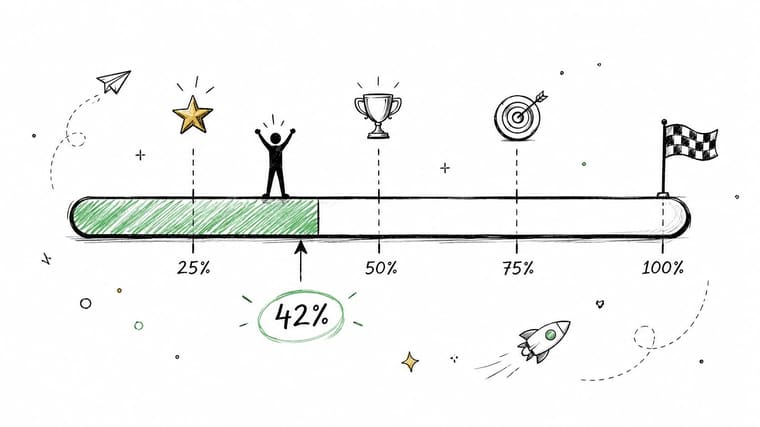
Long projects fail subtly. No crisis happens on day one. People readily lose contact with movement. That’s why visible progress bars are so effective. They keep effort attached to evidence.
A book author can track manuscript completion instead of relying on mood. A PhD candidate can display dissertation milestones. Someone changing careers can watch a training program move from early effort to real completion. For people who freeze around big goals, visible progress makes the task feel less like a fog bank and more like a path.
Turn long projects into visible movement
The visual part matters because progress isn’t motivating when it stays hidden in spreadsheets or notes. Put it somewhere you’ll see. That’s the strength of a simple widget setup. This guide to building a progress schedule is a good example of how to make long timelines glanceable instead of mentally expensive.
Try this structure:
- Break the goal into milestones: Use clear stages such as drafting, revising, and submitting.
- Define completion accurately: Don’t say a project is “in progress” for six months.
- Celebrate visible movement: Screenshots of milestones can reinforce consistency without adding noise.
Remote work research gives this strategy useful context. Ongoing studies associated with Nicholas Bloom found fully remote employees were on average 13% more productive than in-office counterparts when measured by individual task completion. That gain was linked to fewer interruptions, no commute fatigue, and greater control over the physical environment. The lesson is practical: focused individual work improves when people can see and protect progress.
6. Goal Prioritization
The initial issue isn’t a time problem. Instead, it’s a priority problem disguised as a time problem. If every goal is visible in the same way, nothing is important.
Create a visual hierarchy. Put the top one or two goals where you can’t miss them, such as the lock screen or watch face. Move secondary goals to the home screen. If a goal matters but doesn’t deserve daily visual space, it probably belongs in a review list, not in your main field of attention.
Create a visible hierarchy
An entrepreneur might keep a product launch countdown front and center while tracking supporting milestones elsewhere. A student may put the next exam on the lock screen and leave assignment deadlines for the home screen. A parent managing family logistics can still preserve one personal goal by making it visually primary.
This sounds simple, but it solves a real behavior problem. Attention follows salience. If your screen gives equal weight to eight goals, your brain starts scanning instead of committing.
- Use lock screen space sparingly: One or two priorities is enough.
- Demote the rest on purpose: Secondary goals should support, not compete.
- Review monthly: Priorities change. Your visual system should change with them.
A good test is blunt: if you could only achieve three goals this year, which would they be? Those are the ones that should stay visible by default.
7. Environment Design
Productivity isn’t just what you intend. It’s what your environment makes easy. If the tools on your screen feel cluttered, ugly, or noisy, you’ll avoid them. If they feel clean and rewarding, you’ll keep checking the right things.
That’s where design matters more than people admit. A minimalist professional may work better with a Swiss Style theme that fades into the background but stays legible. Someone who needs more visual salience may prefer Aqua. A designer might choose Retro OS because the aesthetic itself makes progress tracking enjoyable.
Reduce friction in plain sight
The goal isn’t to make your phone prettier for its own sake. It’s to make productive cues easier to notice than distracting ones. The better your visual environment fits your taste, the less resistance you feel when you engage with it.
There’s also a caution here around overengineering. Many teams are rushing toward AI-based productivity systems, but implementation doesn’t always help immediately. In manufacturing, firms experienced a temporary 1.33% decline in productivity immediately after AI adoption, and the drop was larger after correcting for selection bias. For everyday personal systems, a simple visual cue often beats a complicated setup that adds friction before it adds value.
Keep the system lighter than the problem you’re trying to solve.
- Choose a theme you like looking at: Taste affects consistency.
- Protect contrast and readability: Beautiful but hard-to-read widgets won’t help.
- Refresh occasionally: A seasonal design update can restore attention without rebuilding the system.
8. Milestone-Based Goal Setting
Large goals need intermediate proof. Without it, the mind treats the finish line as fantasy and starts looking for easier rewards.
Milestones fix that. They give you points of completion before the final completion. A graduate student doesn’t just “finish the dissertation.” They complete the proposal, the chapter drafts, the revisions, and the defense prep. A job seeker doesn’t just “get hired.” They move through applications, screenings, interviews, and offer stages.
Use milestones to prevent drift
This is one of the most practical ways to increase productivity because it changes your emotional relationship to the work. A year-long objective stops feeling like one giant verdict on your future and starts feeling like a series of achievable wins.
Milestones also make visual tracking more honest. If a business owner says the annual target matters, that target should break into periods with visible checkpoints. If a goal can’t be divided, it’s usually still too vague.
- Work backward from the final date: Build the path, not just the ambition.
- Name milestones clearly: “Chapter 1 draft complete” beats “make progress.”
- Adjust when reality changes: Rigid milestones that ignore actual pace become decorative.
Some people resist this because it feels artificial. It isn’t. It’s operational. Milestones turn hope into scheduling.
9. ADHD-Friendly Productivity
ADHD changes the shape of productivity problems. The issue often isn’t laziness or lack of care. It’s holding priorities in working memory, estimating time accurately, and staying connected to a task once novelty fades.
That’s why visual externalization matters so much. A lock screen deadline, a home screen progress bar, or a watch complication can function like an external brain. Instead of trusting memory to keep a priority active, you let the environment keep presenting it.
Externalize what your brain shouldn’t have to hold
A student with ADHD can place the nearest assignment deadline on the lock screen to reduce deadline blindness. A professional can use a current-priority widget during busy weeks so the main task doesn’t disappear under meetings. Someone who struggles with tool-switching may benefit from a single glanceable widget instead of a stack of apps and dashboards.
There’s an important nuance here. AI can help, but not every role sees the dramatic gains people advertise. In one underserved angle on the AI-productivity paradox, researchers note that while many jobs could accelerate part of their tasks, the actual average efficiency increase across roles was 48% in the Chilean worker analysis, and implementation can break down in human-centered functions. For ADHD users, more tools can also mean more switching noise.
If you want a more customized setup, these productivity apps for ADHD are useful because they focus on visibility and low-friction reminders rather than complexity.
- Keep the widget count low: Too many reminders blur into wallpaper.
- Use strong contrast: If your attention slips easily, subtle visuals may disappear.
- Pair visible cues with a simple note: The widget shows priority. The note holds task details.
10. Fasting Windows and Event Anticipation
Not every productivity system should point only at work. Energy, health, and positive anticipation all shape output. If your routines around eating, sleep, medication, training, or recovery are inconsistent, focus usually suffers downstream.
Visible countdowns help here because they support adherence without requiring constant mental tracking. Someone following intermittent fasting can keep the active fasting window on the lock screen. A shift worker can track a sleep window. A person managing medication timing or workout recovery can use the same principle.
Track commitments that shape your energy
There’s also value in tracking things you’re looking forward to. A concert, vacation, wedding, holiday, or movie release can act as a positive anchor during demanding periods. One useful pattern is pairing a work goal countdown with an upcoming life event so the screen reflects both discipline and reward.
Generative AI tools are part of this conversation too, especially for planning and admin. Adoption among global knowledge workers has reached 75%, with 46% of users adopting the tools within the previous six months, and the same source reports measurable productivity gains in some functions. The trade-off is that AI is strongest when it supports the system, not when it replaces self-awareness. A visible fasting timer or event countdown is often more immediately useful than another layer of automation.
- Use calm themes for health windows: Quiet visuals reduce stress.
- Use brighter themes for celebrations: Positive events should feel distinct.
- Balance utility and joy: A good screen reminds you what you’re working toward, not just what you owe.
10 Productivity Strategies Comparison
| Strategy | Implementation 🔄 | Resources ⚡ | Expected outcomes ⭐📊 | Ideal use cases 💡 | Key advantages ⭐ |
|---|---|---|---|---|---|
| The Pomodoro Technique: Time-Blocking with Visual Progress | Moderate, requires disciplined session timing and widget setup | Low, timer widget and brief configuration | Improved focus, reduced procrastination; medium measurable gains | Short focused tasks: studying, writing, code review | Creates urgency with visible countdown; prevents burnout with breaks |
| Deadline Visualization: Making Abstract Goals Concrete | Low, set deadlines and color-code widgets | Low, accurate dates and few widgets | Strong increase in urgency and earlier action; better planning accuracy | Project deadlines, client deliverables, exam schedules | Makes deadlines tangible; reduces last-minute cramming |
| Habit Stacking: Building Momentum Through Visual Tracking | Moderate, attach new habits to existing routines and track streaks | Low–Medium, daily habit inputs and streak widgets | Long-term behavior change via compounded consistency | Daily habits: exercise, meditation, writing, language study | Leverages routine anchors; streaks motivate continuation |
| Temporal Blocking: Calendar-Based Productivity Architecture | High, requires upfront calendar planning and discipline | Medium, calendar integration and cross-device sync | Reduced context switching; higher deep-work output | Executives, developers, teachers, scheduled deep work | Turns calendar into enforced focus with visible timers |
| Progress Visualization: Psychological Momentum and Motivation | Low, define goals and set progress trackers | Low, measurable milestones and widgets | Sustained motivation; combats mid-journey dips; clear momentum metrics | Long-term projects: books, dissertations, fitness programs | Visualizes incremental wins; increases daily motivation |
| Goal Prioritization: Visual Hierarchy of Objectives | Moderate, assess priorities and arrange widgets by importance | Low, deliberate selection and periodic review | Focused effort on top objectives; reduced decision fatigue | Entrepreneurs, students, career transitions | Makes priorities explicit and constantly visible |
| Environment Design: Reducing Friction for Productivity | Low, choose themes and customize aesthetics | Low, theme selection; optional pro customization | Lower friction to check progress; higher engagement | Designers, visual thinkers, users who value aesthetics | Makes reminders pleasurable; reduces cognitive clutter |
| Milestone-Based Goal Setting: Breaking Large Goals into Celebrations | Moderate, requires milestone planning and multiple widgets | Medium, planning time and many milestone widgets | Regular momentum boosts and adaptive planning feedback | Year-long goals, product launches, academic projects | Breaks large goals into achievable checkpoints with celebrations |
| ADHD-Friendly Productivity: External Accountability and Visual Reminders | Moderate, initial curation needed; keep few essential widgets | Low–Medium, selective widgets and watch complications | Improved time awareness and externalized executive function | People with ADHD, those needing persistent cues | Compensates for working-memory limits; provides persistent reminders |
| Fasting Windows & Event Anticipation: Health, Lifestyle and Celebration Tracking | Low, set time windows and event dates; use built-in calculators | Low, fasting calculator and themed widgets | Better adherence to health routines; increased anticipation/well‑being | Intermittent fasting, medication timing, event countdowns | Built-in health calculators; supports both discipline and celebration |
Your Visual Path to Productivity
Productivity isn’t a hack you discover once. It’s a system you keep shaping until the right actions become easier than the wrong ones. That’s why the best ways to increase productivity usually look less dramatic than people expect. They aren’t heroic. They’re visible, repeatable, and low-friction.
Across the methods above, one pattern keeps showing up. Abstract goals are weak competitors for your attention. Concrete goals win. A timer you can see is better than a promise to “focus more.” A countdown to a real deadline is better than a task floating in a notes app. A visible progress bar is better than vague confidence that you’re “getting there.”
This matters even more in modern work because there are now more tools than ever competing to organize your life. Some are genuinely useful. Some create overhead that feels productive without improving output. That’s the hidden cost many people ignore. If the system takes too much energy to maintain, you’ll abandon it right when pressure rises.
A better approach is to start with one method and make it visible. If you procrastinate on important tasks, begin with Pomodoro sessions on your lock screen. If deadlines sneak up on you, use a countdown widget for the next major date. If your long-term goals keep fading into the background, choose one progress bar that stays in view all week. You don’t need a full rebuild. You need one strong cue that keeps your attention attached to what matters.
There’s also no reason to force a productivity style that doesn’t fit your psychology. Some people need minimal visuals. Others need brighter cues. Some need a single priority displayed all day. Others need milestone tracking to stay encouraged. The point is not to copy someone else’s setup. The point is to build one you’ll use.
That’s how a real productivity system grows. It starts simple, proves itself, and earns more space in your routine. If you want a broader framework for making that system stick, this guide on how to build a productivity system is a strong next step.
Your focus probably doesn’t need more pressure. It needs more clarity. Put the right target in front of your eyes, keep progress visible, and let consistency do the hard work.
If you want a simple way to make deadlines, habits, milestones, fasting windows, and life events visible all day, try Pretty Progress. It turns your iPhone, iPad, Apple Watch, Mac, and Android devices into clean, customizable countdowns and progress widgets, so your goals stay present without adding noise.





