

October 16, 2026
How Many Days Until July 4th Countdown Explained
Wondering how many days until July 4th? Get the exact countdown, how it is calculated, and how to track it daily.
As of October 16, 2026, there are 261 calendar days until July 4, 2027, the next annual occurrence. If you’re already thinking about travel, fireworks, or a long weekend plan, that number gives you a clean starting point.
Table of Contents
- How Many Days Until July 4th Right Now
- What July 4th Marks Each Year
- How the Days Until July 4th Are Counted
- Why Your Countdown Might Show a Different Number
- Turning Remaining Days Into Travel and Celebration Plans
- Keep Your July 4th Countdown Always Visible
How Many Days Until July 4th Right Now
You can use the short answer right away, 261 days, and then decide whether you want a simple day count or a more exact timer. That distinction matters because people usually mean different things when they ask how many days until July 4th. Some want the date on the calendar. Others want the exact hours until a trip, event, or deadline.
A countdown only feels useful when it matches the plan in your head. If you’re comparing flights, booking a road trip, or coordinating a celebration, a date-based view is often easier to think about than hours and minutes. For example, when people plan a busy holiday window, they often need a practical timeline, not just a ticking number. That’s why a good countdown can sit beside planning tools like comparing private flight options for 2026 or a simple date countdown calculator and still serve a different purpose.
Practical rule: use the day count for planning, and switch to an exact timer only when the time of day actually changes the outcome.
July 4 comes back every year because it’s tied to a fixed calendar date, not a one-time event. The holiday may land on different weekdays, but the date itself stays put. That makes it easy to track, easy to repeat, and easy to turn into a recurring reminder.
If your brain works better with a visual, picture a yearly checkpoint on a road you travel again and again. The destination doesn’t move, but your position on the road changes every day. That’s what makes a July 4 countdown so handy.
What July 4th Marks Each Year
July 4 is the date the Second Continental Congress adopted the final text of the Declaration of Independence in 1776. The formal independence resolution had already passed on July 2, and the final document was printed on July 5 for public distribution. The parchment engrossment was signed beginning August 2, 1776, and all 13 colonies had signified approval by July 9, with 56 delegates ultimately signing the Declaration. The National Archives preserves that sequence clearly.
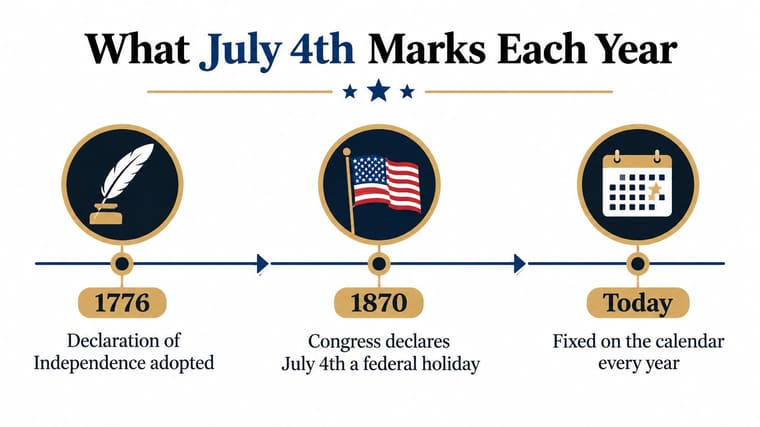
The easiest way to think about it is as a timeline with several steps, not one isolated moment. July 2 was the vote on independence, July 4 was the adoption of the final text, July 5 was printing, July 9 marked New York’s approval, and August 2 began the signatures. So when someone counts down to July 4, they’re counting toward a specific milestone in a longer sequence, not the moment the last signature hit the page.
That’s also why the holiday matters far beyond the United States. The Declaration publicly announced that the 13 American colonies were severing their political connections with Great Britain, so the date carries historical weight well beyond a single party or parade.
July 4 stayed fixed on the calendar, but its holiday status grew over time. The first anniversary was celebrated in Philadelphia in 1777, and widespread traditional observance became common after the War of 1812. Congress made Independence Day an official holiday in the District of Columbia in 1870 and a paid holiday for federal employees in 1938. The Congressional Research Service summary covers those milestones.
If you’re choosing a shirt, a parade outfit, or a family theme, the historical meaning can help you pick something with intention. For example, browsing custom freedom shirt design ideas makes more sense when you know the date marks adoption of the Declaration, not just fireworks night.
How the Days Until July 4th Are Counted
From October 16, 2026 to July 4, 2027, the count is 261 days when you count complete date boundaries and exclude October 16 itself. That number comes from a plain month-by-month breakdown, not a guess. You can verify it by adding the remaining days in each month and then the four days that fall in July before the target date.
| Month Period | Days Counted |
|---|---|
| October 17 to October 31 | 15 |
| November 2026 | 30 |
| December 2026 | 31 |
| January 2027 | 31 |
| February 2027 | 28 |
| March 2027 | 31 |
| April 2027 | 30 |
| May 2027 | 31 |
| June 2027 | 30 |
| July 1 to July 4 | 4 |
That total gives you 261. A date-only countdown should show the number of calendar transitions left, not an hour estimate. That’s why a dashboard or widget should say “261 days” rather than trying to convert the answer into a fixed number of hours.
A simple way to calculate it yourself is to start at the current day, move through the remaining days in the current month, then add each full month until you reach July. Ordinal-day conventions can make the math look different in leap years, because the day number within the year shifts by one. The holiday date doesn’t move, but the day-of-year label does.
Simple test: if your countdown changes when you cross midnight, you’re looking at calendar days. If it changes every second, you’re looking at exact duration.
That difference helps prevent the most common confusion. People often expect one universal answer, but a countdown is only as precise as the counting rule behind it. Once you know whether you’re counting date boundaries or elapsed time, the math stops feeling mysterious.
For another example of how countdown phrasing changes around a target date, see the way a date page can frame a separate milestone like days until Oct 1. The exact calendar logic is the same, even though the holiday or event changes.
Why Your Countdown Might Show a Different Number
Two phones can show different answers because they may be using different countdown modes. One app might count calendar days to local midnight, while another might count exact hours and minutes to a specific moment. Those are not the same thing, even if they look similar on screen.
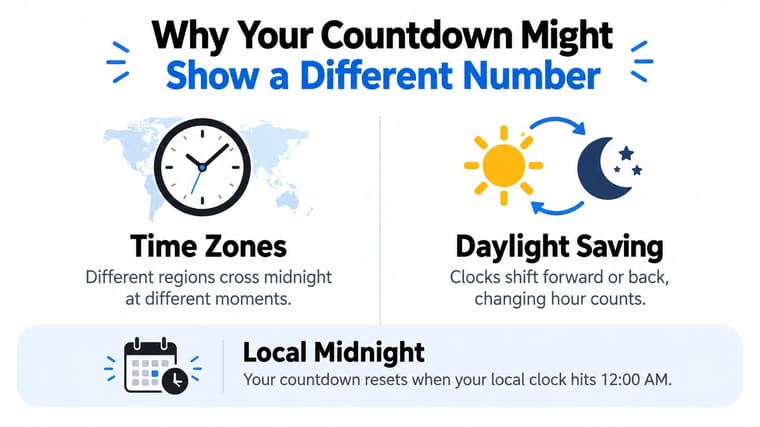
Calendar day mode versus exact duration mode
Calendar day mode answers a simple question, “How many date changes are left until July 4 starts here?” Exact duration mode answers a different one, “How long until a specific instant on July 4?” The first is easier for holiday planning. The second is better for events tied to a specific local start time.
July 4 begins at midnight locally, so a countdown reaches zero at different moments around the world.
That’s why time zones matter. If one person is in one region and another is elsewhere, they can be looking at the same holiday but not the same clock boundary. Daylight-saving rules can also change the exact hour count because clocks shift forward or back in some places.
UTC is often used for general timekeeping, but it can include leap seconds so it stays close to astronomical time. NIST notes that leap seconds have historically been inserted at the end of June or December. For a globally synchronized widget, that means the safest setup is to store the event as a time-zone-aware instant or as an explicit local date, then calculate with a standards-based date-time library.
Choosing the right target
A date-only July 4 countdown is usually the cleanest choice. It keeps the answer stable and avoids confusion when someone travels or checks the timer from another city. If you need a celebration countdown, though, you might want the start of the fireworks, the start of a party, or the end of the holiday weekend instead.
That’s also where a recurring widget is helpful. A good widget doesn’t just show one number once. It keeps updating as the date approaches, then rolls forward automatically for the next year without making you rebuild the setup.
Turning Remaining Days Into Travel and Celebration Plans
The days before July 4 get more useful when you assign them jobs. Instead of asking only how long is left, ask what needs to happen before the date arrives. That shift turns a countdown into a planning tool.
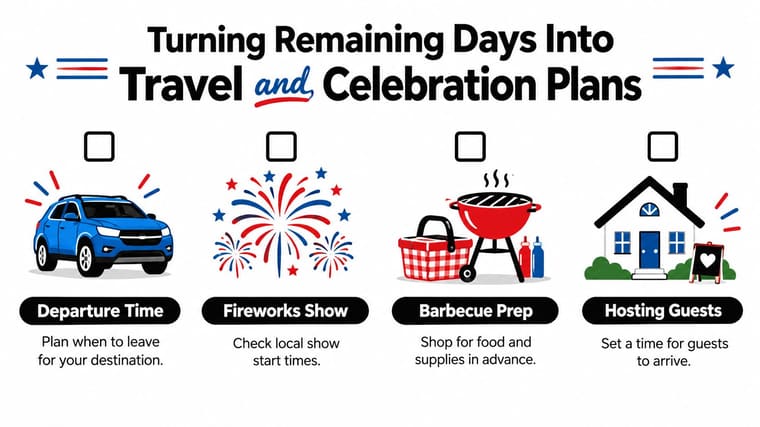
Four checkpoints that make the countdown useful
- Departure Time: plan when to leave for your destination, especially if you’re driving during a busy holiday window.
- Fireworks Show: check local show start times so you don’t arrive too early or too late.
- Barbecue Prep: shop for food and supplies in advance so you’re not scrambling on the day itself.
- Hosting Guests: set a clear arrival time for family and friends so everyone’s plans line up.
The countdown becomes more than a number. For July 4, 2025, AAA defined the travel period as June 28 through July 6 and projected 72.2 million Americans would travel at least 50 miles from home, including 61.6 million by car and 5.84 million by air. That forecast showed a crowded holiday window, with the busiest road period expected on Friday, July 4, from noon to 7 p.m. Those figures are useful because they tell you why a departure countdown can matter as much as the holiday itself.
If you’re planning a getaway instead of a backyard gathering, it helps to look at the whole window, not just the date. For trip inspiration and last-minute getaway ideas, Passport to Adventure travel ideas can help you think about the weekend as a travel block rather than a single day.
A practical July 4 countdown page should also account for quieter alternatives. Some people need an event-time countdown for fireworks, while others need a departure countdown to avoid traffic or an end-of-weekend reminder so they can reset before work starts again. The same date can support very different goals.
That’s the value of a recurring widget. It can hold a deadline, a travel plan, or a celebration schedule without making you keep the timing in your head. For families, older adults, neurodivergent people, and anyone sensitive to noise or crowds, the most helpful countdown may be the one that points to a safer, calmer checkpoint rather than the fireworks themselves.
Keep Your July 4th Countdown Always Visible
A July 4 countdown works best when you can glance at it without opening an app and redoing the math. Pretty Progress lets you save a date-based countdown, choose a layout and theme, and place it on your Home or Lock Screen so the reminder stays visible every day. If you want a cleaner, larger timer style, the big clock countdown guide is a useful place to see how a large-format display behaves.
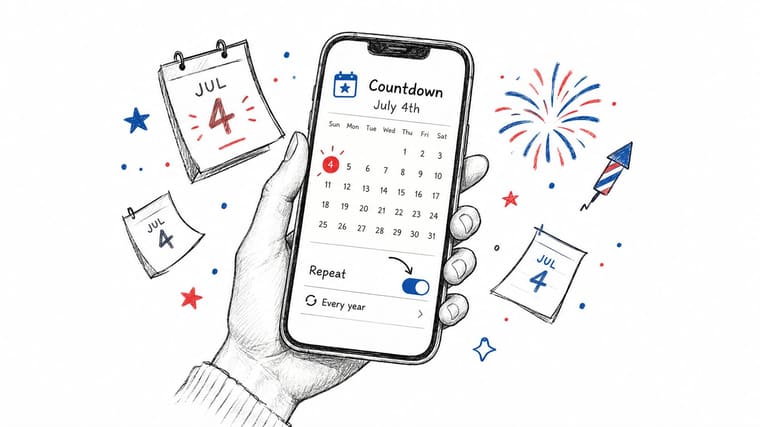
A simple setup that keeps rolling forward
Start by entering July 4 as the target date and choosing whether you want a date-only view or a more exact timer. Then pick a theme that’s easy to read at a glance, especially if you’ll see it on your Lock Screen. Once the widget is added, it updates on its own as the holiday approaches.
A recurring setup is the part that saves the most time. You don’t have to rebuild the countdown every year, and you don’t have to remember whether you already changed the date after the holiday passed. The widget keeps the focus on the next July 4 automatically.
That matters because this topic isn’t just about one day on the calendar. It connects a historical milestone, a simple bit of date math, and real-world planning into one screen you can check anytime. When the countdown stays visible, the holiday stays organized too.
If you want a July 4 countdown that stays accurate, glanceable, and ready for next year, visit Pretty Progress and set up a widget that fits the way you plan. You can track the date, keep the reminder on your screen, and turn the waiting time into something useful instead of something you keep recalculating.





