

September 20, 2026
10 Holiday Countdown Timer App Picks for Every Need
Compare 10 holiday countdown timer app options for widgets, design, families, students, and productivity across iPhone and Android.
You probably don’t need the same holiday countdown timer app as the next person. One person wants a Christmas widget that looks good on an iPhone Lock Screen. Another wants a shared family countdown for a trip, birthday, or New Year plan. Someone else doesn’t care about festive graphics at all and just wants a calm reminder for exams, travel dates, or an end-of-year deadline.
That difference matters because countdown apps often look similar until you use them. The useful distinctions are practical ones: how much you can customize, whether the widget stays readable, which platforms the app supports, whether recurring holidays are easy to repeat, how well it handles calendars, and whether the free version is enough or quickly pushes you into ads or upgrades.
Holiday countdowns also sit in a bigger, more durable app category than many people assume. Google Play listings for countdown-style apps range from 10,000+ installs for Vacation Countdown to 223K+ downloads for Holiday and Vacation Countdown, while another countdown app shows 63.6K reviews. That’s why this category keeps resurfacing every season. People reuse these apps for Christmas, New Year, vacations, deadlines, and repeat events.
My strongest overall pick is Pretty Progress if you want a customizable, always-visible countdown that works like a polished visual reminder rather than a one-off novelty. The rest of the list covers more specialized needs, including recurring holidays, shared planning, lunar calendar support, photo-led styling, and minimal deadline tracking.
Table of Contents
- 1. Pretty Progress
- 2. Countdown Star
- 3. DayCount, Days Since/Until & Widgets
- 4. TheDayBefore
- 5. Event Countdown, Calendar, Widgets & Reminders
- 6. Days Matter
- 7. Big Days, Event Countdown
- 8. Days Since, Countdown & Count Up
- 9. Days Until, Countdown App
- 10. Countdown by timeanddate.com
- Top 10 Holiday Countdown Apps, Feature Comparison
- Choose the Countdown You Will Actually Use
1. Pretty Progress
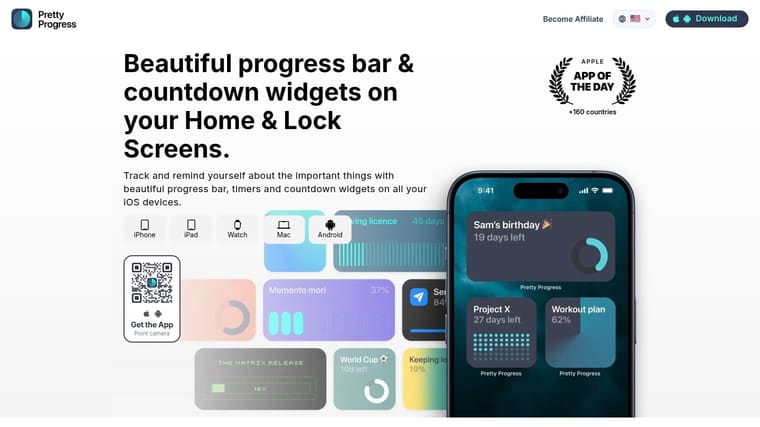
Pretty Progress is the one to pick if you want your holiday countdown timer app to stay useful after the holiday passes. It works best for people who want visual progress bars and countdowns that live on the Home Screen, Lock Screen, Apple Watch, Mac, iPad, iPhone, and Android instead of getting buried in an app drawer.
The core strength is visibility. A countdown only helps if you see it, and Pretty Progress is built around that idea with polished widgets and progress views that stay readable without looking noisy.
Best for always-visible progress
Pretty Progress handles holiday countdowns well, but it’s more flexible than a Christmas-only tool. You can use it for New Year, a family trip, exam season, a work launch, fasting windows, or time left in the year, then keep the same app for the next milestone.
If you’re setting up an iPhone widget specifically, the app’s guide for adding a countdown widget on your iPhone makes the setup process straightforward.
- Platform reach: It supports iPhone, iPad, Apple Watch, Mac, and Android, which is rare if you want one consistent countdown style across devices.
- Customization depth: You can choose themes like Swiss Style, Minimal, Aqua, and Retro OS, then adjust colors, gradients, bar shape, layout, and icons.
- Useful setup tools: Calendar and Reminders imports help if your holiday plans already live in Apple’s ecosystem, and built-in calculators speed up date-based setup.
Practical rule: If you’ll check the countdown many times a day, pick the app with the best widget design, not the app with the loudest holiday graphics.
Pretty Progress also fits people who use countdowns for motivation, not just celebration. That includes students, professionals, and people who do better with persistent visual reminders. The broader category trend supports that use case. Recent app positioning shows that many people looking for countdowns want visual time support tied to time blindness, ADHD, and low-friction focus, not just a date counter, as seen in visual timer app descriptions that emphasize making time feel concrete.
Where it fits best
Choose Pretty Progress if you want the most polished mix of customization and practical daily visibility. Skip it only if your top priority is party-style celebration effects or a very simple one-screen holiday-only app.
Pros
- Beautiful widgets across devices: Strong fit for iPhone, iPad, Apple Watch, Mac, and Android users who want one visual system everywhere.
- Deep styling controls: Themes, colors, gradients, bar sizes, and icons give you more control than most countdown apps.
- Calendar-aware setup: Imports from Calendar and Reminders reduce manual setup for real plans.
- Quiet experience: Zero-ad design keeps the screen clean.
Cons
- Some premium styling is paid: Advanced themes and deeper controls require PRO.
- Platform details can vary: Some widget behavior depends on operating system support.
Visit Pretty Progress.
2. Countdown Star
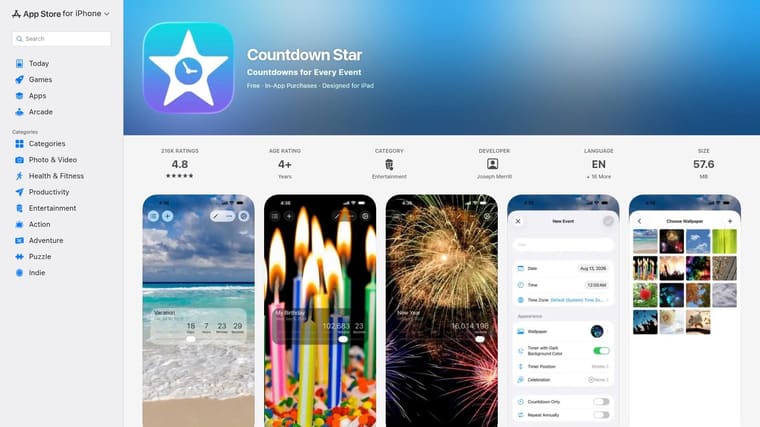
Countdown Star is a good pick when you want the familiar version of a holiday countdown timer app. It focuses on simple event countdowns, repeat logic for annual dates, and festive touches like celebration animations.
That repeat behavior is the reason to choose it. If you count down to Christmas, Halloween, birthdays, or anniversaries every year, you don’t want to recreate the same event manually.
Best for recurring holidays
The iOS version is the stronger one here. It supports iCloud sync across iPhone, iPad, and Apple Watch, plus Home Screen widgets and Lock Screen support. Android users still get the app, but the feature set is simpler.
You also get custom wallpapers and multiple app icons, which helps if you want something a little more seasonal without spending time on detailed design controls.
It’s a practical choice for people who want “set it once, let it repeat every year” convenience.
The trade-off is that the free version includes ads unless you pay to remove them. If ads annoy you and you care a lot about visual polish, Pretty Progress or DayCount will likely feel cleaner.
Pros
- Annual repeat support: Strong fit for recurring holidays and birthdays.
- Apple Watch support: Useful if you want countdowns on the wrist.
- Long-running app: Feels established and familiar.
Cons
- Ads in free version: You’ll likely want the paid removal option.
- Better on iOS than Android: Android support exists, but the feature depth is lighter.
Visit Countdown Star on the App Store.
3. DayCount, Days Since/Until & Widgets
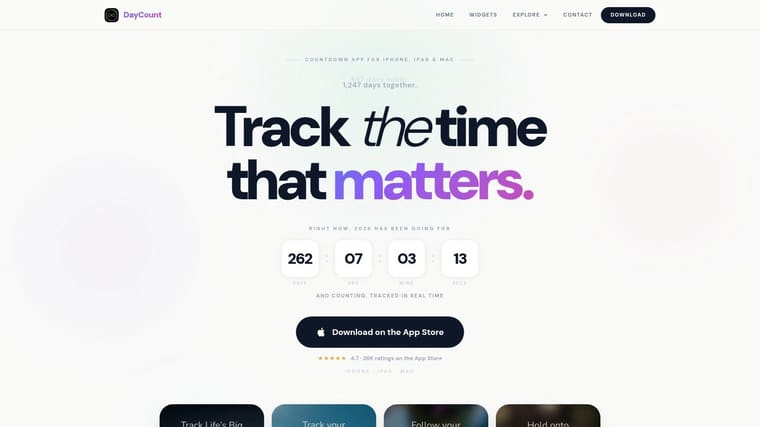
DayCount is for Apple users who want structure. It works well when your holiday countdown is only one part of a bigger system that also tracks milestones, anniversaries, streaks, and days since past events.
This app stands out for organization. Categories, notes, custom images, repeats, calendar import, and multi-device sync make it a better choice than most lightweight holiday-only apps if you manage lots of dates at once.
Best for organized Apple-device tracking
DayCount supports iPhone, iPad, and Mac, which already makes it more versatile than many iPhone-only countdown tools. It also includes accessibility-minded options such as contrast controls, font support, and Dynamic Type, which can matter more than visual flair if readability is the main concern.
It’s also one of the better picks if you prefer to keep personal countdowns private. Face ID and Touch ID lock add a layer that many countdown apps don’t prioritize.
- Use it if: You want a holiday countdown next to work dates, personal anniversaries, and streak tracking.
- Skip it if: You want cross-platform support beyond Apple devices.
- Expect a paywall: Some of the stronger widget and customization features sit behind the subscription.
For readers who don’t want their countdown tool to become cluttered, DayCount partly solves that by giving events categories and cleaner organization. That matters because many users don’t need a one-time holiday app. They want one tool that can also handle vacations, deadlines, exams, and transitions, a broader “time-left” workflow reflected in recent visual timer and focus app positioning.
Pros
- Strong widget and organization tools: Good for managing many dates.
- Mac support: Useful if you want countdowns beyond the phone.
- Accessibility options: Better fit for users who prioritize readable interfaces.
Cons
- Apple-only focus: Not for mixed-device households.
- Subscription pressure: Advanced features require a paid plan after trial.
Visit DayCount.
4. TheDayBefore
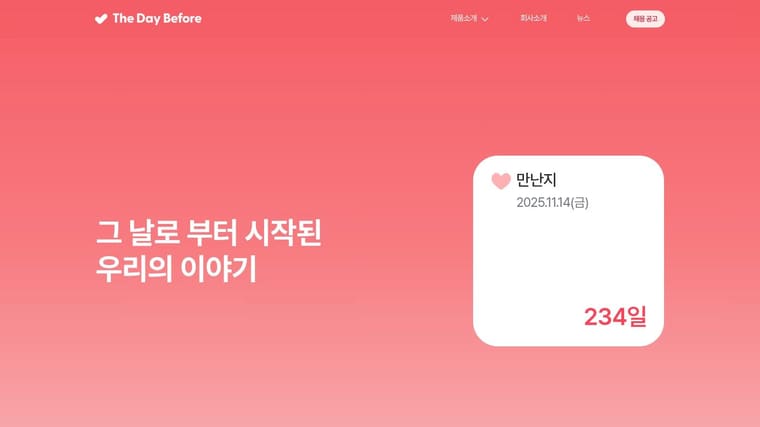
You add a holiday countdown the night before a trip or family gathering. You want it to look seasonal fast, show up on both iPhone and Android, and handle dates that do not fit the default Western holiday calendar. TheDayBefore fits that job better than the more productivity-leaning apps in this list.
Its value is straightforward. It gives you themed templates, keyword-based event setup, reminders, widgets, and support for regional date formats, including lunar calendar use cases mentioned in its app listings. That makes it a practical choice for users planning Lunar New Year, regional observances, annual family traditions, or multiple recurring celebrations across different calendars.
Choose TheDayBefore if customization means visual variety and calendar fit, not precision controls. Choose something else if you want a stripped-down interface or deeper planning tools tied to broader date management.
A quick shortlist helps:
- Pick TheDayBefore for: Fast holiday styling, recurring celebrations, iOS and Android households, and regional or lunar-calendar events
- Skip it for: Minimal interfaces, advanced productivity workflows, or users who want the cleanest possible free experience
The trade-off is easy to spot once you start using it. The free version includes ads, and the interface can feel busy if you only need one plain countdown with no decorative options.
Visit TheDayBefore.
5. Event Countdown, Calendar, Widgets & Reminders
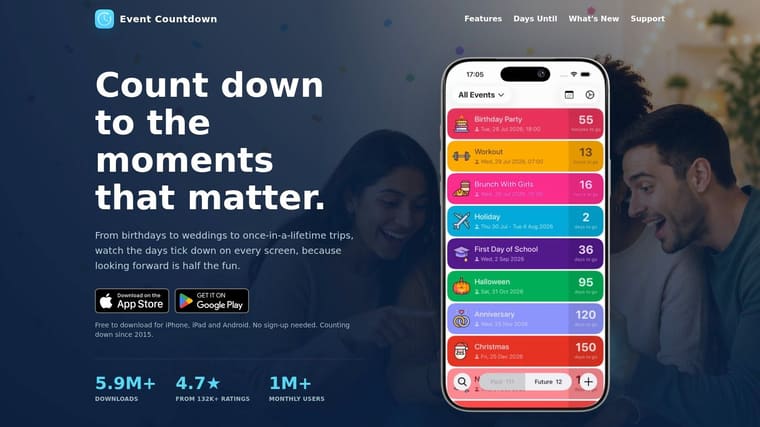
Event Countdown is the pick for shared planning. Most countdown apps assume one person setting one date for themselves. This one is more useful when multiple people need to stay aligned on the same event.
That could be a family trip, a holiday meal, a group birthday weekend, or a school break everyone is anticipating. Sharing the countdown so others stay synced is the point here.
Best for group coordination
The app supports iOS features like Live Activities, Lock Screen widgets, StandBy, and multi-event widgets. It also has a calendar view and doesn’t require an account just to get started, which removes friction when you’re trying to get several people using the same countdown.
If you’re comparing iPhone-specific options for this use case, this roundup of the best event countdown apps for iPhone gives useful context on where Event Countdown and Pretty Progress differ.
The practical recommendation is simple. Use Event Countdown when the countdown needs to be shared and kept in sync. Use Pretty Progress when the countdown is mainly for your own screen and motivation.
- Best shared use case: Family travel, reunions, collaborative planning.
- Best solo alternative: Pretty Progress for personal, polished, always-on progress tracking.
- Main trade-off: Premium gates some of the strongest widget features.
Pros
- Sharing support: One of the better options for group event planning.
- Modern iOS features: Live Activities, StandBy, and Lock Screen support are useful for visibility.
- No-account start: Faster for casual users.
Cons
- Premium limits: Full widget set requires payment.
- Less broad on platform messaging: Best fit is clearly iOS-first.
Visit Event Countdown.
6. Days Matter
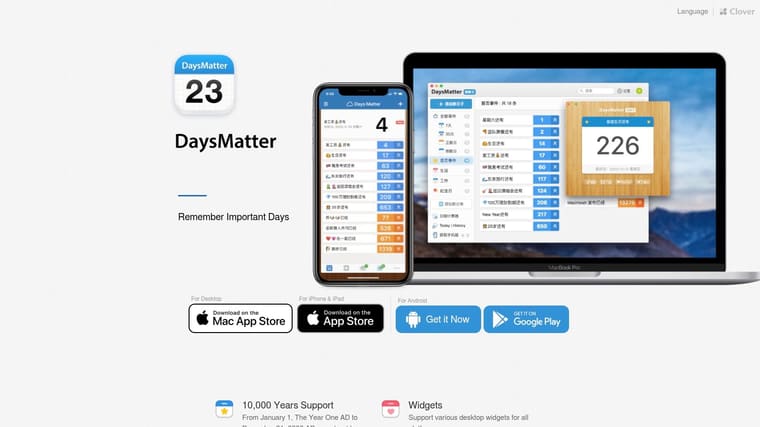
A basic Christmas countdown is easy. A countdown for Lunar New Year, a school break, a visa renewal, and a family trip in one place is harder. Days Matter handles that mix better than the more style-driven apps in this list.
Use it if your holiday planning depends on calendar range and regional flexibility, not just a nice widget. It runs on iOS, iPad, Apple Watch, and Android, and it supports categories, reminders, widgets, date calculation, and lunar calendar logic. That combination gives it a clear role. It suits people who treat a holiday countdown timer app as part of a broader planning system.
The strongest reason to pick Days Matter is simple. It covers dates that many holiday-focused apps ignore. If you track non-Gregorian observances, long-range milestones, or multiple types of events across devices, it does more practical work than photo-first alternatives.
Here is the trade-off. Days Matter is more useful than charming. The free version includes ads, and widget reliability can vary, especially on Android. If your main goal is a polished countdown you want on screen all day, choose one of the more visual iPhone-first options in this roundup instead.
Use Days Matter for:
- regional and lunar holiday tracking
- mixed personal planning across holiday and non-holiday dates
- households using both Apple and Android devices
Skip it if you want:
- highly polished visual design
- the most dependable widget presentation on every device
- a countdown app built mainly around festive styling
Visit Days Matter.
7. Big Days, Event Countdown
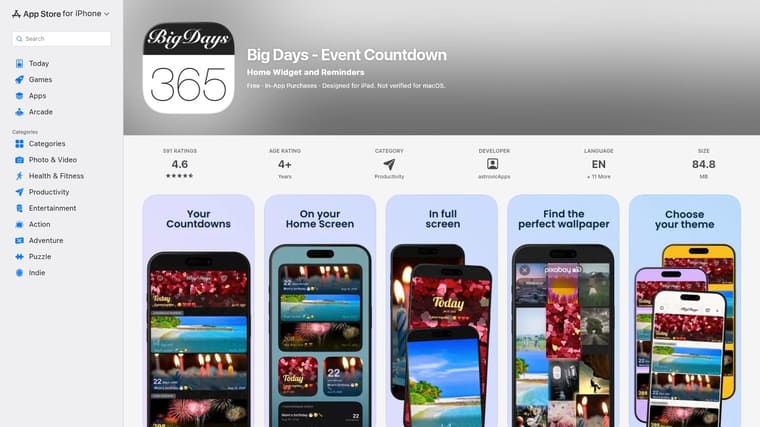
Big Days is for people who start with the background image. If you want your holiday countdown timer app to look like a seasonal postcard, this is one of the easier picks.
Its photo-first approach makes setup feel light. You can pull in images, style fonts and colors, and use Home Screen or StandBy widgets without turning the app into a whole project.
Best for photo-led holiday styling
The integrated image search is the standout feature here. It saves time if you want a Christmas tree background, autumn leaves, fireworks, or a travel photo without hunting around outside the app first.
If you want more ideas for a festive iPhone setup, this guide to a holiday countdown widget on iPhone is useful for comparing a photo-led design approach with a more polished progress-widget style.
Big Days is less convincing if you need advanced sorting, recurring logic, or heavy-duty event management. It’s better as a stylish personal countdown than as a structured planning tool.
- Choose it for: Seasonal images, easy sharing, quick styling.
- Avoid it for: Complex recurring calendars or detailed organization.
- Expect: Ads in the free version unless you buy Pro.
Pros
- Strong visual setup: Easy to create attractive holiday countdowns.
- Simple interface: Good for casual users.
- StandBy support: Handy if you use your iPhone as a desk display.
Cons
- Lighter feature depth: Not ideal for advanced repeat and ordering needs.
- Ads in free version: The better experience is paid.
Visit Big Days on the App Store.
8. Days Since, Countdown & Count Up
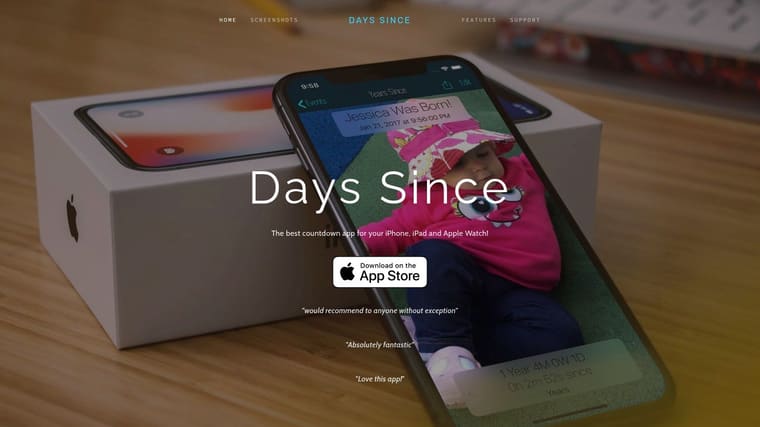
You add a holiday countdown, place the widget, and then decide within a day whether it deserves the space. That is the test for Days Since.
This app is a strong fit if you want your Christmas, vacation, or birthday countdown to stay clean and readable next to your calendar, weather, and reminders. It keeps the design restrained while still covering the basics that matter on Apple devices: iPhone and iPad widgets, Apple Watch support, multiple time formats, and sharing by AirDrop, text, or email.
Pick this if your priority is a widget you will keep
Days Since works best for readers who want one app for both holiday countdowns and ordinary date tracking across the rest of the year. The interface does not push a heavy festive style, so it still feels appropriate in February or September. Optional effects like falling snow are there if you want seasonal flair, but they stay in the background.
It also gets points for support. If a widget fails to refresh or behaves oddly, the app has published help pages instead of leaving you to guess.
The main drawback is pricing clarity. The site does not make the paid limits especially obvious, so expect to check in-app before you commit. If you want deep visual customization or a more decorative setup, choose a different app. If you want a tidy Apple-first countdown that can stay useful after the holidays, Days Since is the more practical pick.
Where it fits
- Good choice for: Minimal Home Screen setups, Apple Watch users, year-round date tracking.
- Skip it for: Shared planning, Android support, or highly styled holiday themes.
Pros
- Clean widget-first design: Easy to read at a glance.
- Apple ecosystem support: Works across iPhone, iPad, and Apple Watch.
- Useful help documentation: Better than average for troubleshooting widgets.
Cons
- Limited platform coverage: Apple-only is a real constraint.
- Unclear pricing on the site: You may need to inspect purchases inside the app.
Visit Days Since.
9. Days Until, Countdown App
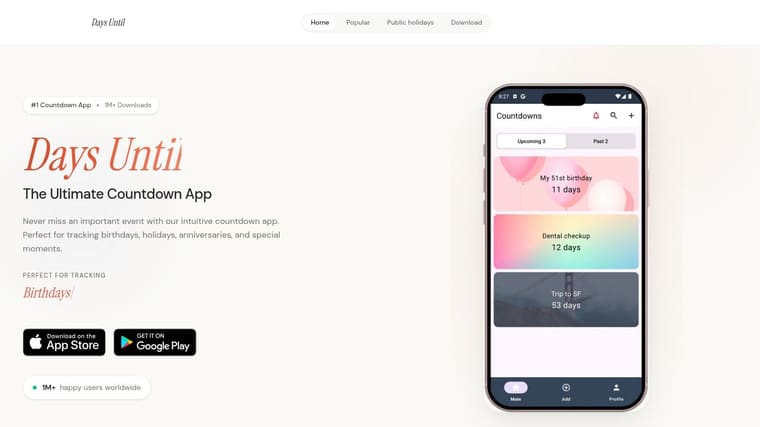
You pick a holiday, add it to your home screen, and you are done in a couple of minutes. That is the case for Days Until.
This app fits readers who want a countdown built around familiar occasions instead of custom planning workflows. Christmas, Halloween, New Year, birthdays, and anniversaries are the obvious targets, and the preset-driven setup keeps the app easy to use for those standard events. If your main need is a visible reminder rather than a shared holiday plan or a highly designed widget system, that focus works in its favor.
The practical reason to shortlist it is platform coverage. Days Until is available on iOS and Android, so it suits mixed-device households better than several Apple-only apps in this list. That alone makes it useful for families or couples who just want everyone using the same type of countdown app without arguing about platform limits.
Customization looks serviceable rather than ambitious. You get themes and color options, but this is not the app to choose for heavy visual control, detailed organization, or productivity use beyond basic event tracking.
Check the App Store or Google Play listing for in-app purchases before installing. The website does not clearly spell out pricing or paid limits, and that is a real drawback if you are comparing free options. If you want a cleaner long-term design, Pretty Progress is the stronger option. If you want fast holiday setup on both major phone platforms, Days Until is the more practical pick.
Where it fits
- Choose it for: Quick holiday presets, mixed iPhone and Android households, simple personal countdowns.
- Skip it for: Shared planning, detailed widget customization, or clear upfront pricing.
Pros
- Preset-led setup: Fast to configure for common holidays and recurring personal events.
- Cross-platform support: Easier to recommend when your household uses both iOS and Android.
- Light customization: Themes and colors are enough for casual use.
Cons
- Weak pricing transparency: You need to verify purchase details in the app store listing.
- Limited depth: Better for basic countdowns than planning, collaboration, or advanced customization.
Visit Days Until.
10. Countdown by timeanddate.com
You are flying home for New Year’s, your family is in another time zone, and midnight needs to mean the right midnight. That is the case for Countdown by timeanddate.com.
Choose this one for accuracy first. The app is built for iPhone users who care about exact timing across cities, daylight saving changes, and travel plans more than custom visuals, shared planning, or productivity features. If your countdown is tied to a departure, livestream, or celebration in another region, this app makes more sense than a style-first option.
Its preset holiday coverage is practical. You get built-in countdowns for major events such as Christmas, Halloween, Thanksgiving, Easter, and New Year, so setup stays quick. The visual side is good enough, but limited. You are using this app because the timing logic is stronger, not because the design controls are deep.
Platform coverage is the obvious trade-off. Android support has been discontinued, so this is only worth considering for iPhone households. If your group needs everyone on the same app, skip it and pick one with active support on both platforms.
A second trade-off is pricing clarity. Core use is straightforward, but extras such as custom photos and ad removal are tied to in-app purchases. Check the App Store listing before you commit.
Use this app if your holiday plan depends on the clock, not the aesthetic.
| Need | Verdict |
|---|---|
| Cross-time-zone holiday countdowns | Strong fit |
| Travel and daylight saving accuracy | Strong fit |
| Deep customization | Weak fit |
| Shared family planning | Weak fit |
| Android support | No fit |
Visit Countdown by timeanddate.com.
Top 10 Holiday Countdown Apps, Feature Comparison
| App | Core features | Customization & ✨Unique | UX / Quality ★ | Target audience 👥 | Price & Value 💰 |
|---|---|---|---|---|---|
| Pretty Progress 🏆 | Always‑on progress bars & countdown widgets (Home/Lock/Watch/Mac/Android); Calendar & Reminders sync; built‑in calculators | Curated themes (Swiss, Minimal, Retro), deep styling controls; widget polish ✨ | Polished, zero‑ad experience; 4.8★ (2M+ users) | Students, professionals, habit builders, ADHD users 👥 | Free + optional PRO upgrade for advanced styling 💰 |
| Countdown Star | Event & holiday countdowns; iCloud & Watch support; repeating events | Celebration animations, custom wallpapers & app icons ✨ | Long‑standing, high ratings; free version shows ads ★ | Holiday/party users and recurring‑event trackers 👥 | Free w/ ads; IAP to remove ads 💰 |
| DayCount, Days Since/Until | Days‑since/until, streaks, widgets, calendar import, Mac support | Custom categories, Unsplash image search, accessibility options ✨ | Polished widgets & sharing; Pro via subscription ★ | Power users, accessibility‑focused, multi‑device users 👥 | Free trial; annual subscription for Pro features 💰 |
| TheDayBefore | Templates, themed visuals, widgets, reminders, regional calendars | 80+ event keywords, themed templates, lunar calendar support ✨ | Mass‑market with millions installs; free tier has ads ★ | Casual users who want fast themed countdowns 👥 | Free w/ ads; ad‑removal IAP 💰 |
| Event Countdown | Live Activities, Lock Screen, StandBy, multi‑event widgets; shareable countdowns | To‑the‑second live widgets; easy sharing & event coordination ✨ | Frequently updates for new iOS features; some Premium locked ★ | Collaborative event planners and shared countdowns 👥 | Free with Premium IAPs to unlock full widgets 💰 |
| Days Matter | 10,000‑year date range, date calculator, widgets, sync via cloud | Lunar calendar (1901–2099), extensive date tools ✨ | Robust date handling; free w/ ads; some widget issues reported ★ | International users, lunar/astral holiday trackers 👥 | Free w/ ads; Pro subscription / IAPs for features 💰 |
| Big Days, Event Countdown | Photo‑first countdowns, Home & StandBy widgets, reminders | Integrated Pixabay image search, custom fonts & colors ✨ | Lightweight, easy styling; free includes ads ★ | Users who prefer visual/photo‑forward countdowns 👥 | Free w/ ads; Pro to remove ads/unlock features 💰 |
| Days Since, Countdown & Count Up | Minimal days‑since/until tracker, iPhone/iPad widgets, Watch support | Optional themed effects, multiple time formats ✨ | Clear, minimal design with good support docs; IAP for extras ★ | Minimalists and users wanting simple clarity 👥 | Free w/ IAPs to remove ads/unlock widgets 💰 |
| Days Until, Countdown App | Holiday/birthday/anniversary countdowns, cross‑platform widgets | Holiday presets & themed templates for quick setup ✨ | Cross‑platform consistency; marketing‑forward; freemium ★ | Holiday‑focused casual users and families 👥 | Free w/ expected IAPs; pricing in‑app 💰 |
| Countdown by timeanddate.com | Holiday presets, precise time‑zone & DST handling, themed designs | 20+ holiday presets; integration with timeanddate calculators ✨ | Trusted brand for time accuracy; iOS only; free w/ IAPs ★ | Travelers and users needing precise global timing 👥 | Free w/ optional IAPs for photo upgrades/ad removal 💰 |
Choose the Countdown You Will Actually Use
The best holiday countdown timer app isn’t the one with the longest feature list. It’s the one that fits how you already look at your phone, tablet, watch, or desktop. If the countdown won’t be visible, easy to update, and readable at a glance, you won’t keep using it.
Pretty Progress is a strong choice because it combines polished customization, persistent widgets, progress tracking, and productivity-friendly reminders in one tool. It works especially well if your “holiday countdown” is really part of a bigger routine that includes deadlines, goals, family events, travel dates, or year-end milestones. It also matches the broader shift toward glanceable phone interfaces. A productivity study summarized by Alibaba reported that using a home-screen widget instead of opening an app reduced task completion time from 14.7 seconds to 9.2 seconds, a 37.4% improvement. That helps explain why a well-designed widget matters so much for countdown tools.
Pick Countdown Star or TheDayBefore when recurring holidays are your main use case. Countdown Star is a better fit if you want annual repeat logic with Apple Watch support and simple festive effects. TheDayBefore is better if you want quick visual templates and broader regional calendar flexibility.
Choose Event Countdown when shared planning matters. It’s the most practical option here for keeping multiple people aligned on the same event. Pick Days Matter when you need broad date coverage and lunar calendar support. Big Days is the right call if you care most about photo-led holiday styling. Days Since is the cleaner choice for minimalists who want a calm interface. Days Until works well for straightforward cross-platform setup. Countdown by timeanddate.com is best for iPhone users who prioritize time-zone and daylight saving handling. DayCount is the best organized Apple-device option if you want categories, accessibility settings, and stronger event structure.
One more practical point matters if you’re paying for premium features. Productivity app subscriptions can work when users convert, with one benchmark reporting a 9.8% weekly install-to-trial rate, a 29.5% weekly trial-to-paid rate, and a 12-month average LTV of $46.97, alongside about 14% one-year retention in a separate benchmark. For you, that means the paid upgrade only makes sense if the widget becomes part of your actual routine.
Before you install anything, confirm the platform support. Then check which widgets are free, whether repeat behavior works the way you expect, and whether the app uses the correct time zone. Finally, place the countdown where the intended audience will see it. Your Lock Screen, Home Screen, watch face, or family iPad is usually better than hiding it inside the app itself.
If you want one app that handles holiday countdowns, deadlines, and everyday progress tracking with polished widgets, Pretty Progress is the strongest place to start. It gives you customizable Home Screen and Lock Screen countdowns across Apple devices and Android, without the clutter that makes many countdown apps easy to ignore. See how it works at Pretty Progress.





