
October 25, 2026
Widget Themes Android: 10 Options Compared for 2026
Compare 10 Widget Themes Android apps for countdowns and progress bars, with compatibility notes, free-tier limits, and setup tips for 2026.
A deadline is getting close, and you want to see the remaining time without opening an app. Or you’re tracking a fitness goal and want a progress bar that gives you a quick nudge. But after adding a few widgets, your Android home screen starts to feel crowded, and the information you need gets harder to spot.
The right choice depends less on picking the prettiest color and more on choosing the right kind of tool. Countdown apps track events and goals, home-screen theme packs coordinate wallpapers, icons, and widgets, and widget-building toolkits let you design a layout yourself. Pick the wrong type and you can spend more time configuring than tracking.
This comparison separates what each product listing describes from claims made by its developer. It also flags free-tier limits, ads or paid features, and compatibility caveats where the supplied details clarify them. Android’s widget guidance emphasizes a clear purpose, readable information, and layouts that work across different sizes, so those practical checks matter more than a polished preview alone (Google’s Android widget design guidance).
Table of Contents
- 1. Pretty Progress
- 2. Countdawns
- 3. Soonish
- 4. NexTime
- 5. Countdown Time, Event Widget
- 6. Countdown Widget
- 7. CountAway
- 8. KWGT Kustom Widget Maker
- 9. ThemePack
- 10. WidgetClub
- How the 10 Android widget options differ by type, free tier, paid upgrade, and main limitation
- Pick One Widget Type, Test It for a Week, Then Decide
1. Pretty Progress
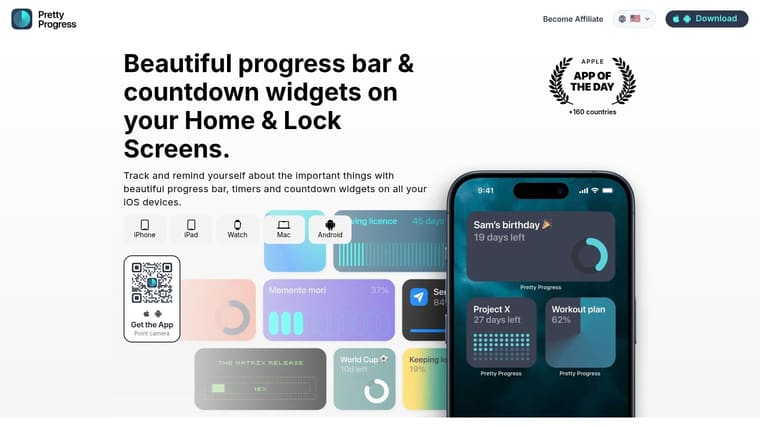
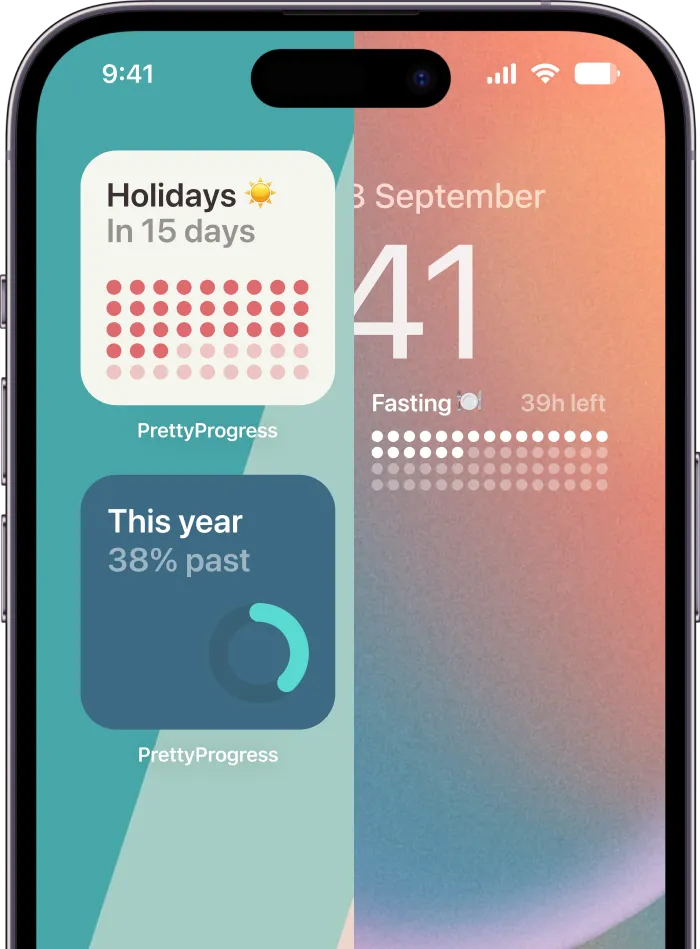
If you want a countdown and a progress bar in the same glance, Pretty Progress is the featured pick. It’s designed for deadlines, events, goals, and routines, with widgets for Android as well as iPhone, iPad, Apple Watch, and Mac. On Android, you can choose curated looks such as Swiss Style, Minimal, Aqua, and Retro OS, then adjust visual details including colors, gradients, icons, layouts, and progress-bar styles.
For the placement steps in Pretty Progress, follow the Android Home Screen setup guide.
The app’s appeal is its mix of function and styling. A deadline can be more than a date in a list: it can sit on the home screen as a compact reminder of how much time has passed or remains. Calendar and Reminders integration can help turn existing plans into countdowns, while built-in tools support date and business-day calculations, exact age, fasting, and other planning needs. For a widget you’ll see repeatedly, keeping the visual hierarchy clear is more useful than adding decoration just because it’s available.
Free and paid trade-offs
Pretty Progress is free to download and ad-free. Some deeper styling controls require PRO, and the supplied information doesn’t specify the price. The developer reports more than 2 million users across 160+ countries and a 4.8 rating; those are developer-reported figures, not independent awards or certifications.
The main caveat is that widget setup and availability can vary by device and platform. Test the widget on your own Android home screen before settling on a design, especially if you plan to use a compact layout.
Best fit: People who want polished progress bars and countdowns, with enough visual control to match a home screen without building a widget from scratch.
2. Countdawns
Countdawns is a dedicated countdown app for people who want a range of widget styles without opening a separate design editor. Its official site describes widget options including progress bars, rings, waffle charts, and compact layouts. Users can also add accent colors, photo backgrounds, and event reminders.
The developer says the free version supports up to 10 countdowns, with no ads or account requirement. That makes the free tier a practical place to try a few different events before deciding whether the app’s preset designs suit your home screen. The trade-off is that the styles are curated. You can choose among the app’s options, but the supplied details don’t describe an open-ended layout editor.
What to check before choosing it
The website gives slightly different widget-design counts in different sections, so don’t rely on a single total when comparing the catalog. Look at the designs available in the app itself and check whether your preferred look fits the size you plan to place on screen.
Practical rule: Choose the widget style for the information you need to read first. A progress bar is useful when progress matters; a compact countdown may be clearer when the date is the main point.
Best fit: People who want flexible countdown presentation and a free tier for a small set of events. The ad-free and no-account details are developer claims.
3. Soonish
Soonish takes the quieter route. It offers countdown widgets for trips, birthdays, deadlines, and exams, with designs that include list, dashboard, and progress styles. The developer describes four widget sizes and progress displays in days, weeks, months, and years, so you can choose whether to emphasize an upcoming date or the broader arc of a long-running goal.
The free tier supports up to 10 countdowns, according to the developer. A one-time Plus purchase opens up unlimited countdowns along with additional styling and organization features. That’s a clearer trade-off than a subscription when you’d rather pay once, though the supplied details don’t state the purchase price.
A simpler look, with fewer flourishes
Soonish also supports recurring events, optional reminders, and holiday packs. The developer says dates stay on the device and that the app doesn’t require an account or include ads, analytics, or a subscription. Treat those as developer claims and check the current listing before entering information you consider sensitive.
The restrained design is a strength if you want your countdown to sit unobtrusively beside your other apps. It may be a weaker match if you want photo-heavy backgrounds or elaborate theme choices.
Best fit: People who want an uncluttered countdown, recurring events, and a one-time upgrade path. Try a progress-style widget at the size you expect to use; a clean design only helps if its text remains easy to read on your screen.
4. NexTime
NexTime handles both countdowns and count-ups, which is useful if you want to track time until a deadline and time since a milestone in the same app. Its Google Play listing describes six home-screen widget sizes, custom colors and design options for each widget, and time displays in days, hours, minutes, or seconds. The NexTime Play listing is the clearest supplied source for those features.
Per-widget styling can help keep several events visually distinct without changing the app’s whole look. A compact widget may suit a busy screen, while a larger one can make a chosen event more prominent. The listing doesn’t explain how extensive the theme selection is, so don’t assume that custom colors mean a deep theme library.
Listing details and caveats
The Play Store listing says NexTime requires no sign-up and collects no data or shares data with third parties. Those statements are listing details, not a guarantee that every device will present the widget identically.
A standalone official product website wasn’t evident in the supplied information. That leaves the Play listing as the practical place to check current compatibility and app details before installing.
Best fit: People who want both countdown and count-up timers, multiple widget sizes, and separate color choices for different events. It’s less compelling if your priority is a broad catalog of named visual themes.
5. Countdown Time, Event Widget
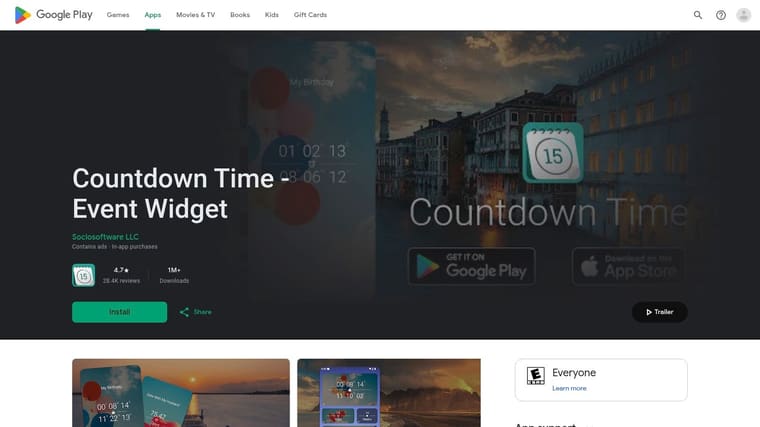
Countdown Time, Event Widget is built around event presentation. Its Google Play listing describes resizable widgets for multiple events, several display modes and themes, and a large selection of HD backgrounds. You can use personal images, add headings, receive daily notifications, and share events.
That range suits a birthday, trip, or release date you want to personalize. It can also make the widget visually busier than a simple progress bar or text countdown. If you’re trying to keep a home screen calm, test the widget with your own wallpaper and check that the event name and remaining time remain easy to scan.
Ads and purchases
The listing reports a 4.7-star rating from about 28,000 reviews. It also identifies the app as ad-supported and offering in-app purchases, so expect a different free experience from an ad-free countdown tool. Review counts and ratings can change; check the current listing rather than treating them as fixed.
Best fit: People who enjoy photo backgrounds and event-card styling. If you mainly want an at-a-glance progress indicator, its decorative options may add more visual weight than you need.
6. Countdown Widget
Countdown Widget is aimed at people who want to personalize individual events with photos, phrases, and different time units. It supports multiple countdowns and anniversaries, with widgets in several sizes. The display can range from years and months down to seconds or heartbeats, according to the supplied product information.
The developer’s site presents it as a long-running countdown app. The free version includes ads; a premium in-app purchase removes them and enables larger widgets. That trade-off matters during setup, because users report ad interruptions at that stage. Some users also report losing event data when changing phones, and others say widget text placement isn’t flexible enough for their preferences.
Make a backup plan
Those reports don’t establish that every user will encounter the same problems, but they’re worth weighing if you’re entering many important events. Before switching phones or removing the app, confirm how your countdown data is saved and whether you can restore it.
If you’re also considering what to place on your lock screen, see this guide to Android lock-screen icons and widget visibility. Keep sensitive event names or exact countdown details out of public view if someone else might see your screen.
Best fit: People who like photo-based, personal countdowns and want several ways to display time. It’s a weaker fit if you want an ad-free setup from the start or need fine control over text placement.
7. CountAway
CountAway is an open-source option distributed through F-Droid, rather than a theme-rich app built around decorative presets. Its resizable widgets can show a selected event or automatically display the next upcoming countdown. It also supports recurring events, optional local reminders, and JSON export and restore.
For someone who changes phones or wants an export option, that restore feature is a practical advantage. The app’s Apache 2.0 license and local-data orientation are also listed on F-Droid. The listing doesn’t indicate an ad-supported experience, but that isn’t the same as a guarantee about every distribution or future version.
Compatibility is the key check
CountAway requires Android 8.0 or newer, so check your device before installing. F-Droid may also be less familiar than Google Play if you normally get apps from Google’s store. Its visual customization is more limited than what dedicated aesthetic apps offer, so the draw here is a straightforward countdown and export capability, not a large collection of themes.
Best fit: People who value open-source distribution, recurring events, and backup options more than decorative widget packs. If you want a highly styled progress bar, compare it with a countdown app that puts theme choices first.
8. KWGT Kustom Widget Maker
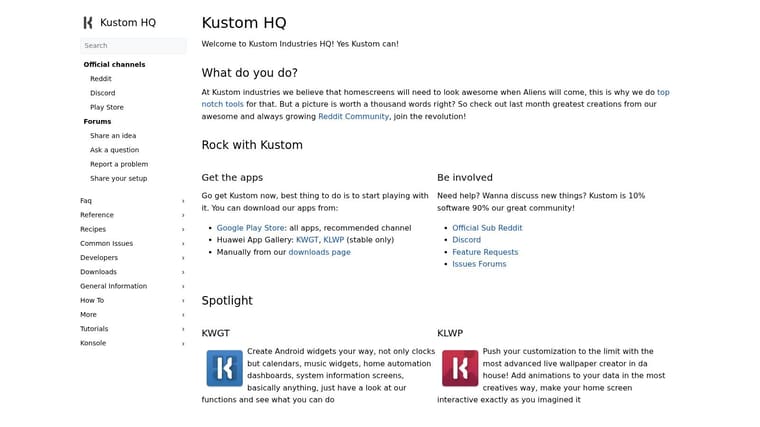
KWGT isn’t a ready-made countdown app. It’s a widget-building toolkit for people who want to create a design or modify a preset. The visual editor provides controls for text, fonts, colors, shapes, images, gradients, and layers, with dynamic data, logic, interactive actions, and Tasker integration described in the supplied details. The Kustom website explains the product, while Google Play reports 10M+ downloads and a 3.9-star rating.
That flexibility is useful if you’re matching a larger home-screen design or want a layout that a countdown app doesn’t provide. It also means more setup. A finished widget may look exactly the way you want, but building it can take longer than adding a preset countdown and choosing a color.
Flexibility has a learning cost
KWGT has a large user base and community resources, but the learning curve is steeper than with a purpose-built countdown app. Importing third-party presets requires Pro, and some user reviews raise concerns about how clearly the upgrade requirement is presented. Confirm what’s included before relying on a preset you’ve found.
For other home-screen widget options, compare this guide to the best home-screen widgets.
Best fit: People who want full control and are willing to build or adapt a layout. Choose a countdown app instead if you’d rather spend your time tracking a goal than configuring its display.
9. ThemePack
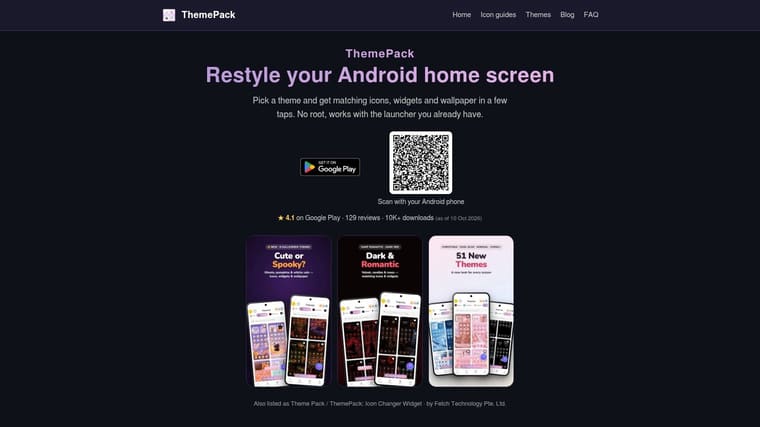
ThemePack styles the whole home screen, rather than focusing on countdowns. Its official site lists coordinated themes, wallpapers, icon sets, and clock, weather, and calendar widgets. It also describes a DIY icon creator and says the app works without root or a special launcher on Android devices including Pixel, Samsung, and Xiaomi. Treat that device support as the developer’s claim, then test it on your own phone.
The free version includes ads. Premium removes ads and opens up the full collection, but the supplied site details don’t show the Premium price. ThemePack is useful when one progress widget looks out of place beside your wallpaper and icons, because it lets you coordinate more than that single component.
Not a countdown tracker
ThemePack isn’t a dedicated countdown or progress-widget app. The listed widgets focus on clock, weather, and calendar uses, so don’t install it expecting a built-in deadline tracker. If your goal is visual consistency, browse the available free themes first and check that the matching icons and widgets suit your launcher.
For a comparison focused on Apple devices, see this guide to widget themes for iPhone.
Best fit: People who want to coordinate wallpaper, icons, and everyday widgets across the home screen. Choose a countdown app as well if you need a persistent event or goal tracker.
10. WidgetClub
WidgetClub is another home-screen styling platform, available for Android and iOS. Its official app page describes templates that combine widgets, icon packs, and wallpapers, along with creator-made designs and tools to create and share original layouts. That makes it a broader makeover tool, not a dedicated countdown or progress tracker.
The advantage is coordination. You can look for a design that treats the wallpaper, icons, and widgets as parts of one setup rather than styling each app separately. Other users’ designs can also provide ideas when you’re not sure what visual direction you want.
Compare platform details before you commit
WidgetClub’s supplied download-page information doesn’t make pricing clear, and features or template availability may differ between Android and iOS. Don’t assume a template shown on one platform will behave the same way on another. Check the current listing for the Android version, any paid features, and the widgets it includes.
Best fit: People who want inspiration and a coordinated home-screen makeover. It’s not the right standalone choice if the main job is tracking a deadline, routine, or progress bar.
How the 10 Android widget options differ by type, free tier, paid upgrade, and main limitation
| Item | Type | Free Tier | Paid Upgrade | Main Limitation |
|---|---|---|---|---|
| Pretty Progress (recommended) | Countdown and progress widget app | Free to download; ad-free | PRO adds styling controls; price not specified | Some styling and widget options vary by platform |
| Countdawns | Countdown widget app | Up to 10 countdowns; no ads or account required | Not specified | Curated design options rather than an open-ended editor |
| Soonish | Countdown widget app | Up to 10 countdowns | One-time Plus purchase unlocks unlimited countdowns and extra features | Some styling and organization features require Plus |
| NexTime | Countdown and count-up widget app | Not specified | Not specified | Limited information about themes and pricing |
| Countdown Time, Event Widget | Countdown event widget app | Ad-supported | In-app purchases available | Contains ads; decorative styling may feel busy |
| Countdown Widget | Countdown and anniversary app | Free with ads | Premium purchase removes ads and unlocks larger widgets | Free version has ads; some users report data-transfer issues |
| CountAway | Open-source countdown app | Free via F-Droid | No paid upgrade stated | Requires Android 8.0 or newer |
| KWGT Kustom Widget Maker | Custom widget-building toolkit | Free version available | Pro required for importing third-party presets | Steeper learning curve than dedicated countdown apps |
| ThemePack | Home-screen customization app | Free selection with ads | Premium removes ads and unlocks the full collection | Not a dedicated countdown or progress app |
| WidgetClub | Home-screen styling platform | Not specified | Pricing details unclear | Not focused on countdown or progress widgets |
Pick One Widget Type, Test It for a Week, Then Decide
Start with the information you want to see every time you pick up your phone. If it’s one deadline, event, or goal, choose a countdown app. Pretty Progress suits users who want progress bars and curated styling; Countdawns and Soonish offer more preset countdown approaches; NexTime adds count-up timers; and Countdown Time or Countdown Widget lean into personal event presentation. CountAway is the open-source option to consider if export and restore matter more than a broad theme catalog.
Choose a home-screen theme pack when your main problem is visual mismatch across wallpapers, icons, and everyday widgets. ThemePack and WidgetClub are built around broader coordination, not countdown tracking. If you want to design every element yourself, KWGT gives you more control, but expect a steeper learning curve and check which features require Pro.
Install the free tier first where one is available. Add one widget, select a size that fits the space you really have, and check whether the event name, date, or progress state is readable at a glance. Android’s guidance recommends choosing a primary use case, designing within sizing guidance, and testing across screen sizes and form factors. That principle applies even when you’re choosing a finished app rather than building a widget.
Compatibility needs a hands-on check. Android’s global usage is spread across multiple versions, so don’t assume your device will match a product screenshot or theme preview. Android 12 introduced dynamic color, but availability and how a widget uses system colors can vary. Google’s guidance describes themes as coordinated color, typography, and shape choices (Android theme guidance). Check light and dark modes, contrast, and what happens when you resize the widget or change your wallpaper.
Finally, confirm the current listing before upgrading. Free limits, ads, paid features, pricing, and compatibility details can change. A week with one well-placed widget will tell you more than a long session comparing color swatches: if you notice the information without having to search for it, the widget is doing its job.
Pretty Progress combines countdowns and progress bars with themes including Swiss Style, Minimal, Aqua, and Retro OS, plus controls for colors, gradients, layouts, icons, and bar styles. Try it for the Android goal or deadline you want to keep in view, and visit Pretty Progress to explore the app.