
October 26, 2026
10 Best Habit Reminder Apps in 2026: Compared by Use Case
Compare 10 habit reminder apps for students, ADHD, and productivity. See features, pricing, privacy, and which habit reminder app fits your daily routine.
You set a 7 p.m. study block, the notification lands while dinner is on the stove, you swipe it away, and by the time the kitchen is clean the plan is gone. That is how many users lose a habit reminder app. The prompt has to be visible at the moment you can still act, and setting it up has to take less effort than the habit itself.
A single ping rarely builds a routine. What tends to stick is a cue you keep seeing, a check-in you can finish in one tap, or a progress view that makes the next step obvious. Students lose the evening after one dismissed alert. People with ADHD lose the thread when the day shifts. Productivity-focused users bury a habit inside a task list they already ignore.
This list groups ten apps by the reminder style they create, not by who ships the longest feature page. Glanceable widgets, check-in lists, streak trackers, and gamified routines each suit a different person. For every pick, platform limits, free-tier caps, and the privacy model come first, then the honest shortfalls. Pretty Progress is judged on the same terms as the rest.
Table of Contents
- 1. Pretty Progress
- 2. Habitify
- 3. Streaks
- 4. HabitKit
- 5. Loop Habit Tracker
- 6. HabitMinder
- 7. Habitica
- 8. TickTick
- 9. Way of Life
- 10. Strides
- Habit reminder apps compared by platform, free plan, pricing model, and best use
- Choosing the Habit Reminder App That You Will Actually Open
1. Pretty Progress
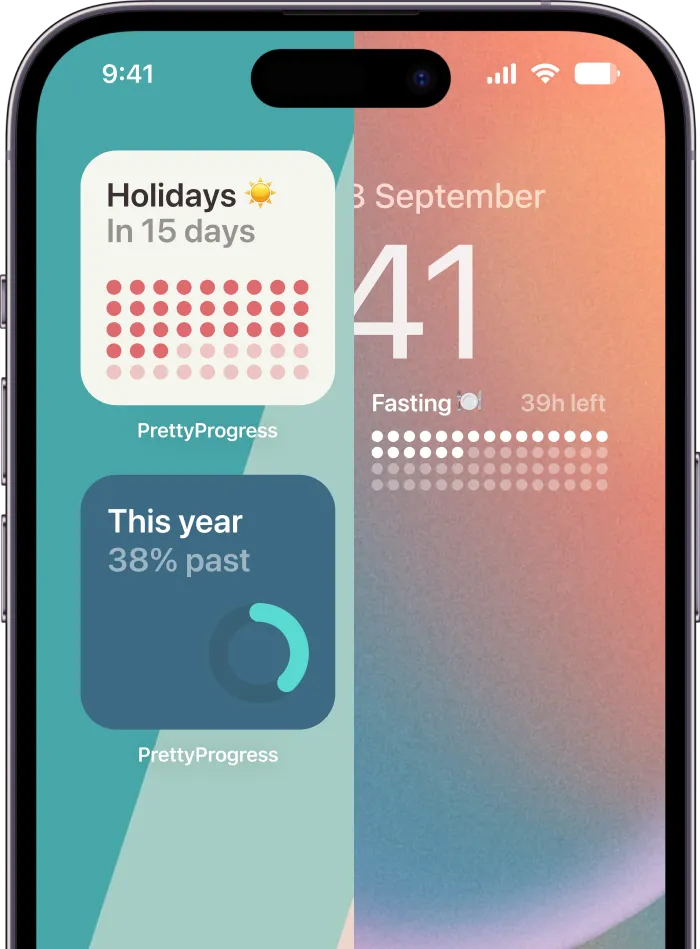
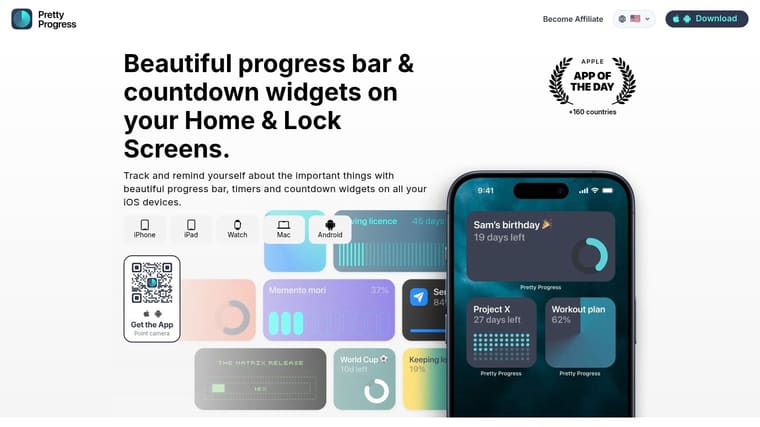
Pretty Progress suits people who want a visual cue they can catch at a glance, rather than a list of habits to check off. It turns exams, project deadlines, trips, fasting windows, and time left in the year into countdowns and progress bars for Home and Lock Screens. The app is available on iPhone, iPad, Apple Watch, Mac, and Android. Its zero-ad experience avoids interrupting those quick checks. Optional PRO adds deeper styling controls, though the site does not list an upgrade price.
Setup takes a few steps: choose a start and end date, customize the display, then add the widget to a screen. Themes include Swiss Style, Minimal, Aqua, and Retro OS. You can adjust colors, gradients, bar size and shape, layout, and icons. Date, business-day, exact-age, and intermittent-fasting calculators are also included. The Pretty Progress site describes the app’s features and available themes.
Anchors beat generic daily pings
A review of 115 habit-formation apps found that most relied on self-tracking and generic reminders. The University of Bristol project page reports that event-based cues tied to an existing routine did more to support automaticity, while positive reinforcement alone did not help. A widget linked to an exam, milestone, fasting window, or year-end can keep a specific event visible as it approaches.
Practical rule: Put the cue on a screen you already glance at. A prompt that is out of sight is easy to dismiss.
This is a visual reminder tool, not a task manager. It does not provide subtasks, shared projects, or coaching, so pair it with a tracker if those features matter. Students and people with ADHD may prefer a persistent progress bar to another alert; productivity-focused users can keep their main task list elsewhere. Start with one deadline widget and one daily progress bar. Adding too many can make the screen harder to scan.
2. Habitify
Habitify turns scheduled habits into a cross-device check-in list. Set daily, weekly, or custom schedules, choose reminder times, then mark each habit complete. Streaks, calendars, notes, mood tracking, and timers add more detail, though they also take setup. It syncs across iPhone, iPad, Mac, Apple Watch, Android, and other supported devices through an account. The free plan stops at three habits; unlimited habits, integrations, and higher-tier tools require Premium.
Three habits are enough to test a routine, but not to run a full system without paying. Keep setup focused: skip health and fitness integrations until you are regularly checking off the free habits. Habitify’s scheduled prompts suit students and productivity-focused users who want a consistent check-in across devices. For people with ADHD, the reminder can make a task easier to notice, but the extra tracking options may add friction.
A 2023 systematic review in BMC Endocrine Disorders pooled nine randomized trials involving 1,121 people with type 2 diabetes. Text reminders outperformed usual care, with a standardized mean difference of 0.36. In trials lasting more than six months, the pooled effect was smaller, at 0.21. These results concern medication, not consumer habit apps, so they are not a forecast of how long Habitify reminders will work. In that review, the pooled effect was smaller in trials longer than six months, so a reminder’s benefit may fade over time. Use Habitify’s flexible schedule as the main tool; the mood log is optional.
- Best fit: People who want the same check-in on phone, computer, and watch.
- Weak fit: Anyone who needs more than three habits before paying.
- Privacy posture: Cross-device sync ties habit history to an account.
3. Streaks
Streaks is a streak tracker for Apple only. It covers iPhone, iPad, Mac, Apple Watch, and Apple Vision, with iCloud sync and no separate account. There are no ads. You pay once instead of subscribing. It tracks up to 24 tasks, including habits you want to stop, and it can auto-complete some habits through Apple Health. Reminders fire for recurring tasks. Android users should look elsewhere.
The streak is the product and the risk. A missed day breaks the chain, which feels sharp if you wanted a rest day or your shift changed. Auto-complete from Health softens that for steps or workouts you already log. It does not help a reading habit Apple can’t see.
A 2017 randomized trial in JAMA Internal Medicine assigned 53,480 people from a pharmacy benefit manager to usual care or a pillbox, a digital timer cap, or a toggle strip. None of the devices beat the control on optimal adherence. A gadget on the bottle was not the behavior. Streaks is cleaner than those devices, and it still won’t carry a habit you don’t care about. Pair the Apple Watch view with a habit tracker on Apple Watch only if you will raise your wrist. I like the one-time price. I would not use it if a broken streak makes you quit.
4. HabitKit
HabitKit leads with a color grid, not a notification inbox. It runs on iPhone and Android. You can start with no account. The free tier covers up to four habits, and each of those can have a reminder. Home-screen widgets show the grid and allow a one-tap check-in. Weekly or monthly targets mean you don’t have to tap every single day. Extra reminders and some advanced tools need Pro.
The grid is easy to scan and easy to obsess over. If you want a plain list of today’s alerts, the squares are the wrong picture. Four free habits is slightly more room than a three-habit cap, and it still runs out once hydration, movement, reading, and medication are all on the board.
A weekly target is a better reminder than a daily streak when your schedule is uneven.
Set the reminder for the day you are likely to be free, not for a perfect 8 a.m. you never hit. Custom colors and icons help you tell habits apart at a glance, which matters more for ADHD than another chart. Skip Pro until you are bumping into the four-habit wall. The app does not coach you, and it should not. The job is the grid and the tap.
5. Loop Habit Tracker
Loop Habit Tracker is the privacy pick, and it is Android-only. It is free, open source, and ad-free. It works offline, it does not ask you to register, and habit data can stay on the device. There is no built-in cloud sync, so a new phone means an export. You can write habits out to CSV or SQLite. Each habit gets its own reminder time, and you can act from the notification. Schedules cover daily, weekly, and custom frequencies. Charts and home-screen widgets cover the long view.
That is the right stack if you don’t want a company holding your routine. It is the wrong stack if you switch between an Android phone and an iPad every day. Moving a database is a chore, and many people postpone the chore until they lose the history.
Loop will not nag you into a habit or put you in a group. Individual reminder times are enough for straightforward tracking. If you want the broader Android picture, including what to expect from widgets versus alarms, the Android habit tracker comparison is the cleaner next read. I would use Loop for three private habits and leave coaching apps off the phone.
- Keep: On-device history, no account, flexible schedules.
- Accept: No iPhone app, no Apple Watch, manual transfers.
- Skip if: You need shared accountability or guided plans.
6. HabitMinder
HabitMinder suits wellness check-ins such as movement, water, and short mindfulness sessions. It is Apple-focused, with home-screen widgets and Apple Watch logging. Check platform availability before choosing it if you use Android. Apple Health can fill in eligible habits, but only those the health store measures. A built-in library of suggested habits shortens the blank-page setup. Streaks and stats help track progress, while unlimited habits and advanced statistics need Premium.
The suggestion library makes wellness routines easier to set up, but its focus can feel narrow. Study sessions and client follow-ups are a poor fit; keep HabitMinder for health habits so its check-in list stays manageable. Quick logging from the watch is the clearest reason to choose it, especially if a glanceable check-in suits your routine better than opening an app.
Privacy depends on the Apple Health permissions you grant. Health data moves only for habits you connect, and only from sources Apple exposes. That limits what can be logged, while still making this health data worth handling carefully. Review the permission sheet before enabling automatic logging. Premium stats add little until you have enough real check-ins to make the charts useful.
7. Habitica
Habitica turns habits, dailies, and to-dos into a role-playing game. Completing tasks earns in-game rewards, and you can join groups and shared quests. It runs on iOS, Android, and the web. Basic use is free, but an account is required. Anything you share in a party is visible to its members, so this is a social check-in list with a shared game log, not a private reminder tool.
The gamified routine is Habitica’s main draw and its main trade-off. Menus, rewards, and party chat take more attention than a simple reminder. That extra structure may help if ordinary checklists feel dull; if you only want a quiet cue before work, it adds friction. Streaks and game penalties can also make a missed day feel like failure, which may discourage restarting.
Forgetfulness, shifting routines, and complex regimens can all make medication adherence harder. A 2025 medication-adherence study in INQUIRY reports requests for simplicity, reliability, customization, and personalized information. Research on ADHD-support tools has often paid limited attention to user-centered design or testing whether tools work, so claims about ADHD results should stay modest. For someone with executive-function challenges, a habit tracker for ADHD that supports recovery after a missed day may suit better than penalties. Habitica is best for people motivated by shared quests and game rewards, rather than those looking for a low-effort reminder.
8. TickTick
TickTick is a task manager that happens to track habits. You get frequency settings and reminders, recurring chores, widgets, calendar, and lists, with sync across its supported platforms. The free plan includes task reminders and some habit tracking. It also caps how many habits you can run, and several planning tools are paid. The site does not need a tour here. You either already want a task app or you don’t. See TickTick if the habit has to sit next to a deadline.
That mix suits students and professionals who already live in a to-do list. It feels like clutter if the only job is “take a walk.” Habit tracking is one module. It will not be as focused as a dedicated tracker, and the extra panes are the price of having deadlines in the same place.
Reminders can bunch effort onto the days they fire. In a controlled smartphone study of 85 students, reminders increased studying on reminder days, yet repeated reminders did not raise overall study frequency above a no-reminder control, and reminded students studied less on the other days, according to npj Science of Learning. A habit reminder inside TickTick should mark the start of the session, not replace the days you didn’t schedule. Put one study habit next to the actual assignment. Leave the rest of the habit wishlist out until that one survives a week.
9. Way of Life
Way of Life is a log for habits you want to build and behaviors you want to reduce. iOS and Android are both covered. Flexible reminders can carry a custom message. Notes and tags explain a good day or a miss. Charts, trend lines, and weekly or monthly summaries show the pattern. Apple users get widgets, Siri, and Shortcuts on supported devices. You can export data, and the app exposes privacy controls. Unlimited habits need Premium, and the price is not one simple plan on every storefront. Check the store you use before you assume the free cap.
The log looks older than a widget-first home screen. That is fine if you want notes. It is a miss if you wanted a countdown you never open. A custom reminder message beats a generic “time to habit” ping, because the notification can say the next action.
A small 2025 pilot with 18 participants compared just-in-time reminders, fading reminders, and no reminder. Just-in-time prompts helped people start an exercise habit. Fading reminders were linked with stronger habits later. The sample is tiny, so treat it as a design hint, not a rule. Way of Life will not fade alerts for you. You should turn the reminder down once the log shows a steady week, and use the note field after a miss instead of a penalty. I like it for “drink less on weeknights” more than for a pretty progress bar.
10. Strides
Strides tracks habits and longer measurable goals, including SMART-goal style trackers and other tracker types. Reminders sit next to progress reports. Templates speed the first setup, or you build a custom tracker. Apple Health connects where it applies, and data syncs across iPhone, iPad, and Mac. There is no Android story here. It is free to start. Unlimited trackers, advanced reports, and other premium tools need a subscription.
The range is the setup cost. A simple daily reminder gets lost among tracker types you will not open. Use a template for one repeatable routine and one number you care about, such as pages read or sessions finished. Leave the rest of the catalog alone until that pair has a week of entries.
In 2024, 66% of U.S. adults in a YouGov survey of 1,181 adults said they tracked at least one health metric before they used an app or device. A lot of people already know the number they care about. Strides is for putting that number on a chart with a nudge, not for inventing a new identity. It is weaker than a minimal app if all you needed was a tap. Reports are worth paying for only after the free trackers are full and you still read them.
Habit reminder apps compared by platform, free plan, pricing model, and best use
The useful distinction is the cue each app provides: a glanceable widget, a check-in list, a streak, or a game-like routine. Platform access, free-plan limits, and pricing narrow the choice before you decide which style fits.
| Item | Platforms | Free Plan | Pricing Model | Best For |
|---|---|---|---|---|
| Pretty Progress (recommended) | iPhone, iPad, Apple Watch, Mac, Android | Free to download; PRO adds styling options | Optional PRO upgrade; price not listed | Customizable countdown and progress widgets |
| Habitify | iPhone, iPad, Mac, Apple Watch, Android, other supported platforms | Up to 3 habits | Free plan; paid Premium | Flexible routines and detailed progress tracking |
| Streaks | iPhone, iPad, Mac, Apple Watch, Apple Vision | Paid app; no free plan | One-time purchase, no subscription | Apple users who prefer streak-based tracking |
| HabitKit | iPhone, Android | Up to 4 habits | Free plan; paid Pro | Visual habit grids and flexible targets |
| Loop Habit Tracker | Android | Free with full basic tracking | Free and open source | Private, offline Android habit tracking |
| HabitMinder | Apple devices | Free plan details not stated | Premium for unlimited habits and advanced statistics | Health and wellness routines |
| Habitica | iOS, Android, web | Basic use is free | Free with optional paid features | Gamified habits and social accountability |
| TickTick | iOS, Android, web | Some habit tracking and task reminders, with a habit cap | Free plan; paid Premium | Combining habits with tasks and deadlines |
| Way of Life | iOS, Android | Free tier; Premium required for unlimited habits | Free plan; paid Premium | Tracking habits to build or reduce |
| Strides | iPhone, iPad, Mac | Free to start | Free plan; subscription for unlimited trackers and premium features | Habits and measurable long-term goals |
Pretty Progress creates a persistent visual cue through customizable countdown and progress widgets across Apple devices and Android. The free download covers basic setup; PRO is for deeper styling controls. It suits people who respond to seeing a goal on their screen, including students tracking a deadline, rather than those looking for a check-in list or streak counter.
For a routine you want to tap through, compare Habitify’s three-habit free limit with HabitKit’s four-habit limit. Streaks uses a one-time purchase, so it avoids a subscription but is limited to Apple platforms. Loop offers full basic tracking on Android and is free and open source, making it a practical choice for offline tracking.
HabitMinder focuses on health and wellness routines on Apple devices. Its free-plan details are not stated here, so check the available tier before building a routine around it. Habitica suits users who want game mechanics and social accountability; TickTick fits people who prefer habits alongside tasks and deadlines, with some free habit tracking subject to a cap. Way of Life has a free tier, while unlimited habits require Premium. Strides starts free, but unlimited trackers and premium features require a subscription.
Choosing the Habit Reminder App That You Will Actually Open
Start with the reminder style you will still tolerate on a tired Wednesday. Glanceable widgets suit people who already look at a home screen or a watch. Check-in lists suit people who will open an app and tap once. Streak trackers suit people who like a chain and won’t quit when it breaks. Gamified routines suit people who are bored by plain lists and won’t get lost in the game.
Match the phone before you match the feature grid. An Apple-only app is a bad pick if your tablet is Android. A cloud sync app is a bad pick if you don’t want an account. Read the free-tier habit cap before you migrate a dozen routines, because three or four free slots is the normal ceiling, and the paid jump is where these products make money.
Then run one habit for a full week. One. If you dismiss the alert three days running, change the time or switch to a widget you can’t swipe off. If you only act on reminder days and skip the rest, the cue is replacing the routine instead of supporting it. People with uneven schedules should prefer flexible targets and a way back after a miss, not a penalty streak. Students should pin the reminder to the actual study block, not to a vague “be productive” task.
I would not add a second app until the first cue has survived seven days. Stacking Habitica on top of TickTick on top of a widget is how notification fatigue starts. Turn alerts down once the behavior shows up without them. Keep a visual cue if you still like seeing the bar.
If you want countdowns and progress bars on iPhone, Apple Watch, Mac, and Android, with an ad-free screen and no task-manager overhead, Pretty Progress is the one to install first. If you need streaks, health auto-complete, notes on habits you want to quit, or a full to-do list, pick the single tracker above whose free cap and platform you can live with. Install that one, set one habit, and judge it after a week of real use, not after a tour of the settings.
Pretty Progress keeps deadlines, fasting windows, and long goals on your Home Screen and Lock Screen as countdowns and progress bars, so the habit reminder stays visible without another noisy checklist. Set one exam, project, or daily routine, pick a theme, and see whether a glance works better than a ping you dismiss. Visit Pretty Progress and add a single widget before you subscribe to anything else.