
November 1, 2026
10 Fun Retirement Party Ideas for a Memorable Send-Off
Discover 10 fun retirement party ideas with countdown themes, bucket list trackers, and retro decor. Plan a memorable send-off guests will love.
You’ve got the date, a room full of coworkers, and about twenty minutes before people eat cake, hear two speeches, and drift back to their desks. That’s the problem with most farewell lunches. There’s no shared focus once the food’s gone.
A visible countdown fixes that. Put a progress bar, a ticking timer, or a career timeline where everyone can see it, and guests have something to watch, guess at, and talk about. The milestone stops being abstract. It’s right there on the screen.
Work out the time remaining until the celebration with the date countdown calculator.
It also fits how retirement works now. The 2026 EBRI/Greenwald Retirement Confidence Survey found workers reported a median expected retirement age of 65, while retirees reported a median actual retirement age of 62. Plans shift. Some people consult, cut hours, or leave earlier than expected, so a rigid “last day forever” script doesn’t suit everyone.
The fun retirement party ideas below each use one visual anchor. You’ll get setup steps, a worked example, and the trade-offs that matter, so you can pick the format that fits the retiree, your room, and your budget. Don’t try to combine all ten. Pick one anchor and build everything else around it.
Table of Contents
- 1. Countdown-to-Retirement Widget Reveal
- 2. Career Progress Bar Celebration
- 3. Retirement Bucket List Tracker
- 4. Last-Day Hours Countdown Party
- 5. Exact Age and Life Milestone Reveal
- 6. Year-Ahead Retirement Kickoff Party
- 7. Retro Office Throwback Party
- 8. Video Montage Countdown Tribute
- 9. Business Days Countdown Ceremony
- 10. Travel and Adventure Countdown Party
- How the 10 retirement party ideas compare by audience, requirements, and format
- Pick One Visual Anchor and Start the Countdown Early
1. Countdown-to-Retirement Widget Reveal
Start with the simplest anchor. Put a live countdown to the retiree’s final workday on the biggest screen in the room, and let it run behind the speeches. Guests glance up, do the math out loud, and start telling stories without you prompting them.
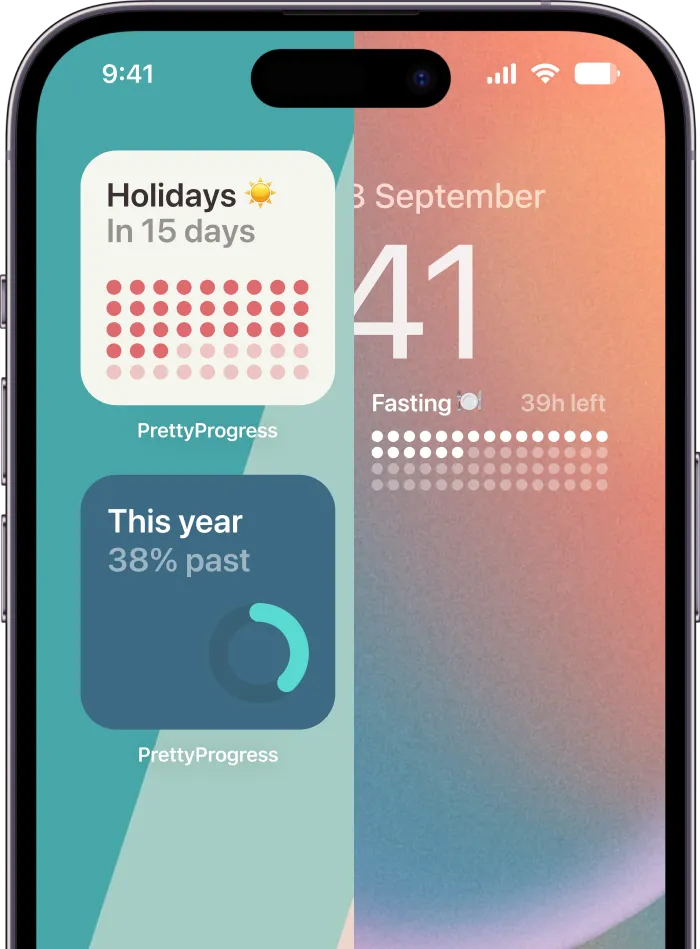
Say a team hosts a farewell lunch on a Thursday. The screen shows days, hours, and minutes left until Friday’s last shift, with a progress bar underneath that starts on the retiree’s hire date. At the end of lunch, you hand over a phone with the same countdown set as a widget. The party ends, but the visual goes home with them.
Setup That Actually Works
- Start from the hire date: A progress bar that spans the full career arc hits harder than one that only covers the final month.
- Count business days: For office retirements, excluding weekends makes the number feel accurate instead of padded.
- Print a backup: Screens fail and Wi-Fi drops. A large printed copy on foam board saves the reveal.
I recommend testing the display an hour early with the exact cable you’ll use. Most failed reveals aren’t bad ideas. They’re HDMI problems. If you want the phone handoff to feel polished, set up a retirement countdown widget for iPhone in advance, match the colors to your printed backup, and screenshot it as a third fallback.
2. Career Progress Bar Celebration
Decades of work are hard to grasp in a speech. A career progress bar makes it instant. One line runs from the first day to the retirement date, and you mark promotions, major projects, and transfers along it.
Here’s a version that works well in an office. Hang a printed bar in the break room for the full farewell week, with photos pinned at each milestone. People stop on their way to coffee, add sticky notes, and by Friday the wall’s full. At the party, each speaker stands at “their” point on the bar and tells one story from that era.
The illustration below shows the kind of growth arc you’re trying to make visible.

This low-cost, high-participation format suits how these events usually get organized. The Society for Human Resource Management report on bidding adieu notes retirement parties commonly happen on an ad hoc basis, with coworkers chipping in for gifts, catering, or a potluck rather than following a formal policy.
Practical rule: Limit the bar to 5 to 8 milestones. More than that and nobody can read it from three feet away.
Ask colleagues for photos two weeks out, not two days. You’ll chase half of them anyway. Match the bar’s colors to the company brand if it’s a work event, or to the retiree’s favorite team if it’s at home.
3. Retirement Bucket List Tracker
Most parties look backward. This one points forward. Turn the retiree’s goals into a progress tracker that fills up as they complete each one, and unveil it half empty on purpose. That empty space is the whole message.
Ask the retiree to pick goals before the party. Then sort them into categories that guests can react to and support.
- Travel: Trips, road routes, places to revisit with family
- Health: A hike, a class, a daily walk streak
- Learning: A language, an instrument, a course
- Family: Visits, reunions, traditions to start
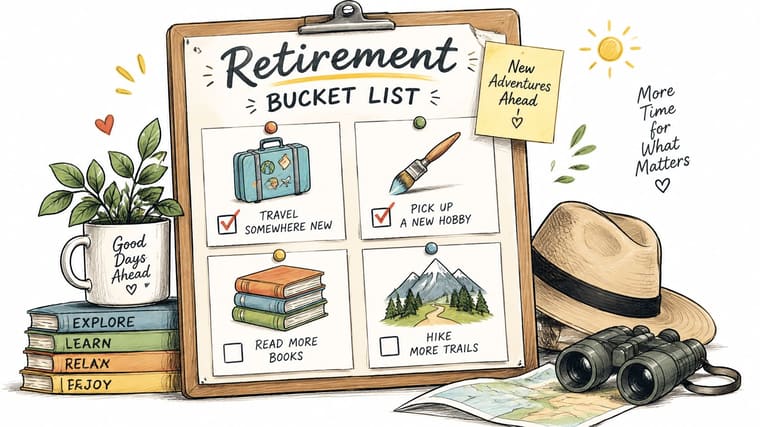
At the party, guests write one suggestion per card and pin it under the right category. If travel dominates the board, it helps to browse getaways for remote work groups for realistic group trip ideas guests could join later. Photograph the finished board and rebuild it as a phone tracker the retiree updates at home.
This visual shows the category layout in a simple clipboard format.
There’s a real reason to connect goals to people, not just places. A CIFAR knowledge brief on social wellbeing in retirement reports quality of life declined by approximately 10% for each organized social-group membership lost during the first post-retirement year. So schedule check-ins at one, three, and six months, and put names next to goals. A goal with a companion attached gets done.
4. Last-Day Hours Countdown Party
Run this one on the actual final day. A timer counts down the hours left in the last shift, and you stage a small moment at each milestone instead of one big event at the end. Energy builds instead of peaking early and fading.
Say the retiree finishes at 5 p.m. At noon, someone delivers their favorite coffee with a note. At 3 p.m., the team signs a card at the timer. At zero, cake appears. Remote colleagues post a countdown message in the group chat at each mark, so they’re part of the rhythm instead of watching a recording later.
Keep Each Beat Short
Keep every milestone moment to five minutes or less. Longer interruptions annoy managers and exhaust the retiree, who’s often still handing over real work. Ask in advance whether they want a surprise or a planned schedule. Some people love being ambushed hourly. Others find it stressful on an emotional day.
This format suits small teams best. The Brush Expert report on the IHA At-Home Entertaining Survey found 73% of adults planning to entertain at home preferred intimate gatherings of 10 or fewer people in 2024. A tight group can move fast, keep jokes personal, and gather around one visible timer without a microphone. Put that timer somewhere nobody has to squint at, and assign one person to own the schedule so beats don’t slip.
5. Exact Age and Life Milestone Reveal
Open the party with a guessing game. Show the retiree’s exact age in years, months, and days, but make guests guess the total days first. Write guesses on cards, reveal the number on screen, and give a small prize to the closest answer.
Then widen the frame. Add a timeline of world events from the year they were born, the year they started work, and the years their kids arrived. Guests who don’t know the career details still know the history, so everyone can play. Say a host pairs each life milestone with a song from that year and lets the playlist carry the segment.
Handle the Sensitive Parts First
Confirm with the retiree before you display any age information. Not everyone finds their age in days charming, and you won’t know until you ask. Use an exact-age calculator rather than doing the math in a spreadsheet at midnight. One wrong digit and the whole reveal deflates.
Sensitivity matters beyond age, too. Coverage from the University of Technology Sydney on retirement, social support and wellbeing describes research on 1,600 partnered retirees in Australia showing social outcomes vary widely after retirement. Some people feel liberated. Others feel ambivalent. So skip jokes about boredom, decline, or having nothing to do. Keep this segment short, warm, and focused on what those years built.
6. Year-Ahead Retirement Kickoff Party
Some retirements land on a calendar edge. When the last day falls near New Year, build the party around a year progress bar instead of a career bar. The visual says fresh start, not ending, and that framing suits retirees who dislike farewell language.
Say a company hosts a year-end party in late December. The screen shows how much of the year remains, and the retiree’s first day of retirement sits right at the reset point. A short speech about the year ahead replaces the usual career recap. Guests write one prediction or wish for the retiree’s first year on cards shaped like calendar pages.
This flexible framing matters because retirement often isn’t a clean stop. An Investopedia summary of older-worker trends reports nearly 20% of people aged 65 and older were working or actively seeking work in 2024. Your honoree may consult, volunteer, or start something part-time, so “year one of what’s next” beats “the end of work” as a theme.
- Align the date: Hold the party on or near the last day when you can, so the calendar visual matches reality.
- Use calendar styling: Month grids, date stamps, and a big circled start date make decor cheap and coherent.
- Name the event carefully: “Kickoff” or “next chapter” works better than “goodbye” for phased retirements.
7. Retro Office Throwback Party
Pick the decade the retiree started in, and rebuild it. Pixel graphics, chunky interface colors, period posters, and music from their early career years turn the room into a timeline you can walk through. Add a progress bar styled like an old loading screen that finally reaches 100% at the toast.
Say a tech team throws this for a longtime engineer. There’s a recreated break room corner with vintage computer graphics, a photo booth with era props, and classic games running between speeches. For that arcade corner, nostalgic event entertainment from PSW Events gives you a sense of what rentable retro machines look like at real events.
The desk setup below captures the mood you’re aiming for, part office, part celebration.

Discipline keeps this theme from turning into a junk drawer. Choose one decade or one design style and hold the line on music, fonts, and props. Build the playlist from the retiree’s actual career years, not a generic oldies mix. The trade-off is setup time. Retro done well takes longer to source than balloons and a banner, so start collecting props early or rent the big pieces and fake the rest with printed graphics.
8. Video Montage Countdown Tribute
Collect short clips over the final weeks, then edit them as a countdown. Each segment opens with a countdown graphic, one day or one week at a time, and the messages build toward the retirement date. Shown at the party, it gives absent colleagues and family a real presence in the room.
Say a team gathers clips from three offices. Each person gets one prompt, such as a skill the retiree should teach next or a place they hope the retiree visits. Family clips close the video. The retiree leaves with a copy, which usually outlasts every other gift from the day.
The example below shows the pacing and tone a good tribute montage can hit.
Set the submission deadline at least two weeks before the party, cap clips at 30 seconds, and remind people twice. You’ll still get late files. When you edit, choose music for a photo montage that sits under the voices instead of competing with them.
There’s evidence behind making guests participants rather than an audience. A study by Haslam and colleagues on identity gain in retirement involving 302 retirees found joining new groups and developing a stronger retiree identity predicted greater life satisfaction after retirement. Prompts about future roles help that process start at the party itself.
9. Business Days Countdown Ceremony
Calendar days inflate the wait. Business days tell the truth. Count only working days to the final shift, cross each one off a shared calendar, and end with a short ceremony on the last business day. The smaller number feels closer and more real.
Say a department posts the calendar by the door for the final month. Each morning, a different colleague crosses off the day and adds a line to a running card. On the last business day, the retiree hands over a symbolic item, maybe a badge, a set of keys, or a well-worn notebook, and signs the calendar. Simple beats elaborate here. The ritual works because everyone watched it build.
Get the Count Right
- Use a business-day calculator: It should account for local holidays, or your count will drift from HR’s records.
- Confirm the final day with HR: Accrued leave and phased schedules change last days more often than hosts expect.
- Keep the ritual small: A daily signature or one crossed-off square is enough. Don’t add a speech per day.
If you’re unsure how to frame the count for invitations, this guide on how many days until retirement walks through the calculation. I recommend this format for long-tenured staff in structured workplaces. It spreads the goodbye across weeks, which suits retirees who’d rather have many small acknowledgments than one overwhelming event.
10. Travel and Adventure Countdown Party
End the list looking forward. Build the party around the retiree’s first trip and run two countdowns side by side, one to the retirement date and one to departure. The gap between those numbers tells the story of the whole party.
Say the retiree’s family has booked a cruise. The room carries the destination’s food and music, a map backdrop anchors the photos, and guests write postcards with advice for the route. For a road trip, pin the postcards along a drawn highway that ends at the departure date. The retiree takes the cards along and opens one per stop.
This illustration captures the send-off mood, luggage packed and celebration in full swing.
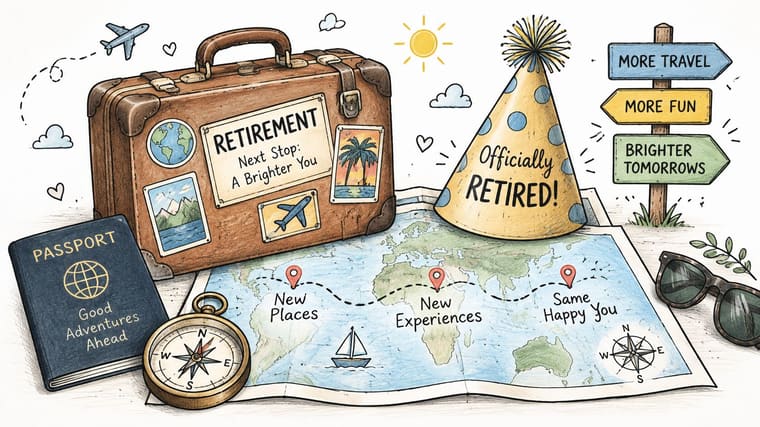
Confirm the travel dates with the retiree before you print anything. Trips move, and a countdown to the wrong departure date is an awkward centerpiece. A dual countdown also needs clear labels, or guests will mix up the two numbers all night.
Give a travel journal as the keepsake and pre-fill the first page with both countdown dates. It ties the party’s visual anchor to the trip itself.
If the itinerary is still forming, a travel planning timeline helps the retiree sequence bookings after the party. Skip this theme if there’s no real trip booked. Generic travel decor without an actual departure date falls flat fast.
How the 10 retirement party ideas compare by audience, requirements, and format
Use this comparison to match the countdown or progress display to the party activity. The format should make the milestone easy for guests to follow, whether it appears on a shared screen, a printed board, or a video.
| Item | Best For | Key Requirement | Format |
|---|---|---|---|
| Countdown-to-Retirement Widget Reveal | A playful, shared event focal point | Confirm a reliable retirement date | Live countdown on a shared screen |
| Career Progress Bar Celebration | Honoring a long career and its milestones | Gather accurate career dates and key moments | Printed career timeline with photos |
| Retirement Bucket List Tracker | Celebrating plans for life after work | Choose goals and keep the tracker updated | Pinned goal board |
| Last-Day Hours Countdown Party | A lighthearted final workday celebration | Coordinate brief milestone celebrations | Hour-by-hour countdown displayed at work |
| Exact Age and Life Milestone Reveal | A personal, interactive party segment | Confirm the birth date and the retiree’s comfort with sharing it | Milestone reveal with guest guesses |
| Year-Ahead Retirement Kickoff Party | Retirements around New Year or year-end | Align the theme with the calendar and retirement date | Yearlong countdown calendar |
| Retro Office Throwback Party | A nostalgic celebration of the retiree’s career era | Choose a consistent decade or retro style | Decade-themed party with a career-era display |
| Video Montage Countdown Tribute | A personal tribute and lasting keepsake | Collect and edit short video messages | Video tribute with a countdown finale |
| Business Days Countdown Ceremony | A workplace-focused retirement milestone | Verify the final workday and local holidays | Business-day counter on a shared display |
| Travel and Adventure Countdown Party | Retirees with a planned trip or adventure | Confirm travel dates and destination | Printed travel countdown with destination details |
Pick One Visual Anchor and Start the Countdown Early
You’ve got ten formats, but the decision is simpler than it looks. Match the anchor to the retiree’s personality and situation, then commit. A numbers person will love the exact age reveal or the business days ceremony. A storyteller suits the career progress bar or the video countdown. Someone who’s ambivalent about leaving will relax more at a year-ahead kickoff or a bucket list tracker, where the language points forward instead of closing a door.
Don’t stack anchors. One countdown or progress bar, done clearly, beats three half-finished visuals competing for attention. Every other element, the food, the speeches, the games, should point back to that single image. When guests describe the party later, they’ll describe the anchor. That’s how you know it worked.
Your Two-Week Runway
Start collecting material at least two weeks before the event. That’s the deadline that makes everything else calm. Photos for the career bar, clips for the montage, goals for the bucket list, and postcards for the trip all depend on other people’s response times, and those are always slower than you expect.
Use this sequence and you’ll stay ahead of the scramble.
- Two weeks out: Confirm the final day, lock the anchor, and send requests for photos, clips, and memories with a hard deadline.
- One week out: Build the visual, print the backup copy, and test it on the actual screen in the actual room.
- Day before: Charge devices, screenshot the countdown, and brief one person to own the display during the party.
- Day of: Put the anchor live before the first guest arrives, not after the room fills.
Think about who’s in the room, too. Add captions to videos, use a microphone for speeches, offer alcohol-free options without making a point of it, and give remote guests a structured way to contribute instead of a wobbly laptop feed in the corner. Small access choices decide whether everyone participates.
If you want a live countdown that ends during the party itself, the setup is quick. We built our countdowns so you can make one end later today by turning off the all-day option, labeled “Toute la journée” in some language versions, choosing today as the end date, and setting the exact end time. Then add the widget to a shared screen or the retiree’s phone so the countdown’s visible from the moment guests arrive.
End on continuity, not closure. Before people leave, put one future date in their hands, a lunch, a bucket list check-in, or the trip departure. The countdown reaching zero shouldn’t be the last thing this group ever shares. It should be the first marker in whatever comes next.
Build your party’s visual anchor in minutes with customizable countdown and progress bar widgets for iPhone, iPad, Apple Watch, Mac, and Android, styled to match your theme and visible at a glance all day. Set the retirement date, pick a design, and put it on the big screen or the retiree’s Home Screen before guests arrive. Visit Pretty Progress to start the countdown today.