

September 3, 2026
10 Best Goal Setting App Android Picks for 2026
Compare the best goal setting app android options for widgets, habits, progress tracking, privacy, pricing, and student or ADHD-friendly use.
You have a goal, but the first burst of motivation has already started to fade. The deadline is still somewhere in your calendar, the habit is still on your list, and yet neither feels visible enough to guide what you do today. You need an Android app that keeps the goal in front of you without turning progress tracking into another project.
This roundup compares ten Android-compatible options by the kind of goal they help sustain: glanceable deadlines, recurring habits, structured planning, gamified accountability, privacy-first tracking, or guided routines. The comparison covers widgets, progress bars, countdowns, reminders, analytics, privacy, pricing constraints, cross-device access, and setup complexity.
The best choice depends on four practical questions. What kind of goal are you tracking? What feedback keeps you moving, a streak, a chart, a countdown, or a task list? How much complexity will you tolerate? Do you need your history to follow you across Android, iOS, the web, or desktop?
A habit tracker isn’t automatically the right tool for a long-term milestone, and a task manager isn’t automatically useful for a daily routine. The best goal setting app for Android is the one that matches the way your goal works.
Table of Contents
- 1. Pretty Progress
- 2. TickTick
- 3. HabitNow
- 4. Habitica
- 5. Habitify
- 6. Productive
- 7. Loop Habit Tracker
- 8. Fabulous
- 9. Goals Wizard
- 10. Goalify
- Top 10 Android Goal-Setting Apps, Comparison
- Match the App to Your Follow-Through Style
1. Pretty Progress
Pretty Progress is the strongest pick when your goal needs to stay visible. It treats progress as a visual cue rather than burying it inside a task list, making it especially useful for exam dates, project deadlines, trips, events, fasting windows, and long-horizon personal milestones.
You set start and end dates, choose a design, and add a widget to your Android home or lock screen. That setup is quick enough for a goal you want to start tracking immediately. The resulting countdown or progress bar gives you a low-noise reminder every time you check your phone, without requiring a full app session or a daily journal entry.
The design system is the main differentiator. You can adjust colors, gradients, bar size and shape, icons, and layout, then choose from themes such as Swiss Style, Minimal, Aqua, and Retro OS. The result feels more like part of your phone’s design than a generic productivity badge.

Best for visible milestones
Pretty Progress suits students watching an exam date approach, professionals tracking a launch, and anyone who responds better to time remaining and percentage-complete cues than to streaks. It can also work well for ADHD users who benefit from reducing the number of steps between seeing a goal and remembering why it matters.
Practical rule: Use Pretty Progress when the main problem is forgetting the goal, not failing to understand the next task.
The app supports Android alongside iPhone, iPad, Apple Watch, and Mac, so it’s a practical choice if you switch between devices. It also includes date, business-day, exact-age, and intermittent-fasting calculators, which can remove small planning tasks from the setup process. The core experience is ad-free, while a PRO upgrade provides deeper styling controls. The exact upgrade cost should be checked inside the app before purchase.
For more ideas on choosing a lightweight tracker, see these free goal tracking app options. You can also visit Pretty Progress to see how its Android widgets work in practice.
2. TickTick
TickTick is the best all-rounder when a goal has both repeatable habits and concrete actions. A goal such as preparing for an exam, finishing a portfolio, or establishing a bedtime routine can live in one system instead of being split between a habit tracker, calendar, timer, and to-do app.
The setup starts with tasks, due dates, recurring schedules, and reminders. You can then add habits for the behavior that supports the larger outcome. Its calendar view helps you see tasks and routines together, while Android widgets and quick-add make capturing an action fast enough for use during a busy day.
TickTick also includes a Pomodoro focus timer and white noise. Those features matter when your goal isn’t just “finish the project,” but “protect focused work time consistently.” The app’s strength is the connection between intention and execution. You can define the outcome, schedule the work, and record the recurring behavior in the same place.
Where TickTick fits
TickTick suits productivity-focused users who want structure without adopting a full project-management platform. Students can combine assignment tasks with study habits, while professionals can connect recurring planning routines to larger work projects.
The trade-off is feature gating. Many advanced functions require Premium, and users have reported changes in annual pricing, so check the current Android checkout rather than relying on an older price reference. Cross-device syncing is a major advantage if you work on Android, desktop, and other supported platforms.
For a broader comparison of Android tools, read these goal tracking apps for Android. TickTick can also support routines that help you establish bedtime patterns, particularly when recurring reminders and calendar visibility matter more than visual countdowns.
3. HabitNow
HabitNow is built for people who want Android-first routine tracking without forcing every goal into a large productivity ecosystem. It combines habits, tasks, schedules, calendar views, reminders, progress charts, and home-screen widgets, so it handles both recurring behavior and one-off actions.
Setup feels practical. Create a habit for something repeated, such as reading, stretching, or studying, then add tasks for actions that happen once or only occasionally. Daily, weekly, and monthly targets give you more control than a simple yes-or-no streak, especially when your routine doesn’t fit every day.
The Android widgets are one of HabitNow’s clearest strengths. You can put check-ins where you already look, reducing the need to open the app just to record progress. Secure backup options also help protect your history if you change devices.
The privacy advantage
Non-premium users can keep data locally, which makes HabitNow a sensible choice for privacy-conscious Android users who don’t want their personal routines stored in a cloud account by default. That local-first approach is also useful for people who want a focused personal tracker rather than a service built around sharing or social comparison.
The limitations are straightforward. HabitNow doesn’t have an official iOS app, so it isn’t the right choice if you need a shared cross-platform workflow. Some advanced options require Premium, and users who want coaching, extensive integrations, or public accountability will find it more limited than broader platforms.
Choose HabitNow for routine-plus-task tracking on Android, especially when local data handling and widget access matter more than cross-device breadth.
4. Habitica
Habitica works best when ordinary checkboxes don’t motivate you. It turns habits, daily activities, and to-dos into RPG-style quests, then uses character progression, equipment, rewards, parties, guilds, and challenges to make follow-through feel like participation in a game.
The setup requires more imagination than a standard tracker. You define habits, dailies, and to-dos, then decide how each should behave inside the game system. A study session can become a daily quest, while a major assignment can become a to-do broken into smaller actions.
That structure can be especially effective for users who enjoy game mechanics and social accountability. Parties and challenges add an external layer of commitment, which can help when motivation improves through group participation rather than private charts.
The cost of a game layer
Habitica can feel busy if you only want a quiet reminder and a quick check-in. Game rewards, equipment, social spaces, and character management create additional decisions, and some perks or cosmetics are connected to subscriptions or in-app purchases.
Students who enjoy games may find the system energizing, while productivity-focused users who prefer a clean calendar may find it distracting. ADHD users may benefit from immediate rewards and visible consequences, but should keep the setup small so the game doesn’t become a new source of unfinished maintenance.
Pick Habitica for gamified accountability, not for minimalist milestone planning or a design-led countdown.
5. Habitify
Habitify is the best fit for users who want analytics without clutter. It focuses on habits, progress charts, streak analysis, integrations, and cross-platform access, making it suitable for people who want to understand patterns rather than just mark tasks complete.
You can create habits, assign schedules and reminders, and review progress through charts and summaries. Health integrations, including Google Fit and supported health platforms, can help auto-log certain activities. That reduces manual entry for goals connected to movement or other measurable routines.
The interface is polished and the progress views are clear. Instead of relying mainly on a motivational quote or game reward, Habitify gives you information to review. That makes it useful for productivity-focused users who want to adjust a routine based on observed consistency.
Who should choose Habitify
Habitify suits people managing habits across Android, iOS, web, and desktop. Family Sharing is available on paid tiers, which may help households pursuing related routines, although solo users won’t need that feature.
The free tier is limited, and pricing can vary by platform and region. Check the Android listing or in-app checkout before committing, particularly if you use more than one device ecosystem. Habitify is less useful for a project that needs deep task dependencies or a long-form strategic plan.
Choose Habitify when your feedback loop is charts, trends, and integration-assisted logging, not countdowns or game rewards.
6. Productive
Productive is an approachable choice for turning broad intentions into repeatable daily routines. Its onboarding, templates, reminders, streaks, statistics, trends, and motivational challenges make it easy to start without designing a complete system from scratch.
The template library is useful when you know the outcome you want but don’t yet know how to structure the behavior. You can adapt a suggested routine, set reminders, and begin checking in. The interface is designed to keep the daily action understandable, which helps beginners avoid spending more time configuring the app than practicing the habit.
Productive works well for routines such as morning preparation, exercise, reading, or focused work. It is less suited to a complex project where the main challenge is sequencing milestones and assigning detailed tasks.

Keep the setup narrow
Start with the one or two behaviors that support your goal most directly. Adding a large collection of habits can make the daily screen feel demanding, especially for users with executive-function challenges.
The main limitation is the premium model. Upsell prompts can feel frequent to some users, and pricing and feature availability vary by platform. Review what the Android free tier includes before building your entire routine around a paid feature.
Productive is the right pick for simple setup and supportive nudges. Choose it over Habitify if you need more onboarding help, and choose it over Loop if you want templates and a more polished coaching-style experience.
7. Loop Habit Tracker
Loop Habit Tracker is the best privacy-first choice for Android users who want free, offline-friendly habit tracking. It’s lightweight, open source, ad-free, and designed around local storage rather than accounts and social features.
You create a habit, choose its schedule, and record completion. Streaks, scores, and graphs show how consistently you follow through, while backup and restore options give you a way to protect or move your data. The app stays focused on the essential feedback loop, log the behavior, review the pattern, and continue.
That simplicity is valuable for people who find feature-heavy apps overwhelming. It can also suit ADHD users who need the fewest possible steps between opening the tracker and recording an action. The lack of a subscription removes a recurring purchase decision as well.

What Loop doesn’t try to do
Loop doesn’t provide native web or iOS clients, so it won’t follow you across every platform. It also avoids coaching, elaborate gamification, and large planning suites. If your goal needs milestones, team accountability, or guided routines, another app will fit better.
Choose Loop when you want private local tracking with no ads and no subscription, and when a habit is the goal rather than a complex project.
8. Fabulous
Fabulous is designed for users who need guided routines rather than an empty tracker. It uses multi-week journeys, daily actions, habit stacking, reminders, audio elements, and coaching-style content to turn broad lifestyle goals into a sequence of manageable routines.
The experience feels more like following a program than configuring a dashboard. You might begin with a high-level focus such as sleep, fitness, or concentration, then add rituals and actions around it. That hand-holding helps beginners who know what they want to improve but struggle to decide what to do next.
Fabulous is particularly well suited to lifestyle goals. It can connect a morning routine, an evening wind-down, or a focus ritual into a broader behavior pattern instead of treating each action as an isolated streak.

Check the subscription controls
Pricing transparency varies by channel, so review the Play Store or in-app checkout before accepting a trial or paid plan. Some users have reported frustrating cancellation experiences. Manage subscriptions through Google Play when possible, and keep your receipt and renewal details accessible.
The guided structure can also feel restrictive if you want to create a highly personal system. Fabulous is the right choice for coaching-style routine building, not for privacy-first local storage or detailed project planning.
9. Goals Wizard
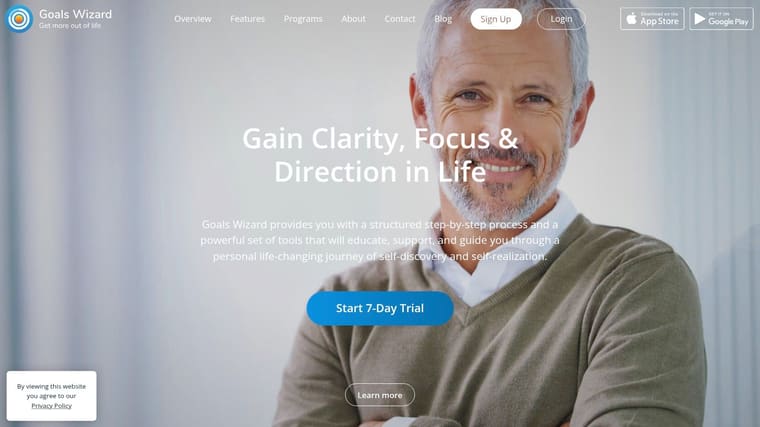
Goals Wizard suits users who need a strategic goal-setting method for work that unfolds across stages. It links vision, roles, long-term goals, milestones, action plans, habits, journaling, and weekly reviews, so it sustains structured planning rather than a single recurring habit.
Setup takes time. You define the broader outcome first, divide it into milestones, connect those milestones to tasks, then add routines that support the work. That makes it a strong fit for students managing a study program, productivity-focused users building a career plan, or anyone tracking a side project with a visible deadline.
The weekly review and journal create a reflection loop. You check whether today’s actions were completed, then decide whether they still serve the larger objective. Review goal-setting best practices before building a system, and see how Peaceful Mindful Pocket LLC app features compare with your planning needs.
Choose structure over speed
Goals Wizard feels more involved than a lightweight habit tracker, and its cost is higher than typical habit apps. Choose it when milestones, reflection, and a complete planning method justify that setup. For one daily routine, the extra structure slows you down.
Android, iOS, and web sync let you plan on a larger screen and log progress on your phone. Choose Goals Wizard for long-horizon planning with milestones and reflection, especially when visible progress matters more than instant setup.
10. Goalify
Goalify suits users who need personal tracking with the option of coaching or team support. Individuals can set goals, build routines, use reminders, and review statistics, while Goalify Professional adds portals for coaches, clients, and groups.
For solo use, the app can function as a flexible goal and habit tracker. You can keep goals private, define recurring actions, and use the web, Android, or iOS app depending on where you work. The cross-platform model makes it easier to review plans away from your phone while still logging progress on Android.
The coaching workflow is the key differentiator. A coach or group can use the professional portal to organize client activity and support accountability. That makes Goalify more suitable than a personal-only tracker when follow-through depends on another person reviewing progress.

Don’t overbuy the workflow
Team and coaching tools can be unnecessary for someone tracking a private reading or exercise routine. Individual Premium pricing is shown in-app, and not all details are public on the website, so check the current Android purchase screen before choosing a plan.
Goalify is the right choice for coached accountability, group routines, and flexible cross-platform tracking. For a solo user who wants a simple private tracker, Loop or HabitNow will involve less overhead.
Top 10 Android Goal-Setting Apps, Comparison
| Product | Core features | UX & quality | Price & value | Target audience | Unique selling points |
|---|---|---|---|---|---|
| 🏆 Pretty Progress | Customizable countdown & progress widgets for Home/Lock/Watch/Mac/Android | ★4.8, polished, ad‑free experience | 💰 Free + PRO (in‑app upgrade) | 👥 Design‑minded users who want glanceable motivation | ✨ Design‑first widget themes, cross‑device sync, built‑in calculators |
| TickTick | Tasks + calendar, habits, Pomodoro timer, robust widgets | ★ High, reliable sync & frequent updates | 💰 Free tier; Premium subscription available | 👥 Planners who need tasks, schedules & focus tools | ✨ Pomodoro + white noise, strong Android widgets |
| HabitNow | Habits, tasks, charts, multiple home‑screen widgets | ★ Good, Android‑first, privacy‑friendly | 💰 Free + Premium; local data option | 👥 Android users preferring local/privacy storage | ✨ Local‑first backups and polished widgets |
| Habitica | Gamified habits, dailies, to‑dos, parties & challenges | ★ Good, highly motivating but can feel busy | 💰 Free core; IAPs/subs for perks | 👥 Gamers & social users who want RPG incentives | ✨ RPG progression, social guilds & challenges |
| Habitify | Progress analytics, streaks, Health/Google Fit integration | ★ High, clean data views & cross‑platform | 💰 Free limited; subscription for full features | 👥 Data‑driven users who want insights & integrations | ✨ Deep analytics + health integrations, family sharing |
| Productive – Habit Tracker | Custom habits, reminders, stats, templates | ★ Good, simple, approachable UI | 💰 Freemium; paid tiers unlock more | 👥 Beginners & template seekers | ✨ Large template library & friendly onboarding |
| Loop Habit Tracker | Streaks, scores, graphs, local backup/restore | ★ Reliable, lightweight & private | 💰 Completely free & open‑source | 👥 Privacy‑focused Android users wanting offline use | ✨ No accounts, offline‑first, open‑source |
| Fabulous | Multi‑week programs, habit stacking, audio coaching | ★ Good‑High, guided, hand‑holding approach | 💰 Subscription for guided programs | 👥 Beginners who want structured coaching journeys | ✨ Science‑backed journeys, audio coaching & rituals |
| Goals Wizard | Vision mapping, SMART goals, milestones, weekly reviews | ★ Professional, deep & structured (complex) | 💰 Paid product; higher price point | 👥 Serious planners and strategic goal setters | ✨ Full goal methodology, journaling & review system |
| Goalify | Personal & team goals, reminders, coach portal | ★ Good, flexible for individuals & teams | 💰 Freemium; pro/coaching tiers for teams | 👥 Individuals, coaches and teams | ✨ Coaching portal and team management features |
Match the App to Your Follow-Through Style
Choose the app by the feedback loop you will notice and use. If you need a deadline to remain visible, Pretty Progress is the clear choice because its countdowns, progress bars, and customizable Android widgets keep the goal on your screen. It works best for exams, launches, trips, events, and other milestones where time remaining matters more than a daily streak.
Choose TickTick when the goal depends on tasks and habits working together. Its calendar, recurring schedules, reminders, Android widgets, focus timer, and quick-add tools make it the most balanced option for students and productivity-focused users who need to turn an outcome into scheduled work.
For Android-first routine tracking, choose HabitNow. It combines habits and tasks with polished widgets and local-first data for non-premium users. Choose Loop Habit Tracker when privacy, offline use, no ads, and a free open-source experience matter more than cross-platform access or coaching.
The motivational styles are different:
- Habitica is for game-based motivation, parties, challenges, and RPG rewards.
- Habitify is for charts, streak analytics, health integrations, and cross-device access.
- Productive is for an approachable interface, templates, reminders, and supportive routine nudges.
- Fabulous is for guided journeys, habit stacking, and lifestyle coaching around sleep, focus, fitness, and related routines.
- Goals Wizard is for strategic planning, milestones, action plans, journaling, and weekly reviews.
- Goalify is for coached workflows, groups, and personal goals that may later need professional oversight.
A feature only helps if it reduces the effort required to act. If you need a five-step process to log a habit, the most advanced dashboard in the category won’t save the routine.
Check four things before committing. First, test the logging friction by creating a real goal and recording it for several days. Second, make sure the widget, reminder, or countdown appears where you’ll notice it. Third, review the privacy model and decide whether local storage, cloud sync, or social accountability fits the goal. Fourth, confirm the actual Android checkout price, trial terms, renewal behavior, and premium limits inside the current app listing.
Don’t start by configuring every feature. Select one measurable goal, such as completing a defined study milestone, following a specific evening routine, or reaching a dated personal outcome. Configure one reminder or widget, define one review point, and use the system consistently before adding charts, integrations, additional habits, or social features.
For most Android users, the decision is simple. Pick Pretty Progress for visible progress, TickTick for tasks plus habits, HabitNow or Loop for focused Android routine tracking, and Goals Wizard for a serious planning framework. Choose the tool that makes tomorrow’s action obvious, then give it enough consistent use to prove whether it belongs in your routine.
Pretty Progress offers customizable Android countdown and progress bar widgets for deadlines, events, and long-term goals, with themes and controls that keep progress visible without adding noise. If you want a design-led way to make your next milestone harder to forget, visit Pretty Progress and set up your first widget.





