
October 22, 2026
10 Best Date Calculator Apps for Every Task
Compare 10 date calculator apps for business days, countdowns, time zones, and progress tracking, plus how Pretty Progress complements them.
You’ve got a deadline coming up, but the date on your calendar doesn’t tell you whether weekends count, whether a holiday changes the result, or how much time is left once you’ve calculated it. A date calculator app can answer the first question. It may not keep the answer visible when you need it again.
Start with the calculation you need to repeat. The right choice depends on whether you’re checking a one-time date difference, estimating business days, comparing times across locations, or tracking a deadline for weeks. The tools below match calculators to real planning jobs, from historical research to workday countdowns. Some are phone apps, some are browser tools, and a few combine calculation with reminders.
A result is only as useful as its assumptions. Check whether the tool counts the start date, includes the end date, or removes holidays before using its number for a contract, school deadline, or delivery estimate. For a separate event-planning calculation, see BeeHive’s party drink guide. Once you’ve calculated a date, decide whether a calendar entry is enough or whether you want an ongoing progress display such as Pretty Progress.
Table of Contents
- 1. Time & Date Calculator From timeanddate.com
- 2. Date Calculator From TimeRange
- 3. Date Calculator From ng-labs
- 4. Date Calculator Pro From ng-labs
- 5. Date Wheel
- 6. Date Calendar Calculator
- 7. Date Calculator: Day Counter
- 8. Working Days Counter & Widget
- 9. DayProof
- 10. Time & Date Business Date Calculator
- Top 10 Date Calculator Apps: Feature Comparison
- Calculate Once, Then Keep the Deadline Visible
1. Time & Date Calculator From timeanddate.com
When a calculation involves a clock time as well as a date, use timeanddate.com’s Date and Time Calculator. Its iPhone and iPad app handles intervals, adding or subtracting time, and comparisons across locations. It can calculate durations down to seconds and work with time-of-day and UTC comparisons, making it a practical fit for scheduling across time zones.
That distinction matters. A date-only question, such as how many days remain until a birthday, is different from calculating the time between appointments in different cities. Daylight-saving transitions can also affect elapsed hours, so a tool that accounts for locations and time changes is a better choice for flight planning, livestreams, and cross-border meetings.
Best for precise scheduling
The app can save, share, or export results, which helps when a calculation needs to move into a message or work plan. It comes from an established date-and-time information site, but the app is limited to iPhone and iPad, displays advertising, and doesn’t provide a persistent countdown widget.
Practical rule: Use this calculator to resolve the exact time. If the date then needs to stay visible, add a separate date countdown rather than expecting a one-time result to act as a reminder.
2. Date Calculator From TimeRange
If you want date arithmetic and ongoing tracking in one Apple-platform app, Date Calculator by TimeRange is the more involved option. It can add or subtract days, weeks, months, and years, calculate intervals and selected workdays, and turn a date into a countdown or elapsed-time counter.
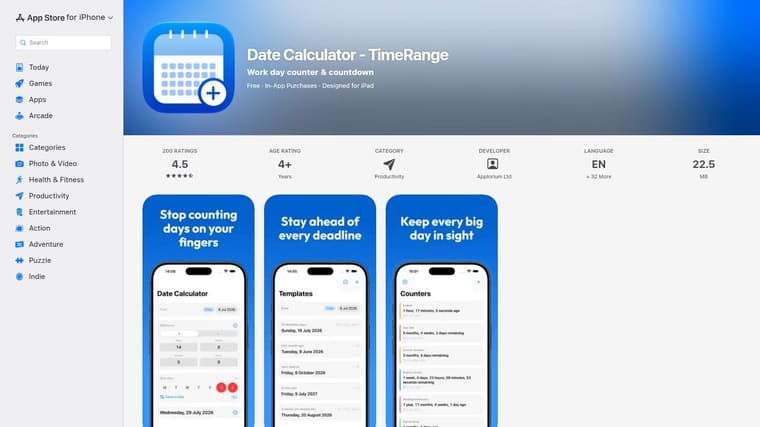
Its counters, widgets, notifications, Siri, and Shortcuts support make it useful when you return to the same deadline or milestone. Configurable workdays and excluded dates can also better match a recurring work schedule than a simple Monday-to-Friday assumption.
Best for calculation plus tracking
TimeRange is a free download with in-app purchases, and its listing describes support across multiple Apple platforms. It isn’t an Android option, and the breadth of features may be unnecessary if you only want to subtract two dates.
For a straightforward date-gap check, use a dedicated days between two dates calculator. If you need to keep checking the same result, TimeRange’s saved counters and widgets are the stronger fit.
3. Date Calculator From ng-labs
Counting the gap between two dates is only one job a date calculator can do. ng-labs Date Calculator covers several jobs at once on Android: intervals in years, months, weeks, and days, adding or subtracting a period from a start date, plus age, weekday, leap-year, and countdown calculations.
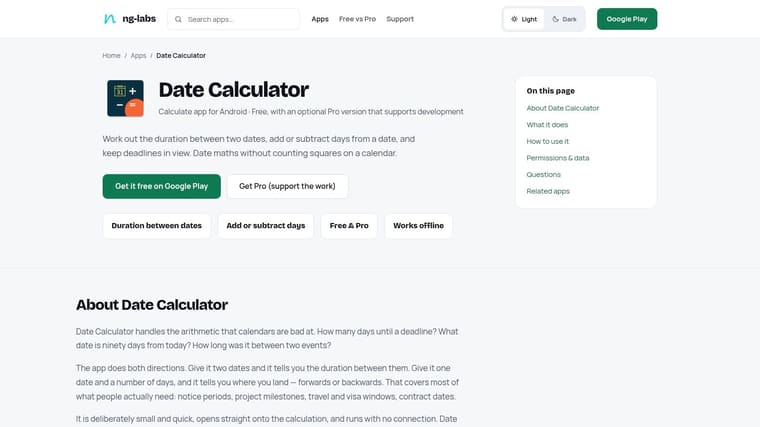
Best for varied Android date tasks
The working- and non-working-day option is the one to reach for on business-day estimates, like checking whether a ten-day turnaround crosses a weekend. Support for dates before 1900 extends it to older records too, so it can help with an archival question such as a family-history date. Keep in mind that a historical date calculation is not automatically a conversion between calendar systems.
Two caveats before you commit. The app is Android-only, so iPhone users need a different pick from this list. The free edition may include ads or paid upgrades, and holiday-based results depend on configuring the right location, so confirm the setup and current ratings on its Google Play listing before trusting it with a deadline.
4. Date Calculator Pro From ng-labs
A project lead checking a contract deadline from a job site with no signal cannot wait for a web calculator to load. ng-labs Date Calculator Pro, the paid Android edition of the tool covered above, runs its full calculation set without a connection: date intervals, adding or subtracting time, age and weekday tools, leap-year checks, countdowns, and business-day math with custom holidays.
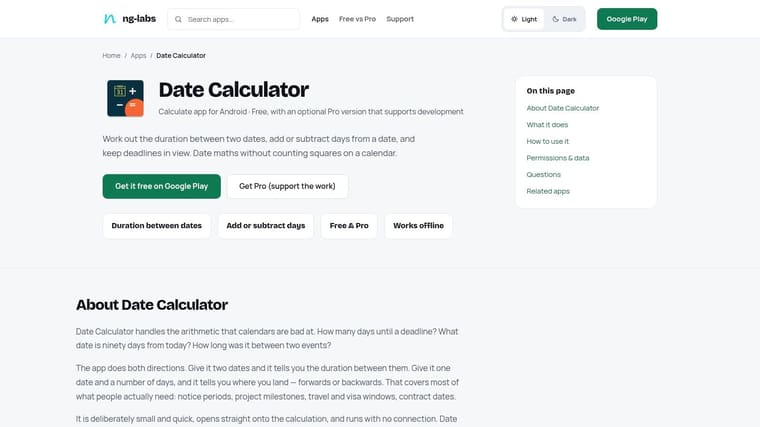
Best for offline Android use
The payment buys three concrete things: no ads, custom holiday lists, and full offline operation. It is sold as a one-time purchase rather than a recurring subscription, so the cost makes sense when you regularly calculate business days away from a connection. If your work stays online, the free edition already covers the same calculations and costs nothing.
Custom holidays carry one caveat. A list is only dependable if it matches the rules that apply to your situation: public holidays vary by jurisdiction, and work calendars differ by employer. Before trusting a business-day result for a contract or payroll estimate, check which holidays the app excludes and whether it counts the first and last dates.
This remains an Android-only choice. Check the Play listing for the current price and upgrade terms before paying.
5. Date Wheel
For iPhone users who prefer a visual control over a conventional date form, Date Wheel offers a focused way to calculate a start date, end date, or duration. It works with calendar days and business days, and supports calculations in weeks and months.
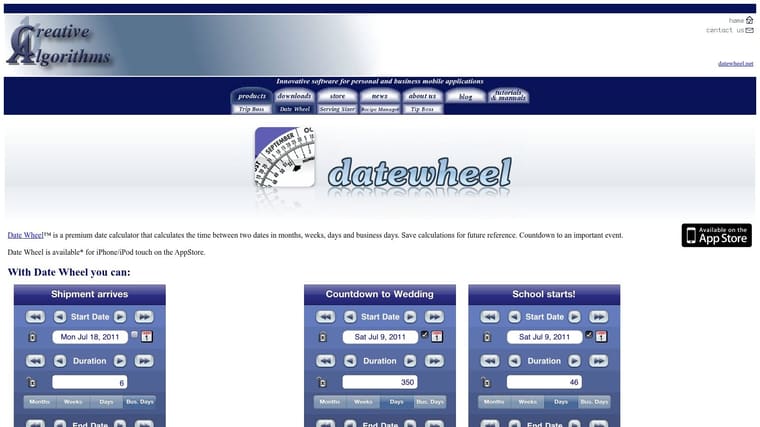
Best for saved date calculations
Date Wheel lets you save calculations for later reference, which is helpful if you revisit the same planning question. It also reports the day of the week and includes VoiceOver support, so the result can be checked in a more accessible format.
The trade-off is its interface. The wheel-style input is central to the app, so it may feel slower than typing dates for people who prefer a standard form. The listing describes it as an iPhone app, and it’s paid.
Use Date Wheel when the calculation itself is the main task and you value saved results. If the date is a deadline you need to see every day, a stored calculation isn’t the same as a persistent countdown on your screen.
6. Date Calendar Calculator
Date Calendar Calculator combines several common planning jobs in an iPhone and iPad app. It calculates the duration between dates, can use an optional time mode, and adds or subtracts periods from a selected date.
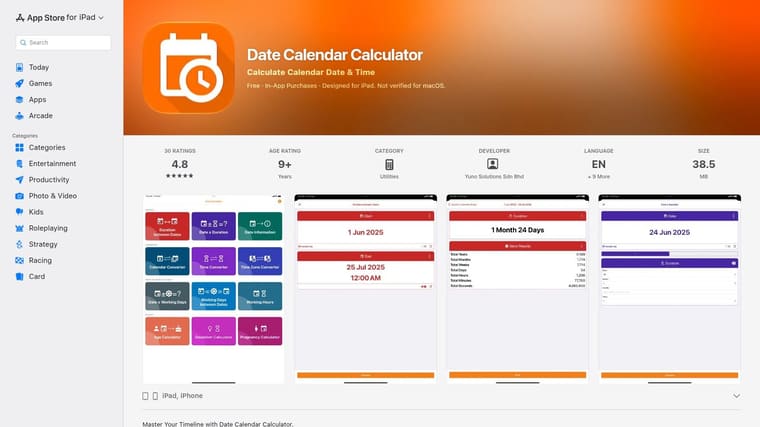
Best for configurable work schedules
The app also includes age and time-zone-related functions, plus working-day counts based on configurable non-working days and holidays. Those settings make it worth considering when your workweek or holiday schedule doesn’t follow a default calendar.
For a reliable result, set the schedule before calculating. A business-day count depends on which weekdays qualify and which holidays are excluded. A calculator service that accepts ISO 8601 dates and supports adding or subtracting business days provides a useful example of the kind of explicit date input and operation to look for (UseToolSuite’s business-day calculator).
This app is available for iPhone and iPad, and its free download includes in-app purchases. It offers a broad set of functions, but the available independent reputation information is more limited than for some established date-and-time services. For a simple date gap, its extra tools may be more than you need.
7. Date Calculator: Day Counter
Need to find a future date quickly and see which weekday it falls on? Date Calculator: Day Counter focuses on common date intervals and adding or subtracting time. It reports results in multiple units, including years, months, and days, and supports preset periods for faster calculations.
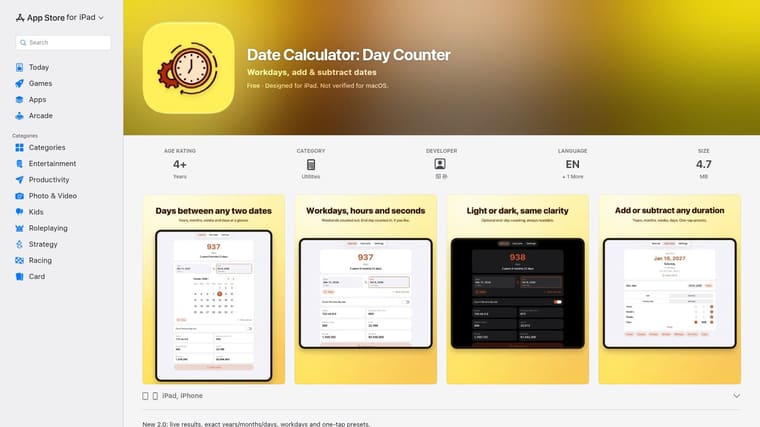
Best for quick date arithmetic
Its workday mode distinguishes workdays from weekend days, and the app supports inclusive end-date counting. That inclusion setting matters: two calculators can produce different totals if one counts an endpoint and the other doesn’t. A date-calculation FAQ describes a basic date difference as usually excluding the start date, while business-day calculations may include both endpoints; it also explains why a calendar span doesn’t always map neatly to a workweek (CycleCalcs’ date calculator FAQ).
Day Counter’s workday mode doesn’t exclude public holidays, so don’t use it as a final business-day estimate when a holiday affects the deadline. It’s an Apple-platform app with ads in the free version, and no Android option was identified.
8. Working Days Counter & Widget
For a deadline measured in working days rather than calendar days, Working Days Counter & Widget puts the countdown first. It’s designed to show working days remaining until a deadline or event, with Home Screen and Lock Screen widgets to keep the result visible.
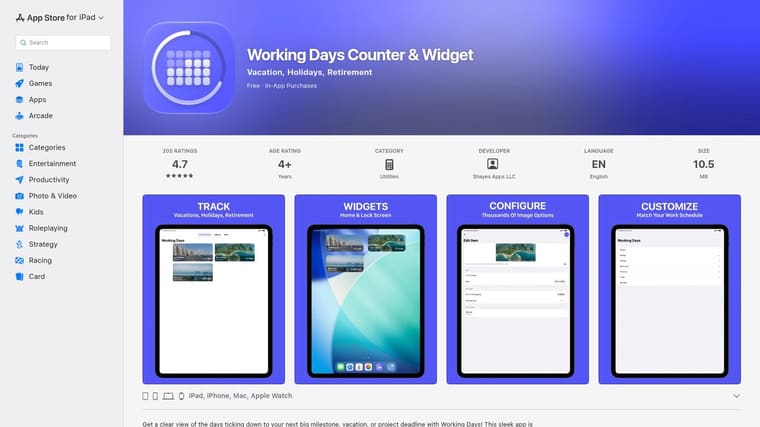
Best for a visible workday deadline
Apple Watch support and complications make the countdown easier to check without opening the app. Custom work schedules can handle patterns beyond a standard Monday-to-Friday week. Premium features include date exclusions and calendar import, so check the app’s current listing if those are essential to your calculation.
This is a specialist tool, not a full-purpose date calculator. Pick it when the recurring question is “How many workdays remain?” rather than when you need age calculations, historical dates, or exact time-zone comparisons.
The app is focused on Apple platforms, and some holiday and calendar features require premium access. Confirm how its schedule settings treat holidays before using its result for a contract, delivery plan, or employer-specific deadline.
9. DayProof
If you need a focused deadline calculator on a recent iPhone or iPad, DayProof can add or subtract calendar and business days, calculate the gap between dates, and work forward or backward from a starting date.
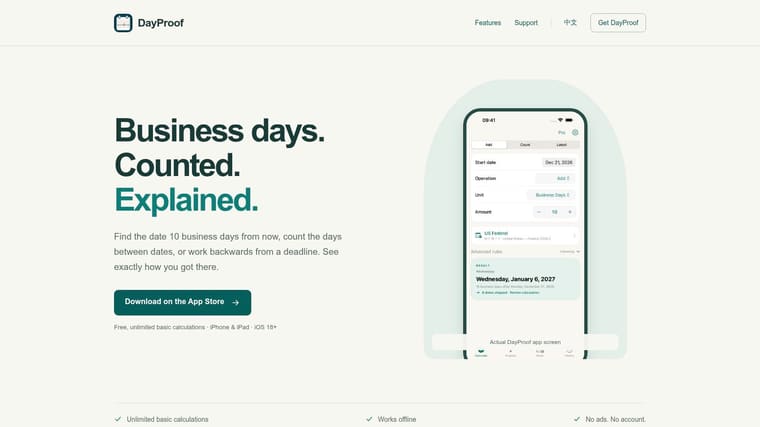
Best for direct deadline math
DayProof keeps its scope narrow. That suits people who want to answer a date or business-day question without navigating a larger collection of unrelated tools. Its site describes basic calculations as available without a paid upgrade, making it practical to try before building it into a workflow.
The platform requirement is the main limit: the site specifies iOS 18 or later. DayProof also has a narrower feature set than broader date-and-time calculators, and independent user-review information is limited in the available sources. If you need a location-aware holiday calendar, verify the app’s rules rather than assuming a business-day count matches your jurisdiction.
After calculating a deadline, save it in the calendar or reminder system you already use. DayProof is for determining the date, not for maintaining a collection of long-running visual countdowns.
10. Time & Date Business Date Calculator
For an occasional business-day question, open timeanddate.com’s Business Date Calculator in a browser. It adds or subtracts working days from a selected date and can also add or subtract non-working days. The page includes explanatory help, so it’s useful when you want to check how the operation works without installing an app.
Best for one-off browser checks
The browser format suits a quick deadline estimate when you don’t need a saved counter or widget. It also makes sense if you only calculate business days occasionally and don’t want another app on your device.
Before relying on the result, verify the holiday treatment against the relevant jurisdiction, employer, or contract. A seven-day span may include a public holiday or a nonstandard work schedule, so “working days” needs a clear definition.
This tool isn’t a mobile app with persistent widgets. If the deadline will matter over the coming weeks, calculate it here, confirm the assumptions, then add the resulting date to a reminder or business-day calculator workflow.
Top 10 Date Calculator Apps: Feature Comparison
| Tool | Platforms | Key capabilities | Standout feature | Best for | Price / value |
|---|---|---|---|---|---|
| Time & Date Calculator, timeanddate.com | iPhone, iPad | Date and time arithmetic; time-zone comparisons | ✨ Daylight-saving support; saves and shares results | 👥 Precise scheduling across locations | 💰 Ads; price not specified |
| Date Calculator, TimeRange | Apple platforms | Date arithmetic, counters, countdowns, widgets | ✨ Siri, Shortcuts, notifications, and flexible workdays | 👥 People tracking recurring deadlines | 💰 Free download; in-app purchases |
| Date Calculator, ng-labs | Android | Date differences, age, countdowns, workday calculations | ✨ Broad toolkit, including dates before 1900 | 👥 Android users needing an all-purpose date utility | 💰 Free; may include ads or upgrades |
| Date Calculator Pro, ng-labs | Android | Date arithmetic, business days, age, countdowns | ✨ Offline use and custom holidays | 👥 Android users preferring an ad-free paid app | 💰 One-time purchase |
| Date Wheel | iPhone | Date and duration calculations; calendar and business days | ✨ Wheel-style interface; saves calculations | 👥 iPhone users who want a focused date calculator | 💰 Paid app |
| Date Calendar Calculator | iPhone, iPad | Date arithmetic, age, workdays, time-zone tools | ✨ Configurable weekdays and holidays | 👥 Users managing varied schedules and deadlines | 💰 Free download; in-app purchases |
| Date Calculator: Day Counter | iPhone, iPad | Date intervals, date shifting, workday counts | ✨ Presets and inclusive end-date counting | 👥 People needing quick everyday date calculations | 💰 Free with ads |
| Working Days Counter & Widget | Apple platforms | Working-day countdowns, schedules, and exclusions | ✨ Home/Lock Screen widgets and Apple Watch support | 👥 Users tracking workday-based deadlines | 💰 Some premium features |
| DayProof | iPhone, iPad | Date differences; forward/backward calendar and business-day math | ✨ Free basic calculations | 👥 iOS 18+ users focused on deadline math | 💰 Basic use free |
| Time & Date Business Date Calculator | Web browser | Adds or subtracts working and non-working days | ✨ No app installation required | 👥 People checking occasional business-day deadlines | 💰 Free |
Calculate Once, Then Keep the Deadline Visible
Choose a dedicated calculator for precise date arithmetic, then decide whether the result needs a persistent visual reminder. A calculator answers a question at a particular moment. A widget can keep the resulting deadline or event in view as the days pass.
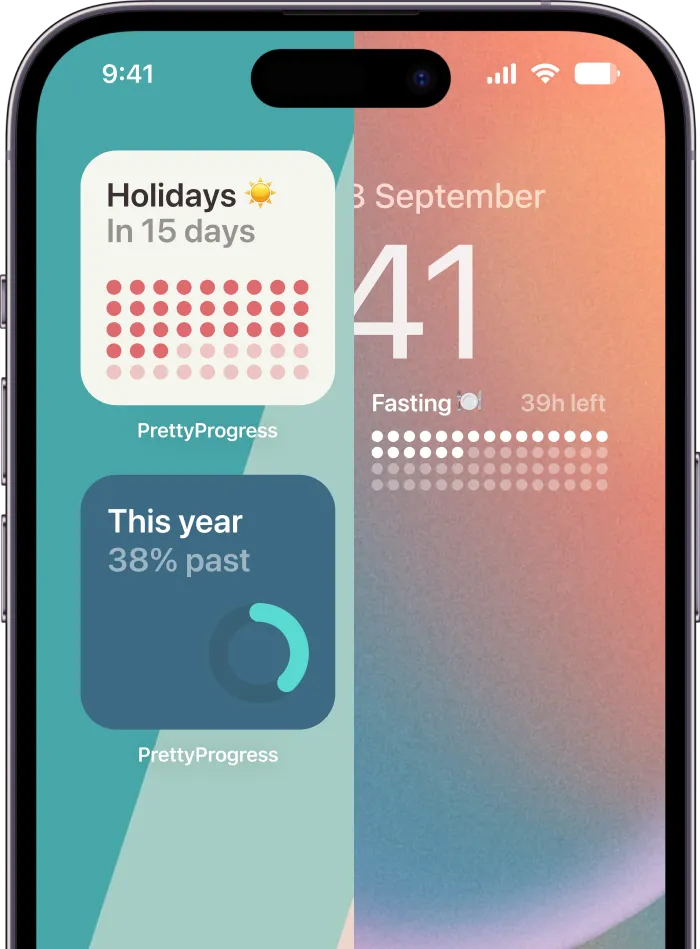
Pretty Progress complements the tools above by turning start and end dates into customizable countdown and progress widgets. It supports iPhone, iPad, Apple Watch, Mac, and Android, and includes calculators for dates, business days, exact age, and intermittent fasting. Its display can show elapsed or remaining time in years, months, weeks, days, or combinations of those units, with progress bars and percentages.
For a business-day estimate involving a complex holiday calendar, use a specialist calculator first and confirm its assumptions. Then enter the verified deadline in Pretty Progress if you want a continuing visual reminder. That division keeps the calculation and the follow-up workflow clear: the calculator handles date rules, while a widget keeps the result easy to notice.
For an ongoing goal, don’t make yourself reopen a calculator every time you want to know what remains. Set the relevant dates, choose a widget style that’s easy to read, and place it on a screen you check naturally. If the plan changes, update the dates so the progress display stays accurate.
A persistent visual reminder can sit alongside other systems rather than replace them. Keep detailed tasks in your project manager, appointments in your calendar, and a countdown on the device surface where you’ll see it. For teams managing deadlines alongside records and follow-up workflows, grant tracking and reporting tools address a different part of the process.
Pick the app that matches the calculation you need. Then give the result a reliable home: save it, add it to your calendar, or keep it visible as a countdown.
Pretty Progress turns start and end dates into customizable countdown and progress widgets across iPhone, iPad, Apple Watch, Mac, and Android. Use it to keep a calculated deadline, event, or goal visible without reopening a calculator, then visit Pretty Progress to set up a reminder for the date you’re tracking.