June 20, 2026
Master Your Focus with a Work Break Timer You'll Use
Learn to build a persistent work break timer with Pretty Progress on iPhone, Watch & Mac. Our guide covers Pomodoro, ADHD-friendly tips, and automation.
You sit down to work, open the right tabs, maybe even make a clean to-do list. Then an hour disappears into notifications, context switching, and that vague feeling of being busy without getting much done. By mid-afternoon, your attention feels thin. Small tasks drag. Deep work feels out of reach.
That’s exactly where a work break timer earns its keep. Not as a gimmick, and not as a way to micromanage every minute, but as a simple structure for protecting focus before it slips. The most useful timers don’t just tell you when to stop. They help you notice when your concentration is fading, recover on purpose, and return to the next block with less friction.
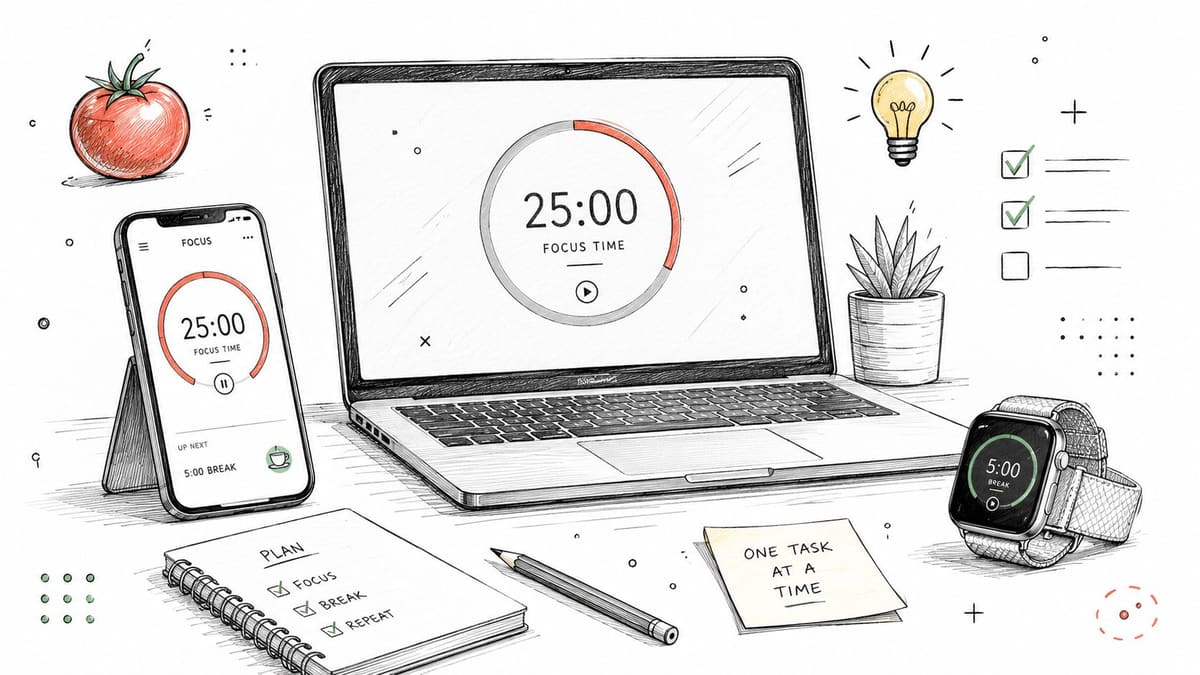
Most guides stop at “try Pomodoro.” The more practical question is how to turn a good rhythm into something you’ll use across the devices already in your day. For Apple users, the missing piece is often persistence. A timer works better when it stays visible on your Lock Screen, Home Screen, watch face, or desktop instead of hiding behind an app icon.
Table of Contents
- Why Your Brain Needs a Work Break Timer
- Choosing Your Ideal Work and Break Rhythm
- Setting Up Your Persistent Timer in Pretty Progress
- Automating Focus with Shortcuts and Widgets
- Habit-Building Strategies for Long-Term Focus
- Reclaiming Your Attention Span
Why Your Brain Needs a Work Break Timer
At 2:17 p.m., the screen is still open, the task is still in front of you, and your attention is nowhere useful. You reread the same paragraph, check one small notification, then spend ten minutes trying to get back into the work. That pattern is common. It usually means your brain has run past its best working window and never got a clean reset.
Researchers at WorkTime found that office employees spend only part of the day in focused, productive work, which helps explain why long desk time and meaningful progress often diverge (WorkTime research). A break timer helps by putting limits around effort before fatigue turns into drift.
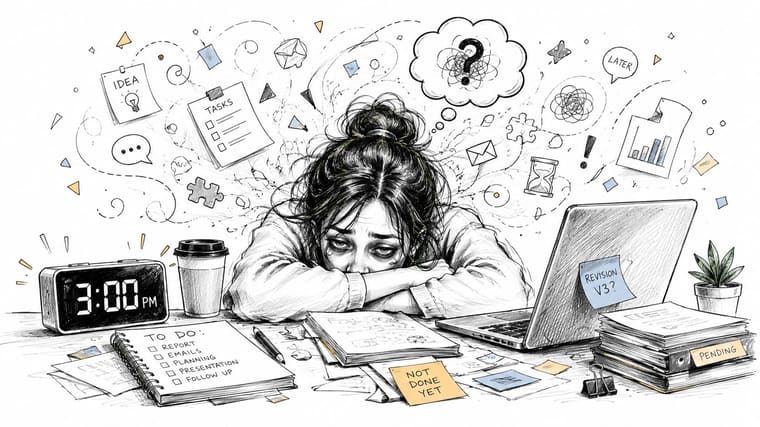
The practical value is simple. A timer gives focus a start, an end, and a recovery point. That structure matters because attention is easier to sustain in sprints than in one long, vague demand to “stay on task all day.”
Pomodoro popularized this idea with short, deliberate intervals. Ultradian planning points to a similar truth from a different angle. Energy rises and falls in cycles, and performance drops when you ignore those cycles for too long. A good work break timer turns that theory into something usable during a real workday.
Three things improve fast when the timer is visible:
- Starting gets easier: You commit to one block, not an entire afternoon.
- Stopping gets cleaner: You have a defined point to pause instead of fading into low-quality work.
- Breaks feel permitted: Recovery becomes part of the plan, not a guilty detour.
Practical rule: If attention keeps slipping, shrink the demand. Pick a work block you can complete with full effort before the next break.
This matters even more for people who struggle with time blindness, task initiation, or transitions between activities. A countdown that stays on screen, on your desktop, or on your phone keeps the current block concrete. If that sounds familiar, the guide on how to focus with ADHD will help.
Breaks also do more than protect discipline. They protect energy. A 2022 review in the Journal of Applied Psychology found that micro-breaks are linked with lower fatigue and higher vigor, with effects shaped by the type of break and the kind of work being done (study summary at the American Psychological Association).
That trade-off matters in practice. Short breaks are enough for admin tasks or email blocks. Hard cognitive work often needs a longer reset to keep quality high. Later in this article, I’ll connect those rhythms to a timer setup that stays visible across Apple devices with Pretty Progress, because the method works better when the cue to stop and restart is always in view.
Choosing Your Ideal Work and Break Rhythm
A good timer rhythm should reduce friction, not create another rule you resent.
People often run into trouble here. They pick one famous interval, apply it to every kind of task, then assume timed work is the problem. In practice, the mismatch is usually between the rhythm and the job in front of them.
Three rhythms people tend to keep using
Pomodoro is the easiest starting point for a reason. Francesco Cirillo’s original format uses 25 minutes of work and 5 minutes of rest, which is short enough to lower resistance and clear enough to repeat without much planning. It works well for admin tasks, task initiation, and days when attention feels unstable.
Ultradian-style planning fits a different kind of work. The common version is a longer focus block, often around 90 minutes, followed by a more meaningful break. That trade-off makes sense for writing, design, coding, analysis, or any task where it takes time to get properly immersed. Research on ultradian rhythms has shaped a lot of this thinking, and the basic idea is simple. Human energy tends to rise and fall in cycles, so longer work often benefits from a longer recovery period too.
52-17 sits in the middle. It gives you enough runway to make progress, but it still builds in a break that feels real. I usually treat it as a test rhythm for solo knowledge work, not a fixed rule.
Here’s a practical comparison:
| Method | Work Interval | Break Interval | Best For |
|---|---|---|---|
| Pomodoro | 25 minutes | 5 minutes | Starting hard tasks, admin work, attention drift |
| Ultradian-style | 90 minutes | 20 minutes | Deep work, writing, design, coding |
| 52-17 style | 52 minutes | 17 minutes | Solo knowledge work, sustained but not ultra-deep focus |
How to choose a starting rhythm
Start with the task, not your identity.
A person can need one rhythm for email, another for strategic work, and a third for late-afternoon cleanup. That is normal. Good systems account for changing cognitive demands instead of forcing one cadence onto the whole day.
Choose based on what usually breaks down first:
- If starting is the problem, use shorter work blocks. A 25-minute session is easier to begin and easier to repeat.
- If interruption is the problem, use longer blocks. You need enough uninterrupted time to get past the shallow part of the work.
- If fatigue is the problem, protect the break. A pause that is too short often feels like an annoyance instead of recovery.
One detail many guides miss is break quality. The break has to match what the work drained. After concentrated writing or problem-solving, five minutes may not be enough to restore attention. After inbox triage or routine admin, a short reset is often plenty. The point is not to follow a branded method perfectly. The point is to return to the next block with usable energy.
That is also where implementation matters. A rhythm only becomes a habit when it stays visible across the devices you already use. On Apple devices, a persistent setup in Pretty Progress can carry the same cadence from Mac to iPhone to iPad without making you rebuild the routine every time you switch context. If you want examples before settling on one cadence, this guide to choosing a timer interval app for work and break cycles is a useful reference.
Setting Up Your Persistent Timer in Pretty Progress
A work break timer only helps if it stays in sight at the exact moment attention starts to drift. If you have to reopen an app, remember which routine you picked, and restart the countdown every time you switch devices, the system asks for too much effort.
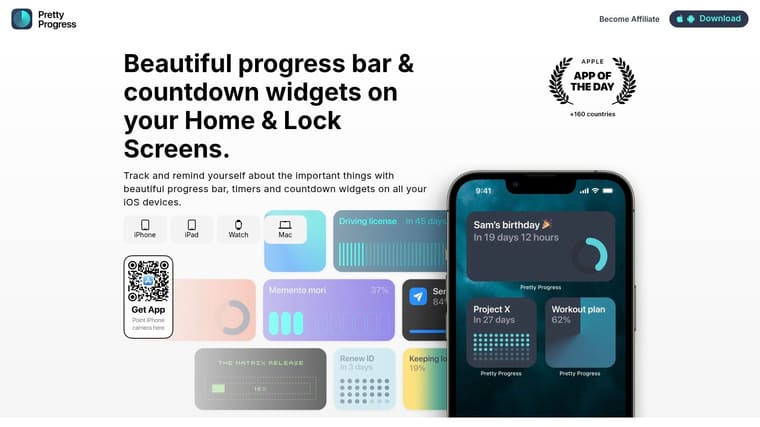
Pretty Progress solves a practical problem many Pomodoro guides skip. It lets you keep the same timer visible across the Apple devices you already move between, which makes your chosen rhythm feel consistent instead of fragile.
Build one timer first
Start with one rhythm and make it usable everywhere. That is enough.
I recommend setting up a single countdown for the work block you chose in the last section, then placing it as a widget right away. The goal is not to create a perfect system on day one. The goal is to make the current block visible on the screen you already check without thinking.
A strong first setup looks like this:
- Pick one work length. Use the interval you are most likely to repeat for a week.
- Name it by the job it supports. “Deep Work,” “Email Reset,” or “Study Block” gives your brain faster context than a generic label.
- Keep the display simple. Show remaining time clearly so you can read it in a glance.
- Place it on the device you use during the work itself. A timer hidden on the wrong screen gets ignored.
This is the missing implementation layer between theory and habit. Pomodoro gives you structure. Ultradian thinking reminds you that energy rises and falls. A persistent timer turns both ideas into something you can follow on a Mac at your desk, then on an iPhone or iPad when your context changes.
Make the timer visible in the places that matter
Placement decides whether the timer shapes behavior or becomes decoration.
Use the screen that naturally catches your eye during the day:
- iPhone Lock Screen: good if you check your phone between tasks and want a quick prompt to stay inside the current block
- Home Screen widget: useful when you want a larger visual anchor and a clearer sense of time remaining
- Apple Watch face: practical if you leave your phone across the room or stand up often during focused work
- iPad or Mac desktop: best for longer sessions when one main device holds your attention for an hour or more
I have seen people pick the right interval and still fail because the timer lived in the wrong place. Visibility beats feature depth almost every time.
One small trade-off matters here. A Watch timer is convenient, but some bands get distracting during longer focus sessions, especially if you type a lot or notice skin irritation. In that case, irritation-free smartwatch bands can make the watch easier to keep on all day, which keeps the timer in play.
Keep the design calm
A persistent timer should support concentration, not compete with it. Busy visuals pull attention back toward the timer itself, and then the tool starts acting like another notification.
Use a clean layout with one dominant signal:
- Choose one main indicator. A progress bar or a countdown usually works better than showing both at full emphasis.
- Use readable contrast. Lock Screens and watch faces need instant legibility.
- Skip novelty themes for work blocks. Clear beats clever when you are tired.
- Match labels to effort type. Your brain should recognize the session without stopping to decode it.
That last point matters more than it seems. “Write draft” creates less friction than “Session 1,” because it tells you what kind of attention the block is for.
If you want examples of visible setups that stay present through the day, this guide to a home screen timer for Apple devices shows practical widget placements that keep the countdown easy to notice.
Automating Focus with Shortcuts and Widgets
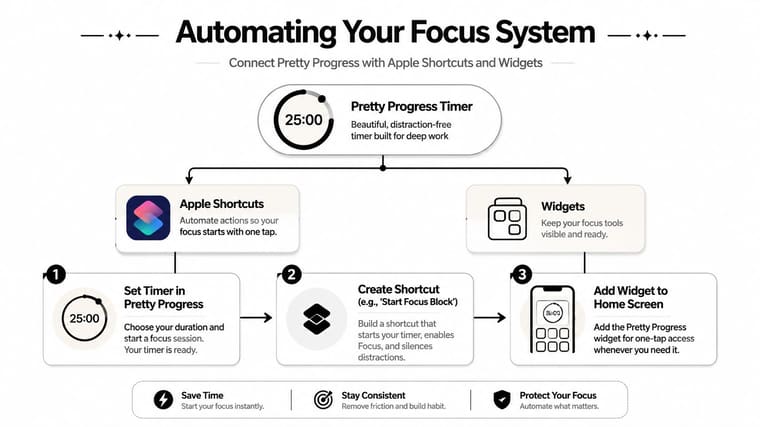
A timer becomes much more useful when it starts the rest of your focus environment with it. Instead of remembering five separate steps, you tap once and let your devices shift into work mode.
That’s where Apple Shortcuts and widgets pair well.
Create one tap focus starts
A useful Shortcut doesn’t need to be elaborate. It just needs to remove friction at the moment you’re most likely to procrastinate.
A simple “Start Focus Block” Shortcut can do things like:
- Turn on a Focus mode that hides nonessential notifications
- Open your main work app such as Notes, Reminders, or your writing tool
- Start your chosen timer so the work block is visible right away
- Play the same background audio if consistent sound helps you settle in
I like this approach because it converts intention into a sequence. You don’t negotiate with yourself as much. You tap once, and the environment changes.
Use different widgets for different jobs
Not every task deserves the same visual treatment. If you do deep work on an iPad or Mac and quick admin tasks from your phone, set up different timer views for each context.
One practical arrangement:
- Large widget for long sessions: place a long-form deep work timer where it’s visible on your main device
- Compact Lock Screen timer for short bursts: useful for email cleanup, approvals, or follow-up messages
- Watch-based cue for break compliance: a wearable reminder can be enough to get you out of the chair
That last part matters more than it sounds. If you rely on a watch for break cues, comfort affects whether you keep it on through the full workday. For people with skin sensitivity, irritation-free smartwatch bands can make that setup easier to sustain.
Build separate timer views for separate kinds of effort. One generic timer often ends up fitting nothing particularly well.
The point of automation isn’t to look efficient. It’s to make focus the path of least resistance.
Habit-Building Strategies for Long-Term Focus
Long-term focus usually breaks down in ordinary moments. The timer ends, you check one notification, and twenty minutes disappear. Or the session starts well, but by day three the routine depends on memory, mood, and too many small decisions.
That is why habit design matters as much as timer length. Pomodoro gives structure. Ultradian thinking reminds you that energy rises and falls across the day. A tool like Pretty Progress helps those ideas hold in real life because the timer stays visible across your Apple devices instead of disappearing inside one app.
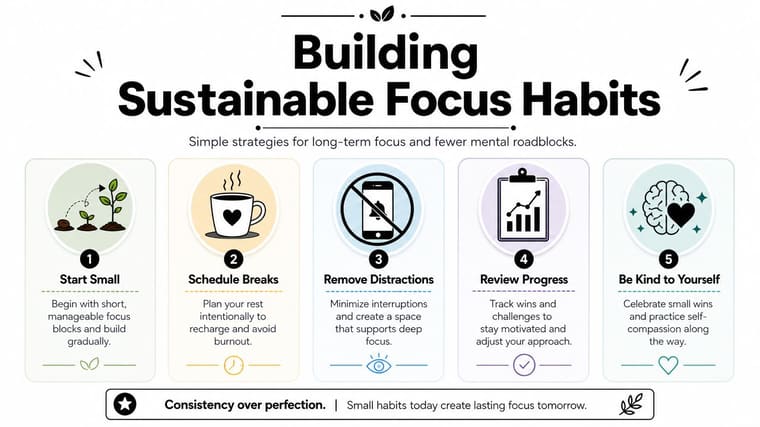
Make breaks restorative, not accidental
The quality of the break decides the quality of the next work block.
Useful breaks are usually low-friction and low-input:
- Move your body: stand up, stretch, or take a short walk
- Change visual distance: look away from the screen so your eyes can reset
- Reduce input: avoid feeds, messages, and anything that adds fresh mental clutter
- Do one physical reset: get water, open a window, tidy your desk, or take a few slow breaths
Match the break to the kind of effort you just finished. After writing, planning, or problem-solving, choose something that lowers mental load. After repetitive admin work, a lighter reset is often enough.
If you want to build the mental side of the habit as well, cognitive techniques for better attention can support the timer routine.
Use visual cues if time blindness is part of the problem
A standard clock gives you numbers. A visible countdown gives you urgency, shape, and a clear endpoint. For anyone who slips into time blindness, that difference is practical.
A few supports work well:
- Keep one timer visible throughout the session. If it is buried, it stops guiding behavior.
- Name the block by outcome. “Draft intro” works better than “focus time.”
- Create one fixed start cue. The same first action reduces hesitation.
- Keep your main distraction farther away. If the phone pulls attention, do not leave it within reach.
This is where the Apple setup matters. A persistent timer on iPhone, iPad, Mac, or Apple Watch turns focus into an environmental cue, not a promise you have to keep remembering. That is a small design choice, but it makes habit repetition much easier.
Judge the routine by how easily you return to work after the break, not by how productive the break looked from the outside.
Adjust the system instead of abandoning it
A routine that fails is giving feedback. Use it.
Common friction points usually have a direct fix:
- You keep skipping breaks. Shorten the work block or make the break long enough to feel useful.
- You do not restart after breaks. Pick break activities with a clean stopping point.
- You resent the timer during deep work. Use longer blocks for demanding tasks and save shorter intervals for shallow work.
- You forget to begin. Put the timer in the place you naturally check before starting.
I have found that sustainable focus comes from fewer decisions, clearer cues, and a rhythm you can repeat on an average Tuesday, not just on a highly motivated day. That is the ultimate test. If your timer system works across devices, across task types, and across changing energy levels, it stops being a productivity experiment and starts becoming a habit.
Reclaiming Your Attention Span
A good work break timer doesn’t magically create discipline. It gives your attention a rhythm. That’s often enough to turn a scattered day into a series of manageable blocks.
The combination that works is simple. Choose a rhythm that matches the task, keep the timer visible where you’ll see it, and treat breaks as recovery instead of drift. Once that system is in place, focus starts feeling less like a constant fight.
If you want to strengthen the mental side as well as the structural side, this guide to cognitive techniques for better attention adds useful strategies you can layer on top of your timer routine.
If you want a visible countdown that stays present across your Apple devices, Pretty Progress offers customizable timer and progress widgets for Home Screen, Lock Screen, Apple Watch, iPad, and Mac setups, so your focus blocks stay in sight instead of getting buried inside another app.