May 5, 2026
10 Time Management Tips for Students in 2026
Master your schedule with these 10 time management tips for students. Learn to plan, prioritize, and beat procrastination with actionable advice.
Stop Juggling, Start Managing: Your Guide to Student Time Mastery
It is Sunday night. A paper is due Friday, two midterms are close enough to feel urgent, and your to-do list has somehow split into five smaller to-do lists. At that point, the problem usually is not effort. It is that school has outgrown your current system.
Good students run into this all the time. Classes, readings, group projects, part-time work, office hours, and basic life admin do not stack neatly. Without a clear way to plan the week, small decisions eat up attention, deadlines stay fuzzy until they turn into emergencies, and switching between tasks burns more time than the tasks themselves.
Time management is not a bonus skill in college. It directly affects how consistently you study, how early you start, and how much stress piles up before exams. Better systems do not give you more hours. They help you use the hours you already have with less panic and less guesswork.
This guide is practical. You will get ten student time-management strategies that hold up in real semesters, plus small templates you can copy without rebuilding your whole routine. That includes a usable Pomodoro setup, a weekly review structure, and ways to turn deadlines into glanceable phone widgets with Pretty Progress. If you want a starting point for focused study sessions, a timer interval app for structured study blocks pairs well with the methods in this article.
The goal is simple. Build a system you can keep using in week three, midterm season, and the final stretch when motivation drops and deadlines do not.
Table of Contents
- 1. The Pomodoro Technique
- 2. Deadline Visualization and Visual Reminders
- 3. Priority Matrix Eisenhower Box
- 4. Time Blocking and Schedule Batching
- 5. The Two-Minute Rule
- 6. Weekly Planning and Review
- 7. Energy Management and Circadian Optimization
- 8. Breaking Projects into Milestones and Micro-Deadlines
- 9. The Accountability System External Commitment
- 10. Managing Distractions and Digital Minimalism
- Comparison of 10 Student Time-Management Strategies
- From Chaos to Control Make Your Plan Stick
1. The Pomodoro Technique
When you can’t start, shrink the task until your brain stops arguing. That’s why Pomodoro works. You study in short, focused rounds, usually 25 minutes, then take a short break before the next round.
This method is especially helpful when a task feels too big to begin. Instead of “study chemistry,” you tell yourself, “do one 25-minute sprint on chapter 4 problems.” That’s a much easier promise to keep.
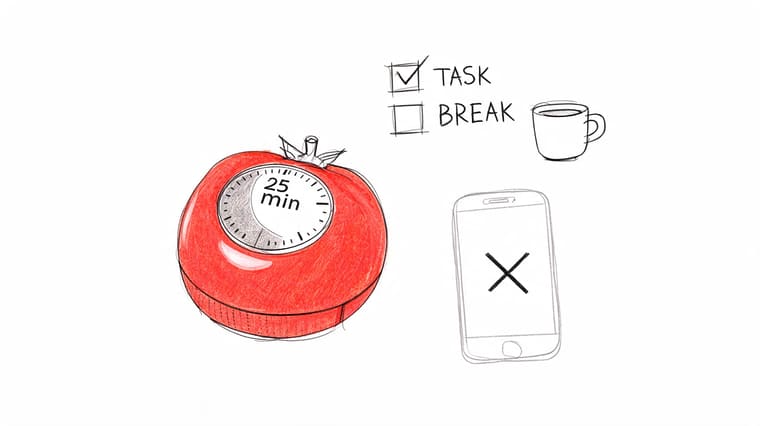
A projected 2026 benchmark summary says Pomodoro produced 2.3x higher short-term focus retention than unstructured study in that analysis. Treat that as directional, not magic. Pomodoro helps because it removes the open-ended feeling that makes students avoid work.
How to run a real study block
Here’s a version that works well during exam season:
- Pomodoro 1: Review notes and mark weak spots.
- Pomodoro 2: Do practice questions without checking answers.
- Pomodoro 3: Fix mistakes and rewrite only the concepts you missed.
- Pomodoro 4: Test yourself again from memory.
For writing, split it differently. Use a few rounds for research, a few for drafting, then one for editing. Group projects can use the same structure if everyone agrees on one sprint and one break cycle.
Practical rule: Don’t use your break to open TikTok or Instagram. Stand up, get water, stretch, or walk for a minute. If you scroll, your “five-minute break” usually becomes twenty.
A visual timer helps more than students expect. If you want a countdown you can keep visible instead of buried in a tab, try a timer interval app setup with Pretty Progress. Seeing the block run down can make it easier to stay inside it.
2. Deadline Visualization and Visual Reminders
Monday feels manageable. Then you check the syllabus on Thursday night and realize the quiz, lab write-up, and discussion post all land within four days. That pileup usually starts earlier. The problem is that future work stays invisible until the deadline is close.
Students do better when due dates stay in view. A countdown on your home screen creates pressure at the right time, while there is still room to act. “Essay due in 12 days” prompts a plan. “Essay due next week” usually gets ignored.
Here’s a quick visual break you can borrow for inspiration:
A simple visual setup
Use a setup you can read in two seconds:
- One widget per major deadline: Midterm, essay, lab report, presentation
- One color per class: Biology in green, history in blue, stats in orange
- One milestone under each big deadline: Outline due, draft due, final edit due
That last step matters most. A single final due date looks far away. Three smaller dates force an earlier start, which is usually the difference between decent work and rushed work.
If time blindness is part of the problem, keep the reminders outside your notes app and off a buried to-do list. A phone widget or lock-screen countdown works better because you see it without having to remember to open anything. Students who need that extra visibility often do well with visual reminders for ADHD and deadline awareness.
Pretty Progress is useful here because it turns deadlines into glanceable widgets instead of another tab you forget to check. That makes abstract plans feel concrete. It also helps with exam prep when the work is spread across past papers, revision sets, and topic review. If you are studying for CIE exams, pairing a countdown with a difficulty-based practice order can make revision less random. CIE A Level question difficulty explained is a good example of how to sort practice by challenge level instead of just working through questions in whatever order you find them.
Keep your reminders visible enough to change your behavior, not just tidy enough to look organized.
The trade-off is simple. Too many reminders become wallpaper. Four clear widgets you notice will beat twenty alerts you swipe away.
3. Priority Matrix Eisenhower Box
It’s Tuesday night. You answered messages, cleaned up your notes, handled a club task, and still have not started the paper that impacts your grade.
That problem is usually about ranking, not effort. The Eisenhower Box forces a decision before the day gets noisy. You put each task in one of four categories: urgent and important, important but not urgent, urgent but low-value, and neither. Once you do that, a lot of fake productivity becomes obvious fast.
A fast weekly sorting template
Run this once at the start of the week, then again midweek if things changed.
- Urgent and important: Assignment due soon, exam this week, class presentation prep, professor meeting you need to prepare for.
- Important but not urgent: Starting a research paper, reviewing notes before they go stale, building a study guide, outlining a lab report.
- Urgent but low-value: Routine messages, minor admin, other people’s last-minute requests that do not change your grades much.
- Neither: Scrolling, over-formatting notes, watching study videos instead of doing the actual work.
The second box matters most. Students who stay out of panic mode usually protect time for important but not urgent work before it turns into a deadline crisis. In practice, that means putting your paper outline, review set, or problem set start date in your calendar before it feels urgent.
A simple rule helps. If a task will matter in a week, it belongs on this week’s plan now.
Pretty Progress fits well here because the matrix answers what matters, and a widget answers what needs your attention first. One gives you priority. The other keeps that priority visible on your phone instead of buried in a planner you forget to open.
For exam-heavy classes, sort by payoff, not just by due date. A difficult past-paper set that exposes weak spots can be more valuable than another easy review task. That is the same logic behind CIE A Level question difficulty explained. Higher-impact work should get your best hour, not the leftovers.
The trade-off is real. If you label everything urgent and important, the matrix becomes decoration. Keep the top category small. If more than two or three academic tasks land there at once, something should have been started earlier.
4. Time Blocking and Schedule Batching
A to-do list tells you what matters. Time blocking tells you when it’s getting done. Without that second step, most lists become wishful thinking.
Batching makes time blocks stronger. If you stack similar tasks together, your brain doesn’t have to keep switching modes. Reading-heavy work goes in one block. Problem sets go in another. Admin tasks get their own short window instead of leaking across the whole day.
What a usable week looks like
A weak schedule says, “work on school sometime Tuesday.” A usable one looks more like this:
- Monday morning: Reading and annotation for humanities.
- Monday afternoon: Math problem sets only.
- Tuesday morning: Writing block for essay draft.
- Daily short block: Email, forms, scheduling, and course admin.
One case example described in student guidance showed that rescheduling a week’s activities improved task completion and made room for exercise, which is exactly why blocking works in real life. It gives every category a lane instead of making school compete with everything else at once.
A few rules make this easier to stick to:
- Protect deep work: Put your hardest subject in the block where you’re least likely to be interrupted.
- Leave buffer space: Things run late. Build in transition time.
- Use visible countdowns: A block is easier to respect when you can see it.
Pretty Progress works well here because you can set visual countdowns for class prep, study sessions, or project windows, then keep them visible without constantly reopening your calendar.
5. The Two-Minute Rule
Small tasks aren’t harmless. They pile up, then turn into the kind of list that makes you avoid your planner altogether.
The Two-Minute Rule is simple. If something will take less than two minutes, do it now. Reply to the professor’s quick clarification email. Upload the file. Rename the document. Put the handout in the right folder.
Where students misuse this rule
The mistake is doing tiny tasks during deep work. If you’re in the middle of a serious writing block, don’t break focus every time a quick task appears. Capture it and clear it later.
Use the rule in the seams of the day instead:
- After class: File notes, send one needed message, check one calendar update.
- Before dinner: Clear tiny admin tasks.
- At the start of an hour: Knock out two or three quick items, then return to focused work.
In the same projected 2026 benchmark summary mentioned earlier, the Two-Minute Rule paired with Pomodoro was described as helping clear micro-tasks faster in that analysis, with low setup friction for students using a basic timer and simple workflow. The useful takeaway isn’t the exact lift. It’s that quick tasks should be contained so they don’t become mental clutter.
If a task is small, either do it now or park it somewhere trusted. Don’t carry it in your head all day.
This is one of the most underrated time management tips for students because it prevents overload before overload starts.
6. Weekly Planning and Review
Sunday night, 8:40 p.m. You open your laptop to “get organized” and realize a quiz, a discussion post, and a lab draft are all closer than you thought. Weekly planning prevents that kind of surprise by giving you one reset point before deadlines start stacking up.
A good weekly review is short, specific, and realistic. The goal is to decide what this week can hold, not to build a perfect plan you will ignore by Tuesday.
A 20-minute review template
Run the same checklist at the same time each week:
- Minutes 1 to 5: Check syllabi, LMS dashboards, email, and your calendar in one pass.
- Minutes 6 to 10: Write down every deliverable due in the next 7 to 10 days.
- Minutes 11 to 15: Mark your top three academic priorities based on grade impact, difficulty, and due date.
- Minutes 16 to 20: Assign each priority to a real study block on your calendar.
That last step is the part students skip. A task on a list is only intention. A task with a time and place has a much better chance of getting done.
I also recommend a simple review question: what could go wrong this week? If you have a club event Wednesday, a work shift Thursday, and two classes with readings due Friday, then Friday is already crowded. Start earlier. Weekly planning works because it forces trade-offs into view before you pay for them in stress.
Pretty Progress fits well here because it turns your plan into something visible after the review ends. Update your widget with the next real checkpoint, not just the final deadline. If the annotated bibliography is due before the paper, track that. If the exam is in nine days but your first practice set should happen tomorrow, make that the countdown you see on your phone.
Here’s a practical structure that works for a lot of students:
- One weekly review: 20 minutes, same day, same time
- Three main priorities: no more, or everything starts to feel equally urgent
- One visible countdown: the nearest meaningful milestone
- One buffer block: keep 60 to 90 minutes open for spillover, late changes, or harder-than-expected assignments
The review is not about controlling every hour. It is about reducing preventable surprises. Done well, it gives you a clearer week, cleaner priorities, and fewer last-minute scrambles.
7. Energy Management and Circadian Optimization
You sit down at 6 a.m. to tackle a dense reading, stare at the same paragraph three times, and get almost nothing out of the hour. Then later that night, a practice quiz that felt impossible in the morning suddenly clicks. That is not a discipline problem. It is a placement problem.
Students usually plan by available time. Stronger plans account for energy too. The goal is simple: put your hardest academic work where your brain is sharpest, and stop wasting high-focus hours on admin tasks.
Match the task to the hour
Run a basic energy audit for one week. Every two to three hours, mark yourself high, medium, or low. No spreadsheet needed. Notes app, paper planner, or a phone reminder works fine.
By the end of the week, sort your work into three buckets:
- High energy: Problem sets, essay drafting, exam practice, learning new material
- Medium energy: Reading, note review, revision, discussion post drafts
- Low energy: Email, citation cleanup, file organization, printing, uploading assignments
Real trade-offs become evident. If your best focus window is 9 to 11 p.m., protecting sleep still matters. If your best work happens early, late-night studying will cost you more than it gives back. The point is not to copy someone else’s ideal schedule. The point is to stop assigning difficult work to hours that predictably fail.
A simple template works well:
- Peak block: 60 to 90 minutes for your hardest course
- Middle block: 30 to 60 minutes for reading or revision
- Low block: 15 to 30 minutes for admin and setup
- Shutdown cue: a fixed time to stop starting new work
Pretty Progress fits well here because it makes energy-based planning visible. Use one widget for your next academic checkpoint and another for a recovery cue, like a workout, meal break, or shutdown time. If you are balancing several classes at once, this guide on tracking multiple deadlines and milestones in one view shows how to keep those cues glanceable instead of buried in a planner.
I have seen students improve faster by moving one hard task to a better hour than by adding another study app. Better timing does not remove workload. It reduces friction. That matters when deadlines stack up.
This also helps with writing-heavy courses. If you are drafting something structured and analytical, such as a memo or policy assignment, use your peak block for the argument and save formatting for later. Resources on how to write a policy brief are more useful when you read them at a time when you can think, not just skim.
Energy management is not about building a perfect routine. It is about noticing when your focus is real, protecting it, and using lower-energy hours for work that does not need your best brain.
8. Breaking Projects into Milestones and Micro-Deadlines
It’s 9:40 p.m., the assignment is due Friday, and the task still reads like one giant label in your head: “write paper.” That label is too vague to schedule well. Students procrastinate less when the next step is obvious.
Large assignments need smaller finish lines. A final due date creates pressure. Micro-deadlines create traction.
A backward-planning template
Start at the submission date and build the project in reverse. Give each stage its own due date, and leave space for the part students usually underestimate: revision.
For a research paper, the sequence can look like this:
- Milestone 1: Topic approved
- Milestone 2: Sources collected
- Milestone 3: Outline finished
- Milestone 4: Rough draft done
- Milestone 5: Revision pass
- Milestone 6: Final proofreading and submission
Set each milestone earlier than feels necessary. That buffer is not wasted time. It covers slow reading, weak first drafts, group member delays, and the random week when two classes pile up at once.
A simple rule works well here. If a task will take more than one sitting, it needs its own checkpoint on your calendar. “Work on essay” is not a checkpoint. “Finish intro and two body paragraphs by Tuesday at 7 p.m.” is.
If you are juggling several courses, put those milestone dates somewhere you can scan in seconds. This guide on tracking multiple deadlines and milestones in one view is useful for turning scattered due dates into a single visual system. Pretty Progress helps here because it makes each stage visible on your phone, not buried in a planner you forget to open.
This method works especially well for writing-heavy assignments. A policy brief, lab report, or literature review usually falls apart when drafting, evidence, and editing all get crammed into one night. If you need a model for staged writing, how to write a policy brief is a good example of why clear structure should be built early, not patched in at the end.
The goal is not to make school feel more complicated. The goal is to replace one stressful deadline with a short list of jobs you can finish.
9. The Accountability System External Commitment
It is 7:40 p.m., you planned to start at 6, and the assignment still feels vague enough to avoid. That is the moment external commitment helps. A real person expecting proof at 8:30 can cut through the stall better than another promise you make to yourself.
The key is to make accountability concrete and slightly uncomfortable. Vague check-ins turn into polite procrastination. Clear commitments create a finish line.
A simple accountability format
Use a check-in that takes less than a minute to send:
- Task: What exact piece are you finishing today?
- Time: When will you send proof?
- Proof: Screenshot, photo of notes, submitted draft, or a two-sentence summary of what got done.
A good message looks like this: “I’m finishing the biology chapter outline by 9 p.m. I’ll send a photo of my notes when it’s done.”
Choose the right person. A reliable classmate, roommate, sibling, or one serious group-chat partner works better than a big accountability server where everyone talks about being busy and nobody checks back. I have seen students waste a lot of time in “study groups” that were really just parallel procrastination with snacks.
There is a trade-off here. Strong accountability adds pressure. If you pick someone overly intense, the system becomes stressful and easy to avoid. If you pick someone too relaxed, nothing changes. Aim for someone who will follow up without turning into a second professor.
Pick accountability partners who respect deadlines and expect receipts.
Pretty Progress makes this easier to maintain because the commitment stays visible between check-ins. If your phone shows a countdown or progress widget for the assignment, sending that screenshot to your accountability partner turns “I should work on it” into “I said I would move this from 40% to done by tonight.” That small shift matters. Abstract plans are easy to delay. Visible progress is harder to ignore.
10. Managing Distractions and Digital Minimalism
Most students don’t lose time in huge chunks. They lose it in fragments. One notification, one message check, one “quick” scroll, then the study block is gone.
Distraction control is less about self-discipline and more about environment. If your phone is in reach, your laptop has six tabs open, and every app can interrupt you, focus becomes the harder option.
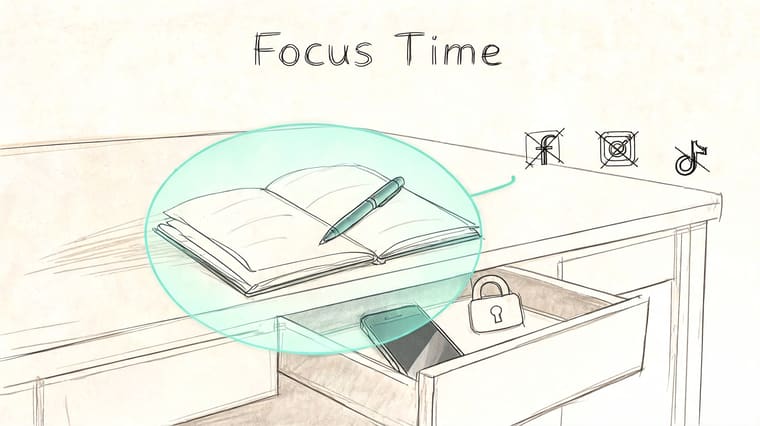
Make distraction harder than focus
Set up your study environment before you begin:
- Put the phone away: Another room beats silent mode.
- Use Focus Mode: Create a study profile on iPhone or Android.
- Close all irrelevant tabs: Keep only what you need for the current task.
- Batch communication: Check messages at planned times, not constantly.
This matters even more if standard task systems overload you. Some neurodiverse students struggle with active list management and context switching, which is one reason passive visual cues can be easier to sustain than constantly reopening planners or task apps, as discussed in the NSLS article on student time management hacks.
A good compromise is to allow one productive screen interaction during focus time. That’s where Pretty Progress is useful. You can glance at a countdown or progress widget without tumbling into a phone session. It keeps your deadline visible without inviting distraction from everything else on your home screen.
Comparison of 10 Student Time-Management Strategies
| Method | 🔄 Implementation complexity | ⚡ Resource requirements | 📊 Expected outcomes | 💡 Ideal use cases | ⭐ Key advantages |
|---|---|---|---|---|---|
| The Pomodoro Technique | Low, set 25/5 cycles; needs discipline | Minimal, timer or app | Improved short-term focus; reduced procrastination | Short study sessions, task bursts, avoiding burnout | Easy to adopt; enforces regular breaks; visible progress |
| Deadline Visualization & Visual Reminders | Medium, create and maintain widgets | Moderate, widget app, initial setup | Constant deadline awareness; less time-blindness | Multiple overlapping deadlines; visual learners; ADHD | Glanceable urgency cues; passive motivation |
| Priority Matrix (Eisenhower Box) | Medium, requires honest task classification | Low, paper or simple app; time for review | Clear prioritization; less time on low-impact tasks | Weekly planning; high workload; strategic planning | Helps focus on important tasks; prevents firefighting |
| Time Blocking & Schedule Batching | Medium‑High, build and protect blocks | Moderate, calendar, buffer time, communication | Reduced context-switching; increased deep-work time | Multi-subject schedules; thesis writing; routine seekers | Minimizes switching costs; predictable routine |
| The Two‑Minute Rule | Low, decision rule to act immediately | Minimal, judgment call; optional quick slots | Fewer trivial tasks piling up; momentum from small wins | Quick emails, filing, small admin tasks | Prevents list bloat; fast wins with little overhead |
| Weekly Planning & Review | Medium, 15–30 min recurring habit | Low, planner/calendar and review template | Proactive week planning; fewer surprises | Semester planning, habit adjustment, trend spotting | Regular course correction; catches looming deadlines |
| Energy Management & Circadian Optimization | Medium‑High, track and align schedule | Moderate, tracking tools, flexible schedule | Higher productivity during peaks; less fatigue | Peak-heavy tasks (exams, hard study); personal optimization | Works with biology for sustained performance |
| Breaking Projects into Milestones & Micro‑Deadlines | Medium, upfront decomposition effort | Moderate, planning tools, milestone scheduling | Steady progress; earlier feedback; less cramming | Long papers, capstones, multi-phase projects | Makes large work manageable; improves time estimates |
| Accountability System (External Commitment) | Medium, recruit partners; set check‑ins | Moderate, meeting time, communication tools | Higher completion rates; social motivation | Long-term goals, low self-discipline, group projects | Strong follow-through; shared support and consequences |
| Managing Distractions & Digital Minimalism | Medium, configure blockers and habits | Moderate, apps (blockers), environment changes | More uninterrupted focus; reduced wasted time | High-distraction environments; deep work sessions | Reduces interruptions; improves work quality and focus |
From Chaos to Control Make Your Plan Stick
Good time management usually looks boring from the outside. It’s not a dramatic all-nighter, a perfect color-coded planner, or a brand-new app that changes your life overnight. It’s a handful of repeatable habits that make your week less chaotic.
That’s the big shift. You’re not trying to become a different person. You’re building a system that makes it easier to do what matters before it becomes urgent. For most students, that means starting smaller than they want to. One weekly review. One visible deadline widget. One Pomodoro session instead of waiting to feel motivated.
If you want the simplest starting point, begin with visibility and structure. Put your real deadlines somewhere you’ll see them. Then give those deadlines a place on your calendar. A lot of academic stress comes from vague intentions. “I’ll get to it” feels fine until three classes demand attention at once.
The next step is protecting your attention. Prioritization, time blocking, and the Two-Minute Rule all work better when distractions aren’t eating the edges of your day. You don’t need monk-level discipline. You need a setup that doesn’t make procrastination the easiest option.
It also helps to be realistic about trade-offs. Some weeks are survival weeks. During midterms, your social time might shrink. During lighter stretches, you can recover, get ahead, and reset your system. Strong time management isn’t about packing every hour. It’s about making deliberate choices instead of reacting all week.
If you’ve struggled with this before, don’t try to implement all ten strategies at once. Pick one focus method and one planning method. A good pair is Pomodoro plus a weekly review, or time blocking plus visual deadline reminders. Run that combination for a week and see what changes.
That last part matters. What works in theory and what works in your real semester aren’t always the same. Keep what helps. Drop what creates friction. Adjust the rest.
The best time management tips for students are the ones you’ll still be using when things get busy. Build a system that survives stress, not one that only works in an ideal week. Once your deadlines are visible, your priorities are clear, and your work has a place on the calendar, school starts feeling a lot more manageable.
Pretty Progress gives students a practical way to keep deadlines visible instead of buried. With Pretty Progress, you can create customizable countdowns and progress bar widgets for exams, essays, project milestones, study breaks, and personal goals across iPhone, iPad, Apple Watch, Mac, and Android. If you want a cleaner system with glanceable reminders that keep you focused without extra noise, it’s one of the simplest tools to add to your routine.