May 12, 2026
How to Choose and Use the Best Planner for ADHD in 2026
Stop the cycle of abandoned journals. Learn how to choose, set up, and finally stick with a paper or digital planner for ADHD that works with your brain.
You bought the planner with the clean layout. Then the colorful one. Then the minimalist one that promised focus. A week later, they’re all in a drawer, half-used, with a few determined pages at the front and a long stretch of blank guilt behind them.
That pattern is common with ADHD. It doesn’t mean you’re bad at planning. It usually means the planner for adhd you chose expected steady attention, reliable follow-through, and a habit of remembering to look at it. Those are exactly the areas many ADHD brains need support with most.
The good news is that planning can work. The better news is that it works best when the system is flexible, visible, and forgiving.
Table of Contents
- Why Typical Planners Fail the ADHD Brain
- Choosing Your ADHD Planner System Paper Digital or Hybrid
- The Must-Have Features of an ADHD-Friendly Planner
- How to Set Up and Use Your Planner Without Overwhelm
- Staying on Track When Your ADHD Brain Rebels
Why Typical Planners Fail the ADHD Brain
A standard planner usually assumes one thing. If you write it down, you’ll check it later, follow the sequence, and keep using the system every day.
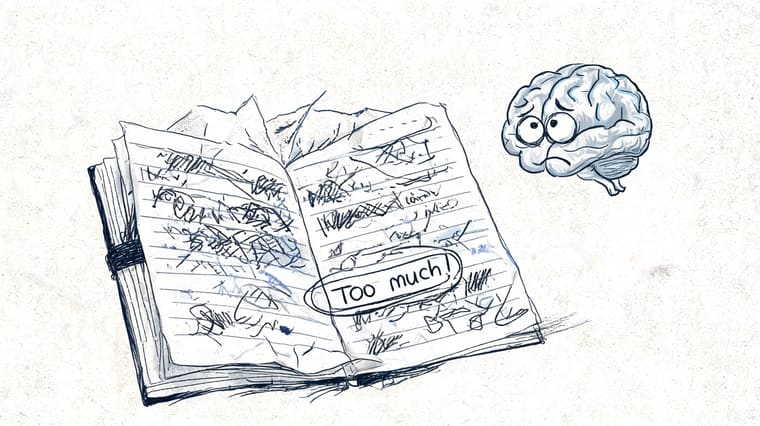
That assumption breaks fast with ADHD. You may write tasks down with the best intentions, then forget the planner exists. Or you open it, see too much on the page, feel instant resistance, and close it again. The problem isn’t character. It’s mismatch.
Time blindness changes everything
One of the biggest planning problems in ADHD is time blindness. Tasks don’t always feel different in size or urgency until the deadline is very close. “Reply to one email” and “finish taxes” can sit in the brain with the same vague weight. That makes prioritizing harder than it looks from the outside.
Working memory adds another problem. You think of the task, mean to do the task, then lose the task the second something more stimulating appears. A planner for adhd has to act like external memory, not just a neat place to store appointments.
Research summarized by CHADD found that improving planning abilities led to statistically significant improvements in ADHD symptom management, and students using structured, subject-specific planners showed marked improvements in symptoms, grades, and confidence. The key reason was simple. Structured planners break tasks into concrete, manageable parts and reduce cognitive load through external scaffolding for time management, as described in this CHADD-linked discussion of planning support and ADHD.
Practical rule: If a planner makes you do more mental work before you can start, it’s probably the wrong tool for your brain.
Typical planners demand consistency first
Most planners are built for people who can maintain routines with little friction. They reward daily use, tidy carryover, and perfect page progression. ADHD brains often work in bursts instead. You might use a system intensely for three days, ignore it for four, then need to restart without punishment.
That’s why blank missed pages can feel so awful. They turn a tool into evidence of “failing,” even when the issue is that the format was too rigid.
A better system lowers the cost of re-entry. It lets you return after a rough week and pick up immediately.
What actually helps instead
Look for tools that reduce memory load, make time visible, and support task initiation. That might include a paper planner, a digital task view, or both. It can also help to build a wider support system around planning. For some people, that includes therapy, coaching, or medical treatment. If you’re still figuring out that side, this guide on how to find effective ADHD medication is a useful starting point.
For day-to-day focus support, practical behavioral strategies matter too. This article on how to focus with ADHD pairs well with a planning system because focus and planning usually fail at the same friction points.
Choosing Your ADHD Planner System Paper Digital or Hybrid
The first decision isn’t which brand to buy. It’s what kind of system your brain will use.
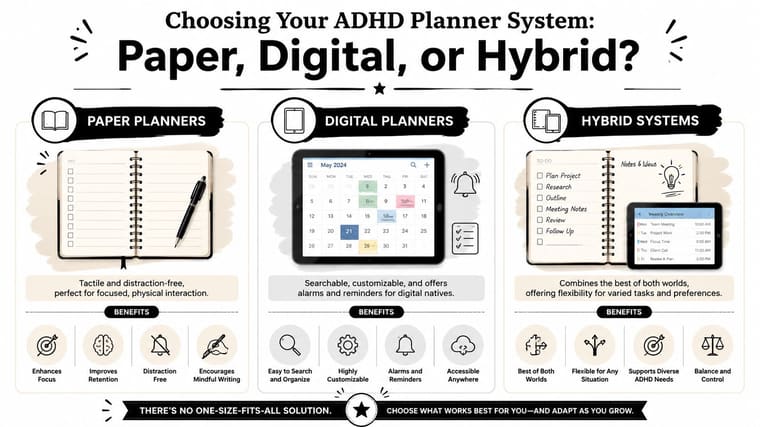
For many people, the answer isn’t obvious. A paper planner can feel calm and grounding. A digital planner can reduce forgetting. A hybrid setup can give you the tactile benefit of writing plus the backup of reminders.
Paper works well when visual clutter is the enemy
Paper is often the best fit for people who get derailed by screens. You open one page and see one page. No tabs. No notifications. No temptation to “quickly check” something else and vanish for half an hour.
According to ADDitude reader survey data summarized by ADDA, 61% of readers prefer a paper planner or a hybrid paper-digital system, which is a strong reminder that tactile planning still matters for ADHD users. The same source notes that the physical act of writing can improve focus and memory for many people using paper or hybrid ADHD planning systems.
Paper does have limits. It won’t buzz when you forget an appointment. You can lose it. And if your planner stays closed in a bag, it stops helping.
Digital works well when access matters most
Digital tools shine when your life changes quickly. If you juggle work, classes, appointments, and personal tasks, digital planning can be easier to update and search. You can move items fast, duplicate routines, and keep everything with you on your phone.
But digital systems have a trade-off. Your planner lives on the same device as every distraction you already struggle with. Many clients do well with digital planning for capture and scheduling, then drift when the app becomes one more thing to open.
The best digital planner is not the one with the most features. It’s the one you’ll still open when you’re tired, behind, and irritated.
If you want a broader look at digital support tools, this roundup of the best apps for people with ADHD can help you compare options by actual use case, not hype.
Hybrid often gives the best balance
Hybrid systems work well because they split jobs instead of forcing one tool to do everything.
Here’s a simple comparison:
| System | Best for | Common downside |
|---|---|---|
| Paper | Focused daily planning, journaling, low distraction | Easy to forget or leave behind |
| Digital | Reminders, rescheduling, searchable information | Screen distractions and app friction |
| Hybrid | Combining visible writing with flexible reminders | Can get messy if you duplicate too much |
A hybrid setup might look like this:
- Paper for daily view: Write today’s top tasks and rough time blocks by hand.
- Digital for appointments: Keep calendar events and deadline alerts on your phone.
- One capture rule: New tasks go into one trusted inbox first, then get sorted later.
Brand matters less than fit
The ADHD planner market has matured, and the range of options reflects that there’s no universal best choice. Wonderstruct’s 2026 overview highlights systems such as Laurel Denise Planners, Full Focus Planner, Bullet Journal, The Happy Planner, Panda Planner, and digital tools like GoodNotes and Notability. It also notes that the Bullet Journal method was designed by someone with ADHD, which helps explain why some users find it more intuitive than standard formats in this 2026 planner overview.
The right question isn’t “What’s the best planner for adhd?” It’s “What kind of friction makes me quit, and what format removes it?”
The Must-Have Features of an ADHD-Friendly Planner
Once you know your format, evaluate the planner itself. A useful planner for adhd isn’t defined by pretty pages or brand reputation. It’s defined by whether it reduces overwhelm and makes action easier.
Start with flexibility
The first feature I look for is an undated or forgiving layout. Missed pages are one of the fastest ways to trigger planner abandonment. If every skipped day feels like proof you failed, the system won’t last.
Flexible layouts support real ADHD usage. Bursts of planning, gaps, restarts, and midweek resets all need to feel normal.
A good sign is a planner that lets you jump back in without cleanup.
Give your brain a place to spill
You also need a brain dump area. ADHD brains generate tasks, ideas, reminders, worries, and random associations all day. If there’s nowhere easy to catch them, they either disappear or keep circling and raising stress.
Useful capture spaces include:
- Open notes pages: Best for messy thought dumping without structure.
- Quick task boxes: Good for fast capture during workdays.
- Idea margins: Helpful if your thoughts tend to branch sideways while planning.
Make priorities visible
Individuals with ADHD don’t need more tasks. They need less ambiguity.
That means your planner should have a clear place to answer three questions:
- What must happen first?
- What can wait?
- What counts as enough for today?
A simple top-three section works well. So does a small priority box. Some people like urgency-versus-importance grids. The specific format matters less than making the decision visible.
A long task list doesn’t create clarity. It often creates paralysis.
Break big work down on the page
If a planner only gives you blank daily lines, it may not be enough. ADHD-friendly planning works better when the design nudges you toward goal decomposition. That means breaking “finish project” into visible next steps.
Look for space to write:
- Mini-deadlines
- Subtasks
- First actions
- Progress checkpoints
The initial step is frequently the most challenging. “Draft outline” is easier to begin than “work on presentation.”
Support non-linear thinking
Some people do best with clean boxes. Others need room to map, sketch, circle, and rewrite. That’s why there’s no one best planner. The market has diversified because different ADHD brains need different forms of support, not different levels of discipline.
If you like highly structured systems, Laurel Denise or Full Focus style layouts may appeal to you. If you need maximum flexibility, Bullet Journal can work well because you build only the pages you need. If visual customization keeps you engaged, disc-bound systems like The Happy Planner can be useful.
The common thread is not the brand. It’s whether the planner supports external memory, visible priorities, easy restarts, and manageable next steps.
How to Set Up and Use Your Planner Without Overwhelm
Most planner failures happen at setup. People try to build the perfect system in one sitting, create too many categories, and then avoid the planner because opening it feels like opening a project.
Start smaller.
Step one, do a full brain dump
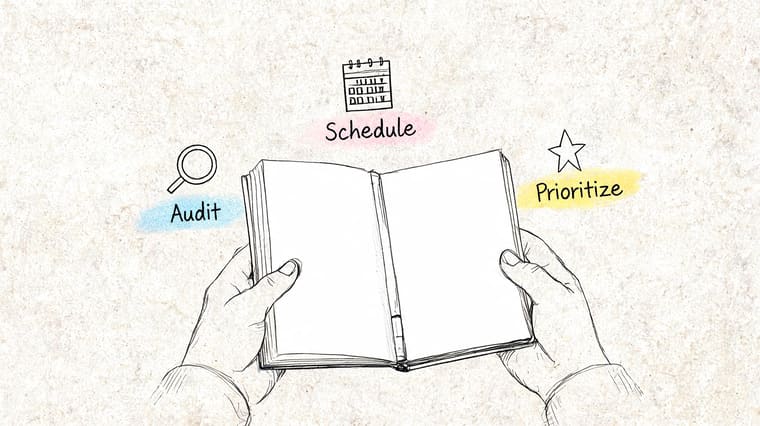
Take one page, or several. Write down everything that’s competing for attention. Work tasks, errands, overdue admin, ideas, appointments to book, stuff you keep mentally carrying.
Don’t organize while dumping. Capture first.
Then group the list lightly. You can use rough buckets like home, work, school, health, people, and later. Keep it loose. The point is to reduce mental noise, not to build a flawless productivity dashboard.
Step two, choose only a few priorities
For tomorrow, pick one to three priority tasks. Not ten. Not every item that feels morally important. Just the few that would make the day feel meaningfully moved forward.
Then make each priority smaller. “Start taxes” becomes “find tax folder.” “Work on report” becomes “write opening paragraph.” Many clients feel immediate relief at this point, because the page stops asking for willpower and starts offering entry points.
A research-backed implementation method summarized by ADHD Bright emphasizes visual cues and time-blocking. It reports that these tools can improve time management by 25 to 35%, and highlights progress bars as a form of glanceable externalization that helps bypass the need to remember to check the planner in the first place, as explained in this guide to choosing an ADHD planner.
Step three, time-block loosely
Assign rough work periods, not a military-grade schedule. If you know hour-by-hour planning makes you rebel, use broad blocks like morning, early afternoon, and late afternoon.
A simple version looks like this:
- Morning: Admin, one hard task
- Midday: Meetings or classes
- Afternoon: Follow-up, easier wins, reset
This gives structure without trapping you.
A practical daily rhythm
Use a very short routine so the planner supports action instead of becoming another task.
| Time | What to do | Keep it short |
|---|---|---|
| Morning | Review calendar and choose top priorities | About 5 minutes |
| Midday | Check whether the plan still fits reality | Brief glance |
| Evening | Mark what got done and move unfinished items forward | About 2 minutes |
If you want more ideas for improving productivity with ADHD, that guide pairs well with this approach because it focuses on systems, not self-criticism.
Use visual reminders that don’t require effort
Many individuals encounter a common hurdle. A planner is useful only if you encounter it at the right moment. For ADHD, “remember to check the planner” is often the weak link.
That’s why low-effort visual reminders matter. If you use a digital support tool, put key deadlines somewhere visible on your phone so time stays in sight. A countdown or progress widget on a lock screen can serve as an ambient cue instead of relying on active recall.
Here’s a quick visual walkthrough that can help if you want to see a practical setup in action:
Use this test: If your setup takes more than a few minutes to maintain each day, simplify it before you commit to it.
The best planner systems feel slightly unfinished on purpose. That leaves room for real life.
Staying on Track When Your ADHD Brain Rebels
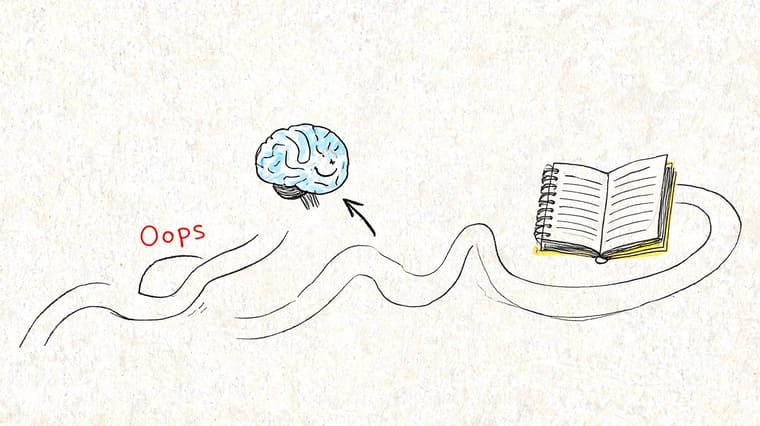
Even a good planner for adhd will stop working sometimes. You’ll ignore it. You’ll get overwhelmed by the page. You’ll hyperfocus on the wrong thing for days. That doesn’t mean the system failed forever.
It means you need a reset process.
When looking at the planner feels impossible
This usually happens when the planner has become a container for too many obligations. Open tasks, late tasks, and vague tasks all start to feel emotionally loaded.
Do this instead:
- Cover most of the page: Use a sticky note or blank sheet so you only see today.
- Circle one next action: Not the whole project. Just the next move.
- Rename the day: Call it a reset day, catch-up day, or restart day. That removes the pressure to “get back on track” perfectly.
When you’ve ignored it for days
Don’t backfill. Don’t reconstruct the lost week unless you absolutely need records for school or work. It’s common to get stuck right there.
Open to a fresh page and ask:
- What is urgent now?
- What am I still carrying mentally?
- What can be dropped?
Then rebuild from the present.
Missing days doesn’t break the system. Shame does.
When hyperfocus takes over the wrong priority
This one is common. You planned to handle bills, but suddenly you’ve spent hours redesigning a spreadsheet, sorting bookmarks, or deep-diving a side interest.
Your planner should help you re-enter, not scold you. Add a small “return ramp” on the page. That can be a box labeled Back to now with one administrative task, one communication task, and one practical next step.
That way, when hyperfocus breaks, you don’t have to decide from scratch what normal life is.
When consistency advice makes you feel worse
Traditional planner advice often says to keep the planner with you at all times and use it consistently every day. For many ADHD users, that framing backfires. It treats inconsistency like a moral problem instead of a neurological reality.
As noted in Atelier Neorah’s discussion of planners designed for inconsistency, one of the major flaws in standard planning advice is its emphasis on perfect consistency. Tools that provide ambient, persistent visual cues can work better because they support irregular engagement instead of demanding ideal habits, as described in this article on ADHD planners built for inconsistency.
If consistency has always felt slippery, it may help to think in terms of re-entry rather than streaks. This guide on how to stay consistent with goals is useful because it treats consistency as something you can support with design, not force with guilt.
The long-term goal isn’t perfect use. It’s faster recovery. A good planner helps you come back sooner, with less shame, and with less friction every time.
If you want a low-effort way to keep goals and deadlines visible between planning sessions, Pretty Progress is worth a look. It lets you put customizable countdowns and progress bars on your Home Screen, Lock Screen, Apple Watch, Mac, iPad, and Android devices, so you don’t have to rely on memory alone. For ADHD users, that kind of glanceable visual cue can make the difference between “I forgot” and “I stayed connected to the plan.”