April 26, 2026
10 Best Apps for People with ADHD in 2026
Struggling with focus? Discover the 10 best apps for people with ADHD in 2026. We review timers, planners, and focus tools to manage tasks and time blindness.
You pick up your phone to check one reminder. Twenty minutes later, you are in three half-finished tabs, your original task is gone, and your stress is higher than when you started.
That pattern is common with ADHD. ADHD affects approximately 366 million people worldwide, with prevalence rates of 5 to 7% among children and 2.5 to 4% among adults globally. In the US alone, 6.8 million children ages 3 to 17 have current ADHD diagnoses. Those numbers help explain why digital tools keep showing up in daily care and self-management, as noted earlier.
If medication access has been inconsistent, daily systems carry even more weight. This overview of current issues with ADHD drug supply is worth reading if treatment gaps have made your routine harder to hold together.
The best apps for people with adhd help in specific ways. They make time easier to see. They reduce the friction of starting. They interrupt distraction loops before a quick check turns into a lost hour. They give structure to mornings, work blocks, transitions, and shutdown routines when your brain cannot generate that structure on demand.
That is the standard for this list.
I am not looking for apps that sound smart on an app store page and get abandoned four days later. I am looking for apps you can attach to a real moment of failure: missing the start of a meeting, freezing on a task that feels too big, losing momentum after one interruption, or forgetting what you meant to do the second you access your phone. Tools built around visual reminders for ADHD often work better for this reason. They give the brain something concrete to return to.
The sections below focus on implementation, not feature stuffing. For each app, the question is simple: what ADHD problem does it address, and how do you set it up so it keeps helping after the novelty wears off?
Table of Contents
- 1. Pretty Progress
- 2. Inflow
- 3. Tiimo
- 4. Structured
- 5. Brili Routines Adults + Families
- 6. Sunsama
- 7. Freedom
- 8. Forest
- 9. Habitica
- 10. TickTick
- Top 10 ADHD Apps, Feature Comparison
- Find Your Focus, Not Perfection
1. Pretty Progress
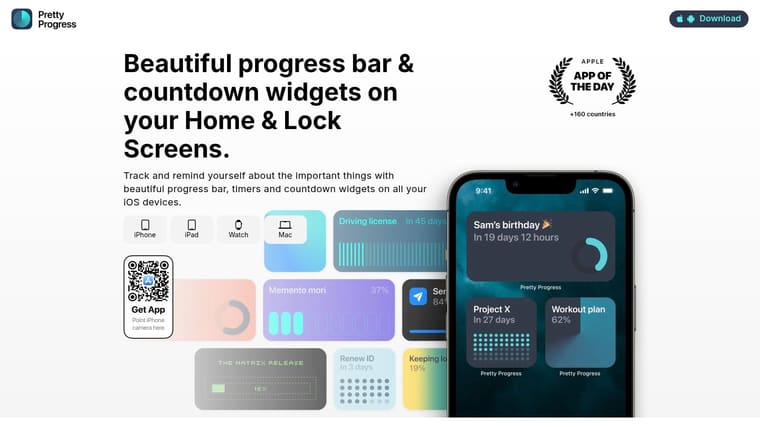
Pretty Progress solves one of the most common ADHD problems: if something isn’t visible, it stops feeling real. That matters for deadlines, habits, exams, renewal dates, trip planning, and even positive goals you care about but keep forgetting to re-engage with.
Most productivity apps ask you to open them. Pretty Progress does the opposite. It puts countdowns and progress bars on your Home Screen and Lock Screen, so your brain gets a visual cue without needing to remember to check anything.
Why it works for ADHD
One underserved gap in ADHD app coverage is visual progress trackers and countdown widgets. A background summary from Lunatask notes that a 2025 CHADD survey found 68% of users with executive dysfunction preferred passive visual cues over active task entry, while only 12% of recommended apps supported native widget integration, as described in the Lunatask review of ADHD app patterns. That gap is exactly where Pretty Progress is strong.
This isn’t a full task manager, and that’s part of the appeal. It doesn’t bury the important thing under lists, tags, projects, and inboxes. It keeps one deadline or goal in front of you, all day, in a way that’s quiet but hard to ignore.
Practical rule: Use Pretty Progress for outcomes, not for task storage. Track “final paper due,” not every research step.
How to use it for ADHD
If you freeze around big deadlines, create one widget for the finish line and one for the nearest milestone. Put the first on your Lock Screen and the second on your Home Screen. That setup helps when your brain swings between “I have plenty of time” and “it’s basically over.”
A few good ADHD use cases:
- For time blindness: Add a countdown to the exam date, client deadline, or trip departure.
- For task paralysis: Create a visible bar for “portfolio finished” or “taxes submitted” so the project stays emotionally present.
- For consistency: Track habit streak windows, reading goals, or time left in a challenge.
- For low-notification tolerance: Use widgets instead of more alerts buzzing at you.
The design-first setup also matters more than productivity people sometimes admit. ADHD brains often respond better to cues that feel pleasant and rewarding to look at. Pretty Progress leans into themes, color, gradients, icons, and layout controls, which makes the reminder feel less like nagging and more like part of your environment.
If visual prompts are what get your attention, the app pairs well with these visual reminders for ADHD. The trade-off is simple: you won’t manage complex project workflows here. But if your main problem is forgetting what matters until panic kicks in, this kind of ambient visibility is unusually effective.
You can try it on the Pretty Progress website.
2. Inflow
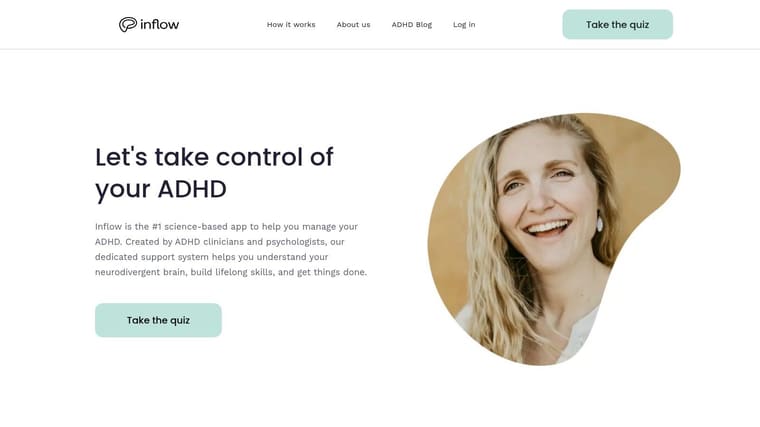
Inflow is the app I point people to when they don’t just want a timer or planner. They want help understanding why they keep getting stuck, overwhelmed, avoidant, or emotionally flooded in the first place.
It was built around clinician-designed CBT modules and has become one of the most visible ADHD apps for adults. The app has over 500,000 downloads and a 4.8 out of 5 average rating across app stores as cited in Inflow’s 2026 ADHD app guide.
Best use case
Inflow works best for adults who need structured psychoeducation plus accountability. The short lessons, guided exercises, community features, and Focus Rooms make it more of a skills program than a utility app.
What tends to work well:
- For procrastination: Use the AI companion to break one avoided task into a smaller first action.
- For emotional dysregulation: Open a relevant module before the situation escalates, not after the day has already gone off the rails.
- For body doubling: Use Focus Rooms when you know you won’t start alone.
The main trade-off is cost and depth. If all you want is a simple focus tool, this can feel heavier than necessary. But if you’ve tried generic productivity apps and keep abandoning them, the ADHD-specific framing often lands better.
For people who need help with activation, not just planning, these strategies on how to focus with ADHD pair well with Inflow’s approach.
Visit Inflow.
3. Tiimo
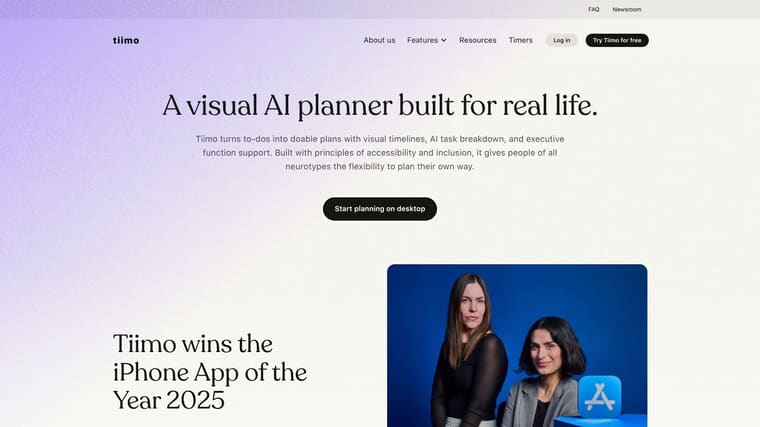
You check the clock at 10:15, start one small task, and look up again at 12:40 with three tabs open and your actual priority untouched. That is the kind of day Tiimo is built for.
Tiimo works well for ADHD users who struggle with time blindness and rough transitions. Instead of asking you to manage the day from a dense list, it shows time as a visible sequence. Icons, timers, and routines make the next step easier to spot, which reduces the mental load of deciding what to do every time attention slips.
When Tiimo clicks
Tiimo is strongest when you use it as a guide for the next few hours, not as a perfect plan for the whole day. That shift matters. Many ADHD users do better with a schedule they can re-enter quickly than one they have to maintain flawlessly.
One setup I recommend is simple and realistic:
- Build only the next half day: Planning too far ahead often creates fake certainty. A shorter horizon is easier to trust and update.
- Add transition blocks on purpose: Put 5 to 15 minutes between tasks for getting water, resetting your space, or recovering from friction. Many ADHD days fall apart between activities, not inside them.
- Use short labels and icons: The plan should make sense at a glance. If you have to read every line closely, you are adding effort at the exact moment your brain wants less of it.
- Break fuzzy tasks before they start: If a block says “work on project,” you may still freeze. Turn it into a visible first action, such as “open brief,” “draft outline,” or “reply to two emails.”
- Keep the widget visible: Reopening an app is a small barrier, but small barriers matter with ADHD. A schedule you can see is a schedule you are more likely to follow.
A good Tiimo routine might look like this: set up the morning over coffee, include one work block, one admin block, lunch, and a transition before the next commitment. At midday, rebuild the afternoon based on your actual energy instead of forcing the original plan to survive.
The trade-off is that Tiimo can pull some people into over-customizing colors, routines, and templates. If that sounds familiar, cap setup time and stop at usable. The app helps most when it reduces decisions, not when it becomes another project.
You can explore it at Tiimo.
4. Structured
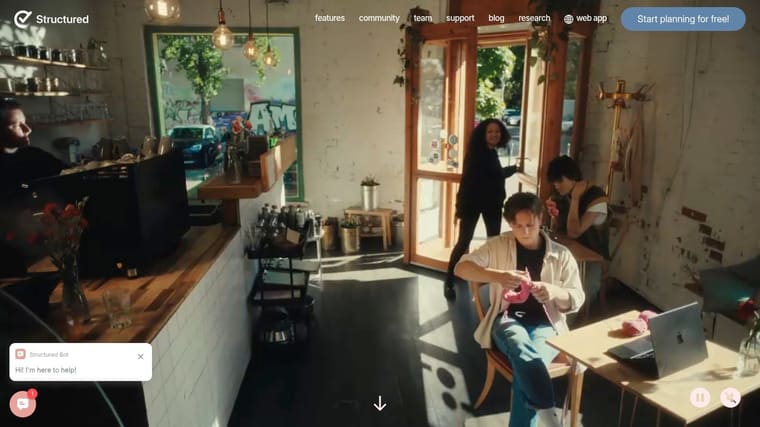
Structured is what I recommend when someone wants visual planning with less personality and less friction. It gives you a timeline for the day, a quick capture inbox, and a drag-to-schedule workflow that doesn’t ask for much ceremony.
That matters for ADHD because complex planning systems often die at the point of entry. Structured keeps capture fast, and that lowers resistance enough that you’ll often use it even on messy days.
A simple way to run it
Don’t treat Structured like a life system. Treat it like today’s runway.
Try this:
- Brain dump first: Add everything to the inbox without organizing.
- Schedule only anchor tasks: Appointments, one deep work block, one admin block, and one personal task.
- Leave white space: If every hour is packed, the plan will break the first time your energy shifts.
- Reschedule without shame: Move tasks forward in the timeline instead of pretending they still fit.
Structured is especially good for ADHD users who plan as they go. The trade-off is that if you want deep project management, reporting, or a lot of built-in coaching, it may feel too light. Some advanced features also sit behind Pro, and some users run into occasional widget or sync quirks.
See Structured.
5. Brili Routines Adults + Families
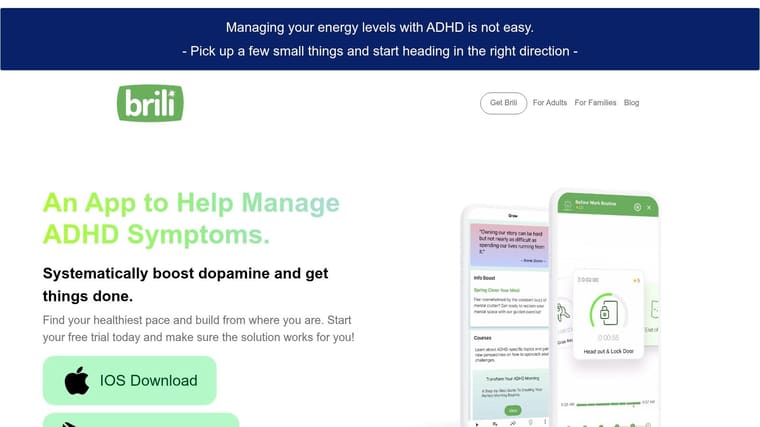
Brili is for the parts of the day that repeatedly go sideways. Morning prep. Bedtime. Getting out the door. The after-school stretch. The handoff from work mode to home mode.
Routine apps don’t always sound exciting, but they solve a very real ADHD issue: decision fatigue. When the order of operations is already set, your brain has fewer chances to stall, wander, or renegotiate.
Where it helps most
Brili works best when a routine needs pacing, prompts, and visible next steps. The adult version is useful if your problem is “I know my routine, but I still drift.” The family version is especially helpful in ADHD households where one person’s friction affects everybody else’s timing.
What works well in practice:
- Use it for recurring sequences: Not for every task in your life.
- Build routines around transitions: Waking up, leaving, arriving, winding down.
- Keep each routine short: Long routines become wallpaper.
- Use rewards carefully: They help when they’re immediate and simple.
Brili isn’t trying to be your planner, and that’s the trade-off. You’ll probably want a calendar or task app alongside it. But for routines that collapse the same way every day, guided structure beats intention alone.
Visit Brili.
6. Sunsama
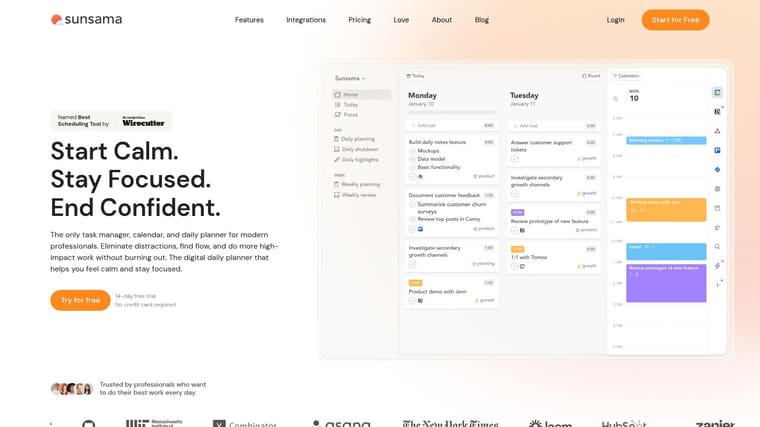
Sunsama is one of the better choices for ADHD professionals who overcommit by default. If your to-do list is always larger than your actual capacity, Sunsama pushes you to face the calendar and make decisions.
That’s useful because ADHD planning often stays abstract. Sunsama forces tasks into time, which makes wishful thinking harder to maintain.
How to keep it from becoming too much
The daily planning ritual is the main value here. Pull in tasks, drag them onto the calendar, and build a workday that a real human could finish.
A good ADHD plan feels a little underbooked. That’s usually what realistic looks like.
Use it well by following three rules:
- Time-box only high-value work: Don’t calendar every tiny task.
- Cap the day early: Once the day is full, stop adding.
- Use Focus Mode for the current task only: Don’t keep the full mountain visible while trying to climb one step.
Sunsama is polished and strong for work planning, but it can feel heavy if your needs are simpler. There’s also no permanent free plan, so it makes most sense if your job benefits from centralizing calendars, tasks, and planning into one place.
Visit Sunsama.
7. Freedom

Freedom is for the version of ADHD where every device becomes an escape hatch. You block Instagram on your laptop and end up on your phone. You hide your phone and open a browser tab. Freedom works because it closes more of those loops at once.
This app isn’t motivational. It’s environmental. That’s the right framing. If distraction is automatic, relying on willpower is usually the weakest part of the system.
Best setup for ADHD
Users often underuse blockers by turning them on only after they’re already distracted. Freedom works better when sessions are scheduled ahead of time and synced across devices.
A practical approach:
- Build one blocklist for work drift: News, social, shopping, video.
- Build another for bedtime: Social apps, email, browser rabbit holes.
- Schedule recurring sessions: Don’t make yourself decide every day.
- Use exceptions carefully: Too many loopholes and the system stops working.
The iOS side follows Apple’s Screen Time rules, so it won’t behave exactly like desktop blocking. That’s normal, but it’s worth knowing before you expect perfect parity across platforms. Initial setup takes effort, yet once it’s done, the reduction in decision-making is the payoff.
Go to Freedom.
8. Forest
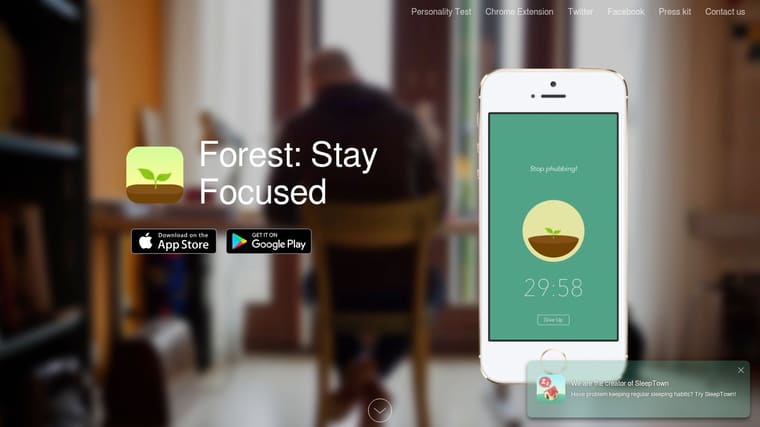
Forest is simple in the right way. You set a focus session, plant a virtual tree, and if you leave to mess around on your phone, the tree dies. For ADHD brains that respond to visible consequences and small rewards, that mechanic is surprisingly effective.
It also avoids one common productivity trap. You don’t need to build a system before using it.
How to make it stick
Forest is best for task initiation and short focus sprints. It’s not a planner and doesn’t try to be one.
Use it like this:
- Pick one concrete task before planting: “Read chapter notes” works better than “study.”
- Start with short sessions: Build trust with the timer first.
- Use plant-together sessions: Social accountability can make the start easier.
- Review your history weekly: Visible sessions help you see effort, not just unfinished work.
The downside is obvious. Forest won’t organize your week or help you break down complex projects. But if your main problem is getting over the hump and staying off your phone long enough to begin, it’s one of the easiest tools to recommend.
Visit Forest.
9. Habitica
Habitica turns habits and tasks into a role-playing game. You get experience points, rewards, parties, quests, and a sense of progression for doing real-life things you usually avoid.
That sounds gimmicky, and for some people it is. For others, it’s exactly the missing ingredient. ADHD often responds well to immediate feedback, visible progress, and light social pressure.
Best for reward-driven brains
Habitica is strongest when your issue isn’t knowing what to do, but not feeling any payoff for doing it. The app creates a reward loop where ordinary actions feel less flat.
A few ways to use it without letting the game take over:
- Keep categories small: A few Dailies, a few To-Dos, and a short habit list.
- Reward basics first: Sleep routine, meds, inbox zero, exercise, hydration.
- Use parties for accountability: Only if social motivation helps you.
- Avoid overbuilding: If you spend longer tuning the game than doing the task, simplify.
If you struggle with follow-through over time, these ideas on how to stay consistent with goals fit well with Habitica’s reward structure.
The trade-off is that heavy gamification can distract as much as it motivates. If you know you’ll get more interested in loot than in life admin, a calmer app may be better.
Try Habitica.
10. TickTick
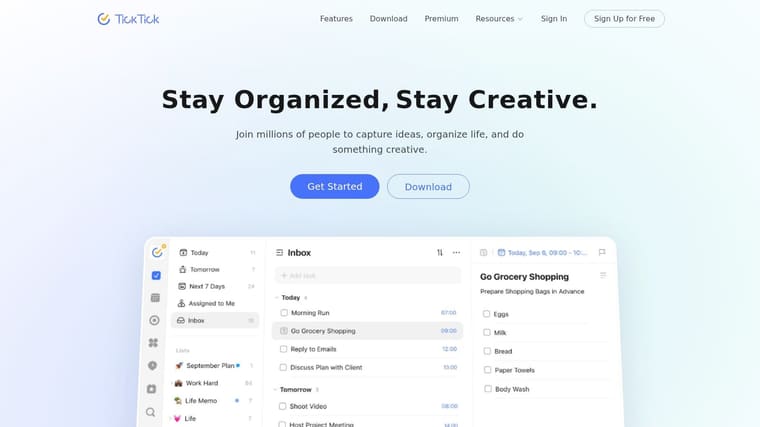
TickTick is the all-in-one option for people who hate switching between three or four apps. It combines tasks, calendar views, focus timers, habit tracking, and widgets in one place.
That can be a huge advantage for ADHD. Fewer app boundaries mean fewer chances to forget what you were doing while hopping systems.
The ADHD-friendly way to use it
The danger with TickTick is feature overload. It can do a lot, which means it’s easy to build a complicated setup you won’t maintain.
Start narrower than you think you need:
- Use Inbox as the capture zone: Everything goes there first.
- Create only a few lists: Work, Personal, Waiting, Someday is enough.
- Time-block only priority tasks: Don’t calendar every thought.
- Use the Pomodoro timer on hard-start tasks: Let the timer be the bridge into action.
TickTick is especially useful if you want one home for tasks, habits, and focus data. The built-in widgets also help keep priorities visible. If you’re already prone to app overwhelm, though, you’ll need discipline to keep the interface pared down.
Visit TickTick.
Top 10 ADHD Apps, Feature Comparison
| App | Core Features ✨ | UX / Quality ★ | Value & Pricing 💰 | Target Audience 👥 | Standout / USP |
|---|---|---|---|---|---|
| Pretty Progress 🏆 | ✨ Customizable countdowns & progress bars; cross-device widgets; date calculators | ★★★★★ Polished, zero‑ad, glanceable | 💰 Free + PRO (advanced styling) | 👥 Design-minded goal trackers; ADHD/time‑blind users | 🏆 ✨ Elegant always‑on visual reminders; deep styling controls |
| Inflow | ✨ CBT micro-lessons, live Focus Rooms, AI companion | ★★★★ Clinician‑built, structured | 💰 Subscription (premium cost) | 👥 Adults seeking ADHD skills & accountability | Science-based therapy + live co‑working + AI |
| Tiimo | ✨ Visual timelines, AI task breakdowns, live widgets | ★★★★ Visual & accessible; can overwhelm at first | 💰 Freemium + premium | 👥 Neurodivergent users who prefer visual schedules | Live activities, timelines, cross‑device sync |
| Structured | ✨ Timeline day view, quick capture, drag-to-schedule | ★★★★ Low‑friction, minimalist | 💰 Freemium + Pro (family sharing) | 👥 Users who plan by the hour and need simple flow | Fast inbox → timeline workflow; cross‑platform sync |
| Brili Routines (Adults + Families) | ✨ Step-by-step routines, dynamic timers, rewards | ★★★★ ADHD‑aware pacing & prompts | 💰 Freemium / paid tiers; family option | 👥 Adults & families wanting routine support | Family/adult flows, reward systems, flexible timing |
| Sunsama | ✨ Drag-to-calendar time‑boxing, Focus Mode, integrations | ★★★★ Premium, structured planning | 💰 Premium subscription after trial | 👥 Professionals who over‑plan and need guardrails | Ritualized daily planning + distraction‑reduced Focus Mode |
| Freedom | ✨ Cross-device app/site blocker, schedules, custom lists | ★★★★ Effective but needs setup | 💰 Subscription; multi‑device value | 👥 Users needing strict distraction barriers | Device‑spanning blocks and recurring sessions |
| Forest | ✨ Gamified focus timer (grow trees), social planting | ★★★★ Motivating, low‑friction | 💰 One‑time/in‑app purchases or subscriptions (varies) | 👥 Users who respond to gamified rewards | Visual growing tree rewards; social planting mode |
| Habitica | ✨ RPG‑style habits/to‑dos, parties, quests | ★★★☆ Fun but heavy gamification | 💰 Core features free; optional subscription/gems | 👥 Gamification fans; social accountability seekers | RPG mechanics + social quests for motivation |
| TickTick | ✨ Tasks + calendar, Pomodoro timers, habit tracker | ★★★★ Powerful but feature‑dense | 💰 Freemium; Premium unlocks advanced features | 👥 Users wanting an all‑in‑one task/calendar/focus app | Combines natural‑language capture, focus stats, and widgets |
Find Your Focus, Not Perfection
There isn’t one magic app for ADHD. There are only tools that reduce a specific kind of friction. That’s a better way to think about this whole category. You’re not looking for the most impressive system. You’re looking for the one that makes tomorrow easier to start.
If time blindness is the biggest problem, start with something visual. Pretty Progress, Tiimo, and Structured all help make time more concrete, but they do it differently. Pretty Progress keeps the important thing visible without asking you to open an app. Tiimo turns the day into a visual flow. Structured gives you a clean timeline when you want simple daily control.
If your main issue is task initiation, use a tool that lowers the threshold to begin. Forest works well for short sprints. Inflow is better when avoidance is tied to overwhelm, shame, or emotional dysregulation and you need more support than a timer can give. Sunsama helps when the core problem is overcommitting and then freezing in front of an unrealistic plan.
If distraction keeps hijacking your day, don’t ask motivation to solve an environment problem. Freedom is often the most practical answer there. Blocking friction is boring, but boring systems are often the ones that keep working.
For routines, Brili can hold the sequence steady when mornings, evenings, or household transitions keep unraveling. For reward-sensitive brains, Habitica can turn dull maintenance tasks into something with enough immediate payoff to matter. For people who want one general-purpose system, TickTick is a strong option, as long as you keep it simple.
ADHD affects a huge global population, and many adults still go undiagnosed, which is one reason self-management tools keep becoming more important in everyday life, as noted earlier from the UKY summary. The point isn’t to build a perfect digital life. The point is to stop spending so much mental energy reinventing structure every day.
Pick the app that matches your biggest pain point right now. Use it for two weeks in one narrow way. Don’t optimize everything at once. For children and families, pair the right tool with routines that build focus and independence without taking away the child’s sense of agency.
What works for ADHD isn’t always the fanciest app. It’s the one you’ll still be using after the novelty wears off.
If you want a low-friction starting point, try Pretty Progress. It’s especially good when deadlines, goals, and routines keep slipping out of awareness until stress takes over. A simple countdown or progress widget on your Home or Lock Screen can keep the right thing visible all day, without adding more notifications or another complicated system to maintain.