
June 24, 2026
Best Long Term Goal App: Achieve Your Dreams
Discover the best long term goal app. Our guide helps you use visual tracking, widgets, and motivation tips to achieve your biggest goals efficiently.
You already know the feeling. You set a big goal, maybe saving for a house deposit, finishing a degree, launching a side project, or getting ready for retirement, and for a few days you feel motivated. Then life gets noisy. The goal slips behind messages, errands, work, and whatever feels urgent right now.
That’s usually not a motivation problem. It’s a visibility problem.
Many don’t need a more advanced productivity system. They need a long term goal app that keeps the goal in sight without asking for constant effort. If you have ADHD, get overwhelmed easily, or just hate opening one more app every day, that difference matters a lot. A goal that stays visible on your home screen or lock screen has a better chance of staying emotionally real.
Table of Contents
- Why Visualizing Time Is More Powerful Than a To-Do List
- How to Define Your Long Term Goal for Tracking
- Choosing the Right Kind of Long Term Goal App
- Your First Goal Setup From Start to Finish
- Example Workflows for Life Projects and Deadlines
- Tips for Staying Motivated and Consistent
- Frequently Asked Questions About Goal Apps
Why Visualizing Time Is More Powerful Than a To-Do List
A to-do list is good at answering one question: what should I do next?
A long-term goal usually needs a different question: how much time do I have left, and what does that mean today?
That’s why a plain checklist often fails for distant goals. If your goal takes months or years, a task list can make the whole thing feel abstract. You keep checking boxes, but the finish line still feels far away. In many cases, that creates emotional distance, not momentum.
Countdown thinking changes the feeling of the goal
Search trends showed a 45% surge in queries for “countdown to goal” apps, which points to demand for tools that visualize time left rather than only progress completed. The same trend also reflects a practical truth: for long-term goals, seeing time decreasing can feel more motivating than seeing progress increasing from near zero.
A progress bar can be discouraging early on. You work for a week and it still looks tiny. A countdown works differently. It tells your brain that the future is moving toward you whether you act or not.
Practical rule: If a goal feels too distant to act on, stop asking “How much have I done?” and start asking “How much time is left?”
That shift creates urgency without needing a complicated system. It also helps with goals that don’t produce satisfying daily wins, like exam prep, debt payoff, career transitions, or a multi-year savings plan.
A visual reminder beats good intentions
A long term goal app works best when it lives outside the app itself. That’s the part many reviews miss. If your countdown only exists after you tap open the app, it competes with every other demand on your attention.
A widget changes that. You don’t have to remember the goal first. You see it while accessing your phone.
If you want a deeper look at planning goals visually on a calendar and timeline, this guide to a goal-setting calendar app is a useful companion.
What a to-do list still does well
This isn’t an argument against tasks. You still need tasks. But tasks should serve the goal, not replace it.
A simple way to separate the two:
- Use countdowns for direction. They keep the long horizon visible.
- Use tasks for execution. They tell you what to do next.
- Use widgets for persistence. They reduce the effort needed to re-engage.
A long-term goal becomes easier to respect when it stays on your screen long enough to influence your daily choices.
How to Define Your Long Term Goal for Tracking
Users often download the app first and define the goal second. That usually creates a vague tracker for a vague ambition.
A better move is to create a short goal brief before you set anything up. If the goal is clear, almost any app becomes easier to use. If the goal is fuzzy, even a beautiful app turns into decoration.
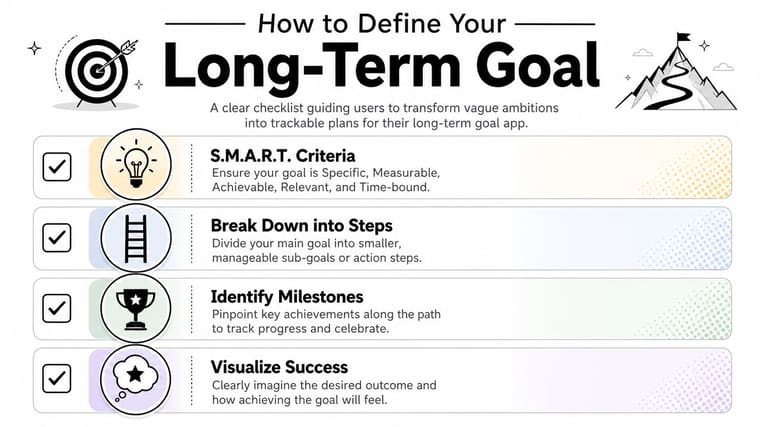
Research from Michigan State University notes that users who write down SMART goals and create concrete action plans achieve goals 33% more frequently than those with unwritten goals, via Michigan State University Extension’s evidence-based goal-setting guidance.
Start with one sentence
Write the goal as a sentence you could show someone else without needing to explain it.
Weak version: get healthier
Better version: complete a 6-month training block and finish a 10K by my target date
Weak version: save money
Better version: save for a house deposit by a set deadline
The app can only reflect what you tell it. If your wording is vague, the visual won’t carry enough meaning.
Build the goal with SMART filters
Use SMART as a filter, not a buzzword.
- Specific: What exactly are you trying to reach?
- Measurable: What tells you the goal is done?
- Achievable: Is this demanding but still realistic?
- Relevant: Why does this matter in your actual life?
- Time-bound: What is the end date?
If one of those pieces is missing, tracking gets messy fast. Time-bound is especially important for a long term goal app because the visual experience depends on a real timeline.
Add dates that force clarity
Long goals need more than an end point. They need a beginning too.
Write down:
-
Start date
This marks when the effort began. It makes the progress bar meaningful. -
End date
This is the fixed finish line, target deadline, or review date. -
Milestone dates
These are check-ins, mini-deadlines, or key achievements along the path.
A student might set an exam date as the endpoint. A professional might set the end of a quarter. Someone saving money might use a target move date.
Don’t track “someday.” Track a real window of time.
Turn the goal into something you can see
Before you ever add a widget, answer these four prompts:
- What is the goal called? Use plain language.
- What am I counting toward? Deadline, event, milestone, or amount of time.
- What are the biggest checkpoints? Keep these few and meaningful.
- What should this visual remind me of? Pressure, excitement, calm, consistency, or urgency.
That last question matters more than people think. If the goal is stressful already, choose a design that feels grounding. If the goal needs energy, choose a design that feels active.
A simple goal brief you can copy
Use this structure:
| Part | What to write |
|---|---|
| Goal name | A short, concrete title |
| Start date | When the effort begins |
| End date | When you want it finished |
| Milestones | A few important checkpoints |
| Reason | One sentence about why it matters |
That’s enough to make your tracker useful from day one.
Choosing the Right Kind of Long Term Goal App
A lot of people assume the best app is the one with the most features. For long-term personal goals, that’s often backwards.
The more setup, fields, dashboards, and maintenance an app requires, the more likely you are to avoid it. That’s not laziness. It’s friction. And friction kills consistency.
A major behavior shift in productivity app use found that 68% of productivity seekers abandon apps requiring manual daily entry due to app fatigue, while preferring passive visual cues like countdown bars that stay visible without interaction.
Feature-rich doesn’t always mean helpful
Tools like Notion, Asana, ClickUp, and Trello can be excellent. They’re strong when you need collaboration, documentation, task dependencies, or project structure.
But for many personal goals, they ask too much from the user. You have to keep entering data, maintaining boards, updating statuses, and deciding what system you’ll use. If the goal already feels heavy, that admin layer becomes one more reason to disengage.
The real trade-off is control versus friction
Some people love building systems. Others just want to stay connected to a goal long enough to act on it.
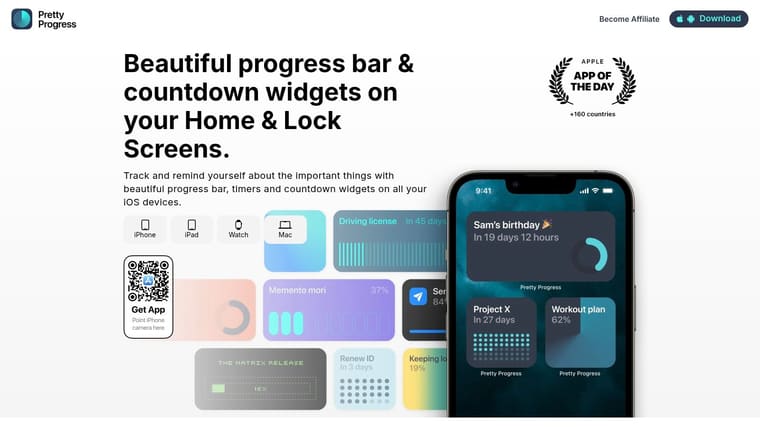
That’s where visual-first tools differ. A dedicated visual tracker focuses less on managing every detail and more on keeping the goal visible in daily life. One example is Pretty Progress, which lets people create countdown and progress widgets for home and lock screens instead of relying on a full project-management workspace.
If you have to “go visit” your goal every day, you probably won’t. If the goal comes to you, you stay engaged longer.
App Philosophy Comparison
| Factor | Feature-Rich Project Manager (e.g., Notion) | Visual Goal Tracker (e.g., Pretty Progress) |
|---|---|---|
| Main focus | Planning, tasks, databases, collaboration | Visibility, countdowns, progress bars, reminders |
| Daily effort | Higher. Usually needs manual updates | Lower. Often glanceable once set up |
| Best for | Complex projects and shared workflows | Personal goals, deadlines, and ongoing motivation |
| Emotional effect | Can feel powerful or overwhelming | Can feel simple and steady |
| Risk | System maintenance becomes the project | May be too lightweight for deep task planning |
Who should choose which
A project manager makes sense if:
- You need team collaboration. Shared boards and delegated tasks matter.
- You enjoy building systems. You’ll maintain the structure.
- Your goal has many moving parts. Dependencies and documents need a home.
A visual tracker makes more sense if:
- You struggle with app fatigue. Less interaction means less drop-off.
- You have ADHD or initiation problems. Ambient cues reduce the need to remember.
- Your main issue is staying connected to a distant goal. Visibility matters more than complexity.
What to avoid
A few traps show up again and again:
- Over-customizing on day one. If setup feels like a hobby, momentum fades.
- Tracking too many variables. More data doesn’t always create better action.
- Choosing based on features you won’t use. A complicated app can feel aspirational and still be wrong for your life.
The right long term goal app should feel easy to return to, not impressive in a demo.
Your First Goal Setup From Start to Finish
Once your goal is defined, setup should take minutes, not a whole afternoon. If it takes too long, you’re building a system instead of creating a reminder.
Start with one goal only. Not three. Not your whole life plan. Pick the one deadline or long-term objective that would help the most if you saw it every day.
Step 1: Enter the core timeline
Use the goal brief you wrote earlier. Add the title, start date, and end date first.
Keep the title plain and readable. “Exam Countdown,” “Move Out Fund,” “Launch Deadline,” and “Retirement Countdown” work better than clever names because you understand them instantly when you see the widget.
If you want examples of what a simple setup looks like in practice, this guide to a goal progress tracker app shows how visual tracking can stay lightweight.
Step 2: Choose a display that matches the goal
The design part isn’t just aesthetic. It changes whether you’ll notice the widget.
A few practical matches:
- Calm goals: Use cleaner layouts and muted colors for long projects that already carry stress.
- Urgent deadlines: Use stronger contrast so the remaining time feels active.
- Personal milestones: Add an icon or style that makes the goal feel emotionally specific.
Don’t spend forever tweaking. Pick something you’ll recognize at a glance and move on.
Step 3: Put the widget where you already look
This is the step people underestimate most. The app matters less than where the reminder lives.
Put the widget on a screen you open often. For many people, that means the first home screen or lock screen. If you hide it on a secondary page, you’ve reduced the whole benefit.
A simple setup that stays visible will outperform a perfect setup buried inside an app drawer.
Step 4: Decide what the widget should trigger
A good widget should prompt a tiny action or a tiny question.
For example:
- “What’s the next step for this goal?”
- “Did I move this forward this week?”
- “Am I spending time like this deadline is real?”
That’s enough. You don’t need the widget to manage your entire workflow. You need it to interrupt drift.
Later, if you want a quick walkthrough in motion, this video shows the general setup flow for a visual progress widget:
Step 5: Keep the first version boring
The first setup should be stable, not ambitious. One goal. One widget. One visible place.
After a week or two, you’ll know whether you want milestone widgets, different themes, or multiple views. Early simplicity makes follow-through much more likely.
Example Workflows for Life Projects and Deadlines
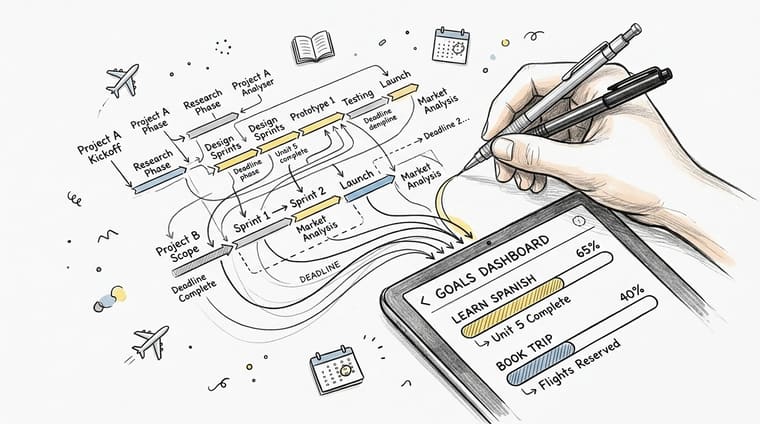
Long-term tracking works best when it matches the kind of goal you have. A student needs something different from a saver or a manager planning a quarter.
The point isn’t to copy these exactly. It’s to see how a long term goal app can support different kinds of pressure without becoming a full productivity machine.
The student with one big deadline
A university student often has a familiar problem. The exam date is fixed, but studying feels optional until panic kicks in.
A countdown widget changes that relationship. Instead of “study biology,” the visual reminds them “final exam in X time.” That makes the deadline feel current. The study tasks can stay in Apple Reminders, Todoist, or a notebook. The widget handles urgency.
Useful setup choices:
- Goal title: “Final Exams”
- End date: Exam day
- Milestones: Mock exam, revision week, submission deadline
- Visual style: High-contrast, easy to notice quickly
The professional working in quarters
Some goals are long-term but still need review cycles. That’s especially true at work, where a yearly objective often fails because it disappears after kickoff.
Teams that reviewed goals quarterly generated 31% greater returns than teams reviewing them annually, according to the goal-setting data summarized by Mooncamp’s roundup of goal-setting statistics. That doesn’t mean everyone needs a corporate planning suite at home. It does mean long-range goals benefit from regular review points.
A simple workflow looks like this:
| Goal type | Primary visual | Review rhythm |
|---|---|---|
| Quarterly project | Countdown to quarter end | Weekly glance, quarterly reset |
| Product launch | Countdown to launch date | Milestone checks before each phase |
| Portfolio or career goal | Progress bar across a longer window | Monthly reflection |
The visual tracker and the calendar review work together. The widget keeps the goal visible. The review date keeps it active.
The saver tracking a life change
Saving goals often stall because the finish line is emotionally important but visually invisible. You transfer money, then go back to normal life.
A countdown or progress bar can anchor that goal to something concrete, like a move date, wedding date, or debt-free date. Instead of only thinking “I should save more,” the person sees that the target date is approaching.
Good naming matters here. “House Deposit by June” lands better than “Savings Goal.” One feels real. The other feels generic.
A strong visual tracker doesn’t just display time. It gives the goal a shape in daily life.
The person rebuilding consistency after burnout
This is common with fitness, writing, and personal recovery goals. The person doesn’t need a giant system. They need a way to remember that the season they’re in has a finish line.
A 90-day challenge, a recovery block, or a training cycle works well as a defined period. The widget becomes a gentle anchor. Not a guilt machine.
For this kind of goal, softer visuals usually work better than aggressive ones. The tracker should support re-entry, not shame.
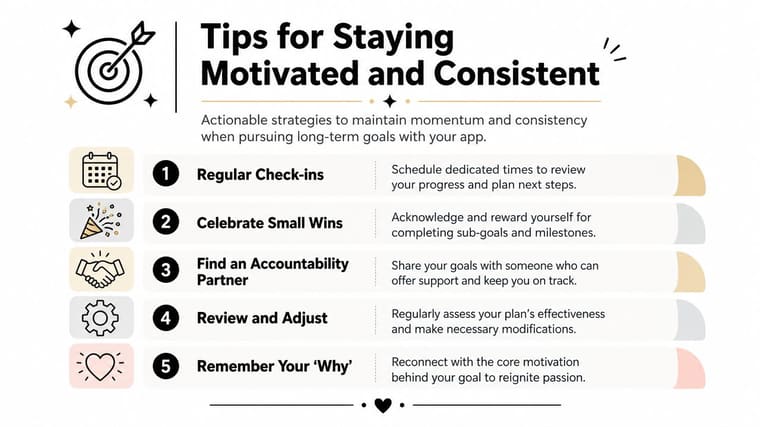
Tips for Staying Motivated and Consistent
The hard part isn’t setting up the app. The hard part is staying engaged after the novelty wears off.
That’s why I pay close attention to the first week. A study of goal tracking in a weight-loss app found that user behavior within the first 7 days was highly predictive of long-term success, and early engagement patterns predicted goal achievement with 79% accuracy in the study’s model, as reported in this PubMed Central study on early goal-tracking behavior.
That doesn’t mean you need a perfect first week. It does mean the opening stretch matters more than is generally assumed.
What to do in the first week
Treat the first week as an anchoring period.
- Look at the widget several times a day. Not to judge yourself. Just to build familiarity.
- Take one tiny action quickly. Send the email, outline the chapter, schedule the session, move the first amount.
- Adjust placement if needed. If you’re not seeing the widget, move it somewhere more obvious.
If consistency has always been hard for you, this guide on how to stay consistent with goals offers practical ways to reduce friction.
Use the widget as a decision filter
A good countdown isn’t only decorative. It can shape choices.
When you’re tempted to drift, ask one question: “Does this move me closer before the timer runs down?” That’s often enough to break the spell of avoidance.
This helps people with ADHD in particular because initiation is often the obstacle, not knowledge. The visual cue lowers the activation energy. You don’t have to remember the goal from scratch each time.
Refresh before you go numb to it
People adapt to visuals fast. If a widget stops registering, don’t assume the method failed. Change the presentation.
Try:
- Switching colors or theme so your eye notices it again
- Renaming the goal to make it more specific
- Adding a milestone tracker if the full timeline feels too distant
Small visual changes can restore attention without rebuilding the whole system.
Support matters too
Long-term goals get easier when someone else knows they exist. If you tend to disappear from your own plans, tell one friend what the countdown means and when you’ll review it next.
You don’t need a formal accountability group. You just need one person who can ask, “How’s that going?”
Frequently Asked Questions About Goal Apps
What if my goal doesn’t have a fixed end date?
Give it an artificial review date. If your goal is “learn Spanish” or “become a stronger writer,” set a 3-month or 6-month horizon and review it then. Long-term identity goals still work better when they live inside a visible time window.
Should I track more than one goal at once?
Usually, no. Start with one primary goal widget. If you add too many, they blur together and lose force.
If you want multiple goals, use a simple rule:
- One main goal on your most visible screen
- One supporting goal only if it doesn’t compete
- Everything else stays off the front page
Can I use a goal app for team goals?
Yes, but only for the visibility layer. Shared goals often still need a project tool, meeting rhythm, or team document. A countdown widget works well as a shared reference point for a launch, quarter-end deadline, or campaign date.
What if seeing the countdown makes me anxious?
That’s a sign to adjust the design or the scope, not abandon the method. Use a calmer visual style, shorten the tracking window, or switch from a hard deadline to a milestone period. The widget should create contact with the goal, not constant alarm.
Do I still need a to-do app?
Often yes. A long term goal app and a to-do app solve different problems. The goal app keeps the destination visible. The task app helps you execute today’s step.
If you want a simple way to keep a major goal visible without building a whole productivity system, Pretty Progress is worth a look. It focuses on countdowns, progress bars, and customizable home and lock screen widgets, which is useful when your main challenge isn’t planning the goal but remembering it consistently enough to act on it.





