June 2, 2026
Your Goal Setting Calendar App Guide for 2026
Find the best goal setting calendar app for you. Learn how they differ from to-do lists, how to schedule goals, and how to track your progress visually.
You probably already have the pieces of a planning system.
Your calendar holds meetings, appointments, classes, and reminders. Your notes app holds the goals you care about. Your task list keeps growing. And somehow, even when your days feel full, your important goals keep sliding to “later.”
That’s the frustrating gap a goal setting calendar app tries to close. It turns a goal from something you intend to do into something you can see, schedule, and revisit. Instead of storing ambition in one place and time in another, it connects them.
That need isn’t small or unusual. The global self-improvement apps market was valued at $8.88 billion in 2023 and is projected to reach $14.0 billion by 2030 according to this market estimate referenced in the App Store listing for Goal Tracker & Daily Planner. People aren’t just looking for more reminders. They’re looking for a system that helps them follow through.
Table of Contents
- From Ambitious Goals to a Cluttered Calendar
- What Makes a Goal Calendar App Different
- The Power of Turning Goals Into Time Blocks
- Your Practical Workflow for Scheduling Success
- Real-World Examples with Pretty Progress
- How to Choose the Right Goal Setting App
- Frequently Asked Questions
From Ambitious Goals to a Cluttered Calendar
At the start of the year, Maya decided she would train for a race, save for a trip, and finish a professional certificate. Her intentions were solid. Her tools were not.
Her phone calendar was full of appointments. Her to-do app had dozens of tasks. Her goals lived in a note she opened only when she felt behind. Each tool worked on its own, but together they created a strange kind of busyness. She was managing activity, not progress.
That’s a common pattern. A standard calendar answers, “What’s happening today?” A loose task list answers, “What could I do next?” Neither one automatically answers the question most goal-driven people care about, which is, “Am I getting closer to what matters?”
You don’t usually fail a goal because you forgot it mattered. You fail it because it never found a stable place in your week.
A goal setting calendar app works as a bridge. It takes something abstract, like “write my thesis” or “get ready for an exam,” and gives it shape in time. That might mean milestones on specific dates, recurring work sessions, or a visual countdown that keeps the finish line in view.
The shift sounds small, but it changes how your days feel. Instead of hoping your goal survives after meetings, errands, and messages, you start building your week around it. The calendar stops being just a record of obligations. It becomes a working plan for progress.
What Makes a Goal Calendar App Different
A regular calendar is useful. A task manager is useful too. But a goal setting calendar app does a different job.
A calendar shows commitments, a goal app shows direction
A simple analogy helps here. A normal calendar is like a map with pins dropped on it. It shows where things are. A goal calendar app is closer to a GPS route. It helps you move from where you are to where you want to go.
That difference matters because goals have structure. They usually include a destination, a timeline, smaller checkpoints, and repeated effort in between. A basic calendar doesn’t naturally hold all of that. It can show a deadline, but it won’t always help you think through the path.
Many people already live inside digital calendars. Google said in 2023 that Google Calendar had more than 500 million monthly active users, a useful benchmark cited in Habi’s review of goal tracker apps. The same review notes that goal tracker apps now differentiate themselves with visual progress bars, countdowns, habit tracking, and focus timers. This marks a significant category shift. These tools are no longer just reminder systems. They’re becoming progress dashboards.
Here’s what usually sets them apart:
- Goal breakdowns that split a big outcome into milestones.
- Calendar placement so deadlines and work sessions live in the same view.
- Visual feedback such as countdowns or progress bars.
- Repeatable routines for habits that support the goal.
- Review moments that help you adjust instead of drift.
The visual layer changes behavior
Readers often get confused by a common misconception. They assume the value comes from storing more information. Usually it doesn’t. The value comes from making progress more visible.
A long task list is passive. It waits for you to remember why each item matters. A visual tracker is more active. It reminds you that the task belongs to a larger arc.
Think of the difference between a pile of puzzle pieces and the picture on the puzzle box. Both contain the same project. Only one helps your brain hold the whole pattern.
Practical rule: if your planning tool shows tasks but hides progress, it’s easy to stay busy and still feel lost.
That’s why glanceable widgets, countdowns, and progress bars matter more than they might seem. They reduce the mental work of reorienting yourself. You look once, and you know whether you’re early, behind, halfway, or nearing the finish line.
The Power of Turning Goals Into Time Blocks
A goal becomes more believable when it occupies time on your calendar.
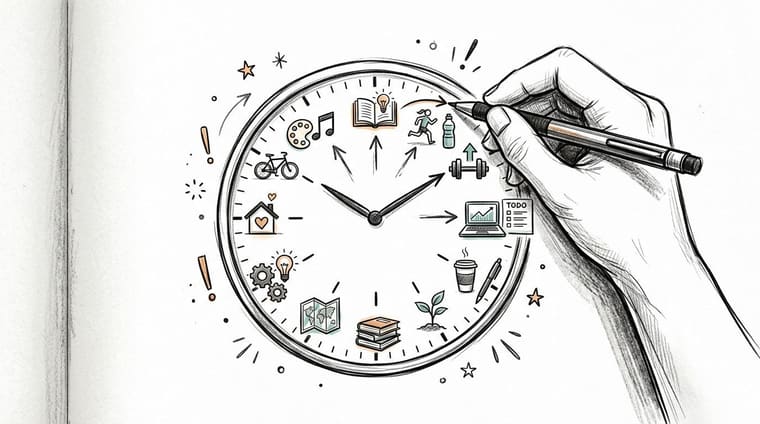
Scheduled work feels more real than good intentions
Writing “learn Spanish” on a list feels productive for about ten seconds. Blocking Tuesday and Thursday from 7:00 to 7:30 p.m. for practice feels different. It introduces a tradeoff. You’ve claimed time, which means the goal now competes with other real parts of life.
That’s a good thing.
Integrated tools reduce setup friction because they can use the calendar you already rely on. Reclaim.ai says users can connect Google Calendar or Outlook and be “up and running in less than 5 minutes,” then automatically schedule goal-related tasks into calendar time blocks, as described in Reclaim’s guide to goal tracker apps. That matters because the biggest gain is not motivation in the abstract. It’s converting intention into actual time allocation.
Once you start planning this way, you learn something important very quickly. Your problem usually isn’t that your goals are wrong. It’s that your schedule hasn’t made room for them.
If you want a deeper look at why visual planning changes follow-through, this article on visual goals shows the logic clearly. Seeing progress and seeing time work together better than a list you have to mentally decode every day.
Visual progress keeps the goal present
Time blocks solve one problem. Visual cues solve another.
Most people don’t ignore goals on purpose. They just stop seeing them. Meetings are visible. Messages are visible. A far-off milestone is easy to forget unless your tools keep it in front of you.
A countdown on your lock screen or a progress bar on your home screen acts like a quiet nudge. Not a loud alarm. Just a steady reminder that this week belongs to something larger than today’s interruptions.
- For deadline goals, a countdown keeps urgency honest.
- For routine goals, recurring blocks protect practice time.
- For long projects, a visual bar makes slow progress feel tangible.
That’s why a goal setting calendar app often works better than a plain task manager for long-term plans. It helps you answer two questions at once: “When will I work on this?” and “How far along am I?”
Your Practical Workflow for Scheduling Success
Many people don’t need a more advanced system. They need a system they’ll revisit regularly.
A useful workflow should be simple enough to maintain on a busy week and clear enough that you don’t have to reinvent it every Monday. The one below works for academic goals, health goals, financial goals, and creative projects.
Start with a goal you can place on a calendar
Start by rewriting the goal until it has edges.
“Get healthier” is hard to schedule. “Walk four mornings a week and complete a 10k training plan by October” is easier. “Work on my portfolio” is fuzzy. “Finish and publish three portfolio case studies by a specific date” can be broken into milestones.
Then build the goal in layers:
-
Pick the finish line.
Choose the result you care about and, if it fits, give it a target date. -
Break the result into milestones.
A thesis might become outline, first draft, revision, and submission. A savings goal might become monthly deposit markers. A certification goal might become course units and practice sessions. -
Add recurring work blocks.
Don’t only schedule the deadline. Schedule the behavior that makes the deadline achievable. -
Add one visible tracker.
Use a countdown, a progress bar, or a widget that makes the goal easy to notice. -
Keep tasks subordinate to the goal.
The task list should support the calendar, not replace it.
A lot of people try to jump straight from goal to task. That’s where systems become cluttered. Milestones are the missing middle. They create a staircase between ambition and today.
If you want a solid refresher on forming clear goals before you schedule them, BionicGym’s guide to goals is a useful companion read because it helps sharpen the target before it enters your calendar.
A visual tool can support this workflow without turning into a full project manager. For example, this guide to a goal progress tracker app is helpful if you want to keep your progress visible through widgets and countdowns rather than a dense task board.
Build a review rhythm that protects momentum
This is the part many people skip, and it’s usually why the system falls apart.
Independent guidance highlighted in Griply’s FAQ on free goal tracker apps points to a recurring 15-minute review and emphasizes tracking the daily behaviors that drive the outcome, not just the deadline. That review cadence matters because goals rarely fail in one dramatic moment. They fade through small misses that nobody notices early enough.
Use a short review session to ask:
- What moved forward? Look for completed behaviors, not just finished outcomes.
- What slipped? Missed blocks are data, not proof that you’re bad at planning.
- What needs adjusting? Move a work block, shrink the session length, or simplify the next milestone.
- What should stay visible? Update the widget or countdown so the goal remains easy to see.
The video below is a useful prompt if you want to think more intentionally about how goals, scheduling, and follow-through connect in everyday planning.
A review isn’t a performance review of you as a person. It’s a maintenance check for the system.
Keep the session short. If it becomes a weekly ordeal, you’ll avoid it. If it stays light, you’ll keep returning to it, and that consistency matters more than perfection.
Real-World Examples with Pretty Progress
Examples make this easier to trust because you can see how the workflow behaves in normal life.
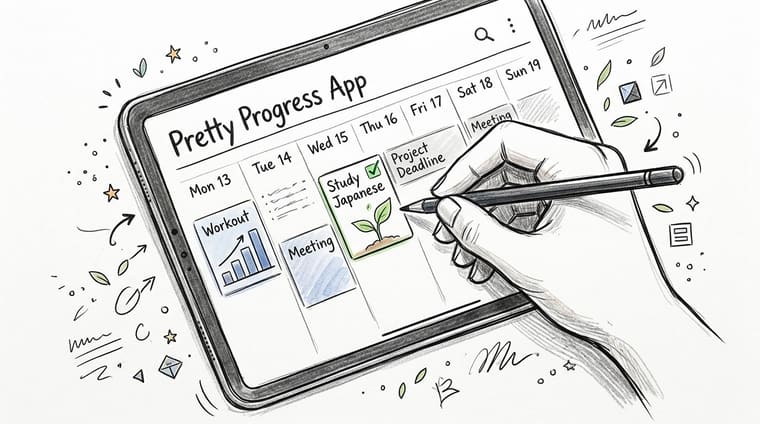
Training goal
Say you’re preparing for a 10k race. You put the race date on your calendar first. Then you add recurring training blocks across the week.
Now add a glanceable widget that shows how much of the training plan you’ve completed. That matters on low-energy days. Instead of asking, “Do I feel like running?” you see that you’re already partway through a defined plan. The progress bar becomes a visual argument for staying consistent.
Savings goal
A vacation goal works differently because the main action is financial, not athletic. You still need time-based visibility.
In that setup, a countdown can show the days remaining until departure while a separate progress indicator tracks the amount saved so far. One view creates urgency. The other creates evidence that your small deposits are doing something. If you also add a monthly money check-in to your calendar, the goal stops being a vague wish.
That’s also where specialized money tools can help. If your travel goal depends on tighter spending decisions, a zero-based budgeting app can complement your calendar workflow by giving each dollar a job before the month begins.
Deadline goal
A big academic or work project often creates the most anxiety because the finish line is clear but the path feels murky.
Suppose you’re writing a thesis or completing a major client project. You place the final deadline on your calendar, then add milestone dates such as research complete, draft complete, and final edits. A date calculator helps you find halfway points or key checkpoints, which makes the timeline feel less like a wall and more like segments.
This is one place where Pretty Progress fits naturally. It lets people create countdown and progress widgets for dated goals on devices they already check often. That’s useful when you want the goal to stay visible without opening a larger planning app every time.
The right visual cue doesn’t do the work for you. It keeps the work from fading into the background.
How to Choose the Right Goal Setting App
Choosing a goal setting calendar app isn’t really about finding the app with the longest feature list. It’s about finding the one that matches how your brain works when life gets busy.
Choose based on workflow, not feature envy
One of the biggest questions in this category is whether you want simple visualization or a heavier, AI-driven planner. Coverage referenced in this YouTube discussion on goal tracker app choices describes a market split between lightweight, glanceable tools and broader systems that combine goals, tasks, habits, and calendar planning. That decision matters because adding more planning layers can either reduce friction or create overload.
If you already live in Apple Calendar or Google Calendar and mainly need visibility, a lighter app may be enough. If you want your software to actively schedule tasks, manage projects, and coordinate multiple planning systems, an all-in-one option may fit better.
Ask yourself what usually goes wrong for you:
- You forget the goal exists. Choose a visual app with strong widgets or countdowns.
- You struggle to estimate time. Choose a planner that supports scheduling and rescheduling.
- You overbuild systems. Choose something minimal and easy to maintain.
- You juggle many moving parts. Choose a more integrated workflow tool.
If you’re comparing mobile-friendly options for a lighter visual layer, this roundup of goal tracking apps for Android is a practical place to start for cross-device planning ideas.
Feature Checklist for Your Goal Setting App
| Consideration | What to Look For |
|---|---|
| Calendar fit | Works with the calendar you already use, rather than forcing a separate planning world |
| Visual clarity | Countdown widgets, progress bars, or other glanceable cues that make progress easy to read |
| Milestone support | Lets you represent stages, not just a final date |
| Habit connection | Supports recurring actions so behavior-based goals don’t disappear |
| Review friendliness | Makes it easy to check in, adjust, and recover after missed days |
| Complexity level | Matches your tolerance for setup, categories, and ongoing maintenance |
| Platform needs | Available where you actually plan, such as iPhone, iPad, Android, Mac, or watch devices |
| Aesthetic comfort | Clean enough that you’ll keep opening it instead of avoiding it |
A good fit should feel clarifying, not crowded. If the app gives you more things to organize than your goals require, it may be solving the wrong problem.
Frequently Asked Questions
Can I use a normal calendar app for goal setting
Yes, you can. For some people, a normal calendar plus recurring events is enough.
The limitation is visibility. A regular calendar can hold deadlines and work sessions, but it may not show progress in a motivating way. If you keep losing sight of long-term goals, adding a dedicated visual layer often helps.
Are these apps useful for ADHD users
They can be, especially when they reduce the need to remember everything mentally. A visible countdown, a lock screen widget, or a recurring review can lower the effort required to re-enter the plan.
The key is to keep the system light. Too many lists, tags, and planning views can become another source of friction. Many ADHD users do better with a few clear cues that stay in sight.
What is the difference between a habit and a goal
A goal is the outcome. A habit is the repeated behavior that supports the outcome.
For example, “finish my certification” is a goal. “Study for 30 minutes on weekday evenings” is a habit. A strong goal setting calendar app helps you connect the two, so the daily action and the long-term result live in the same system.
How often should I review my goals
A short weekly review is a good starting point. Keep it brief enough that you’ll do it.
Use that review to check whether your calendar still reflects reality. If your schedule changed, your goal plan should change too.
If you want a simple visual layer for your goals, Pretty Progress lets you track deadlines and long-term plans with customizable countdown and progress widgets on your devices, so the goals you care about stay visible throughout the day.