July 31, 2026
Best Goal Tracking Apps for Android 2026
Best goal tracking apps for android in 2026: compare 5 app styles for habits, deadlines, and projects so you can pick the right fit.
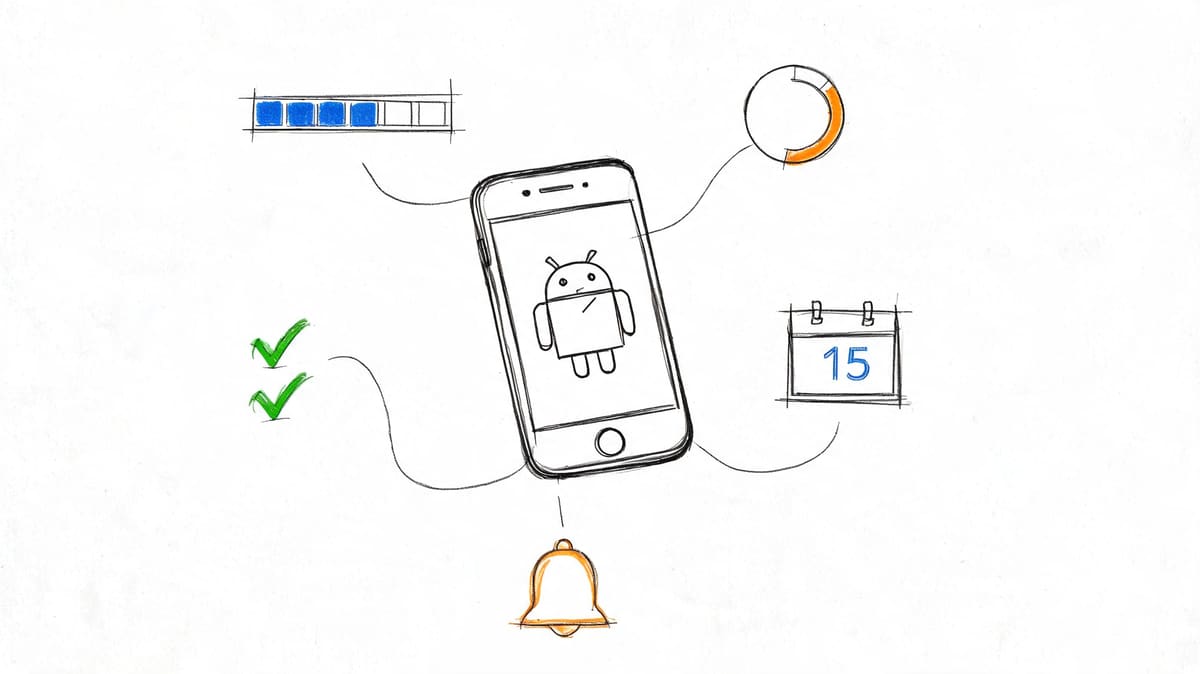
You may be comparing the best apps for goal setting in general, not just Android tools. That’s the right starting point. Goal-setting apps are the bigger category: they help you define an outcome, break it into steps, schedule work, and decide what success looks like. Android goal trackers are one subset inside that category, focused more on visibility, reminders, and daily follow-through.
That distinction matters because a lot of people pick the wrong type of app. If your problem is planning, you need structure. If your problem is remembering, you need something that stays in view. In my testing, the apps that failed fastest were not always bad apps; they were just solving the wrong problem.
Goal setting is about deciding what to do and how to get there. Goal tracking is about keeping that plan alive long enough to matter. A good planning app can help you turn “get healthier” into three weekly workouts and a target date. A good tracking app makes sure those workouts do not disappear under messages, meetings, and random life admin.
Sometimes one app should do both. If your goal has milestones, deadlines, recurring actions, and a lot of moving parts, an all-in-one system can make sense. But if the plan is already clear and your real issue is consistency, a simpler tracker is often better. I’ve found that many people do more with a lightweight tool they update daily than with a powerful one they avoid after the setup week.
The category has also split into clearer niches. Recent roundups from Reclaim and Connecteam group tools by use case rather than pretending one app fits everyone: work-oriented systems, habit trackers, simple personal task apps, and project platforms now sit in different lanes. That is a useful shift because the best goal tracking apps now win by matching a goal type, not by stuffing every feature into one screen.
In this guide, I’m covering the main app styles that matter most on Android: task-first, habit-first, project-based, gamified, and visual/widget-first. If you only need one takeaway, it is this: choose the app style that removes your biggest source of drop-off.
Table of Contents
- Your Goals Deserve a Better System
- The Anatomy of a Great Goal Tracking App
- How to Choose Your Ideal Goal Tracker
- Goal Tracking for Students Professionals and ADHD
- Featured App Walkthrough Pretty Progress for Android
- Staying Consistent Advanced Tips and Troubleshooting
- Frequently Asked Questions
How I Picked These Goal Tracking Apps
I screened this roundup the way a real Android user chooses, not the way an app store category page does. First I sorted apps by job: task-first tools for people whose goals live inside daily to-do lists, habit-first apps for repeated actions, gamified apps for users who need reward loops, project-based platforms for complex work, and visual/widget-first trackers for goals that mainly fail because they slip out of sight. That matters because a study of activity-tracking apps found only 18.2% of weight-loss goals were met overall, which is a useful reminder that vague intent is not enough without repeated feedback and visible progress in the research review.
From there, I narrowed the list by screening for everyday Android use rather than feature-sheet ambition. I looked at whether the app worked well on a phone first, whether progress could be checked in seconds, whether reminders were controllable, and whether widgets or home-screen visibility improved follow-through. I also tested different goal types: a recurring health routine, a fixed-date study deadline, a work project with milestones, and a simple personal target that only needed visibility. In practice, some apps were strong planners but weak trackers. Others were great for momentum but poor at setting up the plan.
A few things disqualified apps quickly. I cut tools that buried the main goal under too many tabs, made logging feel like admin, offered noisy reminders with poor timing controls, or forced every goal into one rigid format. I also dropped apps that looked powerful on desktop but felt cramped, cluttered, or forgettable on Android. In my testing, those apps usually lose people by week two, not because the idea is bad, but because the mobile experience adds friction at the exact moment you need speed.
Android-specific testing changed several rankings. A strong widget can rescue a simple app. A weak notification system can ruin a capable one. I paid close attention to whether the widget was readable, whether progress looked useful at a glance, whether lock-screen or home-screen visibility made the goal harder to ignore, and whether logging a check-in took one or two taps instead of five. No single “overall winner” covers every need. Recent comparisons from Goals and Progress divide the market into habit trackers, gamified tools, accountability apps, productivity platforms, paper systems, and full life-goal systems, which is much closer to how people organize real goals.
Here’s the shortlist I used while judging each app:
- Planning features: target values, milestones, deadlines, subtasks, templates, and the ability to shape a vague intention into a workable plan.
- Execution features: reminders, recurring actions, widgets, streaks, quick logging, progress bars, and review prompts that keep the goal active.
- Android fit: readable widgets, fast mobile navigation, reliable notifications, and a layout that still works when you are busy or tired.
- Goal-type coverage: habits, deadline-based goals, personal projects, and work goals should not all be forced into the same structure.
- Disqualifiers: clutter, weak reminder controls, too many taps, no useful mobile visibility, or a setup flow that feels heavier than the goal itself.
Your Goals Deserve a Better System
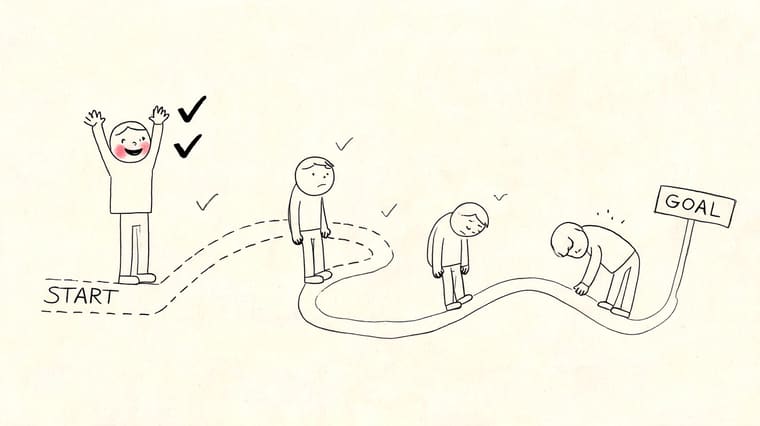
A goal usually starts with energy. You decide you’re going to run a 10K, finish a certification, save for a trip, or finally make steady progress on a side project. For a few days, maybe a few weeks, it feels clear. Then daily life takes over and the goal drops out of sight.
That’s the actual failure point for many. Not laziness. Not lack of ambition. Just poor visibility.
The reason this matters more in 2026 is that goal apps are no longer one blurry category. Free and freemium tools have made it easier to try several styles before committing, and cross-device use now matters because people often plan on a laptop and check in on a phone. Griply’s 2026 comparison of free trackers highlights that split and notes how some tools now combine tasks, habits, and goals across devices rather than acting like a simple checklist in its category guide. Even older Android examples like Habit Goal Tracker on Google Play show how long demand has existed for simple mobile-first goal visibility.
That broader market shift is helpful for readers, but it also makes choosing harder. You are not just picking from different brands. You are picking between different models of motivation.
Not every good app is good for you
I’ve seen the same mistake over and over. Someone downloads a powerful tool like ClickUp or TickTick for a very simple goal, then stops using it because the setup feels heavier than the goal itself. Another person installs a basic habit tracker, only to find they needed project views, subtasks, and recurring reminders.
The best goal tracking apps for android fall into different camps:
- Task-first apps like TickTick, which work well when goals live inside daily to-do lists.
- Habit-first apps that are built around repeated actions, streaks, and check-ins.
- Gamified apps like Habitica, which help when motivation drops unless there’s some fun attached.
- Project-driven tools like ClickUp, which suit work goals and structured planning.
- Visual-first trackers that keep progress visible through widgets, countdowns, and bars.
The best app is the one you’ll still open after the novelty wears off.
That’s the standard that matters. If an app helps you see progress quickly, update it without friction, and remember your goal without hunting for it, it has a real chance of working. If it hides your goal behind menus, tabs, and admin work, it usually won’t.
The Anatomy of a Great Goal Tracking App
A strong app does two different jobs well: it helps you shape the goal, and it helps you keep acting on it. Those are not the same thing. Planning features turn a vague intention into something structured. Execution features keep that structure alive during busy weeks, low-energy days, and the middle stretch when novelty is gone.
That distinction is what separates a strong goal setting app from a simple tracker. A basic tracker can tell you whether you checked in. A stronger app helps you define the target, break it into milestones, decide what counts as progress, and review whether the plan still makes sense. For solo users, that might mean one clear target with a deadline and a few recurring actions. For work goals, it can mean owners, dependencies, and shared progress so the plan survives beyond one person’s memory.
A lot of apps only do half the job. Some are excellent at planning but weak at follow-through because updates take too long or progress is hidden. Others are easy to use every day but too shallow for anything beyond a streak or countdown. Recent 2026 app comparisons reflect that split clearly: this roundup of goal-tracking apps points to Strides for structured numeric tracking, Goalify as a strong free Android option, Weekdone for OKRs, and Habitica for game-like motivation. That is a better way to think about the category than hunting for one universal winner. For readers comparing habit-heavy tools specifically, Kohru’s habit tracking app guide is also useful because it shows how quickly the category changes once repetition, not projects, becomes the main job.
What actually keeps people engaged
When I test Android goal trackers, I look for the features that reduce dropout, not the features that look impressive in screenshots.
- Milestone planning matters when the end goal is too far away to feel real. A certification, launch, or savings target usually needs stages, not one distant finish line.
- Recurring actions matter when the goal succeeds through repetition. Health, language learning, writing, and revision all depend on regular actions more than one big push.
- Fast progress review matters because people need a quick answer to “am I moving?” If the answer is buried in reports, the app loses value fast.
- Accountability matters differently depending on the goal. For solo goals, a weekly summary or visible streak may be enough. For work goals, shared ownership and status visibility become much more important.
- Team support matters only when the goal involves other people. For personal goals, team features can feel like clutter. For launches, client work, or OKRs, they are often essential.
- Mobile usability matters more than many reviews admit. If logging takes too many taps on Android, the plan will decay.
Here’s the practical version of that split:
| Capability | Planning job | Execution job | Best for | Weak version |
|---|---|---|---|---|
| Target definition | Sets a clear outcome, metric, or date | Keeps the finish line visible | Deadlines, measurable goals | Vague text note only |
| Milestones or subtasks | Breaks the goal into stages | Creates smaller wins to review | Study plans, projects, work goals | One giant end goal |
| Recurring actions | Turns the goal into repeatable behavior | Makes follow-through trackable | Habits, health, routines | No repeat logic |
| Progress view | Shows what success looks like | Shows whether you are moving now | Nearly every goal type | Hidden or overly complex report |
| Reminders | Schedules review points | Prompts action at the right time | Habits, deadlines, maintenance goals | Generic, noisy alerts |
| Accountability | Defines who is involved | Makes progress visible to self or others | Study groups, teams, coaching | No sharing or weak summaries |
| Widgets and glanceable views | Keeps the goal top of mind | Lowers the chance of forgetting | ADHD users, deadline goals, personal milestones | Tiny or unreadable widget |
The strongest apps balance these pieces according to the goal. For a solo habit, you do not need a workspace full of dashboards. For an exam, milestones and deadline visibility matter more than points. For a work launch, reporting and ownership matter far more than a pretty streak counter. That’s why the best app for planning is not always the best one for follow-through.
| Feature | Why it matters | Android-specific strength | Weak version |
|---|---|---|---|
| Home screen widget | Keeps the goal visible without opening the app | Resizable, readable, easy to place | Tiny widget, poor customization |
| Progress display | Makes momentum feel real | Clear bar, countdown, or today view | Hidden in reports or menus |
| Reminder controls | Prevents missed check-ins | Scheduled alerts with useful timing | Too many alerts, no schedule control |
| Goal structure | Matches habits, projects, or countdowns | Supports recurring actions and deadlines | One rigid format for everything |
| Milestones | Breaks long goals into meaningful wins | Mobile-friendly progress review | One giant end date only |
| Sync | Lets you plan and review anywhere | Reliable across phone and desktop | Missed updates or delayed refresh |
| Privacy | Protects personal data and routines | Clear permissions and account settings | Vague policies or excessive access |
| Design clarity | Lowers resistance to daily use | Fast, readable mobile layout | Cluttered dashboard |
| Feature | Why it matters | Weak version |
|---|---|---|
| Home screen widget | Keeps the goal visible without opening the app | Tiny widget, poor customization |
| Progress display | Makes momentum feel real | Hidden in reports or menus |
| Reminder controls | Prevents missed check-ins | Too many alerts, no schedule control |
| Goal structure | Matches habits, projects, or countdowns | One rigid format for everything |
| Design clarity | Lowers resistance to daily use | Cluttered dashboard |
The trade-off between power and clarity
Many roundups focus on habit apps and task managers, but they often overlook Android apps built around visual, widget-based progress bars for home and lock screens. That gap matters because users regularly ask for glanceable motivation, while many mainstream tools are still built more like mini workspaces than daily cues.
That missed category is important because glanceable motivation works differently from task management. A project manager helps you organize. A visual widget helps you remember.
Practical rule: If your main problem is forgetting the goal, choose visibility first. If your main problem is planning the work, choose structure first.
This is why an all-in-one tool can fail for personal consistency. ClickUp can be excellent for team goals, dependencies, and measurable targets. But for someone trying to keep a personal deadline visible all day, it may feel like using a control room to manage a kitchen timer.
On the other hand, a visual-first app can be too light if your goal requires nested tasks, collaboration, or recurring workflows. The right app depends less on brand popularity and more on what breaks down for you: planning, remembering, or staying emotionally engaged. A broader comparison from Habi’s guide to goal tracker apps makes a similar point by showing how different tools fit different styles of follow-through.
Connecteam’s 2026 comparison makes the same point from a different angle: apps like ClickUp and Asana are stronger when goals live inside project work, formal OKR tools fit structured teams, and Habitica works better for personal habits and accountability in its roundup. I think that is the right framework. The trade-off is rarely “good app versus bad app.” It is usually “right shape versus wrong shape.”
Key Features to Look for in Any Goal Setting App
Use this section like a buyer’s checklist, not a generic feature list. Once you know the kind of goal you’re managing, the right app style becomes much easier to spot.
- Best for habits: choose recurring actions, easy check-ins, streaks or completion history, and reminders you can tune. If the app makes daily logging slow, habit goals usually collapse.
- Best for deadlines: choose milestone planning, date-based views, countdown visibility, and reminders tied to the deadline. This matters for exams, trips, launches, applications, and other fixed-date goals.
- Best for long-term projects: choose subtasks, progress rollups, notes, and cross-device sync. A project goal usually needs more structure than a simple tracker can provide.
- Best for people who need accountability: choose shared goals, progress summaries, coaching support, or team visibility. If another person needs to see the goal, solo-only apps can feel too isolated.
- Best for low-friction follow-through: choose a readable widget, clear progress bars, and one-screen updates. This is often the difference-maker for personal goals that are already planned.
I also use one simple filter: does the app help with planning, execution, or both? If you still do not know what the goal should look like, you need target-setting support, milestones, or templates. If the plan is already clear and you keep drifting, you need visibility, reminders, and faster check-ins. That is the key difference between many of the best apps for goal setting and simple progress trackers.
Reports, shared accountability, and team features are worth paying attention to when the goal affects other people or lasts long enough to need review. For a solo reading habit, weekly reports may be optional. For work goals, client deliverables, or OKRs, reporting can be the difference between a system that drives action and one that goes stale.
How to Choose Your Ideal Goal Tracker
Too many people compare apps feature by feature and still end up stuck. A better approach is to diagnose your own behavior first. The app should fit the goal, your motivation style, and your tolerance for complexity.
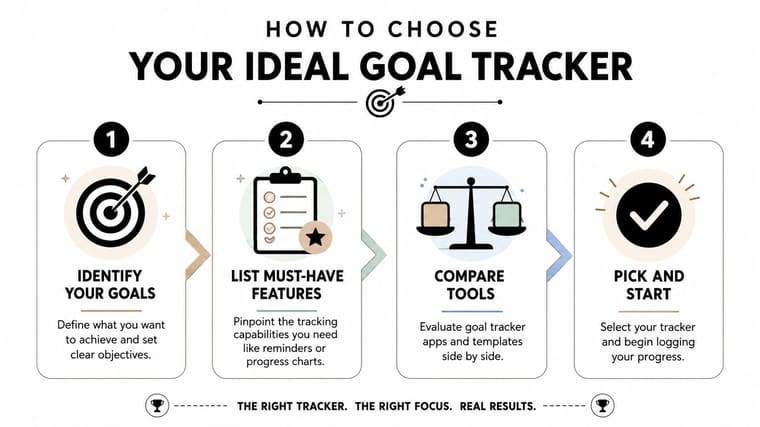
Start with the type of goal
A daily habit and a fixed deadline are not the same problem.
If you want to study every day, work out consistently, or write each morning, you need repeatable check-ins. TickTick and Habitica make sense here because they support recurring actions and ongoing momentum.
If your goal ends on a specific date, like an exam, trip, launch, or application deadline, a countdown style tracker often works better. In those cases, seeing time shrink and progress move matters more than checking off daily subtasks inside a heavy dashboard.
For project-based goals with many moving parts, ClickUp is in a different class. It’s stronger when the goal includes dependencies, teams, and measurable sub-goals.
Match the app to your motivation style
Some people respond to data. Others respond to design. Some need play.
Use this filter:
- You like streaks, points, and rewards. Try a gamified app such as Habitica.
- You want logic, folders, and work-style tracking. Use a tool like ClickUp.
- You prefer simple task flow with habit support. TickTick is often easier to stick with.
- You need the goal to stay visible on your phone all day. Choose a widget-first tracker.
A lot of users pick an app that looks impressive instead of one that matches how they stay motivated. That’s why the setup phase feels exciting, but the follow-through doesn’t last.
If you only remember your goal when you open the app, the app isn’t doing enough.
Decide how much complexity you can tolerate
There’s no prize for using the most advanced system.
Some users benefit from custom fields, nested views, dashboards, and multiple goal layers. Others avoid updating their tracker the moment it starts asking for too much detail. Be honest about which group you’re in.
A quick self-check helps:
- Low tolerance for friction means you should favor one-screen updates, visual widgets, and fast entry.
- Medium tolerance means a hybrid app with reminders, lists, and some reporting is probably enough.
- High tolerance means you may benefit from a full project tool with deeper goal structures.
The best goal tracking apps for android aren’t the ones with the longest feature list. They’re the ones that remove the exact friction that’s making your goals stall.
Goal Tracking for Students Professionals and ADHD
Different users fail for different reasons. That’s why the same app can feel brilliant to one person and useless to another.
Students need deadline visibility
Students often don’t struggle with knowing what matters. They struggle with seeing it early enough and often enough. Assignment dates, revision blocks, and exam prep can hide behind lecture notes, chats, and calendar clutter.
For a student, a visual deadline tracker can do more than a generic task list. A home screen countdown for an exam keeps pressure visible in a healthy way. If the goal includes daily study sessions, a habit app can help, but many students do better when the deadline itself stays front and center.
This is also where support materials matter. If you’re preparing for a major exam, structured resources can work alongside your app. For example, students working toward career credentials may benefit from expert-curated certification exam prep that gives the study plan more structure.
Professionals need structure without clutter
Work goals usually break when the system is too loose or too complicated. Professionals need an app that can hold milestones, deadlines, and related tasks without turning every update into admin.
For most professionals, the right choice depends on whether the goal lives inside broader project work. ClickUp is strong when the goal is tied to tasks, owners, and delivery timelines. TickTick is better when the goal is mostly personal and still needs lightweight scheduling. I usually reach for heavier tools only when the goal has enough moving parts to justify them.
A professional managing a launch, portfolio, or team initiative usually needs:
- Subtasks and milestones for planning
- Clear ownership if other people are involved
- Progress rollups to see if the whole goal is moving
- Mobile access so updates don’t wait until the workday ends
ADHD users often need less friction not more
For many people with ADHD, the biggest challenge isn’t understanding the goal. It’s holding the goal in attention long enough to act on it.
That’s why persistent visual cues can outperform feature-heavy systems. A visible progress bar or countdown on the home screen reduces the number of steps between remembering and acting. Simple beats clever here. The fewer menus, the better.
A good ADHD-friendly tracker usually has these traits:
- Always visible cues instead of hidden dashboards
- Quick logging with minimal taps
- Low visual clutter
- Reminders that nudge, not overwhelm
If that sounds familiar, this guide to goal tracking apps for people with ADHD is worth reading because it focuses on the practical side of choosing tools that reduce friction rather than adding more systems to manage.
Featured App Walkthrough Pretty Progress for Android
A direct comparison of app styles is more useful, because users choosing a goal app on Android are deciding between categories rather than individual brands.
Pretty Progress belongs to the visual/widget-first group. TickTick is task-first. Habitica is gamified and habit-led. ClickUp is project-based. A traditional habit tracker sits in its own lane. Those categories overlap a little, but in practice they fail in different places.
Set up your first goal
Here’s the fastest way I’d decide between app styles before setting anything up:
- Task-first: best when the goal is a stack of daily or weekly actions.
- Habit-first: best when repetition is the whole point.
- Gamified: best when motivation drops unless the system feels playful or rewarding.
- Project-based: best when the goal includes stages, owners, documents, or collaboration.
- Visual/widget-first: best when the plan is already clear and the problem is forgetting, drifting, or losing urgency.
For health goals, a habit-first or gamified app usually wins if the target depends on repeated behavior like workouts, meals, walks, or sleep. For study goals, I usually prefer either a visual deadline tracker or a task-first app depending on whether the challenge is deadline pressure or daily workload. For work projects, project-based tools are stronger because they can hold milestones, subtasks, and ownership in one place. For deadline-based personal goals like a trip, exam, or launch date, visual/widget-first apps often feel better because they keep the finish line visible without drowning you in admin.
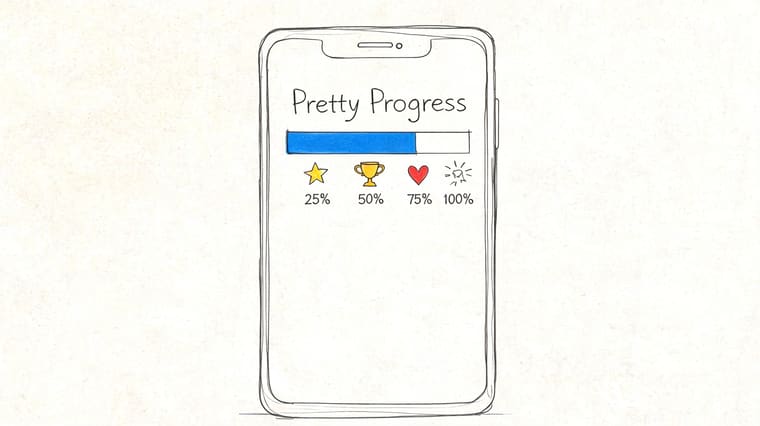
If you choose a visual-first tool like Pretty Progress, the best first setup is one clear goal with a real finish line. This style is strongest for goals like “Pass AWS exam,” “Hit race day,” “Save for Japan trip,” or “Launch portfolio site,” where seeing the timeline every day adds more value than building a complex workspace. For more examples of that approach, this guide to a goal progress tracker app shows how visible countdowns and progress bars can make long goals easier to keep alive.
Build a widget you’ll actually notice
The widget question is where this category really separates itself from the others. In a task-first or project app, the widget is usually secondary. In a visual-first app, it is the product.
What I look for here is simple: can the goal interrupt forgetfulness without becoming visual noise? Strong contrast helps if you tune subtle designs out. Short labels matter because long goal names become unreadable. Placement matters more than people think too; the best widget is usually the one you see on the first home screen, not the one hidden behind two swipes.
This is also where visual-first tools can beat more powerful apps. During testing, I found that a clean progress bar on the home screen often did more for a personal deadline than a full task system I had to intentionally open. But the trade-off is real: if you need subtasks, notes, shared ownership, or repeating workflows, a widget alone will not be enough.
When each app style works best and where it breaks
Here’s the clearest way to compare the main categories:
| App style | Best for | Usually fails when | Good fit examples |
|---|---|---|---|
| Task-first | Goals tied to everyday tasks and checklists | The goal needs stronger visibility or deeper planning | Study routines, admin-heavy personal goals |
| Habit-first | Repeated actions and consistency | The goal depends on milestones or one fixed deadline | Exercise, reading, meditation, writing |
| Gamified | Users who respond to rewards, streaks, and play | You want a calm interface or serious project structure | Chores, routines, motivation slumps |
| Project-based | Multi-step goals with owners, timelines, and documents | The goal is personal and simple | Work launches, client delivery, team plans |
| Visual/widget-first | Clear goals that mainly fail from being forgotten | The goal still needs full planning or collaboration | Exams, trips, races, launches, savings targets |
The easiest decision matrix is this:
- Health goals: habit-first if you need repeat behavior; gamified if consistency depends on rewards.
- Study goals: visual/widget-first for fixed exam dates; task-first if your study plan changes daily.
- Work projects: project-based, especially if the goal involves milestones, owners, or reporting.
- Deadline-based goals: visual/widget-first when the main job is to keep the finish line visible.
Where does Pretty Progress fit? It is strongest when your planning is already mostly done and what you need now is a visible reminder that the goal still exists. That makes it a better fit for deadlines and momentum than for deep project management. TickTick is broader for day-to-day planning. Habitica is better when motivation needs a game layer. ClickUp wins for complex work. Pretty Progress wins when visibility is the missing piece.
Staying Consistent Advanced Tips and Troubleshooting
Choosing the app is only the start. Consistency comes from how you use it after the first burst of motivation disappears.
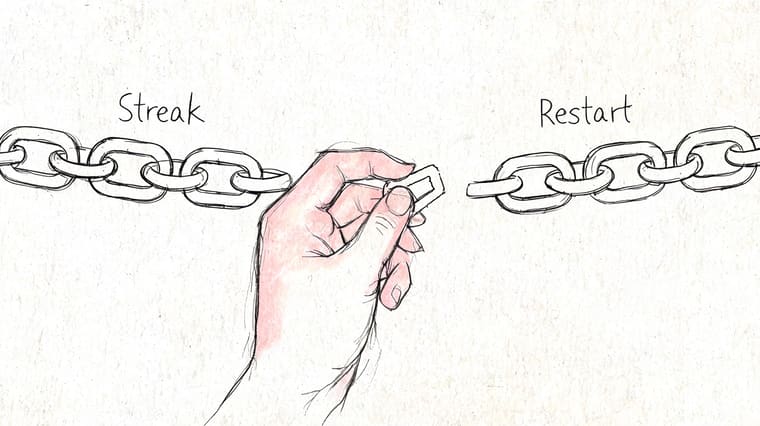
What to do when a streak breaks
A broken streak doesn’t mean the system failed. It means life happened.
The worst response is to wait for a perfect restart point like Monday, next month, or the start of a new quarter. Restart the same day if you can. If not, restart tomorrow with the smallest possible action.
For students, going analog for a week can help when digital tools start feeling noisy. A simple printable student goal sheet can work as a reset before moving back into an app.
Missing once is an interruption. Missing repeatedly is usually a design problem.
How to fix reminder fatigue
Too many reminders train you to ignore all reminders. Individuals often need fewer notifications than they think.
Try this instead:
- Keep one anchor reminder tied to the moment you’re most likely to act
- Turn off duplicate prompts across multiple apps
- Use widgets for passive visibility and notifications for action moments only
- Review alert wording so it tells you what to do, not just that something exists
If you need a more behavior-focused reset, this article on how to stay consistent with goals has useful ideas for reducing friction without relying on willpower alone.
When to review and reset a goal
Some goals fail because the person quit. Others fail because the goal was badly shaped.
Review a goal when:
- the deadline no longer makes sense
- the goal has become too vague
- your app feels heavier than the actual task
- you keep avoiding updates because the system feels punishing
That last point matters at work too. Teams often blame execution when the actual issue is that the goal framework is unclear or badly implemented. If you’re managing team objectives, this piece on solving OKR implementation failure is useful because it shows where structured goal systems tend to break down in practice.
Frequently Asked Questions
Are the best goal tracking apps free
Some are. Many of the best Android apps use a freemium model, where the basic tracker is free and premium features provide deeper customization, advanced views, or an ad-free experience.
In practice, free is enough if you’re testing fit. Paid is often worth it if the app becomes part of your daily system, especially when the upgrade removes ads or grants access to better widgets, themes, or reminder controls. If your main goal is fitness, it can also help to compare category-specific picks instead of relying only on general goal-app lists; Strive Workout Log is a useful example of how workout tracking needs can differ from broader personal goal tracking.
How should I think about privacy
Read the app’s privacy details before you commit. The important question isn’t whether an app collects anything at all. Most apps collect at least some account and usage data. A key question is whether the app explains what it collects, why it collects it, and whether that feels reasonable for the type of tool it is.
I’d avoid any tracker that feels vague about sync, sharing, or permissions. A goal app holds personal information. It should act like it.
Do I need the latest Android version
Usually not, but newer Android versions often improve widget behavior, lock screen support, and overall smoothness. If visual tracking is the main reason you’re downloading an app, device compatibility matters more than usual.
Before installing, check:
- Widget support on your device
- Lock screen behavior
- Battery optimization settings
- Sync reliability if you use multiple devices
Which type of app is best for most people
The best app type is the one that matches the shape of the goal.
Task managers are best when goals are really collections of daily actions. Habit trackers are best when repetition is the whole point. Visual progress apps are best when the plan is simple but the goal keeps slipping out of attention. Project tools are best when goals involve multiple stages, collaboration, or formal reporting.
If an app adds AI summaries or planning suggestions, that can be helpful, but only if the basics still work well. Reminders, milestones, and easy progress review matter more than smart-sounding extras.
That last category is still underrepresented in most roundups of the best goal tracking apps for android, and for many users, it’s the one that makes the biggest difference.