May 2, 2026
The 10 Best Apple Watch Apps for ADHD in 2026
Discover the best Apple Watch apps for ADHD. Our guide covers 10 essential tools for focus, time management, and routine building, with practical setup tips.
Your watch buzzes. You glance down, meaning to check one thing. If you pull out your phone, there’s a good chance that one glance turns into messages, email, social feeds, and a lost half hour. That’s why Apple Watch can be either useless for ADHD or one of the best support tools you own.
Used badly, it becomes a tiny panic machine on your wrist. Every app wants your attention. Every notification feels urgent. Used well, it becomes a low-distraction external brain. You get the cue, act on it, and move on without falling into your phone.
That difference matters. A small pilot study on an Apple Watch ADHD app found significant improvement in parent-rated ADHD symptoms among youth over six weeks, including changes in total ADHD-RS and both inattentive and hyperactive/impulsive symptoms, which is one reason wearables are getting serious attention as adjunct tools for ADHD support in the first place (pilot study on Apple Watch support for ADHD). The watch won’t fix executive dysfunction on its own, but it can add the external structure and feedback many people need.
This guide stays practical. It focuses on apple watch apps for adhd that help with time perception, transitions, reminders, routines, and follow-through. It also shows how to pair them with mind-body-spirit ADHD care and with Pretty Progress to build a more glanceable system that doesn’t depend on opening your phone every time.
Table of Contents
- 1. Pretty Progress
- 2. Due Reminders and Timers
- 3. Structured Daily Planner
- 4. Streaks Habit Tracker
- 5. Tiimo Visual Planner for Every Neurotype
- 6. Medisafe Medication Reminder
- 7. Time Timer Visual Timer
- 8. TickTick To-do Calendar Focus Timer
- 9. Things Focused To-do Manager
- 10. Toggl Track Time Tracking
- Top 10 Apple Watch Apps for ADHD, Feature Comparison
- Start Small Build Your External Brain
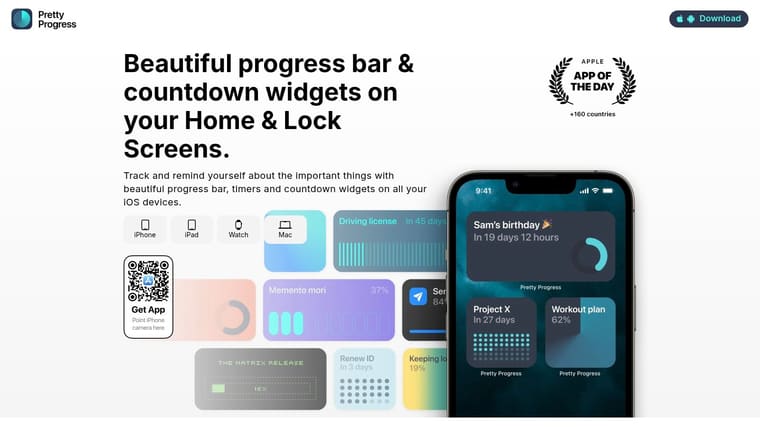
1. Pretty Progress
You glance at your watch at 2:17 p.m., remember you have something important due this week, and still cannot feel how close that deadline is. That gap matters for ADHD. The problem is often not forgetting the project exists. The problem is losing any real sense of its distance, pace, and urgency until the pressure spikes.
Pretty Progress handles that better than most Apple Watch apps I have tested because it puts long-range progress somewhere you will see it. Instead of hiding goals inside a phone app you have to remember to open, it gives you persistent countdowns and progress bars that stay visible across your devices, including the watch. That makes it useful as the top layer of an external-brain setup, especially if the rest of your system already handles reminders and task lists.
Why it stands out
A lot of ADHD app roundups focus on timers, habits, or to-do capture. Those tools help with starting. Pretty Progress helps with staying oriented over days, weeks, and months.
That distinction is practical.
If your watch face shows that a client deadline is 68% complete, or that an exam date is now close enough to deserve attention, you do not have to reconstruct the whole situation from memory. You get a visual cue at the exact moment you check the time. For many ADHD users, that is the difference between “I should deal with that soon” and adjusting today’s choices.
I have found it works best for goals that are easy to neglect because they are not tied to a loud notification. Applications, savings goals, moving prep, paperwork, recovery milestones, and long projects all fit well here. A standard to-do app can hold those items, but it usually does not keep them psychologically present on the watch.
Practical rule: Keep only one serious deadline and one personal progress metric on the watch face. Add more, and the widgets fade into background decoration.
The visual design also matters more than productivity advice usually admits. If a watch app feels busy, cluttered, or mildly irritating, many ADHD users stop checking it. Pretty Progress stays calm and glanceable, which is a big part of why it keeps working after the novelty wears off.
Best setup for ADHD
Use Pretty Progress as your orientation layer. Let another app handle repeated prompts, task breakdowns, or calendar planning.
A setup that tends to hold up well looks like this:
- One major deadline: exam, launch, move date, application, client delivery
- One ongoing target: savings goal, rehab block, reading goal, training cycle
- One motivating countdown: trip, birthday, concert, event
That third item is not fluff. It keeps the watch from becoming a stress display. A system works longer when it shows something rewarding too.
The trade-off is clear. Pretty Progress will not replace a planner, a reminder app, or a project manager. It works best as the visible layer that answers one fast question from your wrist: what important thing is still in motion? Pair it with persistent reminders for actions you must not miss, and you get a much more complete Apple Watch setup for ADHD than a standalone timer can offer.
2. Due Reminders and Timers
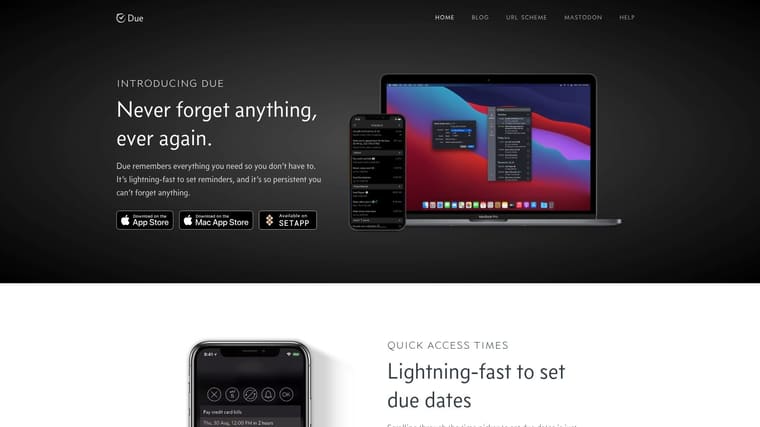
Due is for people who ignore one reminder and then forget the task existed. If that’s you, Due is one of the most effective Apple Watch apps for ADHD because it doesn’t politely disappear after one notification. It keeps coming back until you deal with it.
That sounds annoying. Sometimes it is. That’s also why it works.
What works best
The killer feature is repeated auto-snooze. On Apple Watch, that means you can postpone or mark something done from your wrist without opening your phone and accidentally wandering into six other apps. For medication, leaving the house, switching laundry, joining a meeting, or starting dinner, that’s a huge advantage.
What doesn’t work is trying to turn Due into a full planning system. It isn’t one. It doesn’t want to be one. Due is best for action prompts, not project thinking.
A good setup is to reserve it for things that must interrupt you:
- Hard-time actions: Leave now, take meds, start call, log attendance.
- Short-loop chores: Move laundry, take food out, feed pet, pay meter.
- Rescue prompts: “Restart task,” “Drink water,” “Back to desk.”
If you repeatedly swipe away reminders, use Due for fewer things, not more things.
Due also works offline and doesn’t require an account, which keeps setup simple. The downside is that it’s a paid app and separate Mac access may mean another purchase. Still, for pure nag-until-done reliability, Due Reminders and Timers is hard to beat.
3. Structured Daily Planner
Structured helps when your day falls apart in the gaps between tasks. A lot of ADHD friction isn’t the task itself. It’s the transition. What am I doing now? What’s next? How long do I have before I need to switch?
Structured answers those questions fast.
Where it fits
Its timeline view is the main reason people stick with it. Tasks, routines, and calendar events appear in one visual flow, and the watch app gives you a quick “now and next” anchor. That matters on chaotic days because it reduces the mental load of rebuilding your plan every hour.
I like Structured best for people who need shape, not pressure. It’s less harsh than a nagging reminder app and less abstract than a classic to-do list. If Tiimo feels too stylized and a regular calendar feels too sterile, Structured often lands in the sweet spot.
A practical combo is Structured for today’s schedule and Pretty Progress for the longer runway. That gives you both immediate orientation and long-term visibility. If you’re comparing supportive tools for neurodivergent planning, this roundup of apps for people with ADHD is worth bookmarking too.
- Best at: Showing the day as a sequence instead of a pile.
- Less good at: Deep project management and complex collaboration.
- Watch strength: Quick check-offs and staying anchored during transitions.
The trade-off is that some users report watch hiccups on older devices or software versions. Even so, Structured Daily Planner remains one of the most practical daily-planning choices for ADHD.
4. Streaks Habit Tracker
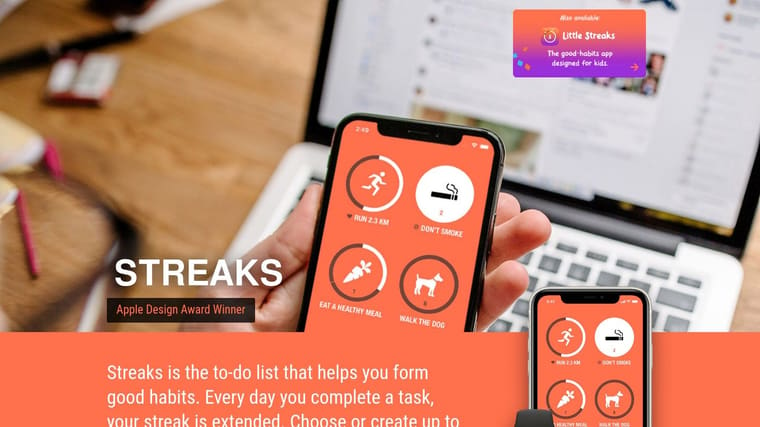
If your main issue isn’t planning but consistency, Streaks is a strong pick. It turns your watch into a fast habit check-off tool, which matters because the more steps a habit requires, the less likely it happens.
Streaks is best when you keep the habits small and obvious. “Take meds.” “Brush teeth.” “Walk outside.” “Review tomorrow.” Those work. “Transform my life” does not.
Best use case
The watch experience is the reason Streaks belongs here. Complications keep habits visible, and checking one off takes almost no effort. That quick completion loop gives you a small sense of momentum, which is often exactly what ADHD brains need to keep going.
Where people go wrong is stuffing the app with too many habits at once. Streaks can handle plenty, but your attention probably can’t. Start with the habits that reduce chaos fastest.
- Good first habits: Wake-up routine, water, meds, lunch, shutdown routine.
- Avoid at first: Broad habits that need lots of interpretation.
- Smart move: Use auto-complete health integrations where possible so the watch does some of the remembering for you.
Streaks isn’t for project planning or detailed notes. It’s a repetition tool. Used that way, it’s excellent. If you want a clean Apple-first habit app with quick wrist interactions, Streaks Habit Tracker is an easy recommendation.
5. Tiimo Visual Planner for Every Neurotype
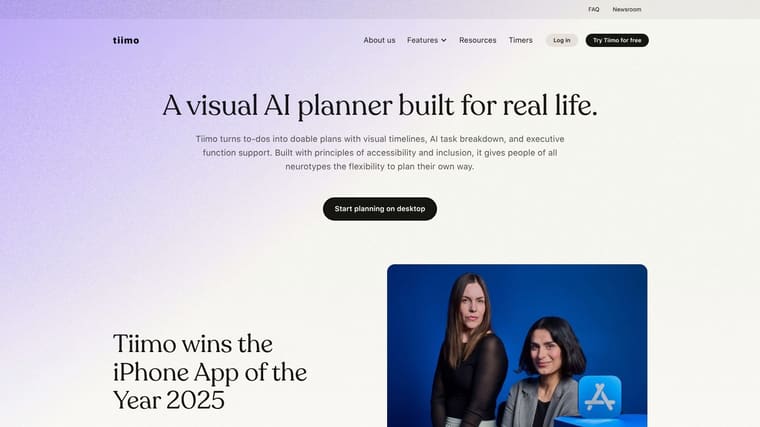
Tiimo feels like it was built by people who understand that standard productivity apps can feel hostile. It uses color, icons, routines, and low-friction planning in a way that makes daily structure easier to tolerate.
That’s not a small thing. Many apple watch apps for adhd fail because they feel like miniature corporate software.
Why ADHD users like it
Tiimo is good at breaking the day into visible chunks without making you stare at an overloaded task list. On the watch, seeing the current step and upcoming step can be enough to keep moving, especially during transitions that usually trigger drift or avoidance.
The newer gap in the market is social accountability on the wrist. Recent app trends point toward body-doubling and live accountability, but there still isn’t much solid coverage of how Apple Watch haptics could support that kind of co-working support. Tiimo hints at that broader direction more than most apps do, even if the watch side still feels lighter than the idea deserves.
The best visual planner isn’t the one with the most features. It’s the one you can still use when your brain is already overloaded.
Tiimo also pairs well with longer-term visual reminders. If your day plan is in Tiimo, and your bigger milestone stays visible through Pretty Progress, you stop relying on memory to connect today’s actions with next month’s outcome. For more on that visual approach, this guide to visual reminders for ADHD is a useful companion.
The biggest downside is cost. Many of the better features sit behind a subscription. Some users also notice occasional watch refresh lag. Even with that, Tiimo Visual Planner remains one of the most ADHD-friendly planners available.
6. Medisafe Medication Reminder
Medication reminders are one place where your watch can do a better job than your phone. A wrist tap is harder to miss and easier to act on right away. Medisafe takes advantage of that well.
This app is most useful when medication isn’t just about remembering the pill. It’s also about refills, logging, timing, and reducing the “wait, did I already take it?” spiral.
When it helps most
The fast action on Apple Watch is the key benefit. You get the reminder, mark it taken, snooze it, and move on. No accessing your phone. No temptation to check messages while you’re there. That’s the kind of friction reduction that matters with ADHD.
Medisafe also has broader health-management features that go beyond a basic alarm. That’s good if you want one system for medication adherence. It may feel like too much if all you want is a single recurring reminder.
A few practical notes:
- Use it if: You miss doses, delay doses, or can’t remember if you already took one.
- Skip it if: A simple repeating reminder already works and extra features overwhelm you.
- Best combo: Pair Medisafe for meds with a separate planning app for tasks. Don’t force one app to do both jobs.
Some advanced features require a premium tier, and watch behavior can vary depending on your device and software setup. But for medication support specifically, Medisafe is one of the better-purpose built options.
7. Time Timer Visual Timer
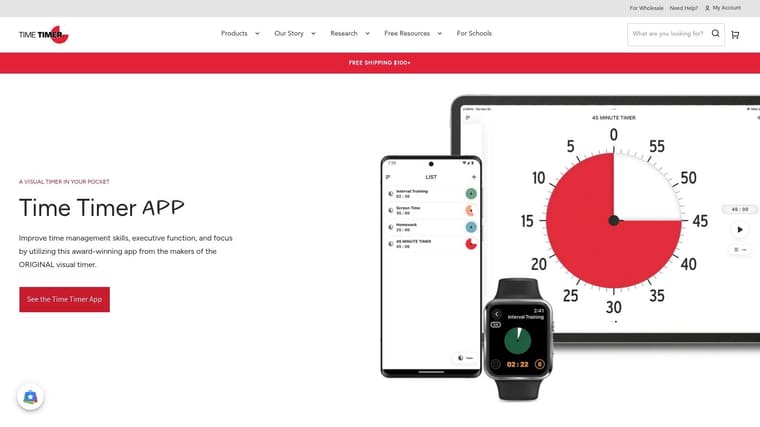
Time Timer does one thing very well. It makes time visible.
If you deal with time blindness, that shrinking visual disk can work better than a standard countdown because you don’t have to interpret numbers. You just see the remaining time getting smaller.
Best for time blindness
This is one of the easiest apps on the list to recommend because the use case is so clear. Work sprint. Shower. Get ready window. Kitchen timer. Break timer. Leave-the-house countdown. The watch version keeps that visual cue available without pulling your attention back to your phone.
I especially like it for transitions and for stopping hyperfocus. Many people with ADHD don’t need motivation to start every task. They need a clean signal to stop one task and switch to the next. Time Timer gives you that signal without extra clutter.
What it won’t do is organize your life. There are no projects, no routines, no notes worth speaking of. That’s not a flaw. It’s the whole point.
Use Time Timer for moments. Use planners for days. Use progress widgets for weeks and months.
If you want a pure visual timer with a clear Apple Watch implementation, Time Timer for Apple Watch earns its place.
8. TickTick To-do Calendar Focus Timer
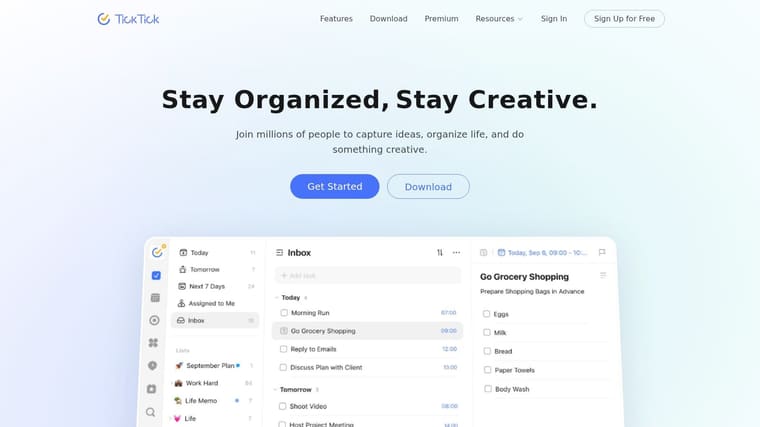
TickTick is what I recommend to people who want one app to handle most of the moving parts. Tasks, calendar, checklists, habits, and a focus timer all live in one place. For some ADHD users, that reduces fragmentation. For others, it creates too much density.
Whether TickTick works for you depends on your tolerance for options.
Who should use it
The Apple Watch app is useful for quick voice capture and seeing today’s tasks without opening your phone. That’s where it adds real value. If a task pops into your head while you’re walking, cooking, or leaving the house, getting it into TickTick from the wrist is a lot better than trusting memory.
TickTick is stronger than minimalist apps when your life includes work projects, recurring obligations, and personal admin all mixed together. It also pairs nicely with a visual milestone app. Let TickTick hold the task tree, and let Pretty Progress hold the emotional urgency of the big deadline. If you want more app combinations in that style, this guide to productivity apps for ADHD is a solid next read.
- Best for: People who want tasks and calendar in one system.
- Less ideal for: People who already ignore feature-rich apps.
- Watch payoff: Fast capture and quick daily review.
The downsides are familiar. Sync and complications can feel finicky, and the interface is heavier than single-purpose tools. But if you want range, TickTick delivers it.
9. Things Focused To-do Manager
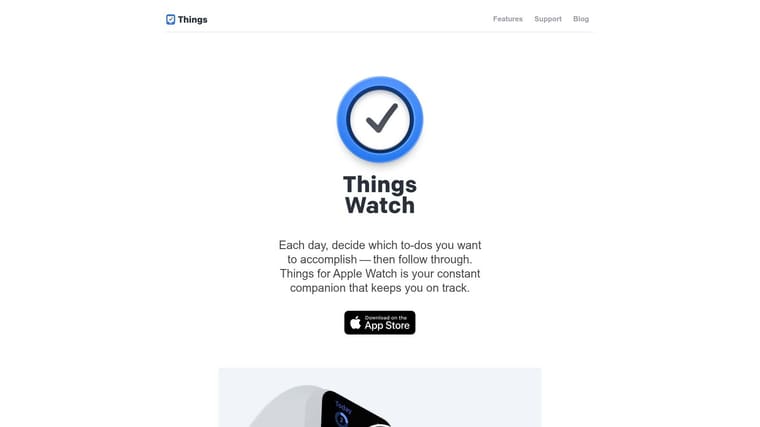
Things is the calmest task manager on this list. That matters because some ADHD users don’t need more power. They need less friction and less visual noise.
The watch app stays tightly focused on what matters now. Today, quick capture, progress, and postponing. That’s a smart fit for ADHD because deciding what to ignore is often just as important as deciding what to do.
Why it stays usable
Things has a premium feel, but its advantage is restraint. It doesn’t bury you in toggles, views, and menus. On Apple Watch, that translates into a small set of useful actions you can perform quickly and trust.
This is a great fit for solo work. If you’re managing your own schedule, your own projects, and your own tasks, Things often feels cleaner than broader systems. If you need team collaboration, shared workspaces, or a web app, it starts to look limited.
I usually suggest Things for people who already know they dislike cluttered productivity software. It won’t coach you, nag you, or gamify you. Instead, it keeps the list focused and accessible. For many ADHD users, that’s enough.
The downside is cost across Apple platforms and the lack of a web app. But if you live inside the Apple ecosystem and want a stable, elegant task manager, Things for Apple Watch is one of the best-built options.
10. Toggl Track Time Tracking
Toggl Track is less about planning and more about honesty. ADHD can distort time in both directions. A task feels like it will take all day, so you avoid it. Or it feels like it took twenty minutes, when it ate two hours.
Toggl helps correct that.
Best for reality-checking your time
The watch app is simple in the right way. Start timer. Stop timer. See what’s running. That makes it practical for work blocks, admin, study sessions, or even checking how long household tasks really take.
This is especially useful if you chronically underestimate setup time, email time, context-switch time, or the recovery time after interruptions. Once you start tracking from the wrist, you get cleaner data because you aren’t waiting until later and trying to remember what happened.
What doesn’t work is using Toggl if detailed reports stress you out. Some people benefit from tracking. Others turn it into self-surveillance and shame. If that happens, strip it back to a few categories only.
- Track first: Deep work, admin, meetings, errands.
- Ignore at first: Tiny microcategories that create maintenance work.
- Best use: Review patterns weekly, not obsessively every hour.
Higher-tier analytics are paid, and the full ecosystem can be more than casual users need. But for time awareness and post-hoc reality checks, Toggl Track is one of the most useful Apple Watch companions around.
Top 10 Apple Watch Apps for ADHD, Feature Comparison
| Product | Core features | UX & Quality (★) | Price & Value (💰) | Best for (👥) | Unique (✨) |
|---|---|---|---|---|---|
| Pretty Progress 🏆 | Cross‑device always‑on widgets, countdowns, progress bars, date calculators | ★★★★★ polished, minimal | 💰 Free + PRO upgrade (styling) | 👥 Goal setters & visual trackers | ✨ Deep visual themes & built‑in calculators |
| Due, Reminders & Timers | Auto‑snooze reminders, reusable timers, watch quick actions | ★★★★☆ ultra‑reliable alerts | 💰 Paid / one‑time iOS/watch | 👥 Users who need persistent nudges | ✨ “Nag‑me‑until‑done” auto‑snooze |
| Structured, Daily Planner | Timeline day planner, routines, focus timer, Live Activities | ★★★★☆ clear timeline UX | 💰 Freemium / subscription | 👥 Routine‑focused planners | ✨ Timeline view merging tasks & calendar |
| Streaks, Habit Tracker | Up to 24 habits, Health integrations, watch complications | ★★★★★ Apple Design Award polish | 💰 Paid (one‑time) | 👥 Habit builders & Apple users | ✨ Tap‑to‑complete wrist interactions |
| Tiimo, Visual Planner | Visual timelines, routines, AI task breakdown, focus timer | ★★★★☆ ADHD‑friendly design | 💰 Freemium / subscription | 👥 Neurodiverse users & ADHD | ✨ Neurodiversity‑centred planning + AI |
| Medisafe, Medication Reminder | Dosing reminders, drug warnings, refill alerts, Medfriend | ★★★★☆ trusted medical UX | 💰 Freemium / premium features | 👥 Medication adherence needs | ✨ Drug interaction & caregiver alerts |
| Time Timer, Visual Timer | Shrinking red‑disk timers, presets, haptics, complications | ★★★★☆ instantly intuitive | 💰 Paid app / IAP | 👥 Time‑blind & transition support | ✨ Iconic visual “time left” disk |
| TickTick, To‑do + Calendar | Tasks, calendar sync, Pomodoro timer, voice capture | ★★★★☆ feature‑rich | 💰 Freemium / premium | 👥 All‑in‑one productivity users | ✨ Tasks + calendar + focus tools in one |
| Things, Focused To‑do Manager | Today view, project focus, Siri capture, watch ring | ★★★★★ elegant & stable | 💰 One‑time per Apple platform | 👥 Single‑user, design‑focused pros | ✨ Refined Apple‑native experience |
| Toggl Track, Time Tracking | Start/stop timers, calendar, reports, cross‑platform | ★★★★☆ robust reporting | 💰 Freemium / paid tiers | 👥 Time tracking & billing | ✨ Quick wrist timer + detailed analytics |
Start Small Build Your External Brain
The best apple watch apps for adhd don’t work because they do everything. They work because each one handles a specific failure point. One app helps you notice time passing. Another helps you act on reminders before they vanish. Another keeps today’s plan visible. Another keeps a far-off deadline from disappearing until the night before.
That’s the mindset shift that matters. Don’t build a productivity stack. Build an external brain.
Start with your biggest pain point. If you miss tasks because one reminder isn’t enough, use Due. If time keeps feeling abstract, use Time Timer. If your day falls apart between transitions, use Structured or Tiimo. If medication timing is the issue, use Medisafe. If you need one cleaner task hub, use Things or TickTick.
Then add Pretty Progress as the visible layer that keeps larger goals alive. That’s where many systems fail. Daily apps can help you survive the next hour, but they often do very little for the next month. A watch-based progress bar or countdown gives your brain something concrete to notice without making you access your phone and risk distraction.
The most effective setup is usually small:
- One planner or task app
- One reminder or timer app
- One persistent visual goal cue
That amount is generally sufficient. More than that often becomes a new hobby instead of a support system.
There’s also a real gap in current Apple Watch ADHD coverage around long-term progress tracking and around social accountability through wrist-based cues. Most reviews still over-focus on timers, even though many people need both immediate prompts and persistent motivation across bigger milestones. That’s why combining a day tool with a progress widget works so well in practice.
Use your watch face intentionally. Keep only the complications that earn their place. Turn off noisy notifications that don’t help you act. Let the watch interrupt you for a reason, not for everything.
If you want a broader support approach beyond apps, this overview of adult ADHD support is a helpful companion read.
Try one setup for a week. Not a day. A day only measures novelty. A week tells you whether the system still works after the first burst of motivation fades. When you find the right combination, the watch stops feeling like one more screen and starts feeling like a quiet extension of your memory, timing, and follow-through.
If you want the simplest place to start, try Pretty Progress as your always-visible layer. Put one real deadline and one meaningful goal on your Apple Watch, keep them glanceable all day, and let the progress bar do some of the remembering for you.