

July 10, 2026
10 Fresh Graduation Countdown Ideas for 2026
Looking for graduation countdown ideas? Explore 10 creative ways to track your big day with widgets, social challenges, and more. Get inspired for 2026!
The cap and gown are ordered, the final semester is underway, and the finish line is finally visible. That sounds exciting until the weeks start blurring together. One day you’re planning senior photos, the next you’re juggling final papers, club events, college forms, and the weird emotional whiplash of realizing school is almost over.
That’s why good graduation countdown ideas matter. A countdown isn’t just decoration. It gives the last stretch some shape. Instead of staring at a packed calendar and hoping you don’t miss anything, you can turn graduation into a visible, motivating timeline that follows you across your phone, watch, and computer.
For the Class of 2026, many families still love the classic “26th of Something” tradition, where they celebrate the 26th day of each month with a small gift, treat, or handwritten note leading up to graduation, often starting in January of the graduation year or the first month of senior year, as described in The Dorm Guide’s graduation countdown ideas. Digital tools work well with that same spirit. You still get anticipation and ritual, but with less clutter and much better visibility.
If you also want something meaningful to pair with the season, 7 Bible Quotes for Graduates is a thoughtful read.
Table of Contents
- 1. Daily Lock Screen Countdown Widget
- 2. Themed Countdown Calendar with Milestones
- 3. Group Graduation Countdown Challenge
- 4. Study Progress Countdown with Goal Integration
- 5. Apple Watch Graduation Countdown Complication
- 6. Mac Desktop Countdown Widget for Studying
- 7. Minimalist Retro OS Graduation Widget Design
- 8. Shared Family Countdown Widget for College Preparation
- 9. ADHD-Friendly Visual Deadline Widget System
- 10. College Timeline Countdown Hub with Interconnected Dates
- Graduation Countdown Ideas: Side-by-Side Comparison
- Your Countdown Starts Now
1. Daily Lock Screen Countdown Widget
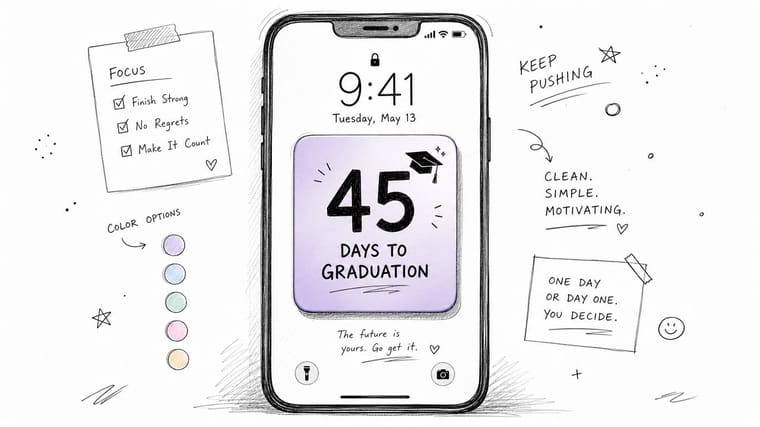
If you want one countdown that sticks, put it on your lock screen. You’ll see it every time you check a text, look at the time, or open your camera in the parking lot before first period. That constant visibility works better than an app you have to remember to open.
Pretty Progress fits this style well because it lets you build a graduation countdown that looks clean enough to leave on-screen all day. A simple day counter with a bold number and one short phrase like “Keep going” or “Almost there” is usually stronger than an overloaded design.
What works on a real phone
A senior might set a lock screen widget that says “Graduation” with the remaining days front and center, then use a matching home screen widget for a progress bar version. A college student finishing a final semester can do the same thing, but label it with commencement or thesis submission first, then switch to graduation week once the academic deadline passes.
What usually doesn’t work is trying to cram too much into the widget. Tiny text, low-contrast pastel colors, and three different dates on one lock screen all make the countdown easy to ignore.
- Use strong contrast: Pick colors you can read outdoors, in class, and half awake in the morning.
- Match your home screen: Repeating the same visual language across both screens helps the countdown feel intentional.
- Refresh the design sometimes: Swapping themes or icons every so often keeps the widget from disappearing into the background.
Practical rule: If you can’t read the countdown in one second, simplify it.
2. Themed Countdown Calendar with Milestones
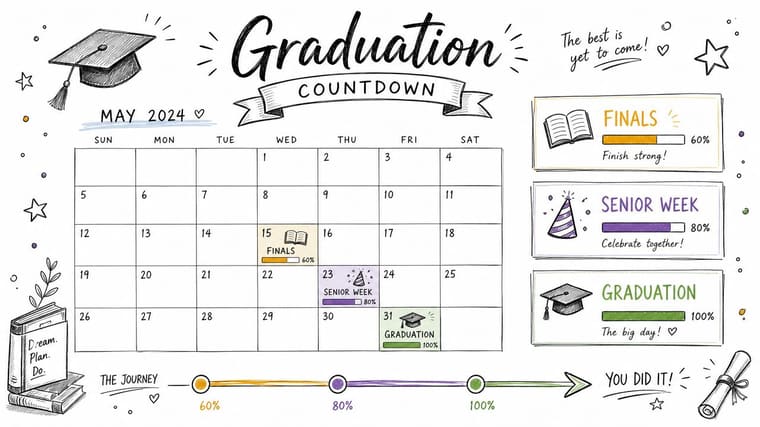
Some students don’t need just one date. They need the path to that date. A themed countdown calendar handles that better than a plain day counter because it breaks graduation season into visible checkpoints.
This works especially well when the spring semester feels chaotic. You can set one main graduation widget, then build companion widgets for finals, senior week, prom, cap-and-gown pickup, or your last club event. Pretty Progress themes like Swiss Style, Minimal, Aqua, or Retro OS make those separate widgets feel connected instead of random.
Build a milestone map, not a wall of dates
A high school senior might track March finals, April events, prom, and graduation. A college student might track thesis deadline, defense date, move-out, and commencement. In both cases, the countdown becomes useful because each date has context.
The trap is adding everything. If your screen is full of tiny countdowns for rehearsal, ticket pickup, banquet, cords, lunch plans, and every single assignment, the whole system becomes visual wallpaper.
- Keep only key milestones: A short list is easier to trust and maintain.
- Color-code by category: School deadlines, social events, and ceremony prep should look different at a glance.
- Update once a month: Date changes happen. A countdown loses value fast when it’s wrong.
A good milestone calendar lowers stress because it answers one question quickly: what matters next?
3. Group Graduation Countdown Challenge
A countdown gets more fun when other people are in on it. One of the easiest graduation countdown ideas to pull off with friends is a shared widget challenge where everyone uses the same template, color family, or theme and posts updates in a group chat.
This works best with a light structure. A class council could pick school colors and a common graduation date. A club might create its own version for the end-of-year banquet. A dorm floor could use matching widgets, then compare home screen setups before finals week.
Shared design makes the countdown social
Pretty Progress is useful here because the styling options are specific enough to create a recognizable look without forcing every person into an identical layout. One friend might prefer a clean progress bar, another might want icons and a more playful design, but the countdown still feels connected.
What doesn’t work is turning it into one more obligation. If the challenge depends on everyone posting every day, people will stop. If it’s framed as a fun visual tradition, it lasts longer.
- Create a simple template: Pick a theme, one accent color, and the exact event title.
- Share screenshots weekly: Weekly is sustainable. Daily usually isn’t.
- Pick a memorable hashtag or chat label: It keeps the whole thing easy to find later.
A practical example is a senior class using one lock screen design for graduation day and one optional home screen style for personal milestones. That balance gives the group a shared identity without making anyone feel boxed in.
4. Study Progress Countdown with Goal Integration
Graduation feels better when the countdown is connected to the work still left to do. If your screen only says “days left,” it can start to feel passive. Pair it with active goals and it becomes a push to finish strong.
This setup is especially helpful for students balancing final exams, grade targets, college decisions, or project deadlines. One widget can count down to graduation. Another can track a nearer academic checkpoint that affects how the semester ends.
Tie the date to something you can control
A student taking AP exams might keep graduation on the home screen and exam dates on a second widget. A college senior might pair commencement with a final paper or defense date. The point isn’t to micromanage everything. It’s to make the link between today’s work and the big day visible.
If you want help turning vague goals into trackable milestones, the guide on goal setting for students is a useful companion.
- Break big goals down: “Finish strong” is vague. “Submit final draft” is clear.
- Use visual status cues: Green for completed, blue for upcoming, and a neutral style for long-range goals keeps the screen readable.
- Review monthly: Goals change. Your widget should change too.
Students also spend heavily on graduation itself. According to the National Retail Federation, 39% of respondents plan to purchase a gift for a high school or college graduate in 2026, with total spending expected to reach $7.2 billion. That’s one reason practical countdown ideas work so well. They turn the celebration into something you build toward, not just a single shopping moment at the end.
5. Apple Watch Graduation Countdown Complication
A watch countdown is underrated. You don’t have to bypass a lock screen, swipe past distractions, or open an app while pretending to check the time during class. You just glance at your wrist and there it is.
For students who already wear an Apple Watch every day, this is one of the cleanest ways to keep graduation present without making your phone feel louder than it already does. Pretty Progress can fit into that routine well because the countdown can stay visually consistent with what’s on your iPhone.
Best use for the watch version
The watch version is strongest when it stays simple. One date. Clear text. High contrast. A complication that’s too decorative stops being useful because you can’t read it quickly while walking across campus or heading into practice.
A student athlete might use the watch countdown before workouts. A commuter student might see it between classes and while waiting for the bus. Someone with a packed schedule might benefit from that tiny repeated reminder more than from any motivational wallpaper.
For more ideas on keeping reminders visible without making them noisy, the article on using an Apple Watch reminder app is worth reading.
Keep notifications limited. The watch should support the countdown, not turn it into another interruption.
A good rhythm is to check the watch countdown at fixed moments, like first class, lunch, and the end of the day. That builds awareness without becoming obsessive.
6. Mac Desktop Countdown Widget for Studying
If most of your real academic work happens on a laptop, your graduation countdown should live there too. A Mac desktop widget works because it sits near the work itself. You’re not switching devices to remember what you’re working toward.
This setup is great for long library sessions, online classes, writing-heavy majors, and anyone spending hours inside documents, slides, or research tabs. A small countdown in the corner can anchor the session better than a motivational poster ever will.
Keep it visible, but not in the way
The placement matters more than people expect. If the widget covers active windows or competes with your to-do app, you’ll hide it. If it sits on an edge of the screen where you naturally look during breaks, it helps without becoming visual friction.
A college senior writing a capstone might keep the graduation countdown in one corner and a project deadline on another screen or panel. A high school student doing online assignments can use the Mac widget as a steady reminder that each submitted task is part of the runway to commencement.
- Pin it to a quiet area: Corners or side columns usually work best.
- Pair it with focus mode: A visible countdown plus fewer interruptions is a strong combination.
- Adjust the style by season: A small design refresh can make the setup feel new again near finals.
The broader education app category is projected to grow by USD 6.81 billion from 2026 to 2030, at a CAGR of 14.5%. That projection fits what students already feel in practice. Tools that surface deadlines visually are becoming a standard part of academic organization, not a niche extra.
7. Minimalist Retro OS Graduation Widget Design
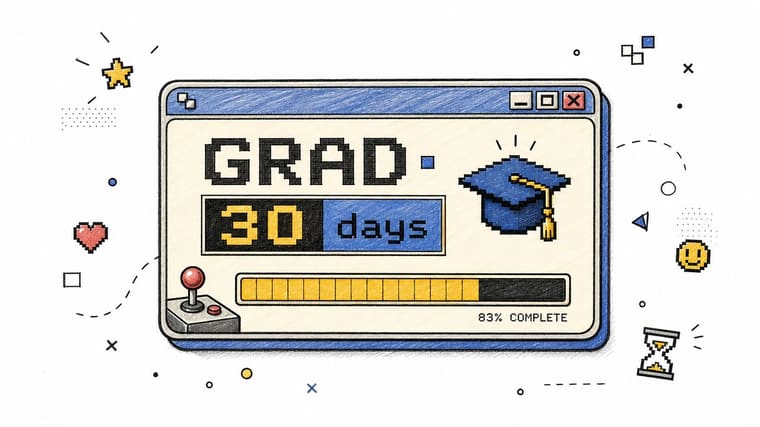
Not every countdown has to look polished in a soft, modern way. A Retro OS design gives the graduation countdown some personality, especially if your phone already leans into pixel fonts, old-school icons, or gaming-inspired layouts.
That style works because it makes the countdown feel playful. Instead of another serious school reminder, it reads more like a level meter or mission tracker. For some students, that shift matters. It makes the final stretch feel less heavy.
When this design works best
A student who already uses retro wallpapers, monochrome icons, or themed home screens can fold a graduation widget right into that setup. It also works well for social posts. A screenshot of a retro countdown usually stands out more than a generic pastel widget.
What doesn’t work is forcing the theme if the text becomes hard to read. Pixel-inspired design is fun, but readability still wins.
- Match the rest of your setup: The widget looks stronger when it belongs to the whole screen.
- Test the text size first: Decorative fonts can get messy on small widgets.
- Use the theme as motivation: If the countdown feels like a progress bar in a game, you’re more likely to notice it.
There’s a wider shift behind this kind of tool use. The global study planner apps market was valued at $2.1 billion in 2025 and is projected to reach $5.8 billion by 2034, growing at a CAGR of 11.9%. Students clearly want visual systems that help them track progress, and graduation countdowns fit naturally into that habit.
8. Shared Family Countdown Widget for College Preparation
Some countdowns are better when they aren’t only yours. If your family is helping with graduation plans, move-in prep, or post-grad logistics, a shared countdown can keep everyone calmer and more coordinated.
This is especially useful during the stretch when school events and next-step planning overlap. Parents may be tracking ceremony details while the student is thinking about dorm checklists, summer work, or the emotional side of leaving home. A shared visual reference keeps those conversations grounded.
Let the student stay in charge of the design
The best version of this setup still respects autonomy. The student should choose the style, naming, and how much detail gets shared. That keeps the countdown supportive instead of invasive.
A family might use one graduation countdown and one move-in or orientation countdown. Grandparents can get a screenshot in the family chat. Parents can keep a simplified version on their own devices. The student keeps the full setup on their phone.
If college planning is already in the mix, resume tips for college students can help with one practical next step beyond the ceremony itself.
Shared countdowns work best when they start with a conversation, not a surprise setup.
The biggest mistake here is turning the widget into a family dashboard of pressure. Keep it focused on support, not surveillance.
9. ADHD-Friendly Visual Deadline Widget System
For students with ADHD, the issue often isn’t caring about graduation. It’s keeping distant deadlines visible enough to influence today’s choices. A visual widget system can help because it moves time out of your head and onto the screen.
That’s where graduation countdown ideas become more than aesthetic. A clear lock screen widget, a home screen progress bar, and a watch reminder can create external structure that doesn’t depend on memory alone.
Build a system, not a single reminder
One widget usually isn’t enough if deadlines tend to disappear from view. A stronger setup uses multiple placements with different jobs. The lock screen handles immediate awareness. The home screen gives more context. The watch adds a quick check-in without opening the phone.
A student might use a bold graduation countdown on the lock screen, a second widget for next academic deadline on the home screen, and a watch glance for daily reinforcement. The exact design can be minimal, but the visibility has to be consistent.
For more ideas in this area, the guide on visual reminders for ADHD is directly relevant.
- Use high contrast: Soft, low-contrast widgets are easy to tune out.
- Limit text: The faster your brain can parse it, the more useful it becomes.
- Refresh the setup when it fades into the background: Small design changes can restore attention.
A paper planner can still help. So can a whiteboard. But for many students, the always-visible digital version works better because it travels with them all day.
10. College Timeline Countdown Hub with Interconnected Dates
If graduation is only one part of a bigger transition, build a timeline hub. This works well for students managing application deadlines, decision dates, deposit deadlines, housing steps, and graduation all at once.
The main advantage is clarity. Instead of keeping those dates scattered across emails, screenshots, and notes apps, you can turn them into a visible sequence. One glance tells you what’s next and what’s still far enough away that you don’t need to panic yet.
Organize by school or by phase
There are two solid ways to set this up. One is by school, where each college gets its own widget or visual cluster. The other is by phase, like applications, decisions, enrollment, and graduation. Which one feels clearer depends on how your brain naturally groups information.
A student applying to several schools might keep one screen for deadlines and another for decisions. Another student with one clear first choice might build a simpler timeline around acceptance, deposit, orientation, move-in, and graduation.
One practical note from the old-school side of countdown traditions still applies here. The “26th of Something” approach for the Class of 2026 works because recurring milestones slow the season down and make it feel tangible, as described in the earlier graduation tradition reference. A timeline hub does the same thing digitally. It breaks a huge life transition into dates you can act on.
What usually fails is starting with every possible date. Start with the dates that carry consequences. You can always add detail later.
Graduation Countdown Ideas: Side-by-Side Comparison
| Item | Implementation Complexity 🔄 | Resource Requirements ⚡ | Expected Outcomes 📊 | Ideal Use Cases 💡 | Key Advantages ⭐ | Main Limitations |
|---|---|---|---|---|---|---|
| Daily Lock Screen Countdown Widget | Low, simple setup, OS-dependent | Low, minimal battery/CPU; modern OS required | High, constant passive reminders increase motivation | Students wanting a glanceable daily prompt | Constant visibility with low friction | Limited space; habituation; needs iOS/Android 12+ |
| Themed Countdown Calendar with Milestones | Medium, requires milestone planning | Medium, time to configure themes and events | High, better planning, reduced deadline anxiety | Students breaking graduation into tasks/events | Breaks goals into manageable milestones | Needs upkeep; can clutter home screen |
| Group Graduation Countdown Challenge | Medium, coordination and social features | Medium, group buy-in, social sharing effort | Medium–High, social proof boosts engagement | Cohorts, clubs, viral school campaigns | Amplifies motivation via peer influence | Exclusion risk; needs organizer; social pressures |
| Study Progress Countdown with Goal Integration | Medium–High, integrates multiple metrics | Medium, requires tracking goal data and updates | High, links study effort to measurable progress | Goal-oriented students and applicants | Connects graduation to concrete academic goals | May increase stress; needs frequent updates |
| Apple Watch Graduation Countdown Complication | Low–Medium, complication setup and sync | High, requires Apple Watch (Series 5+) | High, quick wrist-glance reminders throughout day | Wearable users, active students, neurodivergent users | Always-accessible, hands-free reminders | Premium device barrier; limited detail on small screen |
| Mac Desktop Countdown Widget for Studying | Low, pin or enable desktop widget | Medium, macOS 13+, desktop real estate needed | Medium–High, supports focus during study sessions | Students who primarily use laptops/desktops | Visible during focused work; cross-device sync | Less useful for phone-first students; screen clutter |
| Minimalist Retro OS Graduation Widget Design | Low, themed customization within constraints | Low, design assets; minor customization | Medium, higher engagement via novelty/aesthetic | Students who prefer vintage/gaming aesthetics | Fun, emotionally engaging visual style | Not suitable for formal contexts; chunky visuals |
| Shared Family Countdown Widget for College Preparation | Medium, sharing/config sync across devices | Medium, multiple family devices and consent | High, improves family coordination and support | Families preparing for college moves | Strengthens communication and joint planning | Privacy/pressure concerns; requires family adoption |
| ADHD-Friendly Visual Deadline Widget System | Medium–High, multi-widget redundancy and tuning | High, significant home‑screen space and customization | High, improves executive function and deadline adherence | Neurodivergent students, ADHD accommodations | Externalizes time sense; tailored accessibility | Uses lots of screen space; not a complete treatment |
| College Timeline Countdown Hub with Interconnected Dates | High, many interconnected timers and setup | High, time to research dates; PRO features useful | High, centralized oversight reduces missed deadlines | Seniors applying to many colleges; counselors | Comprehensive single-dashboard planning tool | Initial setup intensive; can overwhelm if poorly designed |
Your Countdown Starts Now
Graduation gets emotional because it isn’t just an event. It’s a long finish line. You’re wrapping up classes, closing routines that shaped your life, and stepping toward something that probably still feels exciting and uncertain at the same time. A good countdown helps with that. It turns a vague future moment into something visible and manageable.
That’s why the best graduation countdown ideas do more than mark time. They create structure during a messy season. A lock screen widget keeps the goal in sight when motivation dips. A milestone calendar helps you pace the semester. A watch complication gives you a quiet reminder in the middle of a packed day. A Mac widget can keep studying anchored to a reason, not just a deadline.
The right choice depends on how you live. If your phone is where you notice everything, start there. If your stress comes from too many moving dates, build a timeline hub. If you work better with other people, make it a class or friend-group challenge. If you need stronger external cues, use a multi-device setup that follows you from phone to watch to laptop.
There’s also room to blend digital and personal traditions. Some families still celebrate graduation season with monthly rituals tied to the class year, while students use widgets to keep the daily countdown visible. That combination works well because one side is emotional and the other is functional. Together, they make the season feel memorable without letting important dates slip.
If you want one app-based option for that kind of setup, Pretty Progress is relevant because it lets you create customizable countdown and progress widgets across devices. That makes it practical for students who want one graduation countdown system instead of a mix of disconnected reminders.
Pick one idea from this list and set it up today. Don’t wait for a perfect design or the perfect semester reset. The value comes from seeing the countdown often enough that it changes how you move through the week. Graduation is coming either way. You might as well make the last stretch feel intentional.
Congratulations, graduate. You’ve earned the right to count down to something big.
If you want a graduation countdown that stays visible on your phone, watch, computer, or Android device, try Pretty Progress. Set your graduation date, choose a theme you’ll want to look at every day, and turn the final stretch into something motivating and easy to track.





