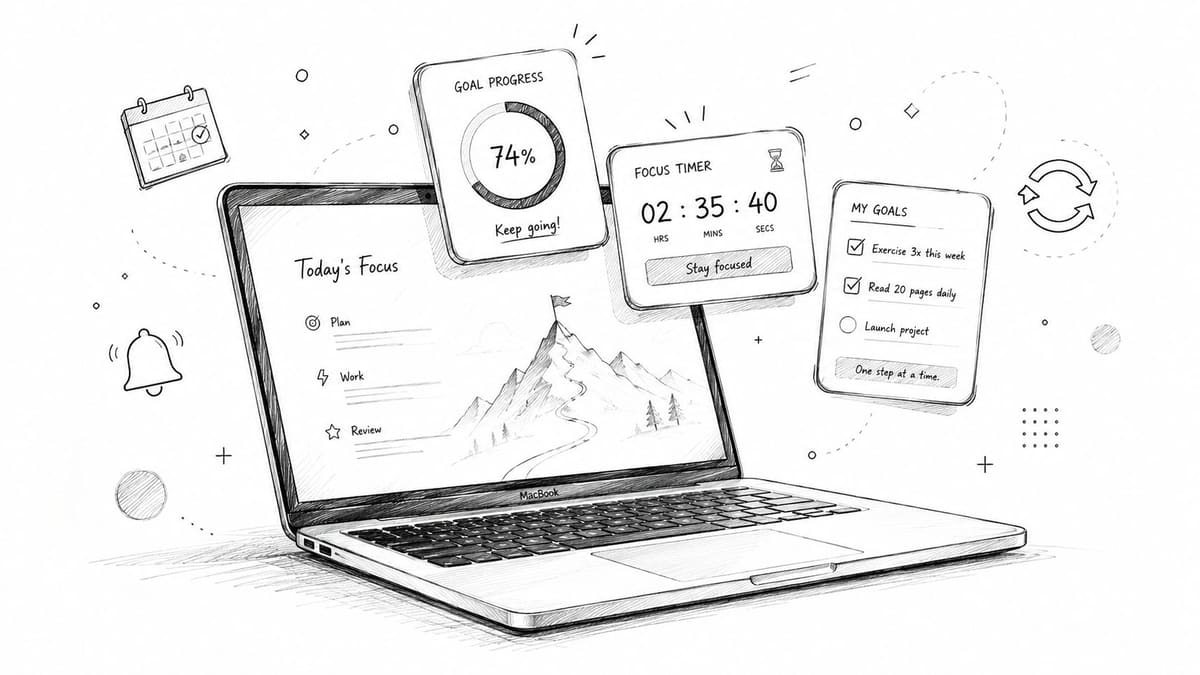
May 25, 2026
The Best Goal Setting App Mac Guide 2026
Find the top goal setting app Mac for 2026. Explore features like widgets, sync, & progress bars. Achieve your goals effectively.
You probably already have goals on your Mac. They’re just hiding in too many places.
A career goal lives in Apple Notes. A fitness target sits in your calendar as a vague reminder. A deadline is buried in Reminders. Somewhere, there’s also a spreadsheet you meant to update every Friday and haven’t opened in weeks. The result isn’t laziness. It’s friction. Your goals stay abstract because your system makes them easy to ignore.
That’s why choosing a good goal setting app for Mac matters. The right app doesn’t just store ambitions. It turns them into something you can see, measure, and act on today. Once progress becomes visible, your brain stops treating the goal like a someday idea and starts treating it like a live project.
Table of Contents
- Beyond a Simple To-Do List
- Essential Features of a Modern Mac Goal App
- Your Practical Goal Setup Workflow
- Goal Tracking for Students Professionals and ADHD
- How Pretty Progress Nails Visual Goal Tracking
- Start Visualizing Your Success Today
Beyond a Simple To-Do List
A to-do list is good at answering one question. What do I need to do next?
A goal system answers a different one. What am I moving toward, and how close am I now?
That difference matters more than is commonly understood. If you write “study biology” on a checklist, you can check it off and still have no idea whether you’re ready for the exam. If you write “save money,” you can add reminders for months and still feel like nothing is changing. The task got done. The goal stayed foggy.
Modern Mac goal apps were built to solve that gap. A Mac app review of goal tracker apps notes that the category has evolved from simple task managers into a broader productivity space that now includes project management, habit formation, and calendar automation. That’s why tools like Reclaim.AI can separate goals into tasks and habits, then place work into available calendar slots after you define work and personal time.
A strong goal app doesn’t add another list. It creates a daily line of sight between today’s actions and the finish line.
Why lists often fail for big goals
Text-only tools break down when a goal needs time, repetition, or momentum.
You might have:
- A long timeline: saving for a trip, training for an event, finishing a thesis
- A repeating action: practicing piano, walking daily, reviewing flashcards
- A measurable target: hours studied, miles run, money saved, pages written
A basic task manager can remind you to act. It usually can’t help you feel progress.
What changed on the Mac
The category is much more mature now. Some apps focus on team planning with nested goals and subgoals. Others focus on habits and personal routines. Others use schedule-aware systems so the app fits your real week instead of pretending every hour is available.
That’s the shift. A goal setting app for Mac isn’t just a digital notebook anymore. It’s a way to keep important goals visible, measurable, and harder to forget.
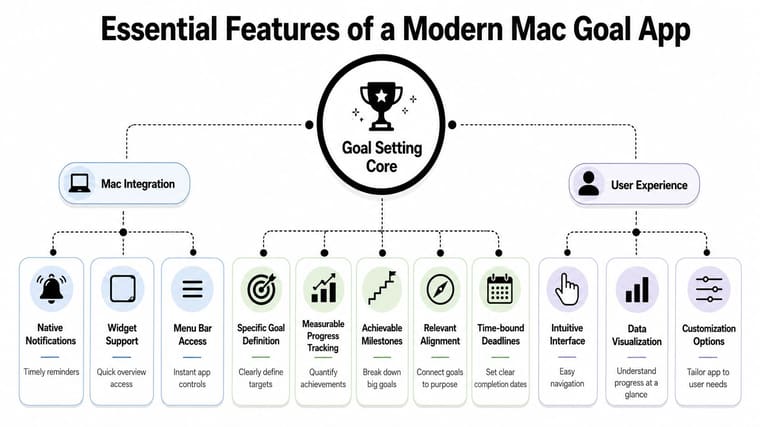
Essential Features of a Modern Mac Goal App
Individuals looking for a goal setting app for Mac often compare feature lists and still feel unsure. That’s because the actual question isn’t “Which app has more buttons?” It’s “Which app helps me keep going when motivation drops?”
What the app needs to do
A modern app should help you do five practical things well:
- Define the target clearly: “Get healthier” is too fuzzy. “Walk every weekday” or “reach a savings target by a deadline” gives the app something concrete to track.
- Show progress visually: bars, charts, percentages, countdowns, and streaks make progress easier to notice.
- Break down large goals: if the app helps you split a goal into milestones, you’re less likely to freeze.
- Keep the goal visible on Mac: notifications, widgets, or menu bar access reduce the chance that the goal disappears between busy days.
- Fit your real behavior: the easier it is to update, glance at, and trust, the more likely you’ll keep using it.
The visual part is easy to underestimate. Many people don’t need more planning complexity. They need a system that keeps the goal in sight.
Practical rule: If an app requires too much setup before you can feel progress, you probably won’t stick with it.
For people who struggle with attention and time awareness, visual design matters even more. If that sounds familiar, it helps to discover ADHD time management apps that focus on external cues, reminders, and lower-friction planning.
Two very different app styles
Not every goal app solves the same problem.
Some tools are built for coordination. A Range overview of goal tracking software describes systems like ClickUp that let users define goals, split them into subgoals, assign ownership, and track dependencies. That structure is useful when multiple people need to move a goal forward together.
Other tools are built for personal motivation. They focus less on dependencies and more on constant visual reinforcement. That can mean a progress ring, a visible countdown, or a clean bar that keeps nudging you when your focus drifts.
A quick comparison helps:
| App style | Best for | Main strength | Common downside |
|---|---|---|---|
| Hierarchical planner | Teams, complex projects, multi-step objectives | Organizes goals, subgoals, and status in one system | Can feel heavy for solo use |
| Visual personal tracker | Individuals, habits, deadlines, motivation | Makes progress glanceable and emotionally real | Usually less suited for team workflows |
The mistake is choosing the wrong category.
If you’re trying to manage a team launch, a minimalist visual tracker may feel too light. If you’re trying to stay motivated for one personal goal, a complex workspace may create more overhead than progress.
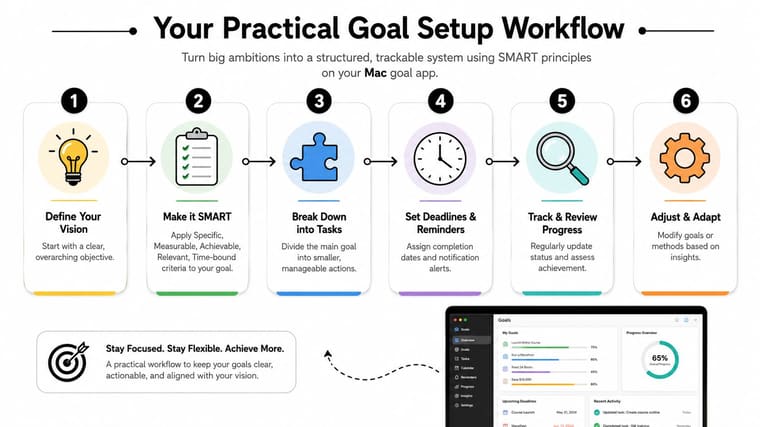
Your Practical Goal Setup Workflow
The easiest way to fail at goal tracking is to start with a sentence your app can’t measure.
“Be more consistent.” “Work on my side project.” “Get in shape.”
Those sound motivating for about a day. Then your brain asks, “What exactly counts as progress?” and the whole thing stalls.
Turn a vague goal into a trackable one
Start with the broad intention, then tighten it until your Mac app can display movement.
Here’s a simple way to do it:
-
Name the actual outcome
Don’t begin with a task. Begin with what you want to finish, reach, or maintain.
Example: “I want to feel prepared for my certification exam.”
-
Make it measurable
Ask what number, count, or completion state would show progress.
That could be study sessions completed, chapters finished, practice tests done, or days remaining until the exam.
-
Choose a time boundary
A goal without a date invites delay. A deadline creates shape.
-
Break it into smaller units
If the goal feels too large to update in one tap, break it down. Progress becomes easier to record and easier to believe.
A good visual tracker then turns those updates into something concrete. A Mac Numbers tutorial on goal and habit tracking shows how activity can be converted into percentages and streaks, including chart output with 31% and 6%, and how day-by-day formulas can calculate ongoing streaks. That’s the same basic principle modern goal apps use. They make the gap visible.
When you can see the remaining distance, you stop guessing whether your effort matters.
If you want examples of how apps translate daily effort into visible progress, this guide on a goal progress tracker app gives useful patterns to borrow.
A short walkthrough can help if you want to watch a setup flow in action.
Make progress visible every day
Once the goal exists in the app, the next job is visibility.
Use your Mac as part of the system, not just the place where the app lives. Helpful setups include:
- Desktop or widget visibility: if your goal only appears when you open the app, you’ll forget it on busy days.
- Reminder timing: choose reminders tied to your routine, not random times.
- Cross-device continuity: if you check in on iPhone and review on Mac, the same goal should stay updated everywhere.
- Calendar awareness: for deadline-heavy goals, connecting time and progress reduces last-minute surprises.
A simple example:
| Vague idea | Better tracked version | What you see |
|---|---|---|
| Get healthier | Walk on scheduled days and track completion | streak or completion percentage |
| Save money | Track progress toward a savings total by a date | progress bar and remaining amount |
| Finish a portfolio | Complete a set number of project milestones | countdown plus milestone status |
The “aha” moment usually happens here. The goal stops being a sentence and starts becoming a live object on your screen.
Goal Tracking for Students Professionals and ADHD
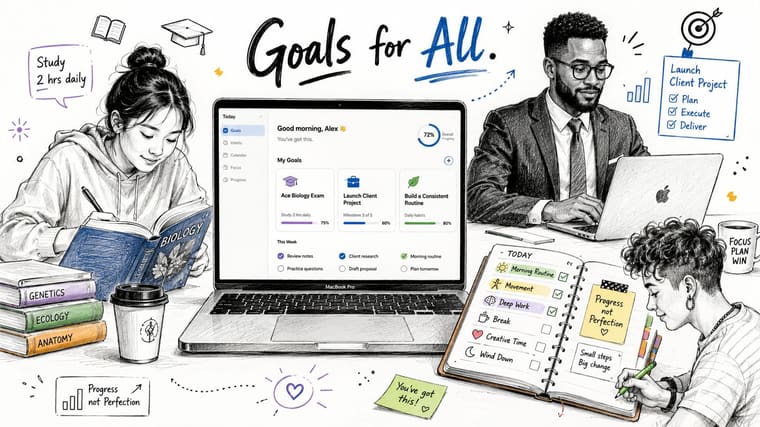
Different people lose momentum for different reasons. A student may underestimate time. A professional may drown in competing priorities. Someone with ADHD may know exactly what matters and still forget it the moment the screen changes.
That’s why the best goal setting app for Mac depends on how your attention works, not just what features sound impressive.
For students who need deadline pressure
A student often doesn’t need a giant productivity system. They need a clearer relationship with time.
A visible countdown to an exam, paper, or application deadline changes behavior because it removes the illusion of “plenty of time.” When the remaining days stay in view, studying becomes easier to start. The goal is no longer hidden inside a calendar app you open once a week.
Useful student-friendly setups often include:
- Exam countdowns: a persistent reminder of what’s approaching
- Progress by milestone: chapters done, assignments submitted, revision blocks completed
- Simple check-ins: fast updates after each study session
For professionals who juggle multiple outcomes
Professionals usually face a different problem. The issue isn’t forgetting goals exist. It’s that too many active responsibilities compete at once.
A visual tracker helps by separating urgent tasks from important outcomes. One project may need milestone tracking. Another may need a deadline countdown. A quarterly objective may need recurring check-ins. When those are visible at a glance, it gets easier to decide what deserves attention today.
Text-only systems can become crowded fast. A clean visual layer reduces scanning effort.
For ADHD minds that need visible cues
Visual tracking often matters most.
A Griply FAQ on goal tracker apps notes that many users, especially those with ADHD, benefit more from low-friction motivation than from feature-heavy systems. It also points to the value of a constantly visible countdown or progress bar as a form of visual accountability that can work better than text-heavy task lists for sustaining attention.
That idea matches what many people experience in real life. If you have to remember to open the planner, read the list, interpret the list, and then reconnect emotionally with the goal, you’ve already added too many steps.
A visible cue does some of that work for you.
For some brains, the best reminder isn’t another notification. It’s a goal that stays in sight long enough to become hard to ignore.
If that pattern sounds familiar, this article on an ADHD reward system offers practical ways to pair visible progress with motivation.
How Pretty Progress Nails Visual Goal Tracking
Some people need deep planning software. Others need a goal to stay visible enough that they keep caring about it.
That second group is often underserved. Many apps are excellent at organizing work, but much weaker at making progress feel immediate on a personal device. That’s where a visual-first tool stands out.
Why visual tracking changes behavior
The strongest individual tracking pattern on Apple devices is recurring measurement plus visual feedback. An App Store description for Progress - Goal Tracker highlights tracking for goals like distance, money, time, and weight with history charts, and also notes Strides for multiple tracker types, dashboards, and charts. The key idea is simple. Each update changes a visible state.
That matters because a changing visual state creates a tighter loop:
- you check in
- the app reflects movement
- your brain gets proof that effort counted
A plain task list often stops at “done” or “not done.” A visual tracker shows trajectory.
Why simplicity helps on a Mac
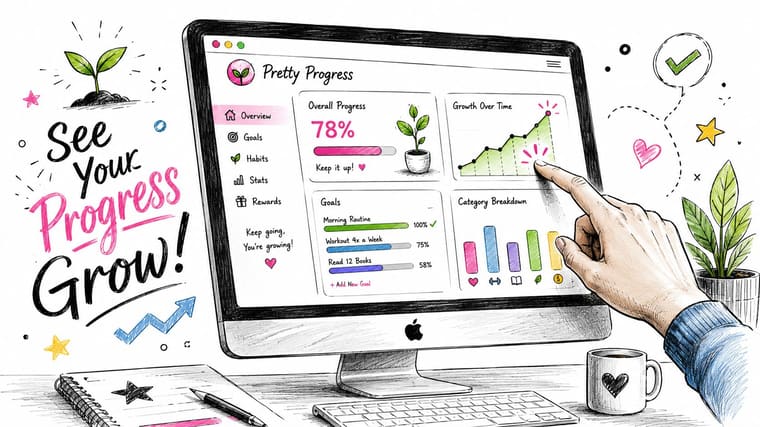
Pretty Progress fits that visual model well. It supports Mac, along with other Apple devices, and focuses on customizable countdowns and progress widgets that stay glanceable instead of buried. You set a goal or deadline, choose the design, and keep it visible on the screen you already look at all day.
That design choice matters more than it seems. If the goal lives on your desktop, Home Screen, or Lock Screen, you don’t have to remember to visit a dashboard. The reminder is ambient. For many people, that’s the difference between a tool they admire and a tool they use.
It also helps that the app is simple in the right way. You can customize themes, colors, layout, and progress styling without turning your goal system into a project of its own. That makes it a practical option for personal deadlines, habit countdowns, long-term milestones, and other goals where motivation comes from seeing the bar move.
Start Visualizing Your Success Today
It’s frequently not more ambition that’s needed. It’s better visibility.
That’s the core lesson behind choosing a goal setting app for Mac. A scattered system keeps goals abstract. A visual system makes them tangible. Once your progress sits in front of you as a bar, countdown, milestone, or streak, the goal becomes easier to return to on hard days.
If you’re deciding what to do next, keep it simple:
- choose one goal
- make it measurable
- give it a deadline
- put the progress where you’ll see it often
You don’t need a perfect setup on day one. You need one goal that feels real enough to act on. For many people, the fastest win is a visible countdown or progress widget on the Mac itself. If you want help with that, this guide on adding a countdown widget on Mac is a good place to start.
The moment progress becomes visible, motivation usually gets easier. Not because the work disappears, but because the goal finally stops hiding.
If you want a clean way to keep goals and deadlines visible across your devices, Pretty Progress turns them into customizable countdowns and progress widgets on Mac, iPhone, iPad, Apple Watch, and more. Set up one goal today, place it where you’ll see it, and let the visual reminder do part of the motivational work for you.