June 5, 2026
Your 2026 Guide: Best Countdown App for Ipad Revealed
Find the best countdown app for iPad in 2026. Discover top tools, features, and reviews to keep track of your most important events easily and effectively.
Your iPad probably already shows your calendar, reminders, and a pile of widgets you barely notice anymore. The problem isn’t that you don’t know your deadlines. It’s that standard alerts disappear too fast, and a date sitting inside Calendar rarely creates urgency or momentum on its own.
A good countdown app fixes that by turning time into something visible. Instead of “exam on Friday” or “launch next month,” you get a persistent visual cue on your Home Screen or Lock Screen that keeps the goal in front of you. That matters if you’re studying for finals, trying to ship a client project on time, waiting for a trip, or managing motivation with ADHD and needing a constant nudge that doesn’t feel like another nagging notification.
For iPad users, the best apps aren’t just the ones with a timer. They’re the ones with widgets you’ll want to look at, setup that doesn’t fight you, and enough flexibility to fit how you work. Some are minimalist utilities. Others are visual motivation engines.
If you’re also refining the rest of your stack, this guide to enhancing workflow with SaaS tools is worth bookmarking.
Table of Contents
- 1. Pretty Progress
- 2. DayCount
- 3. Countdowns (Shayes Apps)
- 4. Countdowns Event Countdown
- 5. Widgetsmith
- 6. Days Since
- 7. Countdown Widget by Alex Portnov
- 8. Widget Wizard
- 9. TimeLeft Countdowns and Streaks
- 10. Days Until
- Top 10 iPad Countdown Apps, Feature Comparison
- Track What Matters, One Day at a Time
1. Pretty Progress
An iPad countdown app usually succeeds or fails on one thing. Will the widget keep pulling your eyes back to the date that matters?
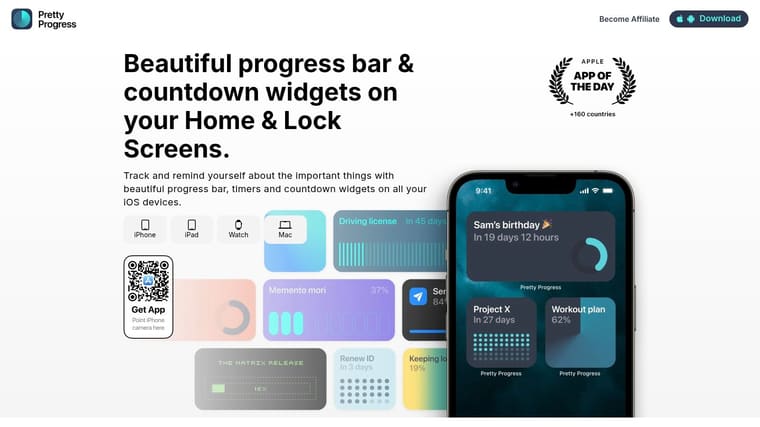
Pretty Progress gets that better than most apps in this category. I’d put it near the top for people who want visible progress on the Home Screen, not just a database of events hidden inside the app. You create countdowns, timers, and progress bars, then surface them across iPhone, iPad, Apple Watch, Mac, and Android.
That focus matters on iPad. A lot of countdown apps treat widgets as a side feature. Pretty Progress is built around them, which makes it a better fit for users who need a deadline in front of them all day. Students tracking exam week, professionals counting down to a launch, and ADHD users who respond better to visual cues than notifications will all get the point quickly.
Why it stands out on iPad
Setup is quick. Pick the dates, choose a style, and place the widget. If you want help with placement, the app has a dedicated guide for adding a countdown widget on your iPad.
It also does more than basic event countdowns. You get progress bars, date tools, business-day calculations, exact age tracking, and intermittent fasting timers. That wider range makes it useful for more than birthdays and vacations. It can handle exam prep, project deadlines, and habit-based time tracking without making you switch apps.
Practical rule: If you ignore reminders, pick the app with a widget you will notice and tolerate on your Home Screen every day.
A few trade-offs stand out after real use:
- Best for visual motivation: The themes and styling options make it easy to build a widget that looks intentional instead of noisy.
- Good cross-device coverage: Your countdown can stay visible across Apple devices and Android, which helps if you switch screens often.
- Free to start: There’s a free tier and a PRO upgrade for more styling control, but the pricing is not clearly listed on the site.
- Less appealing for minimalists: Users who only want a plain day counter may find it more design-focused than necessary.
For many people, this is the sweet spot. It is easy to set up, strong on widget aesthetics, and built for people who want time left to feel visible, not abstract.
2. DayCount
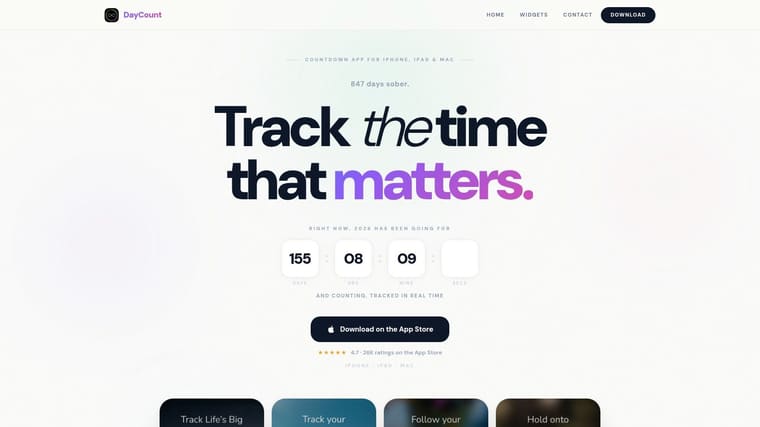
DayCount feels like an Apple-platform app in the best way. Clean typography, modern theming, and good widget presentation make it a strong fit for people who want something polished without needing to customize every visual detail from scratch.
Its other advantage is range. It handles regular countdowns, “days since” tracking, and streaks. That makes it useful for more than just one-off dates. A student can track days until exams and days since the semester started. A habit-focused user can keep a streak beside a deadline widget on the same device.
Best for polished Apple-native tracking
DayCount works best for users who want a strong default aesthetic and iCloud sync across iPhone, iPad, and Mac. It’s less about playful theme experimentation and more about a refined, modern setup that fits naturally into an Apple workflow.
There are a couple of limits. The marketing site doesn’t clearly show exact pricing tiers, and some advanced features require purchase. That isn’t unusual in this category, but it does mean you may need to install it before you understand where the free experience ends.
DayCount is a good pick when you want your countdown app to feel like part of your Apple setup, not a novelty widget sitting next to it.
If Pretty Progress is the visual-motivation pick, DayCount is the polished generalist. It’s easy to recommend to professionals and students who want something attractive, stable, and broadly useful.
3. Countdowns (Shayes Apps)
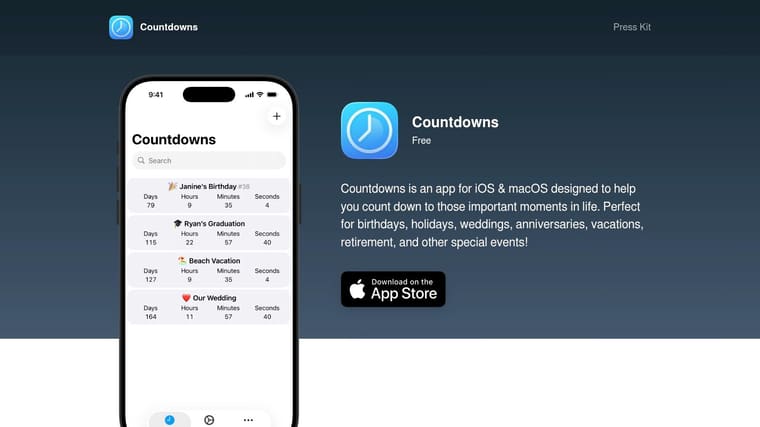
Countdowns by Shayes Apps is for people who care more about capability than visual flair. It supports unlimited countdowns, count up tracking, iCloud sync, Apple Watch complications, notifications, calendar import, recurring events, and both Lock Screen and Home Screen widgets.
That list sounds dry. In practice, it means less manual entry and less maintenance. If your deadlines already live in calendars and you want your countdown app to mirror real life instead of becoming another thing to manage, this style of app is usually the better choice.
Best for utility over decoration
This is the app I’d choose for operational use. Project milestones, client deliverables, recurring admin deadlines, renewal dates. It behaves like a utility, not a mood board.
That also explains the downside. Its visual customization is more functional than expressive. If your main goal is a beautiful, motivating iPad Home Screen, you may find it competent rather than exciting.
- Great for recurring dates: Useful if you track events that repeat and don’t want to rebuild them manually.
- Good integrations: Calendar import, Watch support, and sync reduce friction.
- Less design-forward: It won’t satisfy users who want highly stylized countdown widgets.
- May include paid features: Some functionality can require in-app purchases.
If you’re choosing based on “what works when life gets busy,” Countdowns earns a spot high on the list.
4. Countdowns Event Countdown
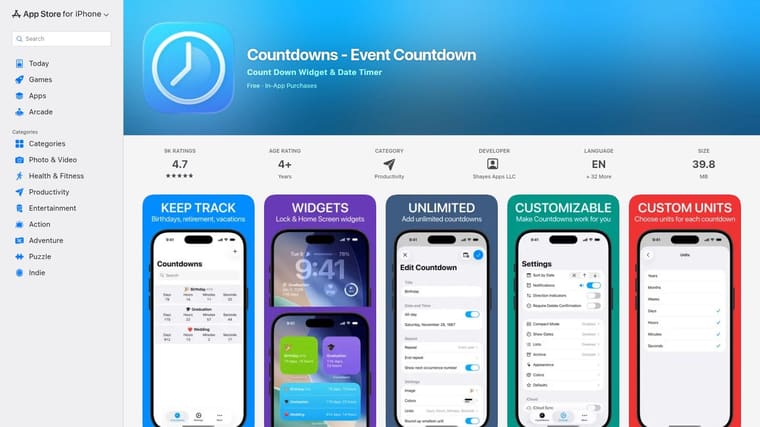
Countdowns – Event Countdown on the App Store is a mature cross-device option for people who want one app that stretches across iPhone, iPad, Mac, and Apple Watch. It handles recurring and one-off events and offers widgets, lists, archives, custom alerts, and sync through optional premium features.
This type of app tends to appeal to organized users who don’t want to switch tools later. You can start with a few personal countdowns, then gradually use it for more structured planning.
Best for mature cross-device coverage
The strength here is breadth. If you’re the kind of user who wants your iPad widget, your Mac view, and your watch complication all aligned, this app fits that pattern well.
The catch is feature gating. Some of the more important capabilities, including sync and advanced views, sit behind premium access. Premium features also require a purchase path that may be monthly, annual, or one-time, so it’s not the cleanest option if you want total clarity before committing.
If you rely on several Apple devices every day, mature cross-device support often matters more than whether the widget has the prettiest font.
I’d put this one in the “safe, experienced choice” category. It’s less distinctive than some rivals, but it covers a lot of real-world needs.
5. Widgetsmith
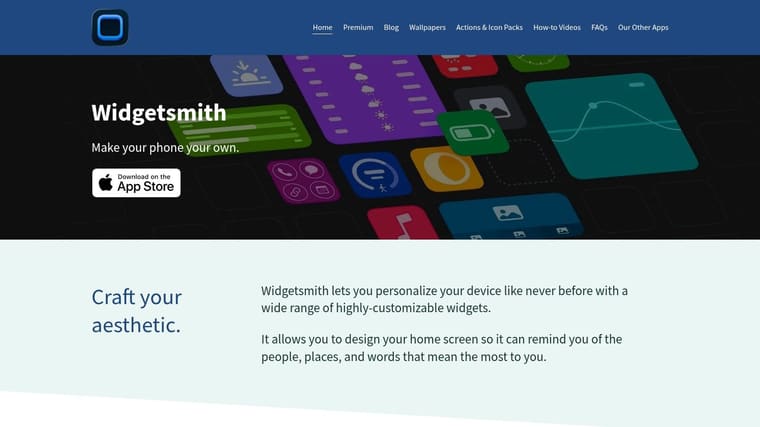
Widgetsmith is only partly a countdown app. It’s really a broader widget platform that happens to include countdown widgets and timeline tools. That distinction matters because some people searching for the best countdown app for iPad are not seeking a dedicated countdown tool. They want one app that can build half their Home Screen.
If that’s you, Widgetsmith makes sense. You can mix countdowns with other widget types and create a more complete dashboard-style setup.
Best if countdowns are part of a bigger widget system
Widgetsmith is excellent when your iPad Home Screen is a design project. You care about layout, different data modules, theme consistency, and maybe changing the role of widgets over time.
That flexibility can also become friction. If you only need “days until exam” or “time left until launch,” Widgetsmith can feel heavier than necessary. The full feature set also depends on Widgetsmith Premium, so the best experience isn’t the simplest or the cheapest by default.
If you’re comparing apps based on widget design first, this roundup of customizable widget apps for iPhone gives useful context around where Widgetsmith fits.
- Best for tinkerers: Strong choice if you like adjusting layouts and building custom screens.
- Less ideal for one-task users: A dedicated countdown app is usually faster to set up.
- Useful beyond countdowns: Good if you want one widget app doing many jobs.
- Subscription reality: Premium features matter here more than they do in simpler tools.
Widgetsmith is powerful. It just isn’t the app I’d hand to someone who wants instant clarity and zero setup fuss.
6. Days Since
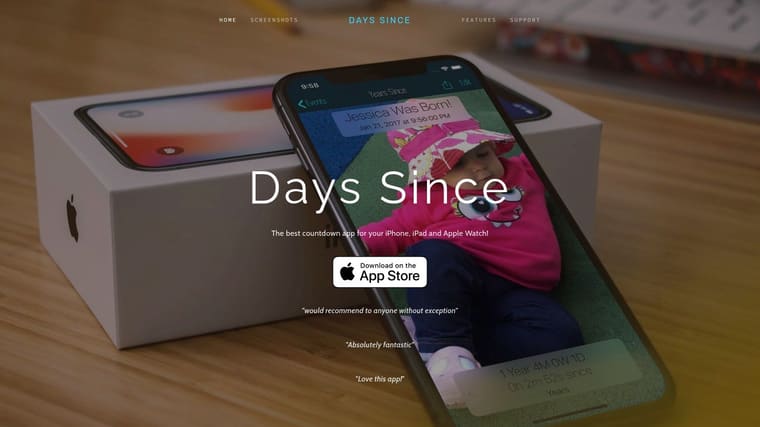
Days Since works well because it doesn’t try to overcomplicate the emotional part of time tracking. It supports iPhone, iPad, and Apple Watch, lets you count down to future events and count up from past milestones, and offers multiple time formats plus custom photos and shareable events.
That makes it a natural fit for personal milestones. Sobriety dates, anniversaries, recovery goals, habit streaks, memorial dates, or “days since I started this routine.” Some apps are better for projects. This one feels better for life events.
Best for meaningful milestones
Its straightforward UI is part of the appeal. You can set up an event quickly and get on with your day. For people who don’t want a heavy dashboard, that’s a plus.
The limit is depth. You won’t get the same level of pro-grade layout control you’d see in a more advanced widget builder. Pricing also isn’t specified on the site, so you’ll need the App Store listing for purchase details.
Some countdowns are logistical. Others are emotional. Days Since works better for the second group than many productivity-first apps do.
If your iPad is where you keep visible reminders of what matters personally, this app deserves a look.
7. Countdown Widget by Alex Portnov
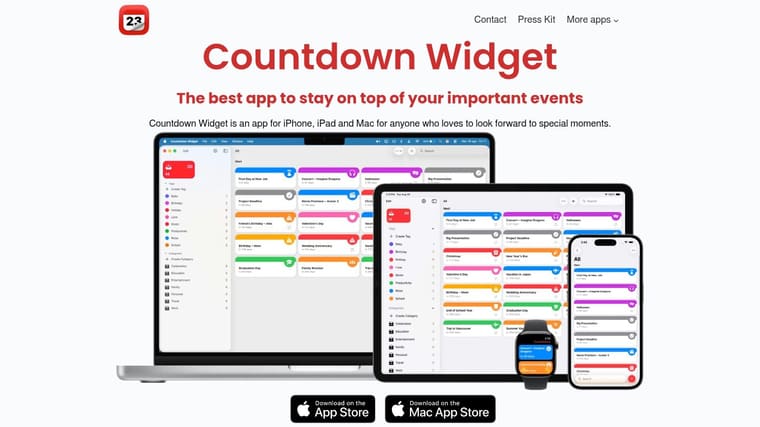
Countdown Widget by Alex Portnov takes a simpler route. It supports iPhone, iPad, and Mac, syncs through iCloud, offers Home and Lock Screen widgets, and adds organizational categories, tags, and Shortcuts support.
That last part matters more than it sounds. Shortcuts support makes a countdown app much more useful if you automate your setup, use Focus modes, or organize your iPad around routines.
Best for straightforward Apple integration
This app is a practical fit for users who want clean Apple integration without sliding into a huge widget suite. It’s especially good if you already use Shortcuts and like the idea of countdowns fitting into a broader automation setup.
Its weaker side is visual style. Compared with more design-led apps, there’s less emphasis on bold themes and expressive widget aesthetics. Pricing details also live on the App Store rather than the main site.
A few reasons to consider it:
- Good for organized users: Categories and tags help if you track many events.
- Helpful automation angle: Shortcuts support can make the app feel more powerful over time.
- Strong Apple-device fit: iCloud syncing keeps everything aligned.
- Not the top choice for aesthetics: Better for clarity than visual flair.
For people who want an efficient tool and don’t need their countdown widget to be decorative, this is a solid middle ground.
8. Widget Wizard
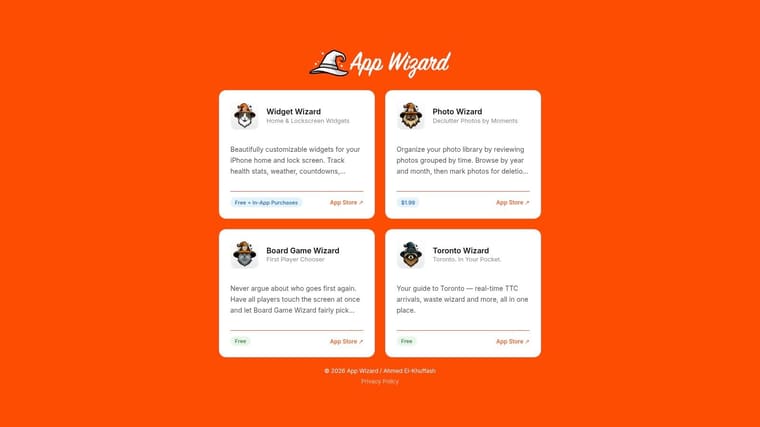
Widget Wizard is another app that’s broader than its countdown feature. It includes countdown widgets alongside calendar, health, weather, and other widget types for iPhone and iPad.
That makes it useful if your ideal Home Screen combines multiple pieces of information in one coordinated setup. If you hate juggling separate widget apps, this approach is appealing.
Best for mixed-info dashboards
The editor is friendly, and the aesthetic controls are good enough to personalize your setup without making every decision feel technical. For someone building a dashboard-style iPad screen, that balance works well.
Still, it isn’t a countdown-first experience. Initial configuration takes longer because you’re stepping into a larger widget ecosystem. It’s free with in-app purchases, which is fair, but also means the final setup may depend on what extras you want.
One category signal is worth noting here. Apple’s App Store listing for Countdown Star shows it as Designed for iPad, free, and built to “countdown and count up” from birthdays, holidays, vacations, and weddings. That tells you this category has moved beyond single deadline timers and into broader milestone tracking. Widget Wizard fits that wider use case well, especially if you want countdowns to live next to other daily widgets.
9. TimeLeft Countdowns and Streaks
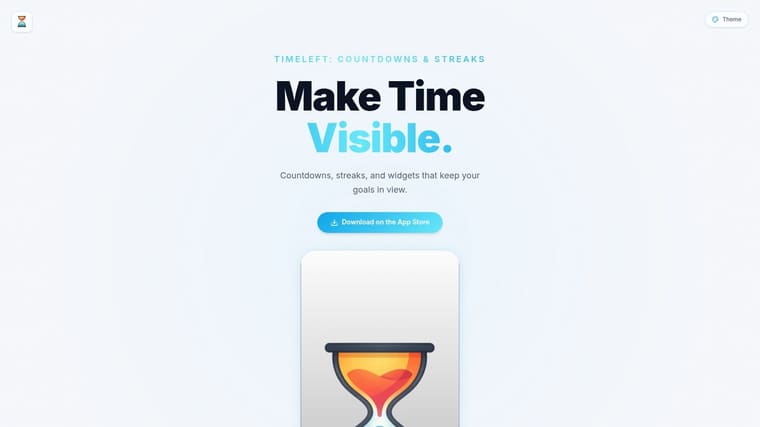
TimeLeft: Countdowns & Streaks goes for a cleaner, quieter style. It blends countdowns with streak tracking and presents them in a minimal format that suits productivity-focused iPad layouts.
That’s useful when you don’t want your screen to feel busy. Some apps are visually rich but attention-hungry. TimeLeft is better if you want a simple glance and then want to get back to work.
Best for minimal goal tracking
This is a strong option for users who track a few important goals rather than dozens of events. A launch deadline, a reading streak, a workout habit, one or two key personal milestones. It doesn’t overwhelm you with options.
The trade-off is that highly customizable widget builders will give you more styling control. Pricing also isn’t listed on the site, so the App Store is where you’ll confirm details. If you like the idea of using visuals to reinforce habits and deadlines, this piece on visual goals captures why that approach works so well for many users.
Minimal apps work best when you already know what matters. They work poorly when you expect the app to organize your priorities for you.
TimeLeft won’t be everyone’s favorite, but for focused users it can be exactly enough.
10. Days Until
Days Until is the no-frills option on this list. It’s a long-running free iOS app with iPhone and iPad support, built for users who mainly want a simple “days remaining” counter and notifications.
That simplicity is its biggest strength. If you’re helping a family member set up a countdown, or you just don’t want to think about theme packs, automation, streaks, or dashboard design, this kind of app still has a place.
Best for basic free countdowns
The interface is focused and lightweight. You can create a countdown quickly and move on. For casual use, that’s often enough.
The downside is that it feels dated compared with newer competitors. The website and branding aren’t as modern, and the feature set is simpler than apps built around widgets and visual customization. That doesn’t make it bad. It just makes it basic.
One market signal is worth keeping in mind. Sensor Tower reported that the app named “Countdown” reached #126 on the Top Free iPad Apps chart in the U.S.. That’s a reminder that even lightweight countdown utilities still get attention on iPad when they’re easy to discover and easy to use.
Top 10 iPad Countdown Apps, Feature Comparison
| App | Core features | UX / Quality (★) | Unique selling points (✨) | Target audience (👥) | Price / Value (💰) |
|---|---|---|---|---|---|
| 🏆 Pretty Progress | Custom countdowns & progress bars, widgets (iOS/Android/Watch/Mac), built‑in timers/calculators | ★★★★★, polished & ad‑free | ✨ Curated themes, fine‑grain styling, date/business calculators | 👥 Students, professionals, habit builders, ADHD, goal‑seekers | 💰 Free + PRO upgrade (advanced styling) |
| DayCount | Countdown, “days since”, streaks, widgets, iCloud sync | ★★★★, modern & native | ✨ Streaks + strong theming | 👥 Apple users wanting streaks & sync | 💰 Free/paid tiers (advanced features paid) |
| Countdowns (Shayes Apps) | Unlimited events, iCloud, Watch complications, calendar import | ★★★★, utility‑first & reliable | ✨ Granular units, calendar/recurring support | 👥 Power users needing integrations | 💰 Free + IAP for extra features |
| Countdowns – Event Countdown (App Store) | Universal apps, widgets, recurring events, unlockable features | ★★★★, mature & feature‑rich | ✨ Broad cross‑device depth, lists & custom alerts | 👥 Users needing robust recurring/event management | 💰 Free + monthly/annual/one‑time unlock |
| Widgetsmith | Countdown widgets, timelines, many widget types, themes/fonts | ★★★★, extremely flexible | ✨ Large widget catalog, interactive options (premium) | 👥 Users wanting multi‑widget customization | 💰 Free + Premium subscription |
| Days Since | Count up/down, multiple formats, custom photos, Watch support | ★★★, simple & pleasant | ✨ Eight time formats, shareable events | 👥 Sobriety/habit trackers, memory milestones | 💰 Free/paid features via App Store |
| Countdown Widget (Alex Portnov) | Widgets, iCloud sync, Shortcuts, categories/tags | ★★★★, privacy‑focused & tight Shortcuts | ✨ Shortcuts integration, organizational tags | 👥 Privacy‑minded Apple users, automation fans | 💰 Free + App Store purchases |
| Widget Wizard | Countdown + calendar/health/weather widgets, editor | ★★★★, versatile editor | ✨ Mixed widget suite for consolidated setups | 👥 Users wanting mixed info on Home/Lock screens | 💰 Free + IAP for extras |
| TimeLeft: Countdowns & Streaks | Countdowns, streaks, glanceable widgets, minimal UI | ★★★, minimal & productivity‑oriented | ✨ Clean glanceable design for setups | 👥 Productivity users preferring simplicity | 💰 App Store purchase / IAP |
| Days Until | Simple days remaining, notifications, iPhone/iPad support | ★★, lightweight & no‑frills | ✨ Very simple, easy setup | 👥 Users who want a basic free counter | 💰 Free to download on iOS |
Track What Matters, One Day at a Time
You open your iPad to check one thing, then lose the thread. A good countdown app fixes that by putting the right date where you will see it, in a widget that is clear enough to notice and calm enough to live with every day.
The best choice depends on the job. Students usually need fast setup and an exam countdown that stays visible all week. Professionals tend to care more about structure, repeat events, and whether the app fits into an Apple-first workflow. Users with ADHD often do better with stronger visual cues, larger progress displays, and less setup friction. That is why this category is more about fit than feature count.
Pretty Progress stands out for people who want visual motivation on the Home Screen itself. The app treats the widget as the main experience, which matters if the goal is to keep a deadline in sight instead of buried in a list. DayCount is a better fit for anyone who wants a polished Apple-style interface and a broader mix of countdowns and day counting. Countdowns by Shayes Apps and Countdown Widget make more sense for users who care about organization, sync, and utility first.
There is a separate group of apps that work better if your iPad is already a widget dashboard. Widgetsmith and Widget Wizard are strong picks when countdowns are only one tile among calendars, weather, photos, or habit tracking. Days Since and Days Until fit a different use case. They are simpler, more personal, and often better for anniversaries, sobriety milestones, or life events that do not need a busy productivity layer.
A few practical filters help narrow it down fast. First, check whether the widget is readable from arm’s length and still looks good in the size you choose. Second, look at setup time. Some apps let you create a useful countdown in under a minute, while others expect more tinkering. Third, decide whether you need one important date or a system for many dates. That trade-off matters more than extra themes.
The App Store listing for Countdown highlights the baseline buyers should expect here: iPad support, a free entry point with in-app purchases, and an app built for regular consumer use rather than a niche workflow. That is the floor. The better apps go beyond that with widgets you will keep, not hide after two days.
The shortlist is straightforward:
- Pick Pretty Progress if the widget needs to motivate you every time you view your iPad.
- Pick DayCount if you want a polished interface and a balanced mix of style and utility.
- Pick Countdowns or Countdown Widget if categories, syncing, and organization matter more than looks.
- Pick Widgetsmith or Widget Wizard if countdowns are just one part of a custom dashboard.
- Pick Days Since or Days Until if you want something lighter, simpler, and more personal.
Test two or three on your actual Home Screen before settling. The right app is the one that keeps your date visible, fits your routine, and does not turn your iPad into visual noise.
If you want a countdown app that makes your iPad more motivating instead of more cluttered, Pretty Progress is a strong fit for deadlines, exams, personal goals, and any date you need to keep visible every day, with customizable Home and Lock Screen widgets built to be noticed.