June 15, 2026
Top 10 ADHD Motivation Apps to Try in 2026
Find the best ADHD motivation app for your brain. We review 10 top tools like Pretty Progress & Inflow to help you start tasks, stay focused, and build habits.
You pick up your phone to start one important task. Ten minutes later, you have answered a message, changed your music, opened three tabs, and lost the thread completely. That spiral is familiar for a lot of adults with ADHD, especially when the tool in front of you expects a calm, motivated brain.
ADHD motivation problems usually are not about caring less or knowing less. The harder part is getting enough traction to begin, then staying connected to the task long enough to keep going. Many productivity apps are built for planning, sorting, and tracking. Those things help, but they often fail at the exact moment ADHD friction shows up, which is the moment of starting.
The better question is not “What is the best ADHD motivation app?” It is “What kind of support breaks my specific stall pattern?”
Some people need help with time blindness. Some need body doubling. Some need a clearer first step, a more visible reward, or a routine that carries them through transitions. That is the lens for this guide. If you want a broader overview first, this roundup of apps for people with ADHD gives useful context.
A good ADHD app should reduce friction in a specific way. It might put the next step in plain view, add external accountability, keep reminders visible, or make progress feel immediate enough to hold attention. ADHD tools are no longer a tiny niche, either. The category is crowded, which makes choosing harder and increases the odds of downloading five apps that solve the same problem poorly.
This guide sorts 10 apps by the ADHD challenge they address best, so you can build a small toolkit that fits your real sticking points instead of collecting random downloads and hoping one of them finally sticks.
Table of Contents
- 1. Pretty Progress
- 2. Inflow
- 3. Tiimo
- 4. Brili Routines
- 5. Habitica
- 6. Focusmate
- 7. Structured
- 8. RoutineFlow
- 9. Forest
- 10. Goblin.tools
- Top 10 ADHD Motivation Apps, Features & Usability
- Build a System, Not a Collection of Apps
1. Pretty Progress
If your motivation drops because important goals vanish from sight, Pretty Progress is one of the smartest places to start. It doesn’t try to become your whole life system. It keeps what matters visible.
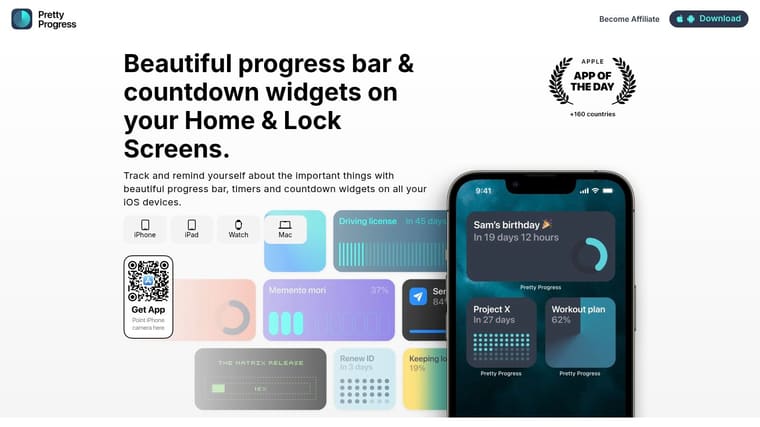
That sounds simple, but for ADHD, simple is often the point. Home Screen and Lock Screen widgets can show countdowns, timers, and progress bars for deadlines, exams, habits, projects, fasting windows, or personal milestones. You’re not opening an app to remember the goal. The goal is already there, gently nudging you all day.
Pretty Progress also works across iPhone, iPad, Apple Watch, Mac, and Android. That cross-device visibility matters when your motivation depends less on one dramatic reminder and more on repeated visual contact.
Why it works for ADHD motivation
A lot of people looking for an ADHD motivation app don’t need more notifications. They need better environmental cues. Pretty Progress does that well because it turns motivation into something visual and ambient instead of noisy.
Its design is a big part of the appeal. Themes like Swiss, Minimal, Aqua, and Retro OS make the widgets feel personal instead of clinical. You can adjust colors, gradients, icon choices, layout, and bar style, which sounds cosmetic until you remember that ADHD brains often respond better to tools that feel interesting enough to look at.
Practical rule: If a reminder blends into the background, it stops being a reminder. Visual novelty helps.
Setup is also fast. You choose start and end dates, customize the display, and place the widget where you’ll see it. The built-in calculators for dates, business days, exact age, and intermittent fasting remove small setup frictions that often stop people before they begin.
There are trade-offs. This is not the app to pick if you need aggressive alarm-style prompting or complex project management. Advanced styling also sits behind a paid PRO upgrade, and the site doesn’t list pricing. But if your real issue is “I forget the goal exists unless it stays in front of me,” this app solves that better than many louder tools.
A useful companion read is Pretty Progress’s own guide to apps for people with ADHD, especially if you’re trying to decide whether visual reminders are enough on their own or should sit alongside another app.
- Best for: Deadlines, exam countdowns, long-term goals, visual motivation
- Works less well for: Complex task lists, urgent alarms, collaborative planning
- Why I’d recommend it: It reduces one of the biggest ADHD failure points. Out of sight, out of action.
2. Inflow
Some people don’t need another planner. They need help getting unstuck. Inflow is strongest when motivation problems are tangled up with procrastination, shame, emotional avoidance, or not knowing how to start.
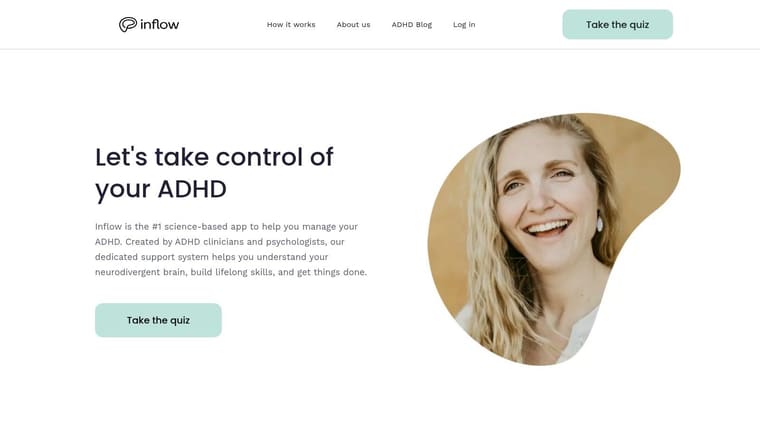
It combines short ADHD-focused lessons, coaching-style guidance, community support, body-doubling options, and an AI companion that helps break tasks into steps. That mix matters because motivation often drops for more than one reason at once. You may need emotional regulation, not just a timer.
Best for coaching your way into action
Inflow feels more like a support program than a utility app. That’s a strength if you keep downloading productivity tools that only work on your best days.
A randomized trial of the FOCUS ADHD App showed that ADHD support apps can achieve high adoption and positive user evaluations, but reminders alone don’t necessarily change behavior. In that trial, adding a financial incentive increased medication intake registrations during the initial phase, which suggests reinforcement matters, not just tracking (randomized trial of the FOCUS ADHD App). Inflow follows that broader lesson well by giving users more than reminders. It adds guidance, structure, and social momentum.
The downside is commitment. This isn’t passive. If you won’t open short lessons or engage with the coaching flow, you probably won’t get much out of it.
The right app isn’t always the one with the most features. It’s the one you’ll still use on a bad Tuesday.
- Best for: Procrastination, emotional avoidance, task initiation, support-seeking
- Pros: Built around ADHD-specific struggles, helpful mix of education and action, body doubling adds real-world traction
- Cons: Subscription can feel expensive compared with simpler habit apps, and it works best with regular use
3. Tiimo
If your day falls apart because time feels slippery, Tiimo is one of the better options. It was built for neurodivergent users and it shows in the interface.
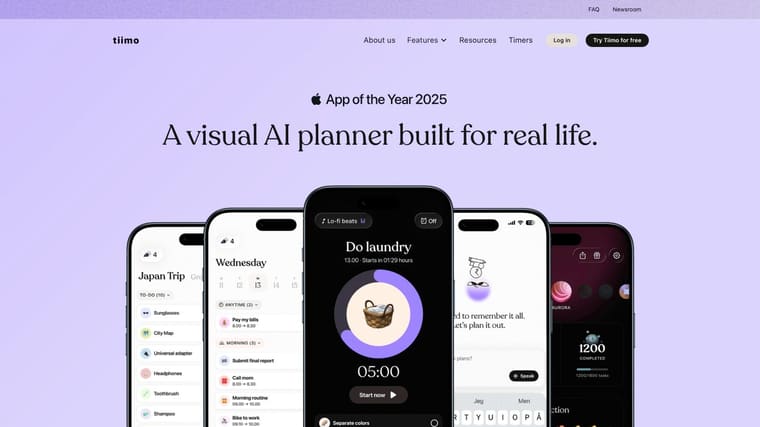
Tiimo uses visual timelines, timers, widgets, reflections, and cross-device syncing to make the day easier to see. That matters when motivation dies because you can’t feel the passage of time or can’t picture what comes next.
Best for time blindness and gentle structure
Tiimo is good at reducing cognitive load. Instead of asking you to manage a dense task system, it gives you a calmer visual sequence.
That’s especially useful because ADHD guidance often points to low-friction capture, repeating reminders, persistent nudges, and simple daily structure as the features that matter most. The same guidance also argues that the best tool is often the one with the least friction and that it helps to choose one painful problem at a time (ADHD app features that actually matter).
Tiimo fits that philosophy well. It doesn’t try to motivate through pressure. It motivates by making the day feel less foggy.
- Best for: Time blindness, daily structure, routines with a gentle feel
- Pros: Neurodivergent-first design, visual timeline is easier to trust than a long list, ad-free approach feels calmer
- Cons: Exact pricing isn’t clearly listed in plain USD on the site, and full functionality sits behind the paid tier
4. Brili Routines
Some motivation problems are really transition problems. You don’t struggle with the whole day. You struggle with starting the morning, beginning homework, cleaning the kitchen, or moving from one activity to another. Brili Routines is built for that.
Brili runs routines step by step with a dynamic timekeeper, a visual clock, notifications, achievements, and ADHD-oriented templates. It’s less about broad planning and more about “do this, then this, then this.”
Best for transitions and repeatable routines
Brili shines when you keep wasting energy deciding what the routine is supposed to be. Once a sequence exists, the app handles the pacing.
That can remove a surprising amount of resistance. Instead of asking yourself whether to shower first, pack lunch, answer one email, or start laundry, the routine is already laid out. The app becomes a script.
Reality check: If your mornings are chaotic because every step requires a fresh decision, a routine app can help more than a task manager.
The trade-off is flexibility. Brili won’t replace a calendar, project tracker, or strategic planning app. It’s best as a specialized tool for repeated flows.
- Best for: Morning routines, home transitions, homework sequences, cleaning flows
- Pros: Very clear visual pacing, less decision fatigue, templates can shorten setup
- Cons: Narrower use case, not ideal for deep work planning or large projects
5. Habitica
You open your to-do list, know exactly what needs doing, and still feel nothing. That is the kind of motivation gap Habitica tries to solve.
Habitica turns habits, dailies, and to-dos into an RPG with levels, gear, quests, and party features. For some ADHD brains, that extra layer is not fluff. It creates a reason to care right now, especially when the task itself is boring, repetitive, or emotionally flat.
Best for reward-driven motivation
In a toolkit for ADHD, Habitica fits the “I need a payoff to begin” category. It is less about time awareness or step-by-step routines, and more about making follow-through feel rewarding enough to repeat.
That trade-off matters.
If standard task apps die for you after three days because they feel sterile, Habitica can hold attention longer. You get visible progress, small rewards, and a sense that checking off laundry or email is doing something beyond clearing a list. If game mechanics annoy you, though, the same design can feel busy fast.
I usually suggest Habitica for maintenance tasks first. Chores, meds, admin, basic self-care, recurring tasks. It is often less helpful for messy project planning, where points and streaks do not solve uncertainty. If you want a broader comparison of tools by ADHD use case, this roundup of productivity apps for ADHD helps place Habitica in a larger system.
- Best for: Habit consistency, boring maintenance tasks, people who respond to external rewards
- Pros: Free version is usable, progress feels tangible, community and party features can add accountability
- Cons: Interface can feel cluttered, setup takes some effort, game elements may distract people who prefer a quieter tool
6. Focusmate
When you can’t start alone, Focusmate is one of the most practical tools on this list. You book a live coworking session, say what you’re going to do, work while another person works too, then check in at the end.
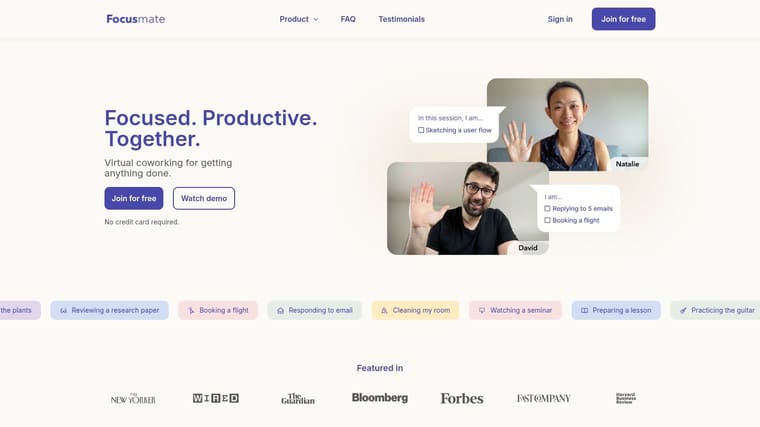
That’s body doubling in a stripped-down form. No complicated setup. No need to explain your whole life. You just show up and begin.
Best for body doubling and accountability
Focusmate is often better for task initiation than for planning. If your issue is “I know what to do but can’t make myself start,” it can work within minutes.
It also offers clear session lengths, including 25, 50, and 75 minutes, plus a free plan with 3 sessions per week and a paid unlimited option. I like tools with a narrow promise when that promise is strong. Focusmate’s promise is simple. Borrow another person’s presence until your own momentum wakes up.
It’s not ideal for every task. Some work is too private, too unpredictable, or too emotionally messy for a live session.
Borrowed structure still counts as structure.
If accountability works for you, Pretty Progress also has a broader roundup of productivity apps for ADHD that pairs well with Focusmate when you want a planning layer on top of body doubling.
- Best for: Starting dreaded tasks, admin work, studying, paperwork, solo work that feels impossible alone
- Pros: Extremely direct, strong accountability, little learning curve
- Cons: Camera and scheduling aren’t for everyone, less useful if your day is highly spontaneous
7. Structured
Structured is for people who need to see the day laid out as a visual timeline. If a traditional to-do list gives you ten urgent-looking tasks and no sense of sequence, Structured fixes that quickly.
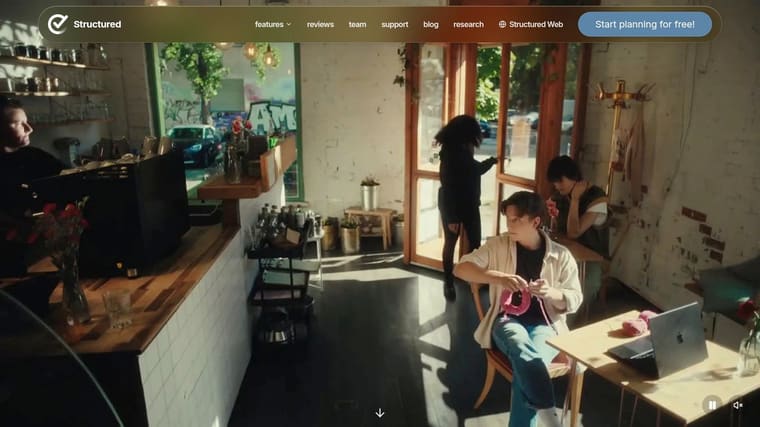
It turns your day into blocks with notifications, widgets, calendar import, and planning assistance. The result is less “I should do everything” and more “this is the next block.”
Best for seeing what happens next
Structured helps when motivation drops because your day feels amorphous. You don’t need more ambition. You need shape.
Its free version is useful enough to test properly, which matters. ADHD users often benefit from trying a tool in real life before committing financially, because app-store optimism and daily-use reality aren’t the same thing.
- Best for: Time blocking, daily planning, visual sequencing
- Pros: Clean interface, strong glanceability, useful widgets
- Cons: Advanced features require Pro, and some Pro features don’t land evenly across platforms
8. RoutineFlow
RoutineFlow sits in a practical middle ground between a routine app and an initiation tool. It breaks bigger activities into timed steps, adds reminders and a home-screen widget, and keeps the sequence moving.
That makes it useful for the kind of tasks that sound easy on paper but stall in real life. Leaving the house. Resetting the kitchen. Starting a work block. Getting ready for bed.
Best for task initiation and step-by-step momentum
RoutineFlow is strongest when the hard part isn’t effort. It’s activation. The app reduces the need to hold the whole task in your head at once.
That’s important because many people searching for an ADHD motivation app are really trying to solve task initiation, not tracking. RoutineFlow addresses that directly with steps and transitions instead of assuming one checklist item is enough.
- Best for: Starting routines, reducing transition friction, breaking broad activities into action
- Pros: Lightweight, initiation-focused, practical daily use
- Cons: Not a project manager, pricing varies by app store and region so you’ll need to confirm it locally
9. Forest
Forest is one of the simplest focus tools here. You start a session, grow a virtual tree while you work, and avoid leaving the task long enough to keep the tree alive.
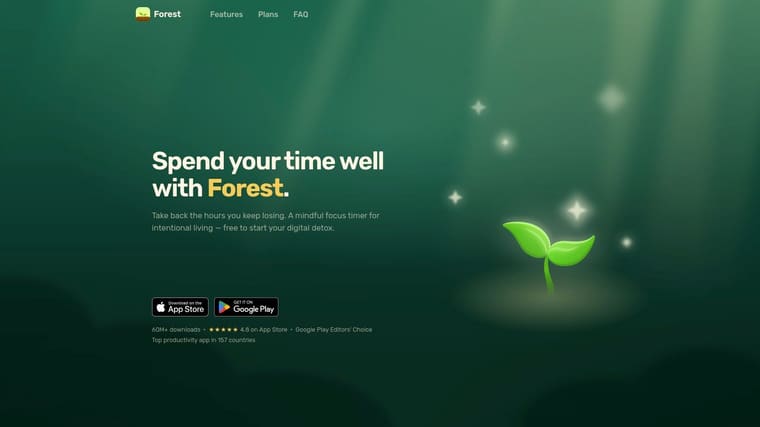
If your motivation keeps collapsing because your phone is too available, Forest can help by adding immediate visual reinforcement to staying put.
Best for staying off your phone long enough to focus
Forest does one thing well. It creates a small emotional cost for distraction.
That’s often enough. You don’t need every tool to be profound. Sometimes you just need a focus timer with a little consequence and a little charm.
The limitation is obvious. Forest won’t tell you what to work on, how to break it down, or how to recover from a derailed day. It’s a focus companion, not a planning brain.
- Best for: Reducing phone distraction, preserving focus blocks, pairing with another planning app
- Pros: Fast to start, visual feedback is motivating, cross-platform options help
- Cons: Time-based only, not built for task management or project sequencing
10. Goblin.tools
If you stare at a task and your brain just says “nope,” Goblin.tools is worth keeping close. It’s a web-based toolbox with tools like Magic ToDo, Taskmaster, Estimator, and writing helpers that turn vague overwhelm into actual next steps.
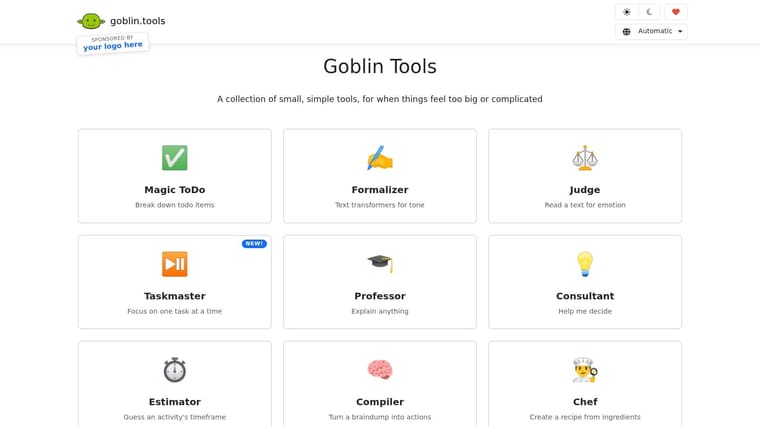
Magic ToDo is the standout for many people. You enter a big task and it breaks it into smaller actions. That’s often the bridge between intention and motion.
Best for task paralysis and unclear starting points
Goblin.tools is excellent for moments when motivation is blocked by vagueness. “Do taxes” is not a startable action. “Find login, open tax folder, list missing documents” is.
The web version being free makes it especially easy to test. That lowers friction, which matters more than people think. If an app asks too much before helping, many ADHD users will bounce before the first win.
Use this one as a companion, not a full system. It doesn’t replace a calendar or planner. It gives you a workable starting point when your brain can’t generate one on demand.
- Best for: Task paralysis, breaking down admin tasks, estimating effort, writing awkward messages
- Pros: Immediately useful, highly practical, complements almost any planner
- Cons: Not a full planning environment, mobile apps are paid downloads with store-specific pricing
Top 10 ADHD Motivation Apps, Features & Usability
| Product | Core features (✨) | Quality (★) | Price / Value (💰) | Best for (👥) |
|---|---|---|---|---|
| 🏆 Pretty Progress | Customizable progress bars & countdown widgets; cross‑device (iPhone/iPad/Mac/Watch/Android); curated themes; date & fasting calculators | ★★★★★ Polished, ad‑free, responsive support | 💰 Free + PRO upgrade (in‑app paid) | 👥 Visual trackers, goal-oriented & widget lovers |
| Inflow | CBT‑based modules; live body‑doubling rooms; AI task breakdown; daily micro‑sessions | ★★★★☆ Clinician‑informed, structured | 💰 Subscription (paid) | 👥 Adults with ADHD seeking coaching |
| Tiimo | Visual timelines & timers; widgets; mood tracking; AI task breakdown | ★★★★☆ Neurodivergent‑first UX | 💰 Free + Pro (paid; pricing in app) | 👥 Neurodivergent users needing gentle structure |
| Brili Routines | On‑demand routines; step timers & visual clock; ADHD‑curated templates | ★★★☆☆ Routine‑focused, clear feedback | 💰 Free tier; Pro for full features | 👥 Families, kids, routine starters |
| Habitica | Gamified habits/dailies/to‑dos; parties & guilds; streaks & rewards | ★★★★☆ Strong community & social motivation | 💰 Free core; optional purchases/cosmetics | 👥 Gamified habit builders & social users |
| Focusmate | Scheduled live coworking sessions (25/50/75 min); clear session structure | ★★★★☆ Reliable external accountability | 💰 Free (3/wk) + Plus unlimited (paid) | 👥 People needing live external accountability |
| Structured | Timeline day planner; calendar import; AI planning; widgets | ★★★★☆ Glanceable time‑blocking | 💰 Free + Pro tier | 👥 Time‑blockers and calendar users |
| RoutineFlow | Step‑by‑step timers; routine analytics; home widgets & templates | ★★★☆☆ Lightweight, initiation‑focused | 💰 Free + paid tiers (store varies) | 👥 Users needing help with starts & transitions |
| Forest | Focus sessions that grow trees; optional app/site blocking; analytics | ★★★★☆ Simple, motivating visual reinforcement | 💰 Paid app + Forest Plus (store) | 👥 People who want timed focus & distraction blocking |
| Goblin.tools | AI Magic ToDo (task breakdown); Estimator; Taskmaster; writing tone tools | ★★★☆☆ Practical for task paralysis; web‑first | 💰 Free web; mobile apps paid | 👥 Users needing quick AI task decomposition |
Build a System, Not a Collection of Apps
The easiest mistake is downloading five apps in one night, feeling hopeful for twelve hours, and then never opening most of them again. That usually happens because people shop by feature instead of by failure point. You don’t need “the best ADHD app.” You need the one that supports the exact place your day breaks down.
If your biggest problem is that goals disappear from your mind, start with a visual reminder tool like Pretty Progress. If you know your tasks but can’t start them, Focusmate, Goblin.tools, or RoutineFlow will probably help more. If time blindness wrecks your day, Tiimo or Structured makes more sense. If chores feel impossible without a reward loop, Habitica may be the better fit.
The broader market suggests this category is only getting more serious. One market estimate valued the global ADHD time-management app market at $1.8 billion in 2025 and projected growth to $5.6 billion by 2034 at a 13.5% CAGR, while another estimate valued the global ADHD apps market at $1.9 billion in 2025 and projected it to reach $6.7 billion by 2033 (ADHD app market projections). I wouldn’t use those projections to pick an app, but they do tell you something important. This isn’t a fringe category anymore. There are enough serious tools now that you can be selective.
A good toolkit usually has only two or three jobs covered well. One app for seeing what matters. One app for starting. One app for staying with the task. That’s often enough.
A simple setup might look like this:
- Visual cue layer: Pretty Progress for deadlines and goals that must stay visible
- Initiation layer: Goblin.tools or RoutineFlow for breaking big tasks into starts
- Focus layer: Forest or Focusmate when distraction or avoidance kicks in
Another setup might be Tiimo plus Habitica. Or Structured plus Focusmate. The exact combination matters less than making sure each app solves a different problem.
Be patient with your own trial-and-error. ADHD motivation is inconsistent by nature. An app that works brilliantly during one season of life can stop fitting when your workload, stress, or routines change. That doesn’t mean you failed. It means your support system needs adjusting.
The best app setup feels a little boring in the right way. It reduces friction, keeps key tasks visible, and gives you a repeatable path back when you drift. That’s the main goal. Not perfect consistency. Just a system that helps you restart faster, more often, and with less self-blame.
If you want one ADHD-friendly tool that keeps goals visible without adding noise, try Pretty Progress. It’s especially good for turning deadlines, milestones, and long-term goals into glanceable Home Screen and Lock Screen reminders you’ll keep seeing.